
Last Updated: September 21, 2026
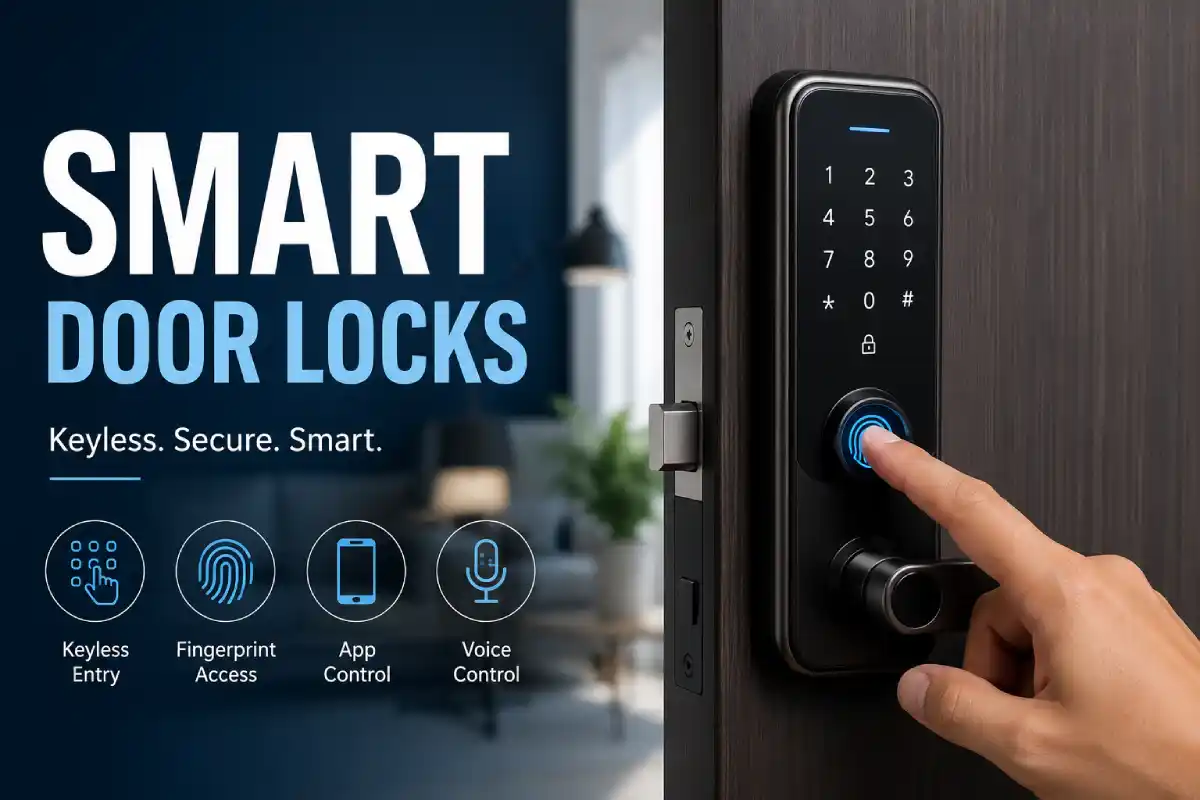
Smart door locks are one of the best new tech for homeowners looking for security and the ultimate convenience. Smart door locks can be accessed from anywhere through your smartphone, do not need a key, uses biometrics for opening or can be worked with the smart voice assistants like Alexa. Get the guide about how smart door lock works, different features of them, how to compare them and install the lock etc.
What Are Smart Door Locks?
Electronic smart door locks are used to install the existing dead bolts to keep your home secure. By connecting a Smartlock to your home or through your smartphones with apps, you are now able to remove the risk of leaving out the keys and unlock your home from wherever you are.
Common access methods:
- PIN codes
- Smartphone apps
- Fingerprint recognition
- Voice assistants
Smart door locks from our smart home security pillar.
Best Smart Door Locks 2026
2026 smart lock market focus of connectivity, biometric sensors, and matter compatibility, and reliability through app. In 2026 we’ve selected smart locks that consistently performed best through the years’ data and reports:
-
WiFi Smart Locks (Best for Remote Access)
- TP-Link Tapo Smart Wi-Fi Door Lock TP-Link tapo provides its WiFi smart locks with the WiFi connectivity built in, and no extra hub is necessary
- Ideal for owners who would like to get live notifications with the option to communicate and get to live notify at the touch of a screen, WiFi smart locks were increasingly chosen with increased to 68% by purchasers in 2026
- TP-Link tapo Smart Wi-Fi door lock may also get into by means of Bluetooth or a 6 or an 8- Digit PIN code via your phone via the Tapo App .
Use case: Remote locking/unlocking, monitoring deliveries, managing access while away
-
Fingerprint Smart Locks (Best for Convenience)
- Devices such as QUBO Smart Door Lock and Atomberg SL1 Smart Door Lock provide biometric authentication
- Unlock speed typically under 1 second
- Eliminates dependency on keys or PINs
Industry trend: Advanced biometrics (face recognition, palm vein scanning) are emerging in 2026
Use case: Families, high-frequency access homes
-
Smart Locks with Camera (Best for Security Monitoring)
- Godrej Neo Pro View Smart Lock integrates camera + smart lock functionality
- Enables real-time visitor monitoring and recording
- Combines video doorbell + lock system
Expert insight: Smart locks with built-in cameras (e.g., Eufy-type models) are gaining popularity for added surveillance layers
Use case: Security-focused homeowners, independent houses
-
Budget Smart Locks (Best Value)
- Entry-level options like Atomberg SL1 Smart Door Lock provide:
- PIN + fingerprint access
- Basic app control
- Affordable pricing
Market data shows budget smart locks now include features that were premium just 2–3 years ago
Use case: First-time buyers, rental setups
-
Premium Smart Locks (Best Overall Performance)
- Yale Zuri smart lock brings ease of multi-access door entry through finger, RFID, PIN, app as well.
- Trust-worthy company having excellent support and robust construction
- Widely recommended in India for reliability and security features
Additionally, global leaders like:
- Yale Assure Lock 2
- Schlage Encode Plus
- August WiFi Smart Lock
are consistently ranked for ecosystem compatibility and app stability
Comparison Table (2026 Feature Benchmark)
| Category | Best For | Key Feature | Connectivity | Price Tier |
| WiFi Smart Locks | Remote access | App control | WiFi | Mid |
| Fingerprint Locks | Convenience | Biometric unlock | WiFi/Bluetooth | Mid |
| Camera Locks | Security | Video monitoring | WiFi | High |
| Budget Locks | Value | Basic smart access | Bluetooth/WiFi | Low |
| Premium Locks | Full ecosystem | Multi-access + automation | WiFi + Matter | High |
Key Buying Insight (2026)
- Matter compatibility is becoming standard across premium locks
- Biometric authentication adoption is rising rapidly
- App performance and reliability now influence buying decisions more than hardware
Experts point out it’s more than just its features, with its ideal smart lock needs a fine equilibrium of security, compatibility and durability over long-term testing and also usage in real life.
Keyless Entry Door Locks
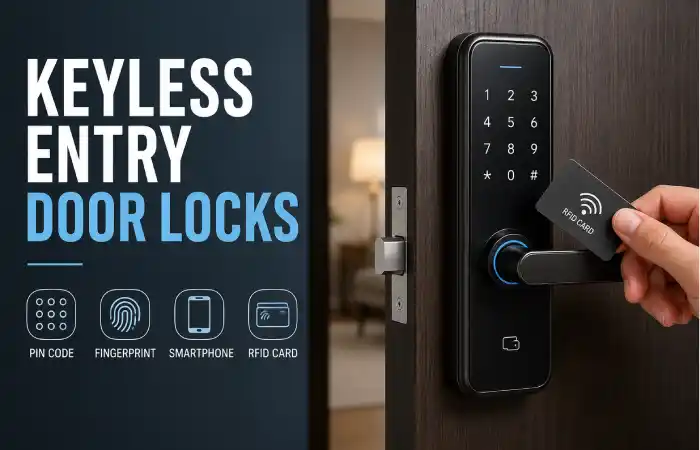
Keyless entry door locks eliminate the need for physical keys, improving both convenience and security.
Advantages:
- No risk of lost or duplicated keys
- Temporary access codes for guests
- Entry logs for monitoring activity
Use cases:
- Residential homes
- Rental properties
- Offices and co-working spaces
Smart Locks with Fingerprint
Fingerprint smart locks are the hottest new segment to have hit the smart security market in 2026 because of their amazing speed and simplicity. By now, consumers who just had the luxury of biometric security were able to replace finger prints as replacements to your finger key, instead of just your physical or mental.
What Are Smart Locks with Fingerprint?
A fingerprint smart lock identifies and authenticate registered users using their unique biometric markers. The moment you touch the sensor.
- The lock scans your fingerprint
- Converts it into an encrypted digital template
- Matches it with stored data
- Unlocks the door if verified
Notably, such systems save a digital representation not a raw scan, encrypting your fingerprint, not taking an image.
How Fingerprint Technology Works
Many contemporary smart door lock systems employ capacitive fingerprint scanners which in addition to reading images, can differentiate your fingerprints based on electric properties you transmit.
- More accurate than older optical sensors
- Harder to spoof using photos or replicas
- Improves recognition over time with learning algorithms
Advanced models also include:
- Live finger detection (anti-spoofing)
- Multi-angle recognition
- Sub-second unlock speeds
Typical unlock time: 0.2–0.5 seconds
Key Benefits of Fingerprint Smart Locks
- Faster Access
Fingerprint locks unlock almost instantly, significantly reducing entry time compared to keys or PIN codes.
- No Keys Required
You cannot lose or forget your fingerprint, removing one of the biggest vulnerabilities of traditional locks.
- Higher Security
Biometric data is unique to each user, making unauthorized access significantly harder.
- Multi-User Access
Most locks store 50–100 fingerprints, allowing access for family members, staff, or frequent visitors.
- Activity Tracking
Many models log entry attempts, giving full visibility into who accessed your home and when.
Limitations to Consider
While fingerprint smart locks offer strong advantages, they are not without trade-offs:
- Sensor performance may drop with wet, dirty, or worn fingerprints
- Pricey when compared to simple keypad locks
- Need maintenance – can use some cleaning and occasional firmware updates
Also extreme temperatures can be a problem with some models, for example very low temperatures might result in slightly higher denial rate. However newer fingerprint scanners work pretty well.
Best Fingerprint Smart Locks (2026 Overview)
The best fingerprint smart lock models these days integrate the fingerprint sensor with other smart home or access mechanisms to keep their versatility:
- Eufy Smart Lock Touch Wi-Fi – Works fast, and can be directly connected to the WiFi, no gateway required
- Ultraloq U-Bolt Pro WiFi – Multi-access (fingerprint + PIN + app)
- Aqara U200 – Value-focused with smart home integration
- Lockly Visage – Advanced biometric (face + fingerprint)
These locks are ranked based on:
- Recognition speed
- Accuracy rates (up to 99%+)
- Storage capacity
- Smart home compatibility
When Should You Choose a Fingerprint Smart Lock?
Fingerprint locks are ideal if you:
- Want instant, keyless access
- Have multiple users in a household
- Manage rental or shared properties
- Prefer biometric security over PIN-based systems
They are particularly effective in high-usage environments, where speed and convenience matter.
Auto-lock when smart motion sensors detect movement.
How to Install a Smart Lock
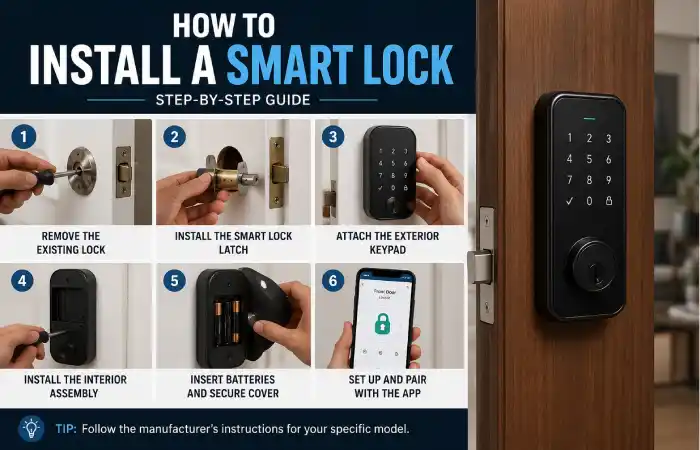
Most smart locks are designed for straightforward installation using existing door hardware.
Steps:
- Remove the existing deadbolt
- Insert the smart lock latch mechanism
- Attach the exterior keypad or reader
- Install the interior unit with batteries
- Connect to the mobile app and configure settings
Average installation time: 20–40 minutes.
Smart Locks Compatible with Alexa
Alexa compatibility is a major factor in purchasing decisions.
Capabilities include:
- Voice-controlled locking and unlocking
- Real-time lock status checks
- Integration with automated routines
Compatible ecosystems typically include:
- Amazon Alexa
- Google Home
- Apple HomeKit (model dependent)
Smart Door Locks: Feature Comparison (2026 Trends)
| Feature | Traditional Locks | Smart Door Locks |
| Remote Access | No | Yes |
| Voice Control | No | Yes |
| Fingerprint Access | No | Yes |
| Activity Logs | No | Yes |
| Auto Locking | Limited | Advanced |
2026 consumer insights:
- 68% prefer WiFi-enabled locks
- 52% prioritize biometric features
- 74% evaluate app reliability before purchase
How to Choose the Right Smart Door Lock
Compatibility
Ensure integration with preferred ecosystems such as Alexa or Google Home.
Door Requirements
Verify fit for door thickness, material, and existing deadbolt size.
Security Standards
Look for:
- Encryption protocols
- Tamper alerts
- Auto-lock functionality
Power Source
Battery-powered systems typically last between 6 and 12 months.
Troubleshooting Smart Door Locks
Common issues and solutions:
Lock not responding:
- Replace batteries
- Restart or reset device
App connectivity issues:
- Check WiFi signal
- Reinstall or update the app
Fingerprint recognition failure:
- Clean sensor surface
- Re-register fingerprints
Auto-lock malfunction:
- Verify settings
- Update firmware
Manage access via smart home security apps.
FAQs
Are smart door locks secure?
Yes. Most models use encryption protocols and multi-factor authentication, making them more secure than standard locks.
Can smart locks function without internet?
Yes. Core locking functions work offline, but remote access requires internet connectivity.
How long do batteries last?
Typically between 6 and 12 months, depending on usage.
Are smart locks suitable for renters?
Yes. Retrofit models can be installed without replacing existing locks.
Conclusion
It’s come a long way since then, with innovations like remote access, biometric sensors, and the ability to sync with smart home devices – providing us with an increased layer of security and, dare we say, ease of access to our humble dwellings. With that in mind, know that smart door lock systems are not all created equal, and to pick the best one for your home, you need to think about your specific situation and security needs.