
Last Updated: September 21, 2026
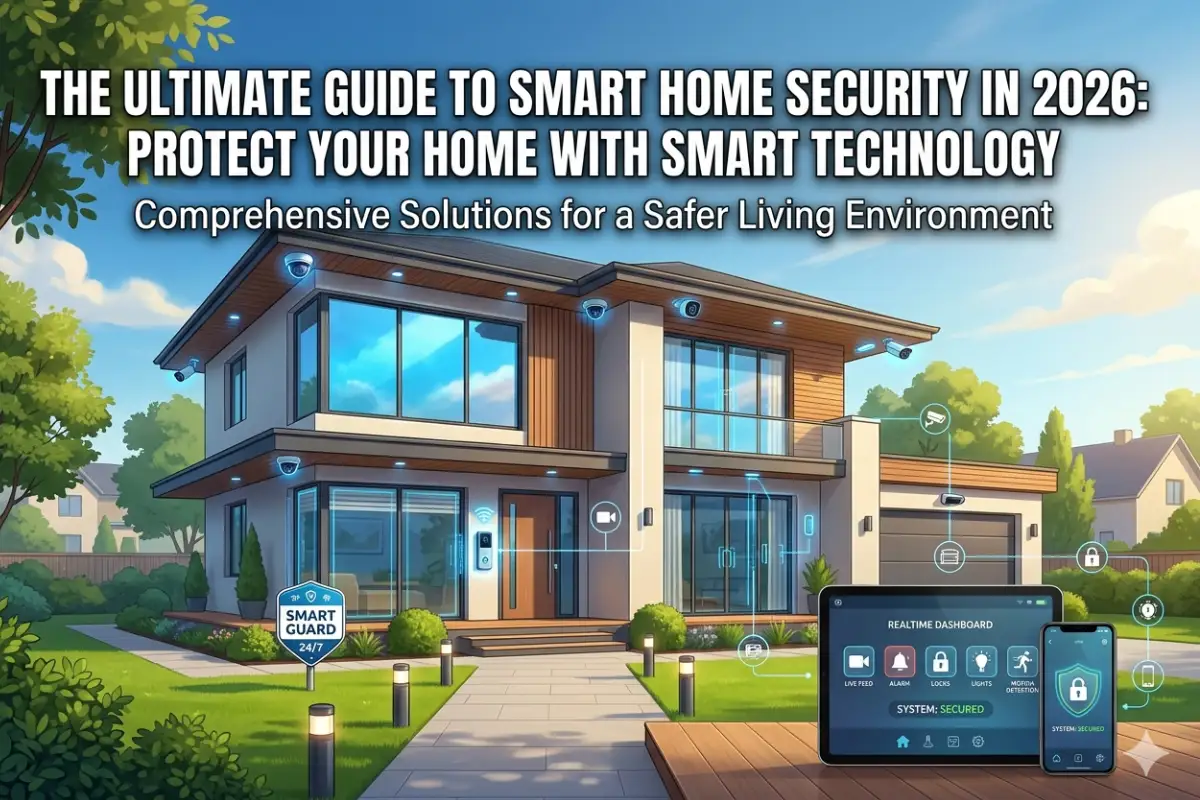
Smart home security has become an integral part of the current age, as people try to combine modern technology with daily conveniences to enhance the protection of their houses compared to conventional security systems. Regardless of whether you are a homeowner or renter, knowing how the smart home security system operates as well as how to install it can help you ensure maximum safety.
This guide will cover everything you need to know about smart home security systems, the best devices in 2026, wireless cameras, DIY security, and security options for renters.
Table Of Content:
‘Explore our smart home security guide:
What is Smart Home Security?
A smart security system is a system composed of devices that are meant to detect and manage security threats. These devices might range from things such as cameras, detectors, alarms, to even mobile applications providing access to the system remotely.
Unlike the conventional systems, smart security solutions use AI and cloud computing technology to guarantee maximum protection.
Smart Home Security Systems
Smart home security systems form the backbone of smart homes as they comprise a number of devices that work as an interconnected system to monitor, detect and respond to any threat instantly. However, the most important benefit of smart security systems over traditional alarm systems is the use of modern technology such as cloud computing, artificial intelligence, and the Internet of Things.
Why is a Smart Home Security System Called Smart?
The following features make a smart security system smarter than the basic surveillance:
- Control through a smartphone application
- Instant alerts in case of any unusual behavior
- Rules-based automation (lights turn on when motion is detected)
- Advanced AI-based detection of humans, animals and vehicles
- Connection to other smart devices (voice assistant and smart lighting)
Such capabilities greatly help in minimizing response time and enhancing the security of the home.
Important Parts of Smart Home Security Systems
Some important parts of smart home security systems include the following:
| Component | Function |
| Smart Cameras | For monitoring activities inside and outside using live streaming and recording |
| Motion Sensors | To detect motion |
| Door/Window Sensors | For detecting openings or tampering of door or window entries |
| Smart Locks | For entering without the use of keys |
| Control Hub/App | Central interface to manage all devices |
| Alarm System | Sounds alerts during unauthorized access |
Smart Home Security System Types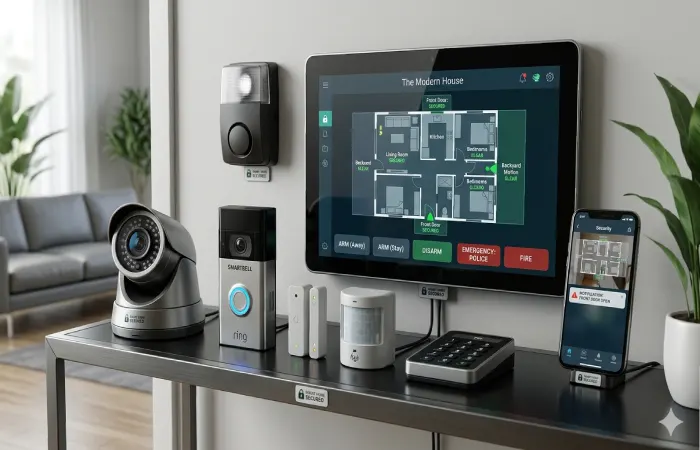
Selecting the type is based on your security requirements, budget, and involvement level.
1. Monitored Systems
The systems are connected to the alarm monitoring firm that operates round the clock. In case of any threat, the firm alerts the concerned authorities.
- Strengths: High levels of security and peace of mind
- Disadvantage: Fees charged monthly for subscriptions
2. Unmonitored (Self-monitored) Systems
Every alarm is sent directly to your mobile device, allowing you total control of your actions.
- Advantages: Ideal choice for budget-sensitive people
- Disadvantage: Need user intervention at all times
3. Hybrid Systems
Combination of professional and self-monitoring systems.
- Advantage: Suitable for flexible users
2026 Trends in Smart Home Security Systems
The world of smart home security systems is moving fast. Among other things:
- Edge Computing: Speedy computing on devices, without cloud dependence
- Privacy First Approach: More vendors provide secure local storage
- Voice-Control: Smooth working with digital assistants like Alexa & Google Assistant
- No Subscriptions Required: Growing preference for upfront payment systems
Advantages of Using Smart Home Security Systems
- Round-the-Clock Surveillance: Uninterrupted surveillance even while away from home
- Remote Access: Control your home security from any location
- Flexibility: Increase or decrease the number of devices as per requirement
- Cost Effectiveness: More cost-efficient than traditional security systems
- Stress Free: Real time alerts and automation eliminate stress
Factors to Consider While Choosing the Best System
While choosing the best smart home security system for yourself, remember that:
- Home size and layout
- Internet reliability (Wi-Fi strength is critical)
- Budget (initial vs subscription costs)
- Compatibility with existing smart devices
- Installation & Usage
For starters, begin with a camera + sensor setup and then move up according to requirements.
Top Smart Home Security Devices
Choosing the top smart home security devices in 2026 entails taking into account performance, dependability, privacy, and affordability. With all the progress made in AI detection, edge computing, and storage without subscriptions, current products are far more advanced than the previous ones.
In this chapter, we will explore the highest performing categories and the most popular devices.
Top Smart Home Security Gadgets (Comparison for 2026)
| Smart Home Security Device | Type | Important Attributes | Cost Range in India | Suitable For |
| Ring Video Doorbell (4th Generation) | Doorbell Camera | Motion sensors, two-way audio, mobile app | ₹8,000 to ₹15,000 | Beginners |
| Arlo Pro 5 | Outdoor Camera | HD video, color night vision, AI-powered features | ₹25,000+ | Advanced users |
| Google Nest Cam (Battery Powered) | Indoor/Outdoor Camera | Smart notifications, facial recognition | ₹10,000 to ₹30,000 | Users of smart ecosystems |
| Eufy Security SoloCam | Wireless Camera | Offline recording, no subscription | ₹7,000 to ₹18,000 | Budget users |
| August Smart Lock | Smart Lock | Remote access, auto-lock/unlock | ₹15,000–₹30,000 | Entry security |
1. Smart Cameras (Indoor & Outdoor)
Smart cameras are the core of any security system. In 2026, almost all top-tier cameras will have:
- Resolution not less than 1080p (preferably 2K/4K)
- AI-based motion detection (recognition of humans, pets, and cars)
- Night vision (infrared or color)
- Cloud or local storage options
Expert Opinion: All outdoor cameras must have IP65+ protection and WDR to cope with Indian light.
2. Video Doorbells
Video doorbells are one of the most useful additions to your home security.
Key Advantages:
- Monitor visitors remotely
- Two-way communication
- Motion-triggered recording
- Package theft prevention
These devices are particularly handy in apartments and cities because the front door is the main entrance point.
3. Smart Locks
Smart locks do away with keys and offer more sophisticated access control.
Important Features to Consider:
- Biometric or PIN access
- Mobile app control
- Auto-lock/unlock functionality
- Temporary guest access
Application: Great choice for families, Airbnb landlords, or those who travel often.
4. Motion Sensors and Entry Sensors
These are very inexpensive but highly effective sensors that detect any unwanted movement or entry.
- • Window/door sensors: Alert you if anything is moved
- • Motion sensors: Set off alarms or automate actions
They should be used along with cameras for confirmation.
5. Smart Alarm Systems
Today’s alarms are designed to work with all of your smart home devices.
Features Include:
- Loud sirens (90–120 dB)
- App-based alerts
- Automation triggers (lights, cameras)
These function both as a warning system as well as a defense measure.
Important Purchase Considerations (2026)
While purchasing devices, please focus on the below points:
- AI Capabilities
Devices with AI detection significantly reduce false alerts by filtering out irrelevant motion.
- Storage Options
- Cloud storage: Convenient but often subscription-based
- • Local Storage: One-time payment, greater privacy
- Ecosystem Compatibility
Make sure your devices are compatible with the below:
- Google Home
- Amazon Alexa
- Apple HomeKit
- Internet Dependency
Stable Wi-Fi is critical. Devices having edge storage are reliable.
Purchase Budget Based Suggestions
| Budget | Suggestion |
| Under ₹10,000 | Basic indoor camera + door sensor |
| ₹10,000 – ₹25,000 | Camera + doorbell + sensors |
| ₹25,000 onwards | Full system (Camera, Lock, Alarm & Automation) |
Real World Suggestions (E-E-A-T)
Based on real-world examples, it is evident that a combination of camera + door sensors + mobile alerts system give best security value for money. Most expensive systems are often over complicated.
Mistakes to Avoid
- Buying incompatible devices across different ecosystems
- Ignoring subscription costs
- Overlooking Wi-Fi coverage
- Choosing devices without local storage backup
Pro Tip
Don’t go out and purchase all devices simultaneously; begin by purchasing one good camera and then gradually increase your system. With this approach, you will have an excellent configuration and manageability and will avoid unnecessary costs in the long run.
Wireless Home Security Cameras
Wireless home security cameras represent one of the most important parts of the contemporary smart home security system. By 2026, they have evolved significantly and are cheaper and easier to use than ever before. As opposed to traditional CCTV systems that involve a lot of wiring and installation, wireless cameras connect through Wi-Fi and are very easy to install.
Reasons Why You Should Invest in Wireless Cameras
Wireless cameras have become very popular due to their versatility and feature sets.
Main Benefits:
- Quick Setup: No need for drilling or complicated installation process
- Remote View: View live feed wherever you are
- Convenient Placement: Move cameras around as you see fit
- Smart Alerts: Be immediately informed about any detected motion
- Integration: Complementary with smart speakers/home systems
Types of Wireless Surveillance Cameras for Home Use
Not all cameras are alike – different models are designed for certain functions. The choice should depend on your house design and priorities.
| Type | Best Use Case | Key Features |
| Indoor Cameras | Surveillance of the interior, monitoring kids and pets | Small size, audio capability |
| Outdoor Cameras | Entry points, perimeter security | Weatherproof, night vision |
| Doorbell Cameras | Front door monitoring | Visitor alerts, package tracking |
| Floodlight Cameras | Outdoor surveillance at night | Motion-activated floodlights & camera |
Top Features to Consider When Buying Wireless Camera (2026)
If you are thinking about purchasing a wireless security camera, pay attention to these features:
1. Video Quality
- Resolution At least 1080p Full HD
- Recommended 2K/4K
2. Night Vision
- Infrared (IR) for basic visibility
- Color night vision for better identification
3. AI Motion Detection
Modern cameras use AI to distinguish between:
- Humans
- Animals
- Vehicles
This reduces false alerts significantly.
4. Storage Options
- Storage Options Cloud storage subscription-based
- Local storage via SD card or memory
5. Battery Powered or wired connection
| Type | Pros | Cons |
| Power Battery | Easy to install Portable | Needs to be charged |
| Wired | Continuous power | Less flexible placement |
Placement Strategy for Optimal Security
Proper placement is very important.
Recommended Places:
- Main entrance and back door
- Living room or central area
- Balcony or windows facing outside
- Parking area or garage
TIP: Set up cameras at 8-10 feet high in order to prevent manipulation and get a good angle of view.
2026 Comparison of Performance (Camera Features)
| Feature | Budget Quality | Mid-Range | Premium |
| Resolution | 1080p | 2K | 4K |
| AI Detection | Basic motion | Human detection | Advanced AI (face, vehicle) |
| Storage | Cloud only | Cloud + local | Advanced local + cloud |
| Price | ₹3,000–₹8,000 | ₹8,000–₹20,000 | ₹20,000+ |
Common Problems & Solutions
1. Poor Wi-Fi signal
- Move router closer
- Use Wi-Fi extenders
- Change the channel to 5GHz/2.4GHz depending on compatibility
- Delayed Notifications
- Check app permissions
- Disable battery optimization
- Update firmware
- False Motion Alerts
- Adjust sensitivity settings
- Enable AI filters
- Avoid pointing at busy streets
Privacy & Security Concerns
Wireless cameras are networked devices and therefore need proper security.
Recommendations:
- Have unique passwords
- Implement 2FA
- Update firmware frequently
- Do not connect to public Wi-Fi networks
DIY Smart Home Security System Setup
A DIY smart home security system enables you to install a custom-designed and budget-friendly system without having to engage any professionals for installing it.
By 2026, the majority of the smart security devices can be installed plug and play-style and hence make it easy for novices to secure their homes in just a few hours.
Why Should You Go for a DIY System?
DIY smart home security systems have become quite common over the years due to their flexible nature and cost-effectiveness.
Advantages Include:
- Reduced costs both initially and during the long run (no subscriptions required)
- Full customization based on your home layout
- Easy upgrades as new devices are added
- No dependency on technicians
- Quick installation (typically under 2–3 hours)
DIY Smart Home Security System Installation Steps
Use the following methodology in installing your security system:
1: Determine Your Security Needs
This includes determining the following:
- Entry points (doors, windows, balcony)
- Blind spots inside your home
- High-risk areas (front door, parking space)
These will help you determine the best places for your devices to be installed.
Smart home security has become an integral part of the current age, as people try to combine modern technology with daily conveniences
2: Determine Your Core Devices
Your security system will require at least the following:
| Device | Purpose |
| Wireless Camera | Visual monitoring |
| Door/Window Sensors | Detect entry |
| Motion Detector | Detect movement |
| Smart Lock (optional) | Secure access |
| Mobile App/Hub | Central control |
Recommended Setup for Beginners:
1 camera + 1 door sensor + mobile app
3: Install and Position Devices
- Place cameras at 8–10 feet height for optimal coverage
- Installation of sensors in main doors and easily accessible windows
- Installation of cameras away from direct light and reflective objects
- Ensure good Wi-Fi connection in all device locations
4: Connecting Devices to the App
- Download the manufacturer’s app
- Connecting of devices to Wi-Fi (preferably 2.4 GHz)
- Naming the devices (for example, “Front Door Camera”)
- Test live feed and alerts
5: Configure Alerts & Automation
Automation is what makes your system “smart.”
Examples:
- Send alert when motion is detected
- Turn on lights when door opens at night
- Trigger alarm if unexpected entry occurs
6: Test Your System
Before relying on your setup:
- Trigger motion detection
- Open doors/windows to test sensors
- Check notification speed
- Verify camera recording
Estimated DIY Setup Cost (India – 2026)
| Setup Level | Devices Included | Approx Cost |
| Basic | 1 camera + sensor | ₹5,000–₹10,000 |
| Mid-Range | 2–3 cameras + sensors | ₹15,000–₹30,000 |
| Advanced | Full Package System with Smart Locks and Alarm | ₹30,000–₹60,000 |
Things To Beware of When Doing DIY Security Systems
- Bad positioning of camera (low or obstruction)
- Weak Wi-Fi coverage causing disconnections
- Overloading with devices initially
- Ignoring firmware updates
- Using default passwords (major security risk)
Troubleshooting DIY Setup Issues
Devices Not Connecting
- Ensure Wi-Fi is stable
- Reset device and reconnect
- Compatibility (2.4 GHz or 5 GHz)
Delayed Alerts
- Disable battery optimization for the app
- Enable push notifications
- Update app and firmware
Automation Not Working
- Recheck trigger conditions
- Ensure all devices are properly synced
- Restart the system
DIY vs Professional Installation
| Factor | DIY Setup | Professional Setup |
| Cost | Low | High |
| Installation | Self-managed | Done by experts |
| Flexibility | High | Limited |
| Maintenance | User responsibility | Provider-managed |
Example Setup from E-E-A-T (Real World)
For a standard 2BHK, a reasonable DIY system will include:
- 2 wireless cameras (living room + entrance)
- 1 door sensor
- App-based alerts
Time for setup: 90 minutes
Total Cost: ₹15,0
This configuration provides effective coverage without unnecessary complexity.
Security Solutions for Renters’ Houses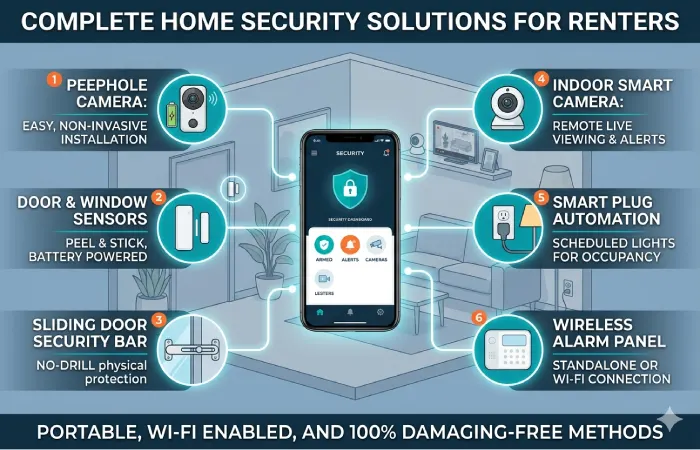
Security solutions for renters aim at flexibility, portability, and easy installation. In contrast to homeowners, renters have to ensure safety of the property without any modifications and breach of terms stipulated in the contract. Luckily enough, in 2026, there are lots of wireless and DIY options for rental property owners.
Having the appropriate combination of tools, renters will be able to provide themselves with top-class protection without drilling holes, altering wiring, and spending extra money on the installation.
Why Renters Need a Different Solution
There are several factors related to renting properties that influence the choice of devices and ways of setting them up:
- No permanent installations (no holes drilled, no wiring)
- Temporary residence (portable systems are required)
- Landlord restrictions
- Common areas (apartments, PG, co-living arrangement)
Wireless devices are the most appropriate option.
Best Devices for Renters
Renters have to concentrate on small-sized devices which will be easy to install and remove without any trouble.
| Device | Why It Works for Renters |
| Indoor Camera | Plug-and-play, no installation needed |
| Doorbell with battery | Does not require wiring |
| Door/Window sensors | Adhesive installation, no drilling |
| Alarm systems Portable | easy to change apartments |
| Smart Plugs (for lighting automation) | Adds security without infrastructure |
Installation without Drilling Methods
Modern tools are created for non-invasive installation:
- Adhesive mounts for sensors and small cameras
- Magnetic bases for easy repositioning
- Free-standing cameras (table/shelf mount)
- Battery-operated devices to eliminate wires
Pro Tip: Make sure to test adhesive strength on a small piece of the wall before installation to prevent wall damage.
Perfect Set-Up for Renter (2026)
A convenient set-up for renters should consist of:
| Area | Device |
| Main Door | Battery video doorbell or sensor |
| Living Room | Indoor wireless camera |
| Bedroom | Optional camera or motion sensor |
| Windows/Balcony | Adhesive sensors |
Estimated Cost: ₹8,000 – ₹20,000
Installation time: 30 – 60 min
This configuration provides strong coverage without permanent modifications.
Privacy Issues (Very Important for Renters)
Privacy is one of the main concerns for shared/rented accommodation.
Best Practices:
- Do not install cameras in private rooms (bathroom, guest areas)
- Notify roommates/co-tenants about camera surveillance
- Switch on camera privacy mode (lens cover or disable from the app)
- Turn on end-to-end encryption if available
Landlord & Legal Considerations
Before installing any security devices:
- Review your rental agreement
- Avoid altering existing wiring or fixtures
- Seek permission for doorbell replacements if required
- Make sure that local privacy laws are adhered to
Common Issues & Their Solutions
Scarcity of Wi-Fi connectivity
- Opt for portable Wi-Fi routers or hotspots
- Position devices close to the router
Device Removal Issues
- Use removable adhesive strips
- Avoid permanent mounting hardware
Frequent Relocation
- Choose compact, battery-powered devices
- Keep original packaging for easy transport
Renter vs Homeowner Security Setup
| Factor | Renters | Homeowners |
| Installation | Non-invasive | Permanent allowed |
| Portability | High | Low |
| Device Type | Wireless | Wired + wireless |
| Cost | Lower | Higher |
Real-World Example
For a rented 1BHK apartment, an effective setup includes:
- 1 indoor wireless camera
- 1 door sensor
- 1 battery-powered doorbell
Total Cost: ₹10,000–₹18,000
Installation: No tools required
This setup ensures entry monitoring and basic surveillance while remaining fully portable during relocation.
Practical Example of Implementation
Example configuration for a typical 2BHK apartment in India will be as follows:
- 2 indoor cameras
- 1 door sensor
- 1 smart lock
- Mobile app integration
Cost involved: ₹20,000–₹40,000
Issues Encountered & Solution
- Camera Not Connecting
- Check Wi-Fi strength
- Restart device
- Update firmware
- False Motion Alerts
- Adjust sensitivity
- Use AI detection filters
- App Not Syncing
- Re-login
- Clear cache
- Update app
FAQ Section
Is smart home security system worth installing in 2026?
Yes, since it provides better security, remote connectivity, and artificial intelligence driven monitoring.
Do I need professional installation?
No, because most of the systems available are user-installable.
Are smart security systems safe from hackers?
Yes, as long as you create strong passwords and use secure Wi-Fi networks.
What is the best budget alternative?
Eufy and low-end Ring.
What distinguishes smart home security system from traditional security systems?
While traditional security systems depend on wired configurations and manual surveillance, the smart home security systems make use of wireless devices, mobile applications, and artificial intelligence driven automation.
Do smart home security devices need the internet?
Yes, while there are devices which have local storage and offline recording facilities, almost all of the smart facilities need an internet connection.
What is the price of a smart home security system in 2026?
Costs vary based on setup:
- Entry-level: ₹5,000 – ₹10,000
- Intermediate: ₹15,000 – ₹30,000
- Advanced: ₹30,000 – ₹60,000+
Are wireless security cameras dependable?
Yes, wireless security cameras are very dependable in the case of a stable internet connection.
Do smart security devices consume a lot of electricity?
No, as these devices are energy-efficient. Battery-operated devices use minimum power and wired devices use low electricity like other appliances.
Is professional surveillance required for my needs or will self-surveillance be enough?
Not always. Self-surveillance is more than enough for many people but professional surveillance provides additional security in some cases.
Can I use smart home security devices in small flats?
Yes, a smart home security system is great for small areas. One camera and one door sensor device will cover all the area of a 1BHK/Studio flat.
What occurs during a power outage?
- Battery-powered devices continue working
- Wired systems may stop unless connected to backup power (UPS)
- Some cameras store footage locally until power is restored
Are smart home security devices safe from cyber attacks?
They are relatively safe if certain safety measures are followed:
- Use strong passwords
- Implement two-factor authentication (2FA)
- Keep firmware updated
- Don’t connect to public Wi-Fi
What should be chosen – cloud or local storage?
- Cloud: Convenient and provides remote access, but paid
- Local: One-time purchase, more secure, but no remote access
Can smart security systems integrate with other smart home devices?
Yes, most systems integrate with:
- Smart lights
- Voice assistants
- Smart locks
- Home automation routines
This makes possible such innovations as lights or alarms activation during unusual activity.
How many cameras are required for my house?
It depends on your home size:
- Small apartment: 1–2 cameras
- Medium home: 2–4 cameras
- Large house: 4+ cameras
Focus on entry points and high-traffic areas.
Are there subscription-free smart security systems?
Yes, brands offering local storage options allow you to avoid monthly fees. However, some advanced features may still require subscriptions.
Should I consider smart home security solutions as a tenant?
Absolutely, because portable, wireless gadgets don’t require any permanent installation.
How long do smart security devices last?
Most devices should last from 3 to 7 years based on how often you use them, how good they are made, and how well they get software updates.
What internet speed do you need for smart home security?
A minimum of 10 Mbps is needed for good video streaming, while a higher speed is required for many devices at once.
Conclusion
Smart home security for 2026 is not an option but a necessity. The proper selection and setting up of devices will give you a very effective system.
Be careful and start small.