
Last Updated: September 17, 2026
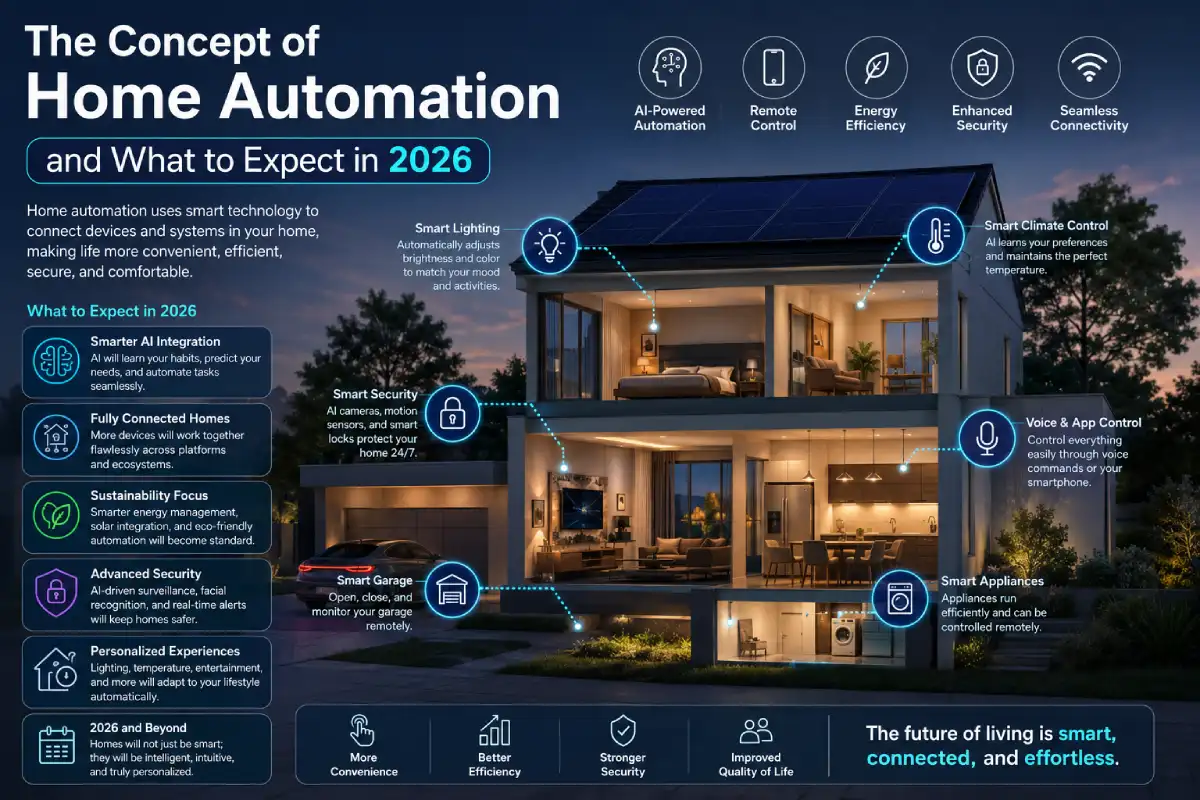
It is no longer a dream of tech fans only; home automation is becoming cheaper, smarter, energy-efficient, and more secure than ever before in 2026. Be it controlling the lighting with your voice or monitoring and controlling your security system remotely, home automation is revolutionizing the way people live and interact within their houses.
If you are thinking about setting up a smart home from scratch or even upgrading a current one, here we offer you a comprehensive guide on home automation that will cover all aspects of it starting from the concept to its benefits, as well as the best available devices and the way to choose a proper home automation system.
Table of Content:
‘Explore our home automation guide:
Home Automation: What Is It?
The process of home automation refers to the use of connected devices, software, sensors, and internet technologies to manage household activities automatically, with little human intervention.
The systems include such elements as:
- Lighting
- Heating and cooling
- Security cameras
- Smart locks
- Appliances
- Entertainment systems
- Irrigation systems
- Energy monitoring devices
As opposed to manually operating these systems, one can automate actions using schedules, voice command, sensors or applications for smartphones.
Simple Example
Let us assume that your alarm clock is set at 6:30 AM. The moment your designated waking time comes, your smart home technology begins executing a number of actions to ensure that your morning starts off better.
Step 1: Opening of Smart Blinds
Exactly at 6:30 AM, your smart blinds or curtains begin to open to allow natural light into the bedroom.
Benefits:
- Provides for a natural wake-up process
- Reduces dependence on artificial lighting
- Helps maintain the body’s sleep pattern
- Illuminates the bedroom naturally
You do not have to be awoken by darkness; rather, you get awoken naturally.
Step 2: Onset of Bedroom Lights
Simultaneously, smart lighting systems are activated according to your preferred brightness.
The lights may:
- Turn on automatically
- Gradually brighten over several minutes
- Employ warm white lighting as your preferred wake-up lighting
This avoids your having to look for the light switch immediately you wake up.
Step 3: Coffee Maker Starts Brewing
As you get out of bed, your smart coffee machine begins preparing your morning coffee.
The system may:
- Start brewing automatically
- Prepare your favorite coffee strength
- Notify you when your coffee is ready
By the time you reach the kitchen, your coffee is already waiting for you.
Step 4: Your Room Temperature Adapts Itself
At nighttime, your thermostat lowers the temperature as an energy-saving measure and better sleep.
When your wake-up hour arrives, the smart thermostat increases the room temperature to your preferred level.
Here is how:
| Time | Temperature |
| Overnight | 20°C (68°F) |
| 6:30 AM | 23°C (73°F) |
| Daytime | 22°C (72°F) |
So that you don’t have to manually adjust the temperature.
Step 5: Your Smart Speaker Updates You
After waking up, your smart speaker provides the following information to you:
- Current weather conditions
- Traffic updates
- Calendar appointments
- News headlines
- Reminders and tasks
Why Does This Example Represent Home Automation
This scenario perfectly illustrates the core purpose of home automation:
Convenience
Tasks happen automatically without manual effort.
Comfort
Your house accommodates your needs.
Energy Efficiency
Lighting and climate settings operate only when needed.
Personalization
The system is customized to your schedule and lifestyle.
Time Savings
Multiple tasks are completed simultaneously, saving valuable time each morning.
Expanding the Routine Further
Some advanced smart houses may be able to automate even more actions:
- Bathroom lights turn on as soon as some motion is detected.
- Smart mirrors display weather and calendar information.
- Robot vacuums begin cleaning after everyone leaves.
- The security system automatically disarms itself when you wake up.
- An intelligent watering system adjusts the schedule according to the weather forecast.
Eventually, AI-based smart home systems may even learn your daily routine.
Smart Home Automation: The Future of Connected Living
Smart home automation is more than just remote control.
The modern smart homes incorporate such innovative solutions as:
- Artificial Intelligence (AI)
- Machine Learning
- Edge Computing
- IoT (Internet of Things)
- Predictive Automation
It allows for making a home learn people’s behavior and make smart decisions automatically.
Difference Between Traditional Home and Smart Home
| Feature | Traditional Home | Smart Home Automation |
| Lighting | Manual | Automated |
| Security | Basic Alarm | AI Security Monitoring |
| Climate Control | Manual Thermostat | Smart Learning Thermostat |
| Energy Management | Limited | Real-Time Monitoring |
| Appliance Control | Manual | Remote & Automated |
| Convenience | Moderate | High |
| Efficiency | Average | Optimized |
Trends in the Home Automation Market (2026)
The global home automation industry continues expanding rapidly.
Facts and Figures on Smart Homes
| Metric | 2023 | 2026 |
| Value of Smart Home Market | $120 Billion | $220+ Billion |
| Connected Devices | 16 Billion | 32 Billion |
| Smart Speaker Adoption | 42% | 68% |
| Smart Security Systems | 28% | 51% |
| Energy Automation Adoption | 18% | 44% |
Market Growth
The growth is driven by:
- Lower device costs
- Faster Wi-Fi networks
- AI integration
- Energy-saving initiatives
- Increased security concerns
How Home Automation Works?
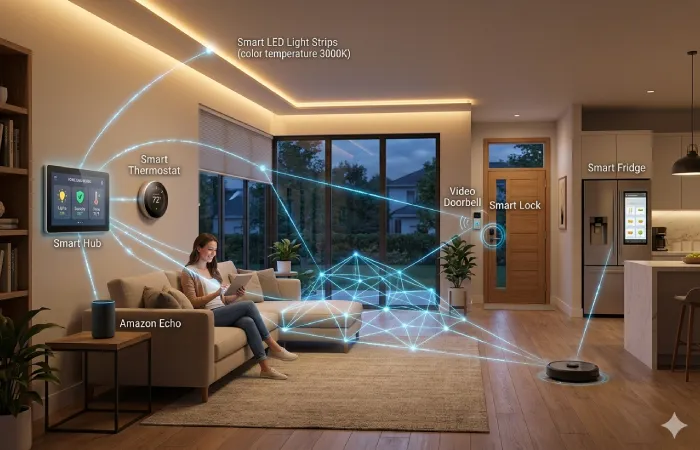
Knowing how home automation works will help you make smarter purchases.
There are four main components of home automation system.
1. Smart Devices
These are the physical products installed throughout the home.
Examples:
- Smart bulbs
- Smart plugs
- Smart thermostats
- Smart cameras
- Smart locks
2. Sensors
Sensors collect data and trigger actions.
Examples:
| Sensor Type | Function |
| Motion Sensor | Detects movement |
| Temperature Sensor | Measures room climate |
| Door Sensor | Detects entry |
| Water Leak Sensor | Detects leaks |
| Light Sensor | Measures brightness |
3. Hub or Controller
The hub acts as the central brain.
Examples include:
- Voice assistants
- Smart home hubs
- Automation controllers
Functions:
- Device communication
- Automation execution
- Scheduling
- Remote access
4. Network Connectivity
Devices communicate using:
| Technology | Range | Speed |
| Wi-Fi | High | Fast |
| Zigbee | Medium | Moderate |
| Z-Wave | Medium | Moderate |
| Bluetooth Mesh | Short | Fast |
| Thread | High | Efficient |
Thread and Matter have become major standards in 2026 because they improve compatibility between brands.
Components of a Home Automation System
A typical home automation system consists of several layers working together.
Core Components
Smart Lighting
Functions:
- Automated schedules
- Motion activation
- Color control
- Energy savings
Smart Climate Control
Includes:
- Smart Thermostats
- Smart vents
- Temperature sensors
Benefits:
- Lower utility bills
- Better comfort
- Automatic optimization
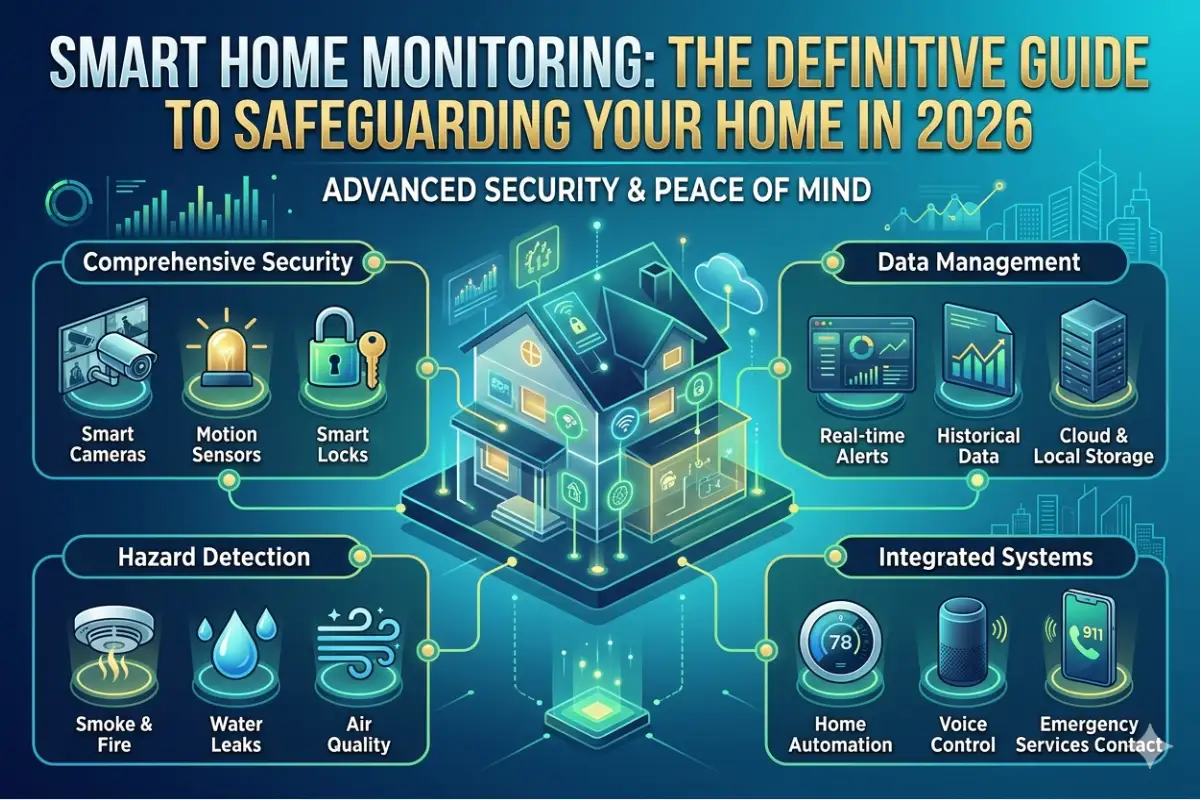
Smart Security
Includes:
- Cameras
- Motion sensors
- Video doorbells
- Smart locks
Smart Entertainment
Examples:
- Multi-room audio
- Voice-controlled TVs
- Smart projectors
Smart Appliances
Includes:
- Refrigerators
- Washing machines
- Ovens
- Vacuum robots
Advantages of Home Automation
The increasing popularity of smart homes is primarily due to the various benefits of home automation.
1. Convenience
Automation makes it unnecessary for a person to make the same moves multiple times.
Examples:
- Automatic lighting
- Voice control
- Scheduled routines
Users spend less time managing their homes.
2. Enhanced Security
Modern systems provide:
- Real-time alerts
- Video surveillance
- Remote lock control
- Intrusion detection
Security Comparison
| Security Feature | Traditional | Smart Home |
| Camera Monitoring | Limited | Remote Access |
| Alerts | Alarm Only | Instant Notifications |
| Door Lock Control | Physical Key | Smartphone |
| Visitor Identification | Manual | AI Recognition |
3. Energy Savings
Smart homes optimize power consumption automatically.
Energy Reduction Estimates
| Automation Feature | Average Savings |
| Smart Thermostat | 10–25% |
| Smart Lighting | 15–30% |
| Smart Plugs | 5–15% |
| Energy Monitoring | 8–20% |
4. Improved Safety
Smart homes help prevent:
- Fires
- Water damage
- Gas leaks
- Unauthorized access
Sensors give you a warning before the problem gets serious.
5. Higher Resale Value
It has been proven that smart homes are in higher demand from the buyers’ side and are worth more when resold.
Popular options include:
- Smart security
- Energy-efficient automation
- Smart climate control
6. Better Accessibility
Home automation significantly improves quality of life for:
- Seniors
- Individuals with disabilities
- Busy professionals
Voice control reduces dependence on physical switches and controls.
Types of Home Automation Systems
Not all home automation systems are alike.
1. Wired Home Automation
Uses physical cables throughout the house.
Pros
- Highly reliable
- Fast communication
- Secure connections
Cons
- Expensive installation
- Difficult retrofitting
Best for:
New home construction.
2. Wireless Home Automation
Uses:
- Wi-Fi
- Zigbee
- Z-Wave
- Thread
Pros
- Easy installation
- Affordable
- Flexible
Cons
- Network dependency
Best for:
Most homeowners by 2026.
3. Hybrid Systems
Combination of wired and wireless components.
Pros
- Reliability
- Scalability
Cons
- More complex setup
Best Home Automation Devices in 2026
Choosing the best home automation devices depends on budget, integration, etc.
Smart Speakers
| Device Type | Strength |
| Voice Assistant Hub | Best Ecosystem Control |
| Smart Display | Visual Automation Dashboard |
| AI Smart Speaker | for Advanced Automation |
Great for:
- Voice commands
- Routine creation
- Device management
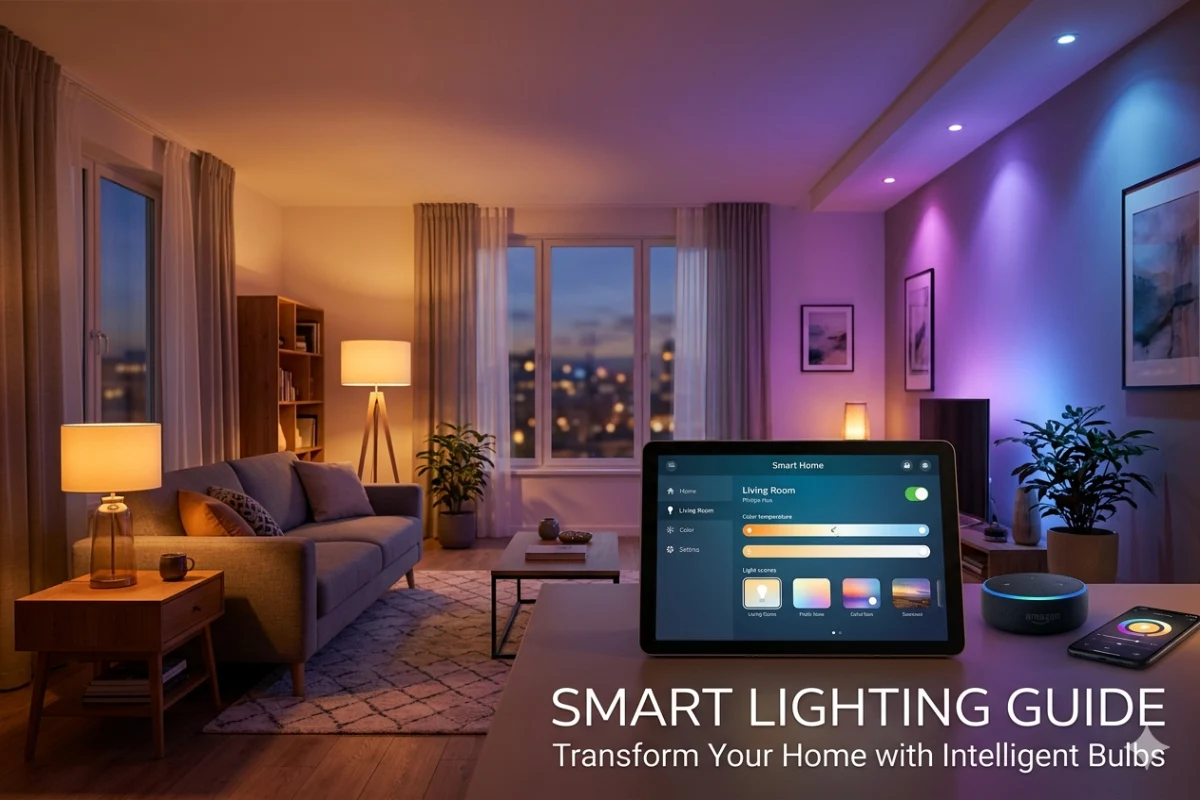
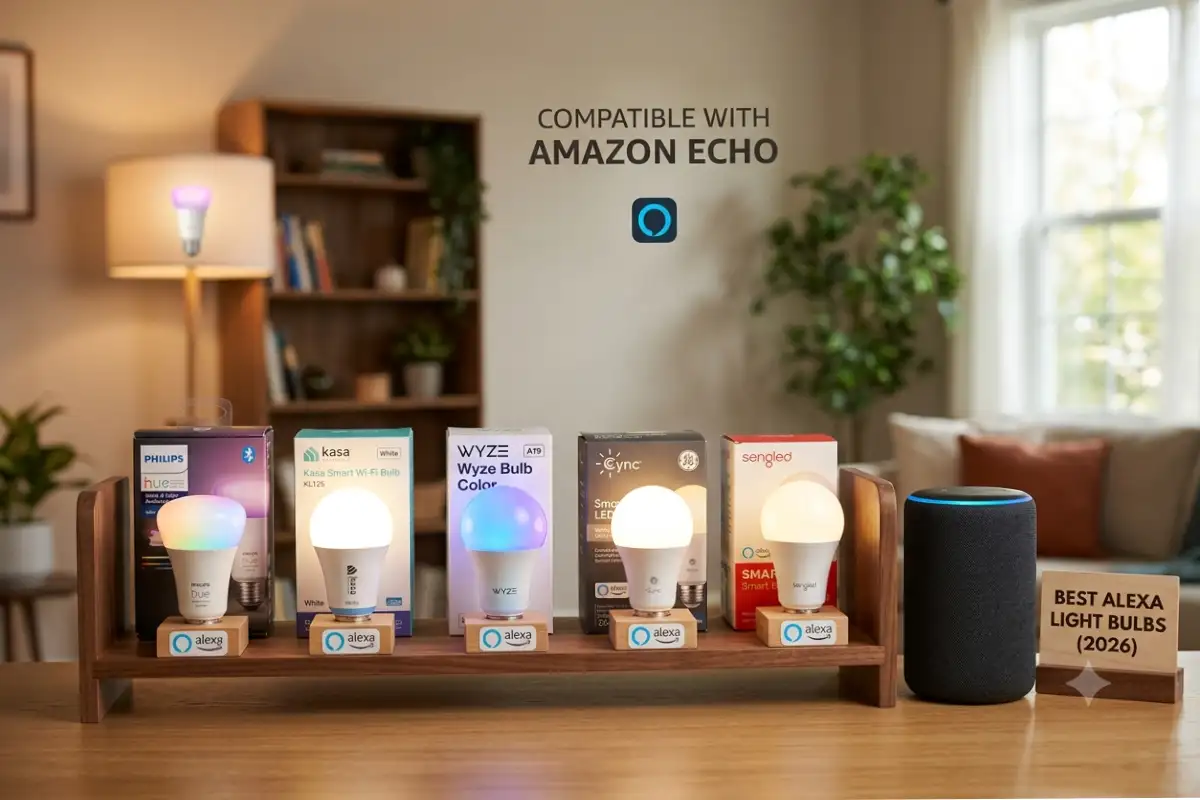
Smart Lighting
Top features:
- Dimming
- Scheduling
- Motion activation
- Color customization
Good for:
- Bedrooms
- Living rooms
- Outdoor areas
Smart Thermostats
Benefits:
- Learning algorithms
- Energy reports
- Automated climate control
Smart Security Cameras
Important features:
- AI detection
- Night vision
- Cloud storage
- Local recording
Smart Locks
Modern smart locks offer:
- Fingerprint access
- Mobile control
- Temporary guest codes
Smart Robot Vacuums
Features:
- AI mapping
- Room recognition
- Self-emptying stations
Home Automation Systems Comparison
One of the important options is choosing the platform.
Platform Comparison Table
| Feature | Platform A | Platform B | Platform C |
| Voice Control | Excellent | Excellent | Good |
| Device Compatibility | High | High | Moderate |
| Automation Options | Advanced | Advanced | Basic |
| Privacy | Good | Moderate | Good |
| Setup Ease | Easy | Easy | Very Easy |
Choosing the Right Platform
Consider:
- Existing devices
- Budget
- Privacy preferences
- Future expansion
AI and Home Automation in 2026
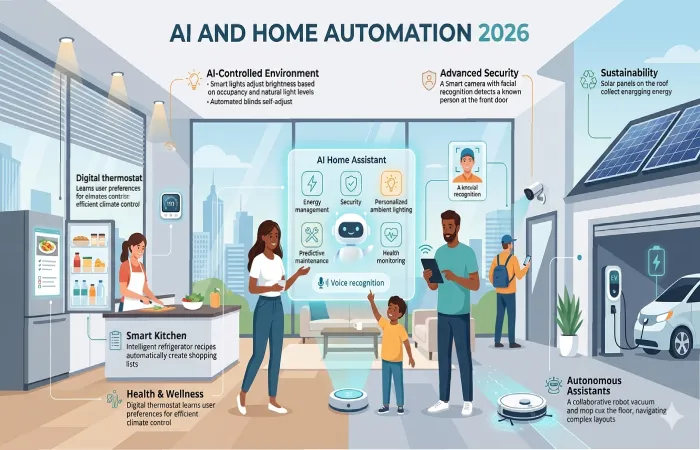
Artificial Intelligence (AI) has emerged as the driving force for all home automation systems in 2026. Initially, the intelligent home systems were largely based on manual programming such as timers, scheduling, or voice controls. But the AI-based systems have become adaptive; in other words, they are capable of learning about the behaviors and taking actions accordingly without any external user intervention.
As opposed to just following instructions, AI learns from patterns and improves itself in terms of predicting needs and decisions.
How Artificial Intelligence (AI) Affects Home Automation
Today’s AI-based home automation systems do more than switching devices on and off. The system takes control of managing the home environment in real-time.
1. Predicting Daily Routines
AI learns about the lifestyle and routines and predicts the activities you do.
For instance,
- The system gets ready for you in advance since you get up at 6:30 AM
- The coffee machine switches on before you come into the kitchen
- The curtains open slowly to mimic natural sunlight pattern
In this way, no manual settings are required.
2. Automatic Temperature Adjustment
Unlike the set temperature, artificial intelligence can control the indoor environment according to:
- Time of day
- Weather outside
- Your comfort history
- Room usage patterns
For instance:
- • If you favor cooler nights, the temperature is automatically lowered prior to sleeping time
- • If no one is in the room, it regulates temperature to conserve energy
This will provide an equilibrium between comfort and efficiency without any manual intervention.
3. Unusual Behavior Detection
Artificial intelligence improves security in the house by analyzing normal behaviors within the house.
It can detect:
- Unexpected movement when no one should be home
- Doors or windows opening at unusual times
- Strange appliance activity
- Unrecognized voices or sounds
When something unusual happens, the system can:
- Send instant alerts to your phone
- Trigger security cameras
- Alarm or smart lighting systems are triggered in case of unusual movement
This makes the house security system pro-active rather than reactive.
4. Energy Optimization
One of the most important AI benefits is reducing energy waste.
AI systems monitor:
- Electricity usage of appliances
- Peak energy hours
- Room occupancy
- Device efficiency
Based on this, they automatically:
- Turn off unused devices
- Shift energy-heavy tasks to low-cost hours
- Make optimal use of lights and coolness
In time, it will greatly cut down electricity bills and keep you comfortable.
AI Automation Example
Instead of you manually creating schedules for every device, AI builds a personalized routine based on your behavior.
The system learns:
- When you wake up:
It gradually turns on lights, adjusts room temperature, and prepares your morning devices. - Preferred room temperature:
It knows you like it cooler at night and warmer in the morning. - Lighting preferences:
It makes the light intensity dependent on time, mood, and activity (like reading, watching TV, relaxing). - Appliance usage patterns:
It knows when you normally turn on the TV, laundry machine, and other kitchen appliances. It helps to make their work more efficient.
Result of AI-Enabled Automation
Over time, the home becomes “intelligent” enough that:
- You don’t need to give frequent commands
- Devices respond before you ask
- Comfort levels are maintained automatically
- Energy is used more efficiently
- The security is constantly monitored by the background process
In brief, the home begins working as a self-taught system that is adjusted according to your way of life.
Home Automation Security Risks
Home automation makes life easier through enabling homeowners to control the lighting, security systems, appliances, thermostats, and other connected devices remotely. At the same time, each of the connected devices represents a potential way into the house for a cybercriminal. The safety of the whole system of home automation is determined by the weakest connected device, which makes security an essential element of this system.
Knowing what types of home automation security risks exist allows a homeowner to safeguard his personal information, privacy, and all the connected devices from being accessed without permission.
Why Smart Home Security Is Important
Unlike conventional household devices, smart home gadgets constantly communicate via the Internet and local networks. They transmit various information, including user behavior, schedules, videos, audio recordings, and other settings of connected devices.
In case these devices are not secured, a hacker may:
- Access private information
- Control smart devices remotely
- Monitor household activities
- Disable security systems
- Use devices in larger cyberattacks
- Gain access to home networks and connected computers
Security in smart homes will remain a critical issue in 2026 with the increase in the interconnectivity of smart homes.
Common Risks
1. Weak Passwords
Weak passwords remain one of the most widespread problems for home automation systems.
Users tend to choose weak passwords like:
- 123456
- password
- admin
- qwerty
- Birthdates or names
Hackers usually utilize software that allows them to check out millions of passwords per minute. Once a hacker finds a password to a smart device, he/she can get access to:
- Smart cameras
- Smart locks
- Home automation hubs
- Voice assistants
- Security systems
Possible Implications
If a user’s password gets exposed, an intruder will be able to:
- Unlock smart doors
- View security camera feeds
- Change device settings
- Disable alarms
- Access personal information
Recommendations
To protect smart home accounts:
- Utilize different passwords for each device and account.
- Choose passwords with at least 12–16 characters.
- Include numbers and symbols along with uppercase and lowercase letters.
- Do not use personal information in passwords.
- Use a trusted password manager.
- Use MFA where possible.
2. Insecure Home Wi-Fi Networks
The home Wi-Fi network is the core of any smart home system. An insecure home Wi-Fi network exposes every device to attacks.
Most homeowners unwittingly put themselves into danger due to:
- Using outdated security protocols
- Keeping default router settings
- Sharing Wi-Fi passwords widely
- Failing to update router firmware
WiFi Attacks
Unauthorized Access
Attackers can connect to insecure WiFi networks and have access to smart devices.
Data Interception
Encryption can be weak, and attackers can monitor data sent from one device to another.
Device Hijacking
Connected devices can be taken over and controlled remotely.
Warning Signs of an Unsecured Network
- Slow internet performance
- Unknown devices appearing on the network
- Frequent connection interruptions
- Router settings changing unexpectedly
Securing Your WiFi Network
Use WPA3 Encryption
The WPA3 is the most secure encryption standard for WiFi networks at home.
Change Default Router Credentials
Default usernames and passwords are widely known by many attackers.
Creating a Separate IoT Network
A dedicated network for smart devices helps isolate them from:
- Computers
- Smartphones
- Sensitive data
Disable Unused Features
Turn off:
- Wi-Fi Protected Setup (WPS)
- Remote administration (unless needed)
- Unused guest networks
Security Tip
Using mesh WiFi network for your smart home with better security features can be considered.
3. Outdated Firmware
Firmware is an integral part of the software of smart devices.
Manufacturers frequently update their firmware to:
- Fix security vulnerabilities
- Improve performance
- Add new features
- Enhance compatibility
Sadly, many people disregard alerts and turn off automatic updating functions.
Why Outdated Firmware Is Dangerous
Criminals typically take advantage of vulnerabilities that have already been patched by vendors.
In case a product is left unupdated, hackers might exploit vulnerabilities to:
- Access the device
- Steal data
- Install malicious software
- Control connected systems
Devices Commonly Affected
- Smart cameras
- Smart locks
- Smart speakers
- Home automation hubs
- Smart thermostats
- Video doorbells
Real-Life Situation
Out-of-date firmware on a security camera can create a vulnerability that allows cybercriminals to gain remote access. They would be able to see what is happening via a camera or turn it off.
Best Practices
Allow Automatic Updates
When you can, set up your device for automatic firmware updates.
Inspect Device Settings Monthly for Updates
Go through device settings on a monthly basis to check that your firmware is updated.
Replace Unsupported Devices
Replace old devices that no longer get firmware updates.
Security Checklist
- Automatic updates enabled
- Latest firmware installed
- Unsupported devices removed
- Hub software updated
4. Untrusted or Poor Quality Smart Home Devices
Not every smart home appliance is built with security in mind.
Moreover, some manufacturers gather too much information about users while not having any privacy policy.
- Security testing
- Encryption
- Regular updates
- Secure authentication methods
Risks of Untrusted Devices
Data Collection Concerns
Some manufacturers collect excessive user data without clear privacy policies.
Bad Security Habits
Low-quality devices may:
- Use hardcoded passwords
- Transmit unencrypted data
- Lack firmware updates
Network Weaknesses
One unsecure device is enough to provide access to the whole network of your home.
Warning Signs
Be cautious of devices that:
- Come from unknown manufacturers
- Have few or no customer reviews
- Lack published security policies
- Do not receive software updates
- Require excessive permissions
What Devices Are Trustworthy
You should choose products that:
- Support Matter certification
- Receive regular security updates
- Offer strong encryption
- Have transparent privacy policies
- Come from established manufacturers
Security Tips
Always Use Strong Passwords
Avoid:
123456
Use:
Using passphrases and two-factor authentication.
Enabling Two-Factor Authentication
For better security against breaches.
Regular Updating of Devices
Vendors regularly roll out security updates.
Network Security
Recommendations:
- WPA3 encryption
- Separate IoT network
- Regular router updates
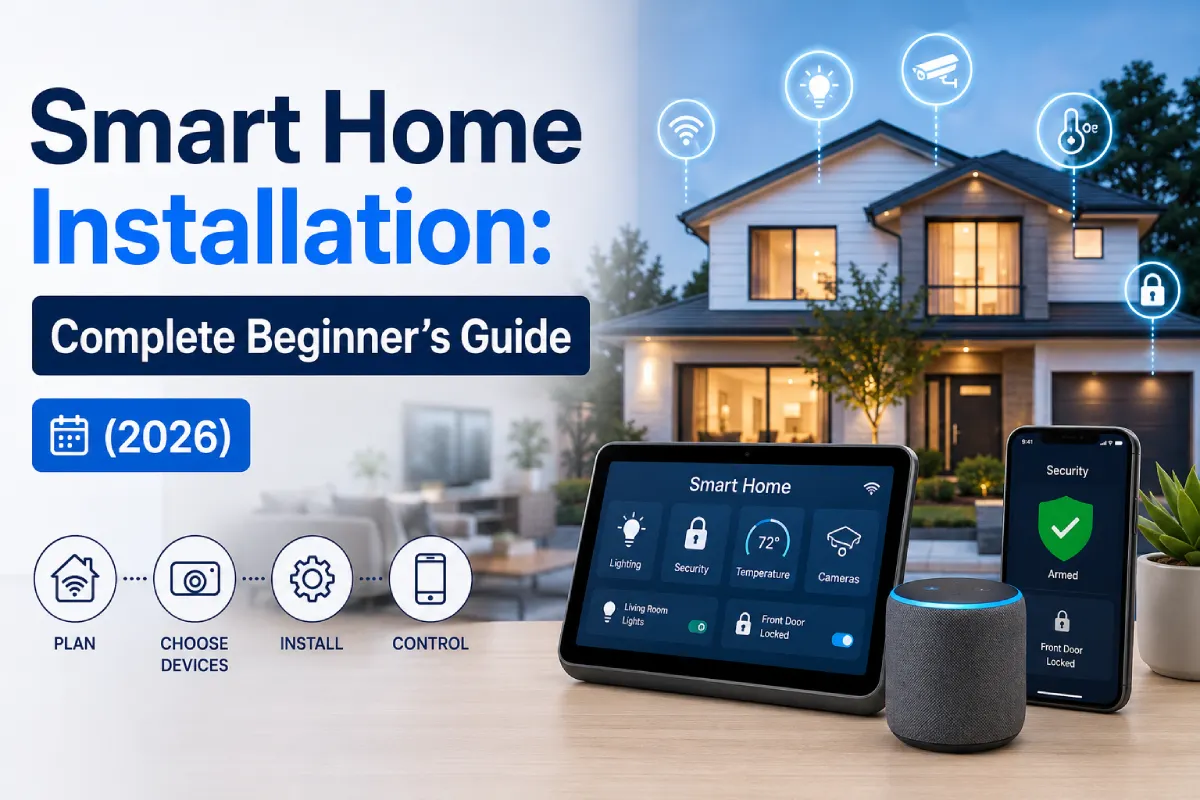
Home Automation Installation Tips
Step 1: Define Your Goals
Define what goals do you have to reach:
- Security
- Energy savings
- Convenience
- Entertainment
Step 2: Choose Platform
Choose ecosystem for your integration.
Step 3: Start Small
Begin with:
- Smart lights
- Smart plugs
- Smart speaker
Step 4: Implement Automation Rules
Examples:
Morning Automation
- Lights ON
- Coffee Maker ON
- Thermostat Adjust
Night Routine
- Doors Lock
- Lights OFF
- Cameras Arm
Step 5: Scale Up Slowly
Add:
- Security systems
- Climate control
- Appliances
- Sensors
Future Trends in Home Automation
Future generation of automation will involve:
AI-Powered Home
Homes that anticipate needs automatically.
Matter Standard Expansion
Enhanced cross-platform support.
Energy Optimization Automation
Home automation that optimizes power usage based on rates of utilities.
Health Monitoring
Emerging systems can monitor:
- Air quality
- Sleep patterns
- Occupancy behavior
Autonomous Smart Homes
Future homes may manage:
- Security
- Climate
- Energy
- Maintenance
With minimal user involvement.
Home Automation ROI Analysis
Typical Investment vs Savings
| Category | Average Cost | Annual Savings |
| Smart Lighting | $200-$600 | $50-$150 |
| Smart Thermostat | $150-$350 | $100-$300 |
| Smart Plugs | $50-$150 | $30-$80 |
| Security System | $300–$1500 | Indirect Savings |
Homeowners start saving money after 2-4 years.
Frequently Asked Questions
Is home automation worth it in 2026?
Yes. Development of technology, lowering prices, and increased compatibility make home automation easier than ever.
How expensive is the installation of home automation system?
Basic system starts with $200-$500, while a full smart home costs $2,000 to $20,000+ depending on its complexity.
Can I install home automation myself?
Wireless devices can be easily installed without having any technical skills.
Which one is the best communication protocol?
The most optimal solution for 2026 would be the use of Thread and Matter protocols.
Do smart homes save money?
Yes. Smart Thermostats, lighting, and energy monitoring may help to save a lot of electricity.
Conclusion
Home automation has grown from the mere idea of the future into the necessary component of modern life. Contemporary systems of smart home automation have reached an amazing level of convenience, efficiency, security, and personalization.
In order to make home automation work successfully, the most important thing is to choose the proper home automation system, buy reliable devices, and extend the system gradually according to your needs.
In addition, since 2026 the development of AI, Matter, Thread, and energy-aware solutions would make home automation even more advanced, easy, and convenient.