
Last Updated: July 1, 2026
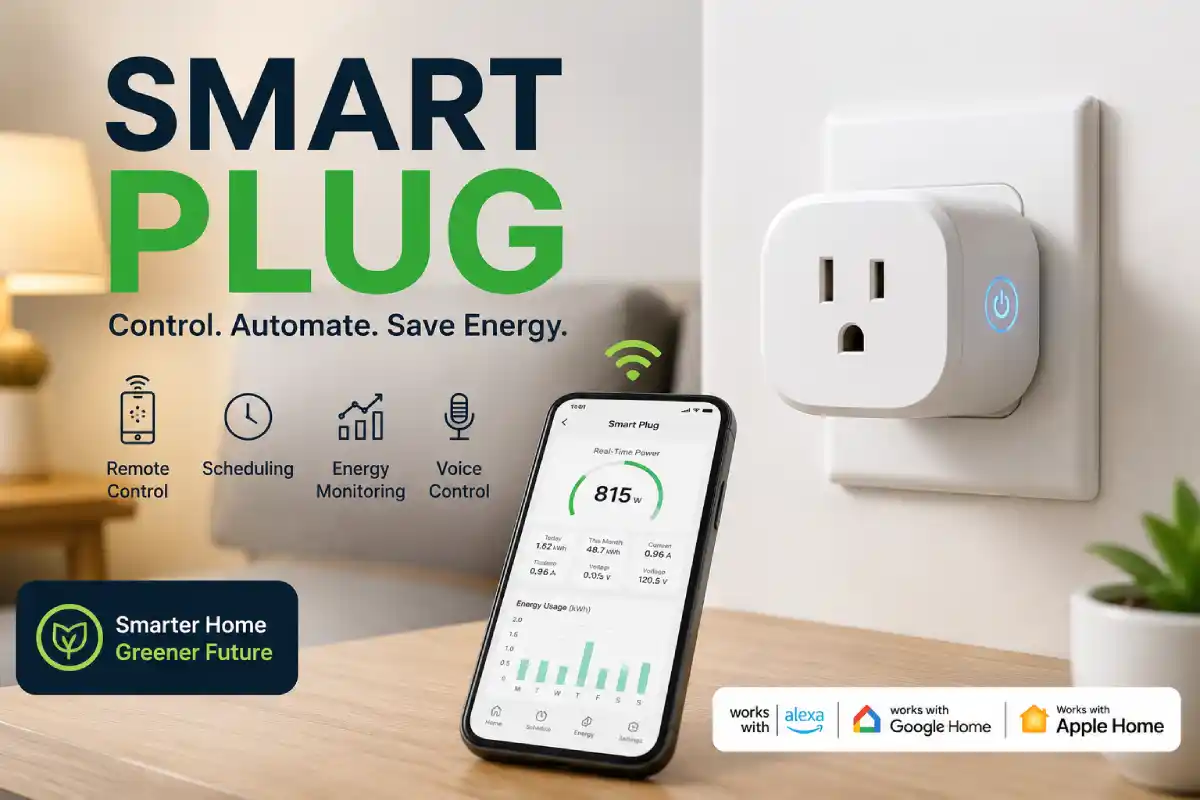
If you’re looking for one of the simplest and least expensive ways to jump into the world of smart homes, you really can’t do any better than buying an appliance-controlling smart plug. Forget about swapping out every light bulb or replacing your old-fashioned fan. All you need to do is stick a smart plug into any available wall socket, then plug any of your old appliances, lights, fans, coffeemakers or even phone chargers into it.
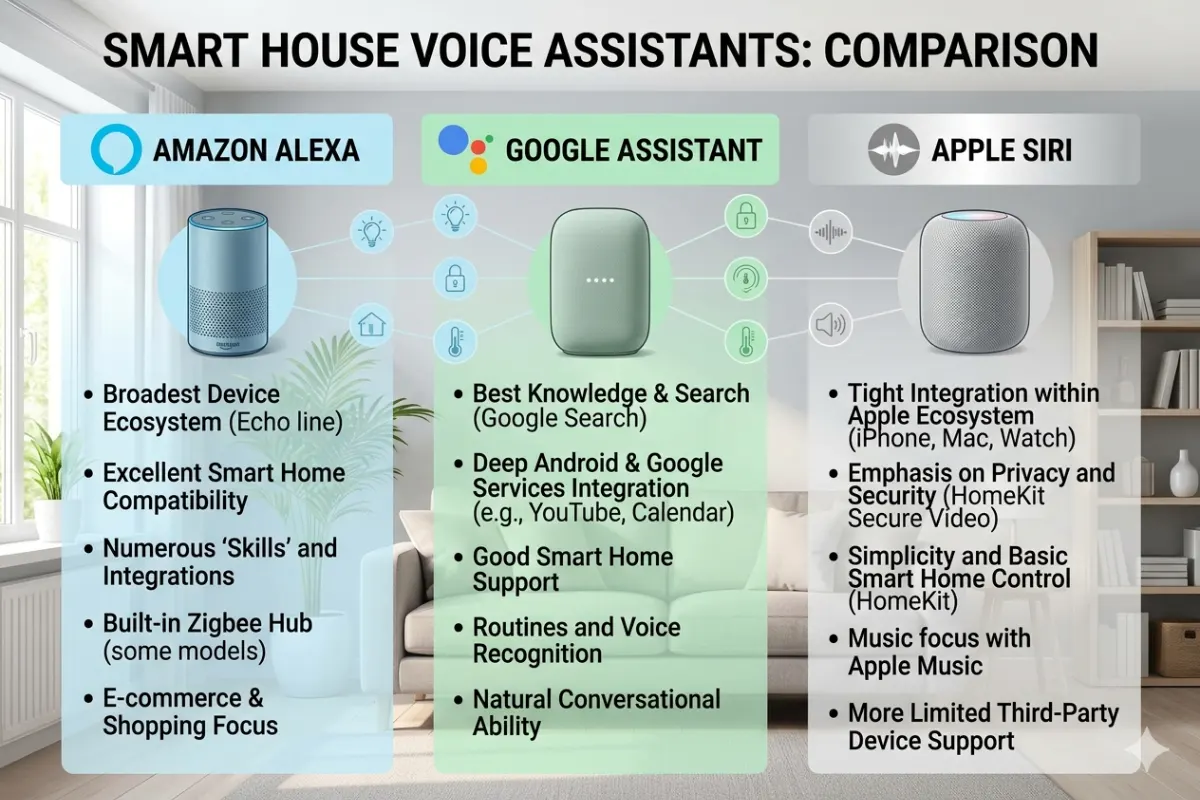
Afterward, you’ll be able to control it via the company’s smartphone app, through voice assistants like Alexa, Google Assistant or Siri, or automatically through custom-created schedules.
Plus, smart plugs available in 2026 even support Matter, Thread and energy usage tracking to make your smart home more seamless and efficient.
What is a Smart Plug?
A smart plug is an outlet adapter which support Matter, WiFi, Z-Wave, Zigbee, or Thread. You can use it by pluging it in between wall socket and electrical appliance.
Typical Uses
| Device | Smart Control |
| Lamps | Yes |
| Coffee Maker | Yes |
| Fan | Yes |
| Phone Charger | Yes |
| Christmas Lights | Yes |
| Air Purifier | Yes |
| Humidifier | Yes |
How Smart Plugs Work
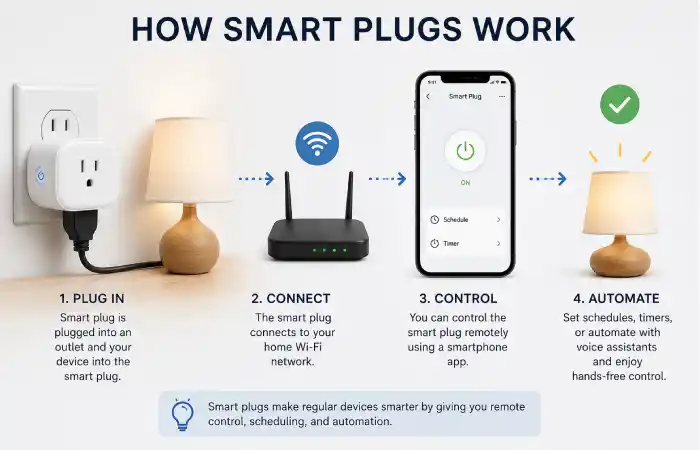
A smart plug contains:
- Wireless communication chip
- Internal relay switch
- Microcontroller
- Power monitoring chip (selected models)
Process
Wall Outlet
↓
Smart Plug
↓
Appliance
↓
WiFi / Matter
↓
Mobile App
↓
Voice Assistant
Press the ON button within the app, which signals to a cloud or your home network. This command instructs the relay located in the plug itself to turn the power over to the appliance. Many newer, Matter-supported products are designed to provide local control.
Benefits of Using Smart Plugs
Home Automation
Create schedules that automatically turn devices on or off.
Example:
- Coffee maker at 6:30 AM
- Living room lamp at sunset
- Aquarium lights at 8 PM
Energy Savings
Many premium smart plugs measure:
- Current power draw (Watts)
- Daily usage
- Weekly usage
- Monthly energy consumption
- Estimated electricity cost
Remote Access
Forgot to turn off your fan?
Open the mobile app from anywhere and switch it off instantly.
Voice Control
Compatible with:
| Platform | Supported |
| Alexa | ✅ |
| Google Home | ✅ |
| Apple Home | ✅ |
| Matter | ✅ |
Best Smart Plugs
| Smart Plug | Best For | Matter | Energy Monitoring |
| TP-Link Tapo P125M | Overall | Yes | Yes |
| Eve Energy | Apple Home | Yes | Yes |
| Amazon Smart Plug | Alexa | No | No |
| Meross Smart Plug | Budget | Yes | Optional |
| Kasa EP25 | Power Users | Yes | Yes |
*Scores derived from a combination of expert reviews, features, ecosystem compatibility and reliability from the biggest buying guides for 2026.
Smart Switch vs Smart Plug
| Feature | Smart Plug | Smart Switch |
| Installation | Plug & Play | Requires wiring |
| Cost | Lower | Higher |
| Best For | Portable appliances | Fixed lighting |
| DIY Friendly | Yes | Sometimes |
| Renters | Excellent | Limited |
Choose a smart plug for portable devices and a smart switch for permanently installed lighting fixtures.
Smart Plug Installation Guide
Installing a smart plug typically takes less than five minutes:
- Plug the smart plug into a wall outlet.
- Download the manufacturer’s app.
- Connect to a 2.4 GHz Wi-Fi network (if required).
- Add the device in the app.
- Assign a room and name.
- Link it to your preferred voice assistant.
- Test remote and voice control.
No rewiring or electrician is usually required.
Smart Plug Energy Monitoring
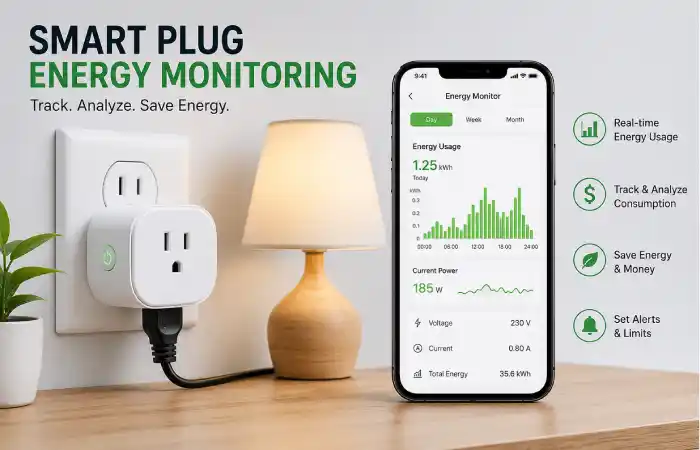
One of the great things about today’s modern smart plugs is the energy monitoring functionality, giving you a detailed insight into the amount of power that your appliances are using. Most smart plugs give you control of your home appliances remotely, whereas smart plugs that also provide energy monitoring provide the added benefit of real-time power monitoring, history usage, and the cost that this uses. They are the ideal smart plug if you are keen to reduce the amount of energy that you use, you are looking to pinpoint appliances that are wasting energy and build a more environmentally aware home.
Many of today’s most competent smart plugs will include energy tracking and integrate with platforms like Matter, Alexa, Google Home and Apple Home, all by 2026. This enables you to see exactly how much electricity you are using via their accompanying smart-plug applications, from wherever you happen to be in the world.
How Smart Plug Energy Monitoring Works
If the device has energy monitoring smart plugs there is a tiny power metering chip built in that keeps on reading how much energy current device is using. All this data will show up in the manufacture app, which you can download to your smart device, and view live data, and historic data report.
Here’s how the process works:
- Plug the smart plug into a wall outlet.
- Connect your appliance to the smart plug.
- Pair the plug with its companion app.
- The plug measures power consumption in real time.
- The app stores and displays daily, weekly, monthly, and yearly usage data.
What Data Can a Smart Plug Measure?
Most premium smart plugs provide several useful energy metrics.
| Energy Metric | What It Shows | Why It Matters |
| Live Power (Watts) | Current power usage | Detect high energy consumption instantly |
| Voltage (V) | Electrical voltage | Helps verify stable power supply |
| Current (Amps) | Electrical current | Useful for monitoring appliance load |
| Daily Energy (kWh) | Energy used today | Track daily electricity usage |
| Monthly Consumption | Total monthly usage | Compare usage over time |
| Estimated Electricity Cost | Running cost | Helps reduce monthly utility bills |
| Historical Reports | Past energy trends | Identify inefficient appliances |
It comes in handy for homes which want to save the wastage of electricity, just without replacing its existing appliances.
Benefits of Smart Plug Energy Monitoring
Reduce Electricity Bills
You’d probably think that once you turn something off that’s the end of its power consumption. You might be surprised to find out many appliances (and other electronics) use power when they seem like they are off. This is sometimes called “vampire energy” or “phantom power,” and your devices may draw a little electricity while it’s on standby.
Things like TVs, video game systems, and coffee machines often require some juice when they aren’t technically “on.”
Track down this standby usage, and set up an automation to turn things off at certain times of the day. You’ll be amazed how much that saves.
Identify Energy-Hungry Appliances
Energy monitoring makes it easy to compare the power consumption of different household devices.
| Appliance | Typical Power Usage |
| LED Lamp | 8–12 W |
| Wi-Fi Router | 8–20 W |
| Laptop Charger | 45–90 W |
| Coffee Maker | 800–1,500 W |
| Space Heater | 1,500 W |
| Air Purifier | 30–80 W |
| Television | 60–200 W |
Now, using this data you’re going to get a great picture of exactly what appliance is the highest electrical load!
Create Smarter Automations
Several smart home ecosystems permit energy consumption monitoring to activate automated functions, for instance:
- switch off coffee maker after it has stopped perking,
- turn off lights if no activity detected,
- shut off chargers if the device is fully charged or
- turn off all media while sleeping.
These automations improve convenience while reducing unnecessary power consumption.
Track Long-Term Energy Trends
There is a convenient chart that most smart plug apps show the power consumption with different intervals. By tracking energy use patterns on weekly and monthly charts you can see:
- how much more you spend on electricity during certain months of the year.
- power surges in the home and what causes them.
- usage for a new appliance you’ve bought recently.
- predict what you will be spending in energy costs over time.
A longer time spent tracking will also greatly help those in your household that are looking to decrease overall usage.
Best Smart Plugs with Energy Monitoring (2026)
| Smart Plug | Energy Monitoring | Matter Support | Best For |
| TP-Link Tapo P125M | ✅ Yes | ✅ Yes | Overall Best |
| Kasa EP25 | ✅ Yes | ✅ Yes | Home Automation |
| Eve Energy | ✅ Yes | ✅ Yes | Apple Home Users |
| Meross Smart Plug | ✅ Yes | ✅ Yes | Budget Buyers |
| Emporia Smart Plug | ✅ Advanced | ❌ No | Detailed Energy Analytics |
When looking to buy a smart plug, you’ll also have to decide whether you’re after advanced reporting, smart plug ecosystems that you already use, and Matter and local control options.
Tips for Accurate Energy Monitoring
For the most accurate readings:
- Ensure your smart plug’s firmware is up-to-date
- Connect appliances that are not close to the max rated power on the plug
- Enter your region’s electrical rate into the plug’s app (if supported) to get accurate estimates on electricity usage
- Try not to plug high power appliances over specification into the device
- Check your reports for ways to cut energy expenses every month.
Common Limitations
While smart plug energy monitoring is highly useful, it has a few limitations:
- Basic models may only display live power usage without historical reports.
- Accuracy can vary slightly between brands, especially for very low-power devices.
- Many smart plugs won’t handle large devices such as ovens, electric water heaters or air conditioners that have very high wattage needs.
- Historical data retention may differ depending on the manufacturer’s app.
Safety Tips
Avoid using indoor smart plugs with:
- Space heaters
- High-power air conditioners
- Large refrigerators
- Medical equipment
- Appliances exceeding the plug’s rated amperage
Always verify the manufacturer’s maximum load rating and use outdoor-rated models for exterior applications.
Troubleshooting Smart Plugs
| Problem | Solution |
| Won’t connect | Verify 2.4 GHz Wi-Fi or Matter setup requirements |
| Offline | Restart router and plug |
| Voice control not working | Re-link the voice assistant |
| Schedule failed | Check time zone and automation settings |
| Slow response | Update firmware and improve signal strength |
Conclusion
Plug in a smart plug The easiest smart home devices are smart plugs; you plug them into an outlet to gain remote control over virtually any appliance or gadget. They’re simple to set up, most are compatible with major smart home platforms and ecosystem (Apple, Google, Alexa) and many smart plugs allow scheduling of devices, voice control, and even energy monitoring. Many are coming out now that are also Matter certified to increase interoperability and ensure better future-proofing for your connected household.