
Last Updated: June 22, 2026
Smart home systems in 2026 are really great they use intelligence to make things work automatically and they have very fast internet with Wi-Fi 7 and they all work together with things like Google Home, Amazon Alexa, Apple HomeKit and Samsung SmartThings.
Sometimes with all these smart home systems in 2026 people still have one big problem: their smart home devices stop working or will not connect.
Smart home devices in 2026 can be very frustrating when they disconnect. This guide will tell you why home devices, in 2026 disconnect and it will show you how to fix the problems with the connections and how to reset the systems in a safe way using methods that really work with the internet in 2026.
Troubleshooting tips from our Smart Home Installation guide
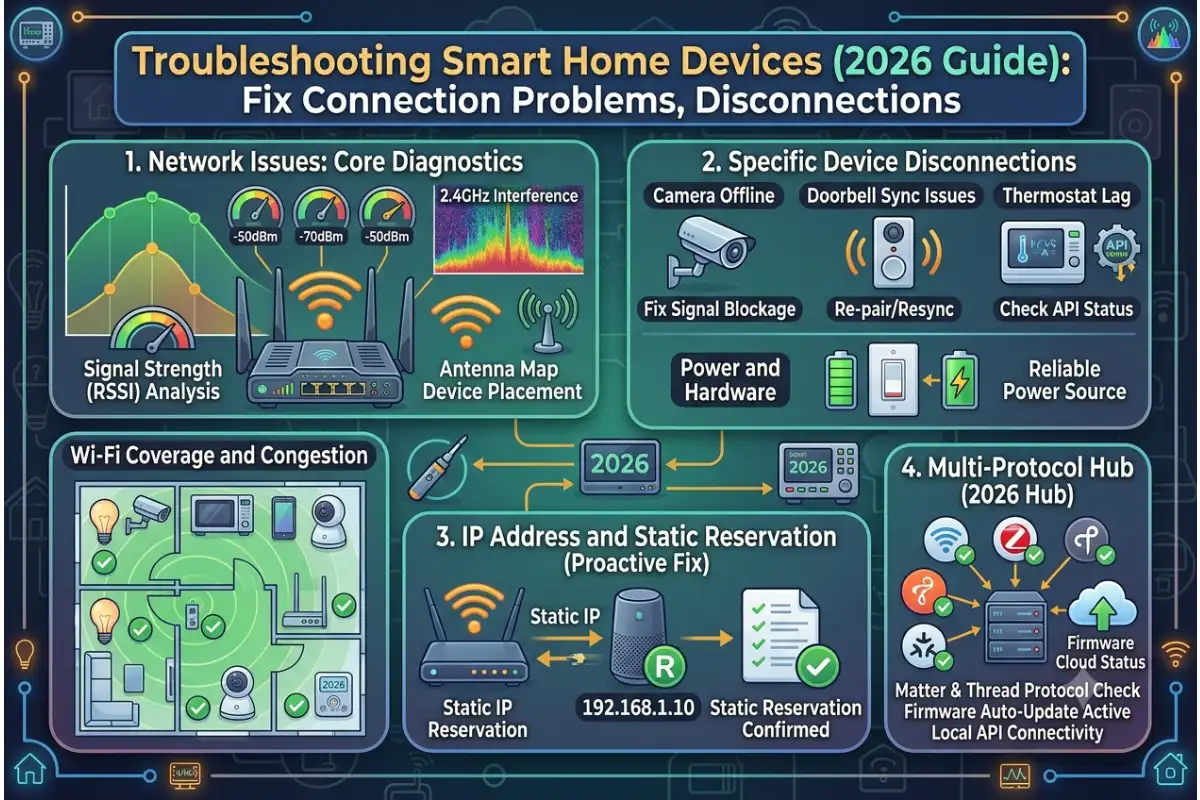
1. Why Smart Home Devices Disconnect in 2026
Even with modern standards like Matter 2.0 and Wi-Fi 7, Smart Device Installation Guides still occurs due to network congestion, hardware limitations, and cloud dependency.
Key Causes Overview (2026 Data)
Global Causes of Smart Home Failures (2026)
| Cause | Frequency | Impact Level | Example Issue |
| Wi-Fi instability | 34% | High | Devices randomly disconnect |
| Router overload | 21% | High | Devices stop responding |
| Cloud service downtime | 14% | Medium | Voice assistant delays |
| Firmware mismatch | 12% | Medium | Devices fail after updates |
| Weak signal zones | 10% | High | Cameras go offline |
| Power interruptions | 6% | Medium | Devices reboot frequently |
| Configuration errors | 3% | Low | Wrong network setup |
Failure Distribution Overview
Wi-Fi issues remain the dominant cause of smart home failures.
Wi-Fi Instability 34%
Router Overload 21%
Cloud Downtime 14%
Firmware Issues 12%
Weak Signal Areas 10%
Power Interruptions 6%
User Errors 3%
2. Why Smart Home Devices Disconnect
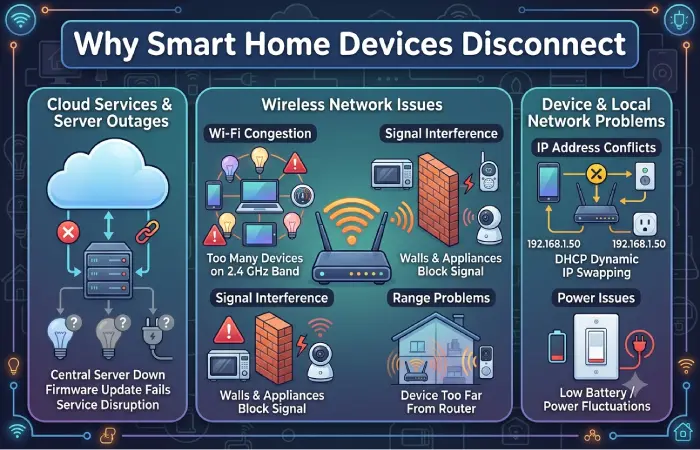
Wi-Fi Congestion
Modern homes often contain 25–80 connected devices. This creates:
- Network congestion
- Band switching issues between 2.4 GHz and 5 GHz
- Interference from neighboring networks
Result: Devices lose connectivity or fail to respond.
Router Overload
Even Wi-Fi 6 and Wi-Fi 7 routers can struggle when:
- Too many IoT devices connect simultaneously
- DHCP address pools fill up
- CPU processing limits are exceeded
This affects cameras, doorbells, and voice assistants most.
Cloud Dependency Failures
Platforms such as Amazon Alexa and Google Home rely on cloud processing.
When cloud latency increases:
- Commands are delayed
- Devices appear offline
- Automations fail
Firmware Compatibility Issues
Even with standardized ecosystems, problems occur due to:
- Partial firmware updates
- Delayed vendor patches
- Cross-platform compatibility issues
Weak Mesh Coverage
Mesh systems improve coverage but still fail when:
- Nodes are poorly positioned
- Backhaul bandwidth is limited
- Thick walls reduce signal strength
3. How to Fix Smart Home Connection Problems
Step 1: Restart Network Properly
Correct restart order:
- Modem off
- Router off
- Smart hub off
- Wait 2–3 minutes
- Turn on modem → router → hub → devices
This clears routing conflicts.
Connection problems? See our smart home connectivity guide.
Step 2: Assign Correct Wi-Fi Bands
| Device Type | Recommended Band |
| Smart bulbs | 2.4 GHz |
| Cameras | 5 GHz |
| Speakers | 5 GHz |
| Sensors | 2.4 GHz |
Incorrect band assignment is a major cause of instability.
Step 3: Reduce Network Load
If you have more than 40–50 IoT devices:
- Use mesh Wi-Fi systems
- Create a dedicated IoT network
- Upgrade router hardware if needed
Step 4: Update Firmware Regularly
Outdated firmware causes:
- Disconnections
- Security vulnerabilities
- Automation errors
Update all:
- Router firmware
- Smart hubs
- Device apps
Step 5: Resolve IP Conflicts
Assign static IPs for:
- Cameras
- Smart hubs
- Security devices
This prevents network reassignment issues.
4. Smart Home Devices Not Responding
Common Symptoms
- Device shows offline
- Voice assistant ignores commands
- App continuously loads
Quick Fix Table
| Issue | Solution |
| Device offline | Reconnect Wi-Fi |
| App frozen | Clear cache |
| Voice lag | Re-link account |
| Automation failure | Rebuild routine |
| Hub offline | Restart hub |
5. How to Reset Smart Home Systems Safely
5.1 Soft Reset
Use first:
- Restart device via app
- Power cycle device
- Reboot hub
No settings are lost.
5.2 Network Reset
Use when Wi-Fi changes:
- Remove device from app
- Reconnect to network
- Re-pair device
5.3 Factory Reset
Last option:
- Hold reset button for 5–15 seconds
- Wait for LED indicator
- Reconfigure device from scratch
All settings are erased.
6. Platform-Specific Troubleshooting
Google Home
Common issues:
- Devices not syncing
- Assistant unresponsive
Fix:
- Re-sync devices
- Re-link account
- Check permissions
Amazon Alexa
Common issues:
- Device unresponsive
- Skill errors
Fix:
- Disable and re-enable skill
- Restart Echo device
- Check Wi-Fi band
Apple HomeKit
Common issues:
- Sync delays
- Accessory failures
Fix:
- Restart Home Hub
- Verify iCloud sync
- Reset accessory pairing
Samsung SmartThings
Common issues:
- Automation delays
- Pairing errors
Fix:
- Restart hub
- Reconnect Zigbee/Z-Wave devices
- Update firmware
7. Smart Home Network Optimization
Recommended Setup (2026 Standard)
- Wi-Fi 7 router
- Mesh network system
- Dedicated IoT SSID
- VLAN separation for security devices
Wi-Fi Performance Comparison
| Wi-Fi Version | Device Capacity | Stability Score |
| Wi-Fi 5 | 20–30 devices | 5/10 |
| Wi-Fi 6 | 40–60 devices | 8/10 |
| Wi-Fi 6E | 50–70 devices | 9/10 |
| Wi-Fi 7 | 80–120 devices | 10/10 |
8. Advanced Troubleshooting Techniques
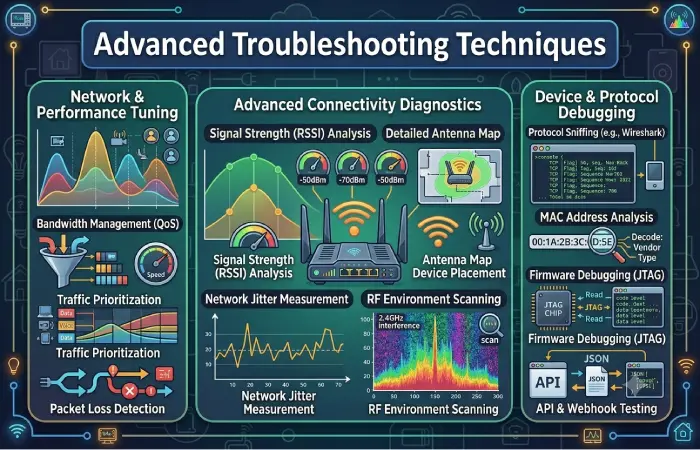
Router Logs
Check for:
- DHCP errors
- Packet loss spikes
- Device disconnect timestamps
Signal Strength (RSSI)
| Signal Level | Quality |
| -30 to -50 dBm | Excellent |
| -50 to -60 dBm | Good |
| Below -70 dBm | Weak |
Interference Sources
Common causes:
- Microwave ovens
- Bluetooth devices
- Neighboring Wi-Fi networks
- Thick walls
Install failed? Re-check our device installation guides.
9. Preventing Smart Home Disconnections
Best Practices
- Central router placement
- Mesh backhaul optimization
- Regular firmware updates
- Weekly router restarts
- IoT network segmentation
Impact of Optimization
| Practice | Improvement |
| Mesh system | +40% stability |
| VLAN setup | +25% |
| Firmware updates | +20% |
| Router reboot schedule | +15% |
10. Future of Smart Home Stability
Smart home reliability continues improving due to:
- AI-driven network optimization
- Matter 2.0 universal standard
- Edge computing integration
- Wi-Fi 7 multi-link operations
Stability Trend (2024–2026)
| Year | Stability Score |
| 2024 | 6.8 |
| 2025 | 7.9 |
| 2026 | 9.1 |
Conclusion
Smart home disconnections are not random things that happen. They are problems that can be predicted and are usually caused by network congestion, router overload firmware not matching and poor Wi-Fi design.
To make your home work well you can fix your network and set up your smart home devices like Google Home, Amazon Alexa, Apple HomeKit and Samsung SmartThings correctly.
If you need help I can make a special plan for your network a list to help you find and fix problems or a complete plan, for setting up your smart home that fits your home size and number of devices.