
Last Updated: June 15, 2026
Smart homes are not something you see in movies anymore. Now you can have a home and it is not that expensive. The technology for homes is better and easier to use than it was before.
You can use your voice to turn on the lights in your home. You can also use home technology to keep your home safe and use less energy. If you want to have a home you need to learn how to set it up.
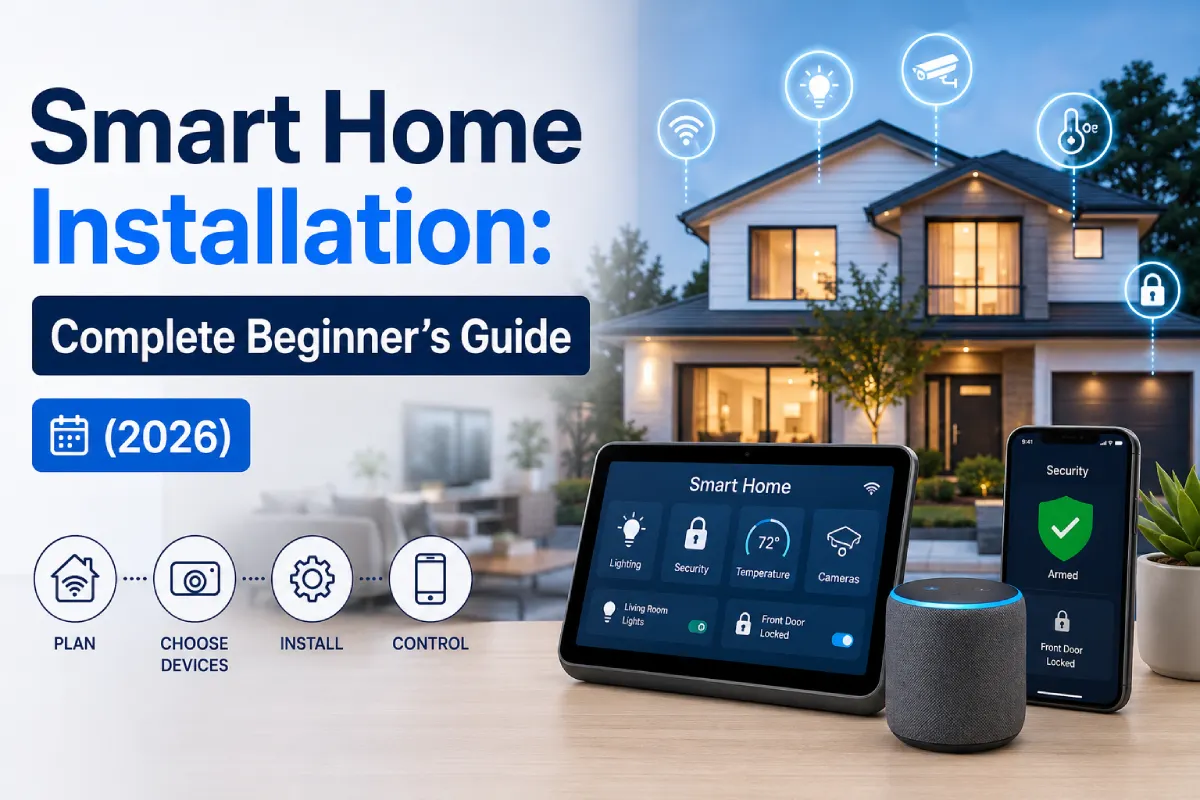
This guide will help you get started with your home. It will tell you how to plan your home and what devices to buy. It will also give you tips, on how to install everything and make your home work the way you want it to. You will even get a list to help you set up your home.
Why Smart Homes Are Growing Rapidly in 2026
The smart home industry continues to expand at an impressive pace.
| Smart Home Market Statistics (2026) | Value |
| Global Smart Home Market Size | $255+ Billion |
| Households Using Smart Devices | 450+ Million |
| Smart Speaker Adoption Rate | 62% |
| Smart Security Device Adoption | 48% |
| Average Annual Energy Savings | 10–25% |
Key Reasons Homeowners Choose Smart Homes
- Improved convenience
- Enhanced security
- Lower energy bills
- Voice control functionality
- Remote device management
- Better accessibility for seniors
- Increased property value
Planning Your Smart Home Setup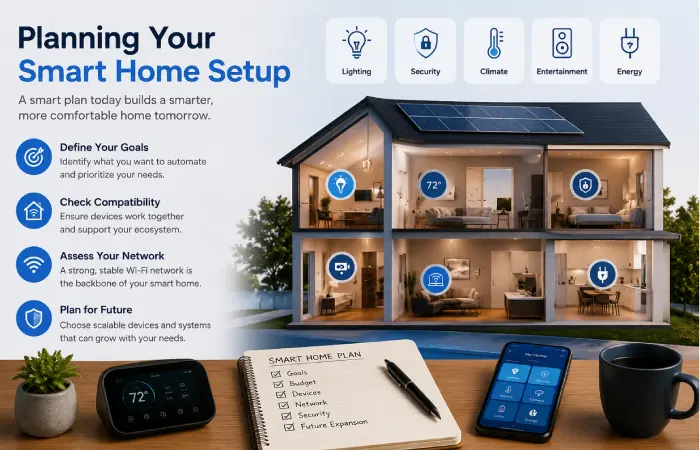
Before buying devices, planning is critical.
Many beginners make the mistake of purchasing random smart gadgets that don’t work well together.
A successful smart home starts with a clear strategy.
Step 1: Define Your Goals
Ask yourself:
- Do you want better security?
- Do you want energy savings?
- Are you focused on convenience?
- Do you want voice control?
- Do you need elderly care assistance?
Your goals determine which devices should be prioritized.
Example Planning Scenarios
| Goal | Recommended Devices |
| Security | Cameras, video doorbells, smart locks |
| Convenience | Smart lights, smart plugs |
| Energy Saving | Smart thermostats, sensors |
| Entertainment | Smart speakers, smart TVs |
| Elderly Care | Sensors, emergency alerts |
Step 2: Choose Your Smart Home Ecosystem
The ecosystem acts as the brain of your smart home.
Major Smart Home Platforms in 2026
| Feature | Google Home | Amazon Alexa | Apple Home |
| Ease of Use | Excellent | Excellent | Very Good |
| Device Compatibility | Very High | Highest | Moderate |
| Privacy | Good | Good | Excellent |
| Automation Features | Advanced | Advanced | Advanced |
| Voice Assistant | Google Assistant | Alexa | Siri |
| Best For | Most users | Largest ecosystems | Apple users |
Expert Recommendation
For beginners:
- Google Home
- Amazon Alexa
- Apple Home (for Apple households)
Step 3: Check Your WiFi Network
A strong network is essential.
Most smart devices rely on:
- WiFi
- Zigbee
- Thread
- Matter
- Bluetooth
Minimum Network Requirements
| Requirement | Recommended |
| Internet Speed | 100 Mbps+ |
| Router Type | WiFi 6 or WiFi 7 |
| Coverage | Entire home |
| Security | WPA3 Encryption |
Smart Home Installation for Beginners
Many devices today are designed for DIY installation.
You don’t need professional expertise for most beginner setups.
Installation Categories
Easy Installation
- Smart bulbs
- Smart plugs
- Smart speakers
- Smart displays
Time Required:
15–30 minutes
Moderate Installation
- Video doorbells
- Indoor cameras
- Smart thermostats
Time Required:
30–90 minutes
Advanced Installation
- Smart locks
- Security systems
- Smart switches
- Motorized blinds
Time Required:
1–3 hours
Best Smart Home Devices for Beginners
If you’re starting from scratch, focus on devices that deliver immediate value.
1. Smart Speakers
A smart speaker becomes your control hub.
Popular options include:
- Google Nest Audio
- Amazon Echo
- Apple HomePod Mini
Benefits
- Voice commands
- Automation control
- Music streaming
- Smart device management
2. Smart Lighting
Smart lights are usually the easiest entry point.
Features
- Voice control
- Scheduling
- Dimming
- Color changes
- Energy efficiency
Beginner-Friendly Brands
| Brand | Ease of Setup | Features |
| Philips Hue | Excellent | Premium |
| TP-Link Tapo | Excellent | Affordable |
| Govee | Very Good | RGB Lighting |
| Nanoleaf | Good | Advanced Effects |
3. Smart Plugs
Smart plugs instantly convert ordinary appliances into smart devices.
Examples:
- Coffee makers
- Fans
- Lamps
- Air purifiers
Advantages
- Low cost
- Easy setup
- Automation support
4. Smart Security Cameras
Home security remains one of the biggest reasons homeowners adopt smart technology.
Recommended Features
- 2K or 4K resolution
- Night vision
- Motion detection
- Cloud storage
- Local storage support
5. Video Doorbells
Video doorbells provide:
- Visitor monitoring
- Package detection
- Two-way communication
- Motion alerts
6. Smart Locks
Smart locks improve convenience and security.
Features
- Keyless entry
- Remote locking
- Temporary guest access
- Activity logs
7. Smart Sensors
Sensors help automate your home intelligently.
Types include:
- Motion sensors
- Door sensors
- Temperature sensors
- Water leak sensors
Best Beginner Smart Home Setup Packages
Budget Setup ($150–$300)
| Device | Purpose |
| Smart Speaker | Hub |
| 2 Smart Bulbs | Lighting |
| 2 Smart Plugs | Automation |
Ideal for apartments and students.
Mid-Range Setup ($500–$1,000)
| Device | Purpose |
| Smart Speaker | Control Hub |
| Smart Lighting Kit | Lighting |
| Video Doorbell | Security |
| Indoor Camera | Monitoring |
| Smart Plug Pack | Automation |
Ideal for most households.
Advanced Setup ($1,500–$3,000)
| Device | Purpose |
| Smart Hub | Central Control |
| Security Cameras | Protection |
| Smart Locks | Access Control |
| Smart Thermostat | Energy Saving |
| Smart Sensors | Automation |
| Smart Blinds | Comfort |
Ideal for homeowners seeking full automation.
Step-by-Step Smart Home Setup
Follow these steps to build a reliable smart home.
Step 1: Upgrade Your Router
Install a WiFi 6 or WiFi 7 router.
Benefits:
- Faster speeds
- Better coverage
- More device support
Step 2: Install Your Smart Speaker
Your smart speaker serves as the command center.
Setup typically involves:
- Plug in device
- Download app
- Connect WiFi
- Sign in
- Complete setup wizard
Step 3: Add Smart Lighting
Install bulbs and connect them through the app.
Create rooms such as:
- Living Room
- Kitchen
- Bedroom
- Office
Step 4: Install Smart Plugs
Connect everyday appliances.
Examples:
- Coffee maker turns on at 7 AM
- Fan activates when temperature rises
Step 5: Add Security Devices
Install:
- Cameras
- Doorbells
- Motion sensors
Configure notifications carefully to avoid alert fatigue.
Step 6: Create Device Groups
Grouping simplifies management.
Example:
“Living Room”
- TV
- Lights
- Speakers
- Smart plugs
One command controls everything.
Step 7: Build Automations
Automation is where smart homes become truly intelligent.
Example Automation
Morning Routine
6:30 AM:
- Lights turn on
- Blinds open
- Coffee maker starts
- Weather report plays
Smart Home Automation Ideas for Beginners
Good Morning Routine
Triggers:
- Alarm dismissal
Actions:
- Lights brighten gradually
- News briefing starts
- Thermostat adjusts
Leaving Home Routine
Triggers:
- Last person leaves
Actions:
- Lights off
- Doors lock
- Cameras arm
Movie Night Routine
Triggers:
- Voice command
Actions:
- Lights dim
- TV powers on
- Speakers activate
Bedtime Routine
Triggers:
- Scheduled time
Actions:
- Doors lock
- Lights turn off
- Security system activates
Smart Home Setup Cost Comparison (2026)
| Setup Level | Cost Range | Best For |
| Basic | $150–$300 | Beginners |
| Standard | $500–$1,000 | Families |
| Advanced | $1,500–$3,000 | Smart Home Enthusiasts |
| Premium Whole Home | $5,000+ | Luxury Homes |
Common Smart Home Mistakes to Avoid
Buying Too Many Devices at Once
Start small and expand gradually.
Ignoring Compatibility
Choose devices that support:
- Matter
- Google Home
- Alexa
- Apple Home
Weak WiFi Coverage
Poor connectivity causes most smart home issues.
Consider:
- Mesh WiFi systems
- WiFi 6/7 routers
Skipping Security Settings
Always enable:
- Two-factor authentication
- Strong passwords
- Automatic updates
Smart Home Security Best Practices
Secure Your Network
Use:
- WPA3
- Strong passwords
- Guest networks
Update Firmware Regularly
Manufacturers frequently release security patches.
Review Permissions
Remove unused devices and accounts.
Enable Device Encryption
Most premium devices support encrypted communication.
Smart Home Setup Checklist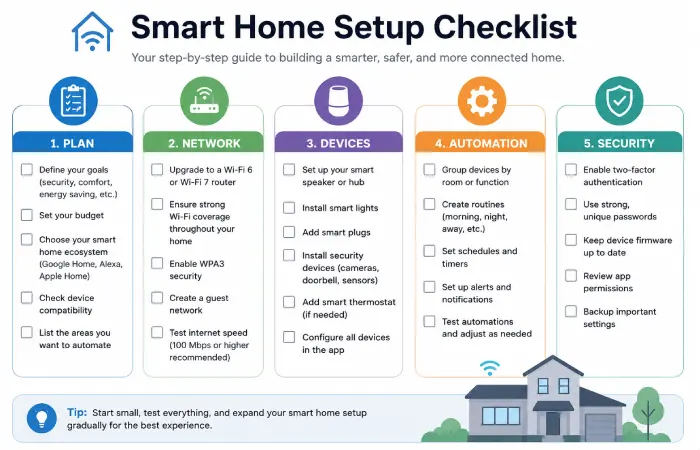
Use this checklist before completing your setup.
Planning
- Define goals
- Set budget
- Choose ecosystem
- Check compatibility
Network
- Upgrade router
- Verify coverage
- Enable WPA3
- Create guest network
Devices
- Install smart speaker
- Add smart lights
- Add smart plugs
- Add security devices
- Configure sensors
Automation
- Create routines
- Group devices
- Test automations
- Optimize schedules
Security
- Enable 2FA
- Update firmware
- Review permissions
- Backup settings
Future of Smart Homes Beyond 2026
The next generation of smart homes will rely heavily on:
- AI-powered automation
- Matter interoperability
- Predictive energy management
- Advanced voice assistants
- Edge AI processing
- Enhanced privacy controls
Homes will increasingly learn user habits and automate daily activities with minimal manual configuration.
Final Thoughts
Setting up a home in 2026 is really easy. You just need to make a plan and pick things that work together. Then you can add devices one by one. This way you can make your home a better place to live. It will be more convenient, safer and use energy.
The best way to start is with things like a smart speaker, smart lights and smart plugs. When you get used to these you can add things like security systems and special sensors. You can also set up routines that make your life easier.
A good smart home is not about having a lot of gadgets. It is about making your home a place that works with your daily life. A smart home like this makes things easier for you and your family. Setting up a home is all, about making your life better so you should think about what you need and want and then make a smart home that works for you and your smart home devices.