
Last Updated: September 21, 2026
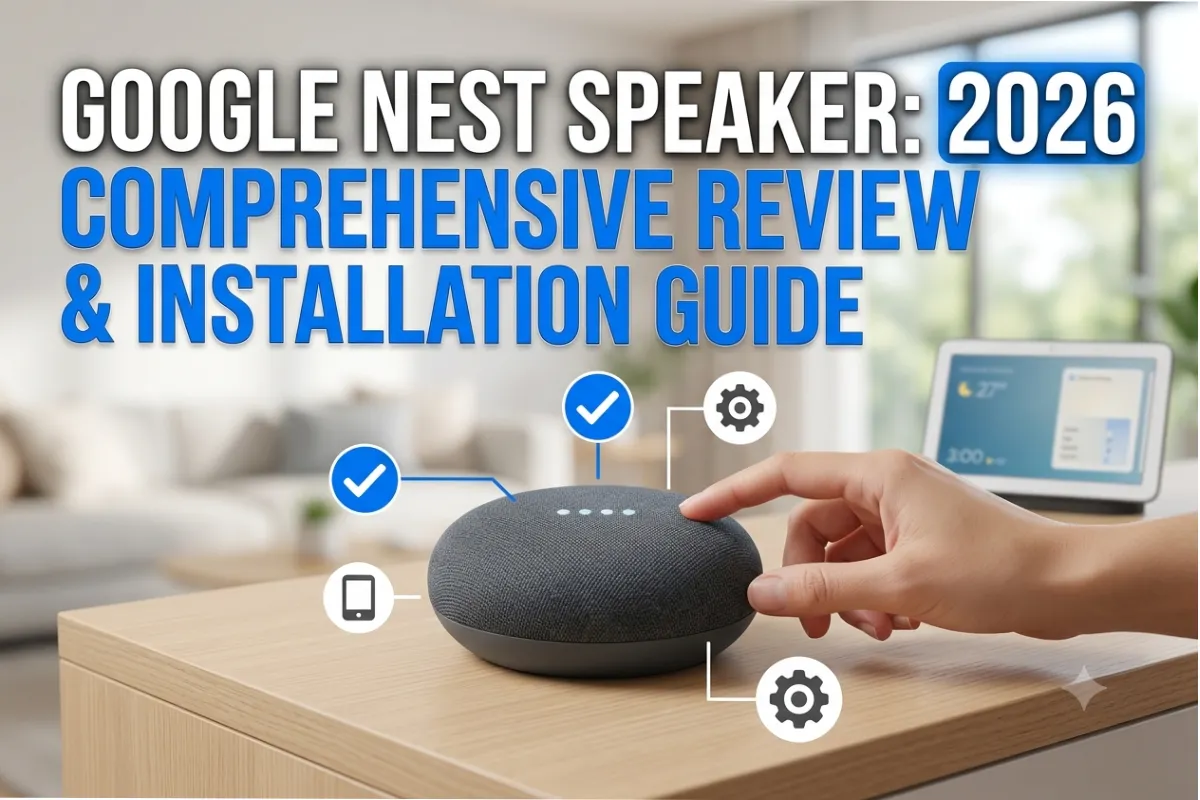
There is no person without a smart speaker nowadays as the latter allows its owner to communicate with connected devices, play music, receive any information, and perform many other activities with the help of voice commands. Speaking about the best models of smart speakers available in the modern market, you can note that one of the best options is the Google Nest Speaker that will be useful for using all advantages of Google Assistant.
Whether you want to create a new smart home or update your current one, you have to consider using Google Nest Speaker because it provides high-quality sound and many smart functions as well as is very user-friendly. This device will be an absolute perfect match for all Google products like Google Calendar, Gmail, Google Maps, YouTube Music, Google Home, and many thousands of other smart gadgets.
All aspects regarding Google Nest Speaker that you must know in 2026 are covered in this comprehensive guide, from its features to installation, sound capabilities, Amazon Echo comparison, trouble shooting tips, and most importantly whether you should buy it or not.
“For the overarching strategy, read our complete guide on Smart Devices.”
What is The Google Nest Speaker?
Google Nest Speaker remains a line of premium speakers offered by Google that lets you automate your house and also gives you options for home entertainment. Using Google Assistant, the device listens to your instructions and performs tasks such as answering questions, reminding you of something, managing smart lighting systems, and playing music.
The Google Nest Speaker remains entirely different from any regular Bluetooth speaker because it connects directly to the Google ecosystem. As soon as you have connected it to your Wi-Fi network, it becomes the heart of your smart home.
Apart from all these, the new Nest speakers have enhanced sound processing, better bass, microphones, as well as advanced AI capabilities than the previous Google Home devices.
Google Nest Speaker Overview
| Feature | Details |
| Voice Assistant | Google Assistant |
| Connectivity | Wi-Fi, Bluetooth |
| Smart Home Support | Google Home, Matter, Thread |
| Audio | 360° Room Filling Sound |
| Voice Recognition | Multi-user Voice Match |
| Streaming Services | Spotify, YouTube Music, Apple Music and more |
| Calls | Hands-free Calling (supported regions) |
| Smart Display Support | Yes |
| Operating Platform | Google Home App |
Google Nest Speaker Features
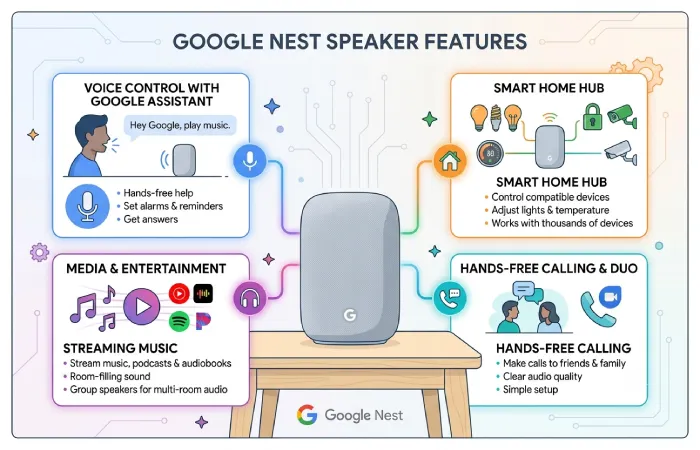
The most important reason for choosing Google smart speakers is the variety of intelligent functions that make your life more convenient.
An ordinary speaker turns into a personal assistant for you thanks to its ability to understand human language and adapt to your needs.
Minimalism Design
The principle of minimalism is still relevant for Google.
The design of the Google Nest Speaker includes the fabric cover that blends perfectly with any interior of your living room, bedroom, kitchen, and office. The speaker can be found in various stylish colors that fit any interior.
Small size makes it possible to place it anywhere – on shelves, tables, nightstands, or media consoles without taking too much space.
Powerful Google Assistant
Google Assistant continues to be among the smartest voice assistants.
The user can ask queries without mastering complicated commands.
Some of them are listed below:
- “What’s on my calendar today?”
- “Play relaxing music.”
- “Turn off bedroom lights.”
- “What’s the weather tomorrow?”
- “Set a timer for 20 minutes.”
The system recognizes follow-up questions, making communication more natural.
Smart Home Management
The Nest Speaker works with thousands of compatible smart home devices.
You can control:
| Smart Device | Voice Commands |
| Smart Lights | Turn on/off, dim, change colors |
| Smart Plugs | Switch appliances |
| Smart Thermostats | Adjust room temperature |
| Smart Cameras | View feeds on Nest displays |
| Smart Doorbells | Receive visitor announcements |
| Smart Locks | Lock compatible doors |
| Smart TVs | Play and control content |
This process is made even easier thanks to the availability of Matter-compatible devices.
Multi-Room Audio
If a person owns more than one Google Nest speaker, he/she can create a group.
This way, it will be possible to play music around the entire house.
For instance:
- Living room
- Kitchen
- Bedroom
- Patio
You can also play different music in different rooms via voice commands.
Voice Match Technology
Google’s Voice Match recognizes individual family members.
Each person receives personalized responses such as:
- Calendar appointments
- Commute information
- Shopping lists
- Personal reminders
- Music recommendations
This makes one speaker useful for the entire family.
Privacy Controls
There are several privacy controls provided by Google for users.
These include:
- Microphone mute switch
- Voice activity management
- Auto-delete history
- Permission settings
- Privacy dashboard
These enable users to view and delete recordings any time they want.
Setup of Google Nest Speaker
The setup process of Google Nest Speaker is very easy and shouldn’t take more than a few minutes.
You will have to first do the following:
- Stable Wi-Fi
- Google Account
- Smartphone or tablet
- Google Home app installed
Step 1: Connect the Speaker
Connect the supplied power adapter.
In less than a minute, the speaker will tell you that it is ready to be set up.
Step 2: Download Google Home App
Download Google Home app for Android or iPhone.
Open the app and sign into it using your Google account.
Step 3: Add Device
Inside Google Home:
- Tap the “+” button.
- Select Set up device.
- Choose New Device.
- Select your home.
- The app searches for nearby Nest speakers.
Once found, confirm the pairing code.
Step 4: Wi-Fi Connection
Select your Wi-Fi network at your place.
Enter the password.
The speaker downloads updates automatically if available.
Step 5: Configure Google Assistant
You’ll now customize several settings:
| Setup Option | Purpose |
| Voice Match | Personalized responses |
| Music Service | Default streaming platform |
| Video Service | Supported displays |
| Address | Local weather and traffic |
| Payment | Shopping support (available regions) |
| Smart Devices | Connect lights and appliances |
Step 6: Complete Setup
Once the setup is completed, your Nest Speaker is ready.
Try saying:
“Hey Google, play some jazz.”
or
“Hey Google, switch on the lights in the living room.”
Google Nest Speaker Sound Quality
Audio quality is significantly better compared to older models of Google Home speakers.
Google Nest Speaker is specifically designed to deliver a balanced sound experience and is meant to be a general-purpose speaker.
Bass Performance
The redesigned woofer produces noticeably stronger bass.
Compared with older Google Home speakers:
- Deeper low frequencies
- Better punch
- Less distortion
- Fuller sound
It performs especially well in medium-sized rooms.
Vocal Clarity
Dialogue is clean and intelligible.
Whether you enjoy podcasts, audiobooks, or voice assistants, voice quality remains clear without being muted.
It also ensures that Google Assistant listens to you when giving your commands.
High Frequencies
Treble remains detailed without becoming harsh.
Music genres such as:
- Classical
- Jazz
- Acoustic
- Pop
sound clean and pleasant.
Volume Performance
The speaker becomes surprisingly loud considering its size.
Even near maximum volume:
- Minimal distortion
- Good balance
- Clear vocals
- Consistent bass
For those who have a larger house, the use of two Nest speakers together in stereo mode will improve your audio experience.
Audio Performance Summary
| Category | Rating |
| Bass | Excellent |
| Midrange | Excellent |
| Treble | Very Good |
| Podcasts | Excellent |
| Movies | Very Good |
| Smart Assistant | Excellent |
| Stereo Pairing | Supported |
Google Nest vs Amazon Echo
Google Nest and Amazon Echo dominate the market for smart speakers.
While both have excellent integration capabilities in the smart home, there is something unique about each of them.
| Feature | Google Nest Speaker | Amazon Echo |
| Assistant | Google Assistant | Alexa |
| Search Accuracy | Excellent | Very Good |
| Music Quality | Excellent | Excellent |
| Smart Home | Excellent | Excellent |
| Google Services | Native Support | Limited |
| Amazon Shopping | Basic | Excellent |
| Voice Recognition | Excellent | Excellent |
| Maps Integration | Google Maps | Limited |
| YouTube Music | Native | Limited |
| Alexa Skills | No | Extensive |
Which One Should You Buy?
Choose Google Nest if you:
- Use Android phones.
- Depend on Google services.
- Prefer Google Assistant.
- Need better search results.
- Want seamless Google Home integration.
Choose Amazon Echo if you:
- Frequently shop on Amazon.
- Already own Alexa devices.
- Use Alexa Skills extensively.
- Prefer Amazon’s ecosystem.
Google Nest is much more familiar to Android users due to its close integration with Google’s applications and services.
“To take the next step, see our detailed guide on home electronics.”
Google Nest Speaker Troubleshooting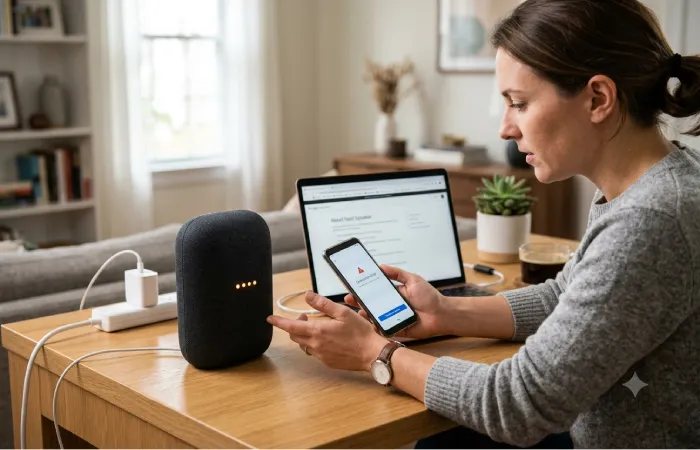
Even though Google Nest Speaker is one of the most reliable devices, some issues can occur once in a while. It is great news, however, that these problems can be solved relatively quickly and easy according to certain recommendations.
Google Nest Speaker Won’t Connect to Wi-Fi
This is one of the most common issues.
Possible causes include:
- Weak signal
- Incorrect password
- Router problems
- Outdated firmware
Restart your router and the speaker itself and connect it through the Google Home application.
Google Assistant Does Not Work Properly
The Speaker Cannot Recognize Voice Commands
- Check microphone switch.
- Restart the speaker.
- Verify internet connection.
- Retrain Voice Match.
- Update Google Home app.
Music Stops Playing
Streaming interruptions usually result from unstable Wi-Fi.
Try:
| Problem | Solution |
| Buffering | Improve Wi-Fi signal |
| Bluetooth disconnects | Re-pair device |
| App errors | Restart streaming app |
| Speaker freezes | Reboot speaker |
| Account issue | Re-login to music service |
Speaker Doesn’t Hear Voice Commands
Background noises may affect the functioning of the microphone.
Improve recognition by:
- Moving the speaker away from TVs.
- Speaking clearly.
- Reducing loud music.
- Keeping microphones clean.
Factory Reset
If all else fails, proceed with the factory reset.
Press the reset button until you hear the confirmation message and start the setup process in the Google Home application.
Uses of Google Nest Speaker on Daily Basis
Google Nest Speaker comes in handy in almost all daily activities making things easier and more enjoyable.
| Activity | How Google Nest Helps |
| Morning Routine | Reads weather, news, and calendar events |
| Cooking | Sets timers, converts measurements, and plays recipes |
| Studying | Answers questions and plays focus music |
| Working from Home | Creates reminders and manages schedules |
| Entertainment | Streams music, podcasts, and radio |
| Smart Home Control | Operates lights, thermostats, cameras, and plugs |
| Night Routine | Turns off lights, sets alarms, and plays sleep sounds |
Having Google Nest Speaker will allow you to perform multiple actions at once thanks to the voice control feature. Thus, all you will have to say to start your day is “good morning.”
Is It Worth Buying Google Nest Speaker in 2026?
The competition might become more fierce; however, Google Nest Speaker continues to remain one of the best smart speakers of 2026 because of its smart voice assistant, smart home features, and decent sound.
The Nest Speaker is perfect for those who have a lot to do with Google’s ecosystem. It offers smooth integration with such Google applications as Google Calendar, Gmail, Google Photos, and YouTube Music. Set up is easy, software updates will give you more features, and Matter standards make it compatible with smart devices.
Even though audiophiles would prefer bigger premium speakers in order to have high-quality sound, the Google Nest Speaker is still able to provide decent sound quality despite its small size. The device is capable of playing music, reading out your podcasts, acting as an assistant, and controlling your home.
For everyone building their connected home, the Google Nest Speaker is worth investing in.
Conclusion
The Google Nest Speaker continues to belong to the group of best smart speakers of 2026 due to its modern design, efficient integration with the Google Assistant, improved sound quality, and lots of smart home capabilities. It acts not only as an entertainer but also as a center for connected home.
Thanks to Google Nest Speaker, you will be able to set up routines, control lights, ask questions, play music, and do many other things without any physical interaction. The simple setup process and frequent updates allow using this speaker without any difficulties.
For those who use Google products and want to build a smart home environment, the Google Nest Speaker is definitely the right product that brings convenience, high efficiency, and longevity of use.