
Last Updated: July 28, 2026
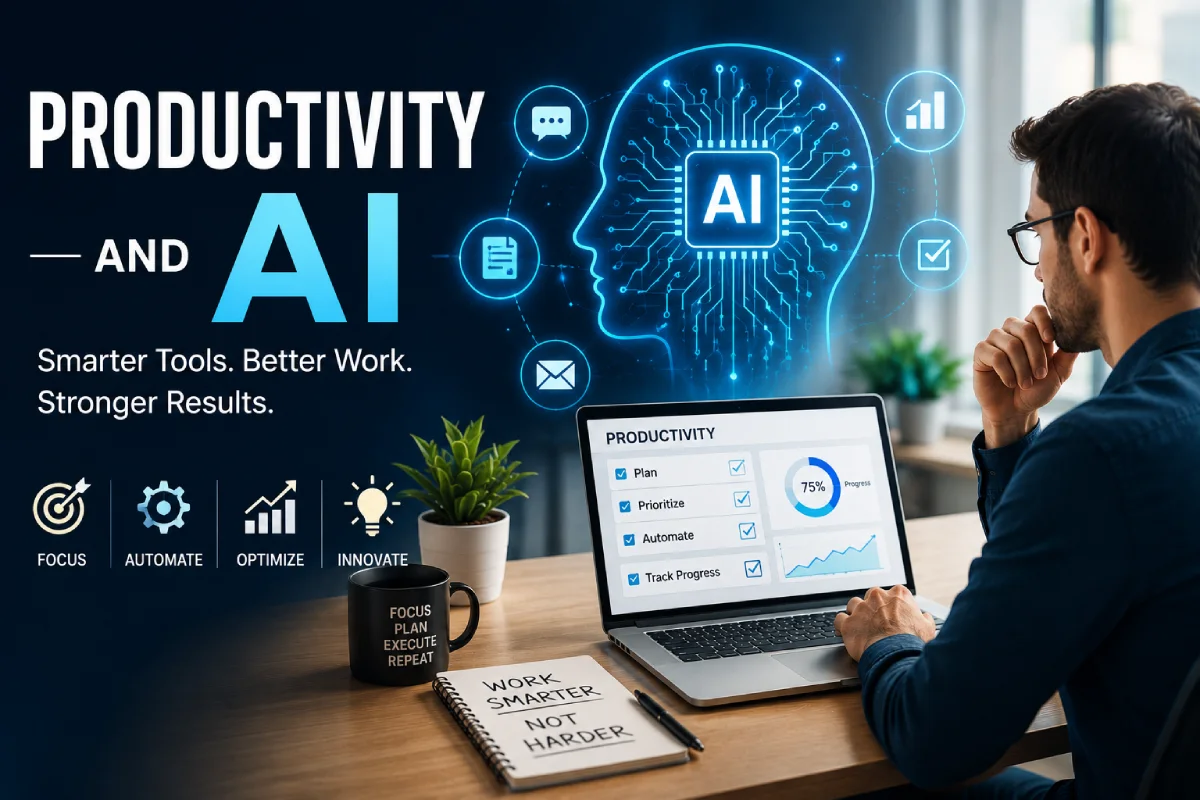
If it seems like everyone is talking about productivity and AI these days your teammate using ChatGPT to fire off an email, your director generating reports from a dashboard powered by AI, your friend whose calendar seems to have automatically and constantly rebooked itself around her focus hours you‘re not imagining it. AI very quickly became as close to common office machinery as a desk chair or a projector. What was seen as merely exploratory in 2023 was, in 2026, just how most knowledge workers “do office”.
But here’s the honest question nobody answers clearly enough: does it actually work? Not “can AI write an email” — everyone knows that by now — but does it genuinely make people and businesses more productive, or is a lot of it hype dressed up as transformation?
This guide is built to answer that directly, without the usual sales pitch. Here‘s the story of what AI productivity actually looks like in 2026, what the data says and doesn‘t say, especially the inconvenient parts most tool roundups don‘t dare include and the 6 bite-sized categories of tools worth having a serious look at: writing, project management, meetings, data analysis, customer support, and personal productivity. Each area provides enough information to help you determine if that category is right for you, what its true potential is, and a link to a full guide with a tool-by-tool breakdown.
You don‘t have to read this guide front to back before you do anything. If you already know your biggest bottleneck is (for example) meetings eating your week, go directly to that section. If you’re not sure yet, the next two sections — on what AI productivity actually means and what the current data shows — will help you figure out where to look first.
Why “Productivity and AI” Became the Question of the Decade
Three things converged to make this the defining workplace question of the mid-2020s.
First, the tools became truly effective. The original wave of artificial intelligence bots was fun toys, but today‘s line of virtual helpers can follow along through lengthy discussions, generate credible first drafts of actual work, and increasingly perform in more autonomous fashion rather than requiring detailed commands.
Second, the economics shifted. Labor costs kept climbing while budgets tightened, and AI subscriptions — often $10 to $30 per seat per month — became one of the cheapest ways to claw back hours without adding headcount.
Third, and not really matter of debate, expectations changed along with the tools. As soon as one guy on a team manages to use an AI framework to reduce a two-hour work down to twenty minutes, the previous rate of execution won‘t seem good enough anymore. That‘s the reason why “productivity and AI” is now a matter of top-level meetings rather than something of interest only for the IT department.
None of that guarantees results, though — which is exactly why the data in the next section matters more than the hype cycle around it.
What “Productivity and AI” Actually Means
“AI productivity” is not one thing;it is an umbrella term that refers to a whole range of interrelated concepts, and confusion over which is responsible for much of the disappointment people have with (what we are calling) AI productivity.
- Automation — AI doing a repetitive task for you with no ongoing input needed (sorting emails, formatting a report, tagging support tickets)
- Augmentation — AI helping you do a task faster while you stay in the driver’s seat (drafting, summarizing, brainstorming, first-pass analysis)
- Delegation — AI acting semi-independently as an “agent” that completes a multi-step job and checks in only when needed (booking a meeting, triaging and routing a support ticket, assembling a weekly report)
Most tools blend all three. A modern AI meeting assistant, for example, automates transcription, augments your notes with a summary, and increasingly delegates the follow-up email draft too. Understanding which of the three you’re actually getting from a given tool changes how much oversight it needs — automation can usually run unsupervised, augmentation still needs your judgment, and delegation needs spot-checks until you trust it.
Take home point: if you ask “how does AI increase productivity at work,” the honest answer is: it depends which of these three jobs you give to it and how well-defined that job is.
The State of AI Productivity in 2026:
The figures reveal a more nuanced reality than most headlines present. It is, after all, a complexity that is worth dwelling in, rather than rushing through.
On one hand, adoption is close to universal. Multiple 2026 surveys put business AI adoption in the 80–91% range, and a Gallup survey of nearly 24,000 U.S. adults found that half of employees now use AI at work at least a few times a year — up sharply from just a fifth a few years earlier. The use of cannabis at some frequency (a couple of times a week or more) has also increased steadily and, although less prevalent than it used to be, daily use is increasing on a quarterly basis.
However, what is interesting is the other side of the coin, a 2026 survey of nearly 6,000 executives across 4 nations, about which big definitive conclusions are drawn, still showed the overwhelming majority reporting no quantifiable, firm-wide productivity effect from AI over the past 3 years. Don‘t see that as contradiction, see it as pattern, and understanding pattern is the single most useful thing you can get out of this guide.
Research aggregated in Stanford’s 2026 AI Index shows the size of the productivity gain tracks closely with how structured and measurable the work is:
| Type of Work | Typical Reported Gain | Why |
| Customer support (structured, high-volume) | ~14–15% | Clear right answers, easy to check quality |
| Software development | ~26% | Code either runs correctly or it doesn’t — fast feedback loop |
| Marketing content output | Up to 50%+ | High volume, format-driven, subjective quality is easier to iterate on |
| Deep, unstructured reasoning (strategy, complex negotiation) | Minimal or negative | No clear right answer, harder to verify AI output quickly |
What the Data Actually Shows
There’s also a skill-level twist worth knowing, and it shows up across nearly every rigorous study on the topic: less experienced workers consistently gain more from AI than experienced ones. In a preregistered field experiment with Boston Consulting Group consultants, below-average performers improved substantially more than top performers doing the identical task. Similar trends can be observed in customer support (where novice agents improve more than veterans) as well as in writing tasks (where weaker writers improve more than stronger ones). If you are less experienced in a role, with a skill, or with a task, then a statistical analysis suggests an AI tool will be more likely to help you than an expert in the same task.
One more wrinkle worth flagging honestly: AI adoption doesn’t automatically reduce total hours worked. Large-scale workplace analytics research comparing employee behavior before and after AI adoption found that time spent across nearly every measured work category actually increased — email activity rose over 100%, and messaging climbed sharply too. That doesn‘t mean AI did make humans slower; it simply means AI enabled more of certain types of work (more email sent, more content created, more conversation overall) rather than just squeezing more output into the same time period. Which is an important lens for managing expectations internally: AI is often more about increasing what is feasible than decreasing your task list.
Practical takeaway: AI helps most with well-defined, checkable tasks — drafting, summarizing, transcribing, first-pass data analysis — and least with tasks that require nuanced judgment calls. It’s also more likely to change what you produce and how much than to simply hand you back free time. Keep both of those filters in mind as you read the six categories below.
AI Writing and Content Tools
This is the category with the most mature tools and, per the research above, some of the clearest measured ROI — especially for marketing and content-heavy output. AI writing assistants are able to create first drafts of email, blog articles, product descriptions, internal memos, and reports in a third of the usual time.
Who for?: Anyone spending significant hours every week creating writing – marketers, founders, support teams writing macros, HR teams drafting policies, or just a person who hates writer‘s block.
An example that feels truly tangible say, two person marketing team creating first drafts of weekly blogposts & social captions using an ai writing tool, then taking the rest of their time to edit for voice and include concrete examples can frequently generate many multiples more content without hiring additional staff which aligns with the significantly increased productivity measured by researchers for marketing work specifically.
Key takeaways:
- Best for first drafts, tone adjustment, repurposing one piece of content into multiple formats, and beating blank-page paralysis
- Weakest at truly original ideas, nuanced brand voice, and fact-heavy or highly technical writing without careful human editing
- Editing AI output is still essential — treat it as a fast co-writer, not a replacement for a subject-matter expert
Potentialgeneral limitation: when many people use A.I. writing ends up having similar phrasing and format, leading to sounding superficial if no final editing. The technology does eliminate initial work by at least 80%; the remaining 20% personalized examples, genuine voice, and uniquely human details must be added by hand.
Practical tip: Feed the tool your best 2–3 examples of writing you like before asking for a draft; output quality jumps noticeably when the AI has a concrete style reference instead of a vague instruction like “make it sound professional.”
Want the full breakdown of specific tools, pricing, and how to choose one for your team? → [Read our full guide to AI Writing and Content Tools]
AI Project Management Tools
AI is increasingly built directly into project management platforms — auto-generating task lists from a project brief, flagging at-risk deadlines before they slip, and rebalancing workload across a team when someone is overloaded.
Who it’s for: teams of five or more juggling multiple concurrent projects, especially where deadline risk has historically been discovered too late to act on.
Here‘s an example of how this might work in practice: taking the existing process for project oversight as an example a project manager currently checks a dozen task boards every Friday to try and predict which deadlines are going to be missed. If an AI layer were to automatically identify and flag “this task hasn‘t moved in 6 days and is 3 days from its deadline” rather than applying manual effort, it would be instantly proactive.
Key takeaways:
- Strongest use case: surfacing risk before a deadline slips, not just tracking tasks after the fact
- Works best with teams that already keep consistent, up-to-date project data — AI can’t predict risk from messy, incomplete task boards, and garbage in still means garbage out
- Most valuable once a team is coordinating enough moving parts that manual tracking starts to break down
General pitfall to keep eyes peeled: predicting AI risk is only as accurate as your task data. Teams that don‘t keep their boards up to date tend to produce sketchy AI flags that can slowly reduce faith in the tool even if the model isn‘t broken.
Pro tip: First, have AI give quarterly status summaries for stakeholders (a low risk, high time saving activity) and then in a later phase have it estimate deadlines since it can be a little disruptive if the estimation is wrong and the people need to be reallocated.
For a side-by-side comparison of the leading platforms → [See our AI Project Management Tools guide]
AI Meeting Assistants
Meetings are one of the clearest, most universally felt productivity drains in modern work, and AI meeting assistants — automatic transcription, summaries, and action-item extraction — are one of the most immediately useful categories on this list, largely because the payoff is obvious from day one.
Who it’s for: anyone in recurring meetings where someone currently has to choose between participating and taking notes — which, in most organizations, is nearly everyone.
A practical case: a weekly cross-team sync that previously required someone taking notes (which always meant they participated less) has been replaced with an AI answering the call, transcribing the discussion, producing a summary, and creating action items, leaving everyone else free to listen and contribute.
Key takeaways:
- Reduces the “who’s writing this down” problem entirely, and tends to produce more complete notes than a distracted human note-taker
- Action-item extraction is good but not perfect — always do a quick human review before sending recap emails, especially for anything involving commitments or deadlines
- Works across video calls and, increasingly, in-person meetings via phone or dedicated recording devices
Common limitation to watch for: accuracy drops with heavy cross-talk, strong accents the model hasn’t been well-trained on, or poor audio quality — worth testing a tool with your actual meeting conditions before committing to it company-wide.
Practical tip: Turn on an AI meeting assistant for recurring meetings first (standups, weekly syncs, client check-ins) — that’s where the compounding time savings are biggest, since you’re not just saving time once but every single week.
Full comparisons of transcription accuracy and pricing → [Explore AI Meeting Assistants]
AI Data Analysis and Reporting
Transforming raw spreadsheets and dashboards into simple-English insights was at best, slow and expensive, needing a trained data analyst, and often waiting in a queue. Today, AI tools enable non-technical staff to query their own data with natural language and receive an answer in seconds.
Ideal for: small teams (no dedicated analytics hire) or larger teams that want quick first pass answers, before bringing in a specialist for anything high-stakes.
An example that feels relatively realistic: rather than an email inquiry “has anyone pulled last month‘s numbers broken out by region”, a manager can simply ask an AI-based reporting system and receive a chart back in less than a minute saving the human analyst‘s effort for the tougher, judgment issues lurking behind the details.
Key takeaways:
- Great for first-pass exploration — “what changed this month and why,” “which region underperformed,” “show me the trend over the last quarter”
- Not a replacement for a trained analyst on high-stakes decisions; always verify AI-generated numbers against the source data before they go into a board deck or a financial decision
- Especially useful for small teams without a dedicated analytics hire, where the alternative was often no analysis at all rather than a slower human-led one
Common pitfall to pay attention to: If the dataset is of poor quality (related duplicate entries, badly formatted data, empty fields), the AI can generate convincing seeming but inaccurate summaries. The tool can’t be used in isolation to identify that the challenge is with the data.
Practical tip: Use AI reporting tools to generate a draft summary of a report, then have a human sanity-check the top 2–3 numbers against the raw data before it goes to leadership. That one habit catches the majority of AI reporting errors before they matter.
See tool-by-tool comparisons → [Read our AI Data Analysis and Reporting guide]
AI Customer Support Automation
Customer support is one of the categories with the strongest, most consistently measured AI productivity gains in the research — largely because support tickets are structured, repetitive, and relatively easy to evaluate for accuracy, which is exactly the profile of work where AI tends to shine.
Who it’s for: any team fielding a meaningful volume of repeat questions — order status, return policies, account access, basic troubleshooting.
A realistic example: a support team that used to answer the same five questions dozens of times a day can hand those specific questions to an AI-powered chatbot or ticket-triage system, freeing human agents to focus on the complex, emotionally sensitive, or genuinely novel issues where a person is actually needed.
Key takeaways:
- AI chatbots and ticket triage handle high-volume, low-complexity questions well, often resolving them without human involvement at all
- Escalation logic matters more than raw automation — knowing when to hand off to a human, and doing it smoothly, is the real differentiator between a tool customers tolerate and one they actually like
- Newer support agents benefit disproportionately from AI assistance (suggested responses, knowledge-base lookups), similar to the broader skill-gap pattern seen across industries — AI can meaningfully shorten the ramp-up time for new hires
Common limitation to watch for: over-automating without clear escalation paths is the single most common complaint customers have about AI support — a frustrated customer stuck in a bot loop with no fast route to a human does more brand damage than the automation saves in agent hours.
Practical tip: Start AI automation with your top 5 most-repeated customer questions — that’s where you’ll see payback fastest and where the risk of a bad AI response is lowest, since the answers are well-established and easy to verify.
Compare the leading platforms → [View our AI Customer Support Automation guide]
AI Personal Productivity Assistants
This category is about the individual, not the team: AI tools that manage your own calendar, task list, and daily planning — automatically defending focus time, rescheduling around conflicts, and cutting down the mental overhead of deciding what to work on next.
Who it’s for: people with fragmented calendars, frequent context-switching, or a habit of losing focus time to back-to-back meeting requests — which, realistically, describes most people in hybrid or client-facing roles.
A realistic example: instead of manually defending a Tuesday-morning deep-work block every week, a personal AI scheduling assistant can automatically decline or reroute conflicting meeting requests around it, and quietly reschedule lower-priority tasks when something urgent comes up — work that would otherwise fall to the individual to manage by hand, usually imperfectly.
Key takeaways:
- Most useful for people with fragmented calendars and frequent context-switching, less useful for roles with a fixed, predictable daily structure
- Works best when you’re willing to let the AI make small scheduling decisions automatically, rather than approving every single change — the time savings mostly come from not having to intervene
- A lighter-weight, lower-cost entry point into AI productivity than team-wide tools, since it typically doesn’t require buy-in from anyone else
Common limitation to watch for: these tools work best when your calendar and task list are the complete picture of your commitments. If you’re tracking priorities in your head or on paper alongside the tool, it can’t protect time it doesn’t know about.
Practical tip: Give a personal AI assistant your top 3 non-negotiable weekly priorities (e.g., deep work blocks, a recurring 1:1, a hard external deadline) before letting it auto-schedule everything else around them.
See our full tool comparison → [Explore AI Personal Productivity Assistants]
Best AI Tools for Business: How to Choose
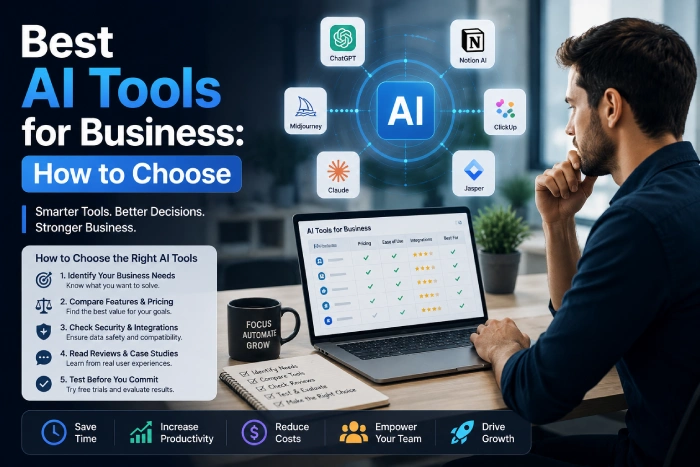
With six categories and hundreds of individual tools, the real skill isn’t finding an AI tool — it’s picking the right one for the actual bottleneck you have. A simple framework:
- Name your bottleneck specifically. Not “we need more AI” — “our team spends 6 hours a week writing status updates” or “our support inbox has a 2-day response lag.”
- Match it to a category, not a brand. Use the six sections above to identify which job-to-be-done fits before you start comparing specific products.
- Pilot with one team or one workflow for 30 days before rolling out further. A small, well-measured pilot tells you more than a company-wide rollout with no baseline to compare against.
- Measure something concrete — hours saved, response time, output volume, ticket resolution rate — not just “it feels faster.” Vague impressions are exactly how you end up in the “we adopted AI but can’t show a productivity gain” statistic.
- Set a decision date. Give the pilot a fixed window (30–60 days) and a go/no-go review, rather than letting a “temporary” trial quietly become permanent without ever being evaluated.
A rough way to think about where to start, by category:
| If your biggest bottleneck is… | Start with… | Typical monthly cost per seat |
| Slow content/email production | AI Writing and Content Tools | $0–$30 |
| Missed deadlines, unclear status | AI Project Management Tools | $10–$40 |
| Lost meeting notes, no follow-through | AI Meeting Assistants | $0–$25 |
| Slow reporting, no analyst on staff | AI Data Analysis and Reporting | $20–$100+ |
| Support backlog, slow response times | AI Customer Support Automation | Often usage-based |
| Personal calendar chaos | AI Personal Productivity Assistants | $0–$15 |
Small businesses and lean teams should pay particular attention to cost-per-seat, since many of these tools charge per user and costs scale faster than expected once a whole team is enrolled. → [See our guide to AI productivity tools for small business]
Does This Look Different by Industry?
The research is clear that AI productivity gains aren’t evenly distributed across the economy, and industry is one of the biggest factors. Technology and information-heavy industries report the highest regular AI usage, followed by finance and professional services, while retail and healthcare lag well behind — not because those industries have less to gain, but because the work tends to be more hands-on, more regulated, or harder to hand to a general-purpose AI tool safely.
A few patterns worth knowing if you’re trying to gauge how much this applies to your own situation:
- Knowledge-work-heavy industries (software, finance, professional services, marketing) see the fastest and clearest gains, largely because so much of the work already happens on a screen, in text, or in structured data.
- Regulated industries (healthcare, finance compliance, legal) see slower adoption not because AI doesn’t work, but because the cost of an AI error is higher and review requirements add friction — human-in-the-loop verification isn’t optional here, it’s often a requirement.
- Hands-on, physical-world industries (retail floor operations, manufacturing, hospitality) see AI productivity gains concentrated in the back-office and administrative side of the business — scheduling, reporting, customer communication — rather than the frontline work itself.
- Small businesses across every industry tend to benefit disproportionately from the writing, meeting, and personal-assistant categories specifically, since those require the least setup and the smallest learning curve relative to the time they save.
Practical takeaway: if your industry sits lower on the adoption curve, that’s not necessarily a sign AI won’t help — it’s often a sign the highest-value use cases are in the administrative layer of the business rather than the core service, which is exactly where categories like AI Meeting Assistants, AI Writing Tools, and AI Data Analysis and Reporting tend to fit in regardless of industry.
Common Mistakes People Make with AI Productivity Tools
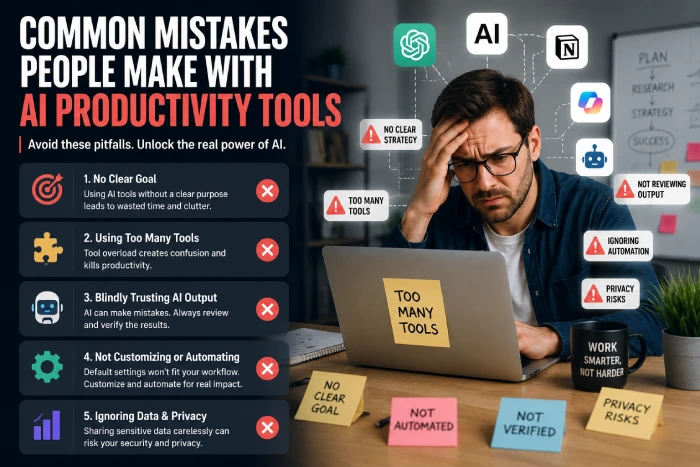
- Adopting a tool without a specific problem in mind. “AI for AI’s sake” rarely sticks — tools adopted without a clear bottleneck to solve tend to get used briefly, then quietly abandoned.
- Skipping the human review step, especially for AI-drafted client communication, financial reports, or anything with legal or compliance implications.
- Expecting judgment-heavy work to improve. AI helps most with structured tasks — strategy, nuanced negotiation, and complex people decisions still need a human lead, and pushing AI into those areas is where the “no measurable gain” statistics tend to come from.
- Rolling out to an entire team at once instead of piloting first, which makes it much harder to isolate whether the tool is actually helping or just adding noise.
- Not budgeting for the learning curve. The first two weeks with any new AI tool usually cost time, not save it, as people learn how to prompt it effectively — expect a dip before the gain.
- Ignoring the data behind the hype. Remember: most executives still report no measurable firm-wide productivity gain — the gains are real, but they’re concentrated in specific, well-scoped tasks, not distributed evenly across every job function.
What ROI Actually Looks Like in Practice
One reason so many companies land in the “no measurable gain” statistic isn’t that AI failed them — it’s that they never defined what a win would look like before they started. A few realistic ROI patterns worth setting as expectations:
Time-based ROI is the easiest to measure and the most common in the writing, meeting, and personal-assistant categories: a task that took 90 minutes now takes 20. This is straightforward to track — just compare a timed sample of the old process against the new one for two weeks.
Output-based ROI shows up most in content and marketing work, where the win isn’t fewer hours but more output for the same hours — twice as many blog posts, faster campaign turnaround, more variations tested. This is the pattern behind the largest reported productivity gains in the research, and it’s easy to miss if you’re only looking for “hours saved.”
Quality or consistency ROI is the hardest to measure but often the most valuable in customer support and reporting — fewer errors, more consistent tone across a team, faster response times that improve customer satisfaction scores even if the raw hour count barely moves.
Ramp-time ROI is specific to new hires: if AI tools meaningfully shorten how long it takes a new employee to reach full productivity — and the research on skill gaps suggests it often does — that’s a real, calculable return even if it never shows up in a weekly time-tracking report.
The mistake most companies make is expecting all four types of ROI to show up as hours saved on a timesheet. Pick the ROI type that actually matches the category of tool you’re piloting, measure that specifically, and you’ll get a much clearer answer than “did productivity go up” — a question broad enough that almost any answer to it is unreliable.
Myth vs. Fact: AI and Productivity
| Myth | Fact |
| “AI makes everyone dramatically more productive.” | Gains vary widely by task — big in structured work like support and coding, small in judgment-heavy work like strategy or negotiation. |
| “AI productivity tools are only for big companies.” | Many of the best tools (Grammarly, ChatGPT, Notion AI) have free or low-cost tiers built for individuals and small teams, not just enterprise budgets. |
| “The more AI you use, the more productive you’ll be.” | Some studies show increased time spent on email and messaging after AI adoption — more tools can mean more work, not less, without a clear strategy. |
| “AI tools replace the need for expertise.” | Field studies consistently show AI helps beginners the most and experienced workers the least — it narrows skill gaps rather than replacing skill entirely. |
| “If it’s not saving hours, it’s not working.” | AI often expands output (more content, more communication) rather than shrinking your to-do list — that’s still a productivity gain, just not the kind that shows up as free time. |
Future Trends: Where AI Productivity Is Headed
- Agentic AI — tools that complete multi-step tasks independently rather than waiting for a prompt at every step, moving from “assistant you talk to” toward “assistant that just handles it”
- Deeper native integrations — AI built directly into existing software (like Copilot inside Word and Excel) rather than separate apps, lowering the adoption barrier since people don’t have to learn a new interface
- Personalized, context-aware assistants — tools that remember your preferences, priorities, and past decisions across sessions instead of starting from zero every time
- More scrutiny on measurable ROI — as adoption plateaus near saturation, businesses are shifting from “are we using AI” to “is it actually working,” which should push vendors toward better built-in reporting and honest before/after measurement
- Growing attention to skill development. As it becomes clearer that heavy reliance on AI can slow the development of certain skills — especially for people newer to a role — expect more guidance emerging on how to use AI without letting core skills atrophy
How to Build Your AI Productivity Stack, Step by Step
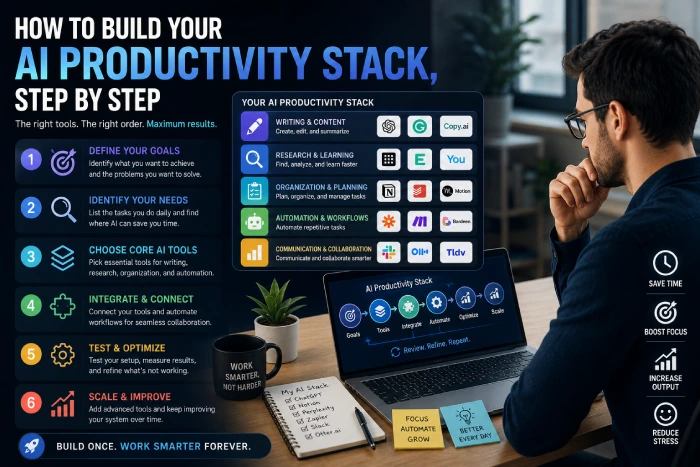
- Audit your week. Track where your hours actually go for 3–5 days before assuming you know your biggest time sink — most people are surprised by the results.
- Pick your single biggest time sink — writing, meetings, reporting, support, scheduling, or project tracking — and resist the urge to solve everything at once.
- Choose one tool from the matching category above and use it exclusively for two weeks, giving yourself time to get past the initial learning curve.
- Measure the result in concrete terms (hours saved, tickets closed, drafts produced, response time reduced) rather than relying on a gut feeling.
- Add a second tool only after the first is a habit. Stacking too many new tools at once is the most common reason adoption fails and the most common reason a company ends up in the “no measurable gain” category.
- Revisit quarterly. The tools changing fastest are meeting assistants and agentic task tools — what’s best today may not be best in six months, and a tool that wasn’t ready for your use case a year ago might be now.
AI Productivity Stack, Step by Step
Productivity and AI aren’t the same thing as “more AI equals more output.” The businesses and individuals seeing real gains in 2026 are the ones treating AI as a precise tool for specific, well-defined tasks — not a blanket solution applied everywhere at once. The data backs this up clearly: gains cluster around structured, checkable work and shrink fast once judgment and nuance take over, and the people benefiting most are often those newest to a task, not the most experienced.
That last point is worth sitting with for a moment, because it cuts against the usual narrative. Most coverage of AI and productivity frames it as a tool for the already-elite — the power user who has figured out the perfect prompt, the executive with a slick AI-powered dashboard. The research tells a different story: the biggest, most consistent winners are beginners, newer employees, and people tackling unfamiliar tasks. If you’ve been putting off trying AI tools because you assumed they were for people further along than you, the data actually points the other way.
Start with the one category above that matches your biggest bottleneck, pilot it deliberately with a real measurement in place, and build your stack one proven tool at a time from there. The businesses still showing up in the “no measurable gain” statistics a year from now will, in most cases, be the ones that skipped this step — the ones that adopted AI broadly without ever pinning down what problem it was supposed to solve. Don’t be one of them.
FAQs
Q1) Does AI actually improve productivity, or is it overhyped?
Both, depending on the task. Research shows real, measurable gains in structured work like customer support, software development, and marketing content — but most executives still report no measurable company-wide productivity boost, since gains are concentrated rather than universal.
Q2) What are the best AI tools for business in 2026?
The right tool depends on your bottleneck. For writing, tools like ChatGPT and Grammarly lead For meetings, Otter.ai and Fireflies. For scheduling, Motion and Reclaim.ai For all-in-one workplace use, Microsoft Copilot and Notion AI are among the most widely adopted.
Q3) How does AI boost workplace productivity specifically?
Mainly through automating repetitive, structured tasks (transcription, first-draft writing, basic data summaries) and reducing the time spent switching between apps and manually organizing information.
Q4) Are AI productivity tools worth it for a small business?
Often yes, especially for writing, meeting notes, and basic customer support, where free or low-cost tiers exist. The key is starting with one clear bottleneck rather than adopting many tools at once.
Q5) Which employees benefit most from AI productivity tools?
Multiple field studies show less experienced workers gain the most — often two to three times more than experienced workers doing the same task.