
Last Updated: September 21, 2026
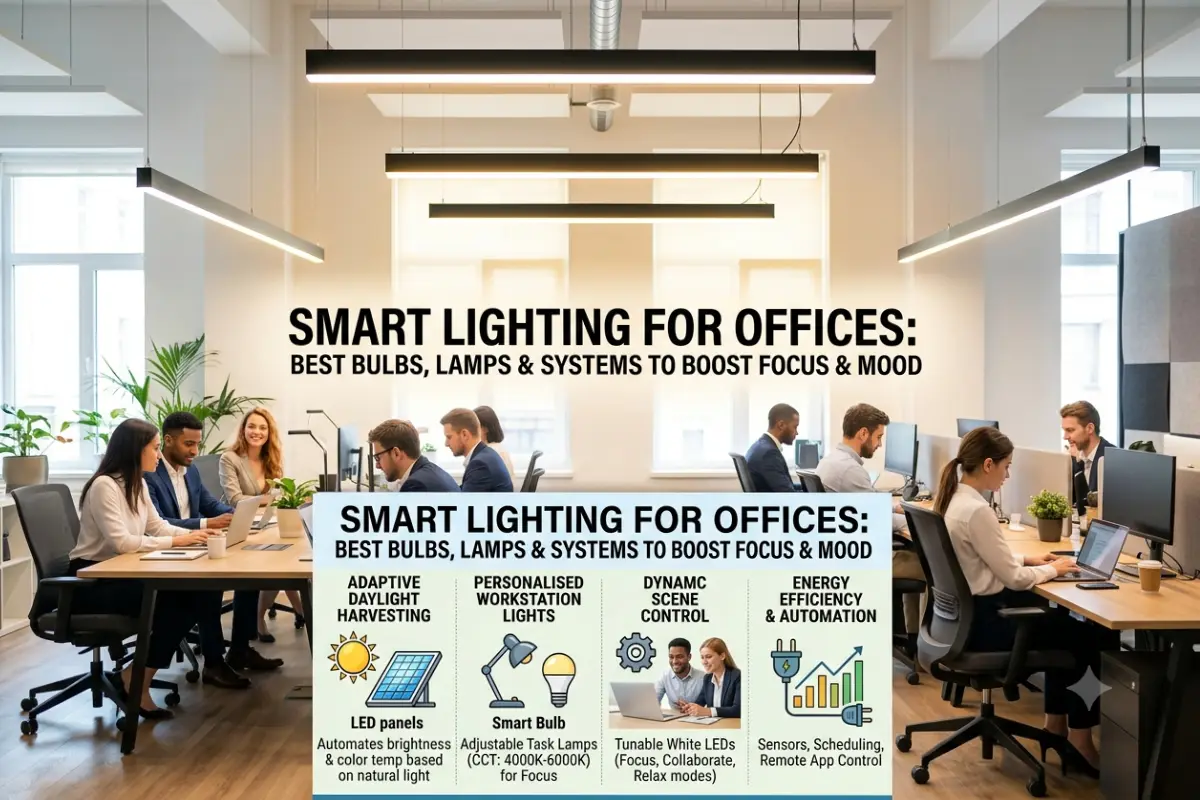
Office lighting systems have gone beyond just a convenience system. In today’s workplaces, lighting technology such as bulbs, task-based and lighting desks, light sensors, and light systems are used to provide people an environment that is comfortable, manageable, and energy-efficient. Unlike traditional lighting that has a constant lumen output, smart lighting allows businesses and individual users to adapt to the lighting that is needed.
Office lighting can influence the atmosphere of your space. A luminous use of lighting for detailed tasks can be beneficial at a bright desk, and softer lighting would be more effective during meetings, presentations or end of day task work. However, smart office lighting can offer more flexibility than a standard lighting setup with app controls, scheduling and automation.
No matter if you are at home, running a tiny office, or designing lights for a bigger work environment, a great lighting selection may help with comfort and productivity. Here is what you need to understand about selecting intelligent lights for an office (2026).
“For the overarching strategy, read our complete guide on Smart Office Gadgets.
The Importance of Smart Lighting in an Office Environment
Classic office lighting is typically based on the idea that once you turn the lights on, their brightness will remain fixed and equal to the set level. In smart lighting solutions, much depends on your wishes and desires. The most common way to control brightness, colors, schedules, and, sometimes, separate fixtures is by using your mobile device.
This is where the utility of it comes in, fantastic for use in offices. Workers may require more intense, cooler lighting to do specific computer work, while a separate change of lighting mood and intensity could be desirable for meetings or presentations.
Another positive effect a smart lighting system can have on a building is that it can cut down on wasted power. Automated scheduling and occupancy sensing control can dim or turn lights off when rooms are not in use. In larger office buildings these small savings can have a significant effect over time.
Another advantage is centralized control. Instead of manually adjusting every light, an administrator can manage groups of fixtures through an app or connected lighting platform.
Best Smart Office Desk Lamps
A smart desk lamp can be one of the easiest ways to upgrade an individual workstation. In contrast to a ceiling light, a desk lamp allows for more direct working space for reading, writing, designing or working on the computer.
Choose a lamp with adjustable brightness levels and colour temperatures. A lamp with both warm and cool white temperatures is usually better than a single colour temperature. Dimming capability is another considering because you may want less light depending on how much daylight is present in the room and the task.
Certain smart desk lamps are operable via smartphone applications, touch controls, voice commands, or automation routines. Higher-end smart desk lamps might also incorporate additional functionalities like ambient light sensors, USB ports, Wireless Charging, and sunlight sensors.
Workstation Position a lamp so that it shines on documents or the surface of the desk but does not cause reflections on the computer screen. Right-handed users might choose to position a desk lamp to the left of the desk, while left-handed users might often find that positioning it to the right is most helpful, especially while writing.
The goal is not to make the desk brighter. We set out to provide evenly spread, pleasant, shade and glare free light.
Smart LED Bulbs for Productivity
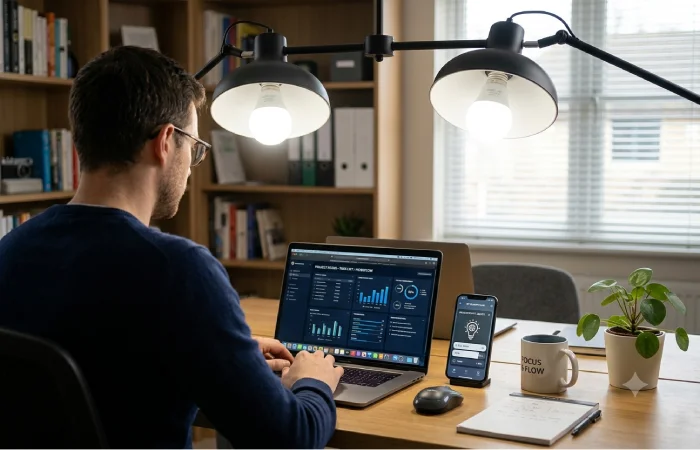
Smart LED bulbs Another convenient way to upgrade your office space is using smart LED bulbs. The bulbs can take over using incandescent, fluorescent, or other traditional bulbs that are compatible and replace them with dimming, scheduling, remote control, and adjustable color temperature.
When it comes to productivity-oriented environments, tunable white bulbs can be more beneficial than just color decorative luminaires. For example, tunable can enable the user to transition from warm to cold by time of day or task.
A cooler white environment might make an office seem brighter and more vibrant, while warmer settings can give an office a more relaxed feeling. But it is important not to view lighting as a replacement for sleep, breaks, ventilation or other work environment elements that promote concentration.
Smart LED bulbs are especially useful for small office lighting because there is a good chance that they can be fitted into existing fixture without having to replace it. Once connected to the suitable application or smart-home system, you can then program the lights to correspond to schedules and scenes.
An example would be an office where the brightness can be set to be higher during working hours and then gradually decreases as the day progresses.
Circadian Rhythm Lighting for Offices
Circadian rhythm lighting is designed around the idea that indoor light exposure can be varied throughout the day to better reflect natural patterns of daylight. There is no need to have an office of the same color temperature and brightness all day long. Automated systems are able to alter the environment one step at a time.
A standard configuration might employ more BRIGHT, cooler-tone light set earlier in a workday more toward warm, dim light.
This is particularly important in an office environment, where natural daylight is less readily available. An individual working inside for long periods of time could be exposed to very different types of light than one working next to large windows.
Nevertheless, circadian lighting should be used judiciously. Human responses are complex, and the repercussions depend on many things, including the time of day, the level of illumination, duration of exposure, personal daily rhythms, and daylight availability.
For the company‘s thinking about this type of system a programmable commercial lighting system could be more effective than installing very bright light bulbs. The aim should be to produce a pleasant lighting environment that varies with the time of day.
App-Controlled Office Lighting
The advantages of app-controlled office lighting include on-demand operation and convenience. It allows users to turn the lights on anytime and turns lights on by themselves and eliminates the need for users to walk around and change each switch manually.
For each system an app might also allow control over brightness, color temperature, lighting zones, schedules and scenes. Some systems offer different settings for users or individual rooms.
Such as three floor conference room. A presentation scene reduction of lamp light in the ceiling and allow enough light so people can write down notes. A meeting scene lit the room equally.
Apps can further simplify the lighting controls for office managers. Sets can be programmed to activate for workers as they enter the building and turn off after 5pm.
Pay attention to your connectivity when you choose a app-based system. If you want an easy solution, look for the Wi-Fi option, which is able to connect directly to whatever network you already have set up, where others may connect through a hub or other wireless technology.
In an office filled with dozens of fixtures, it is advisable to look into if the platform can extend beyond a handful of light bulbs. If you are working in a small office, a system that performs correctly within your homestead can be a fine system to use.
Eye-Care Smart Lighting Solutions
Eye comfort is a factor to consider in office lighting. While no office lighting can avoid all forms of eye strain, adjustable lighting provides the ability to tailor the lighting to the individual.
One important factor is glare. A bright light behind or beside a monitor can cause reflections and make the screen difficult to see. A desk lamp shining level in the user‘s eyes can also be uncomfortable.
Lighting should, of course, be spread out throughout the workspace. Pieces such as flicker free task lighting, diffuse fixtures, indirect lighting, and dimmer switches can accommodate users’ needs.
Color temperature could also be recommended for our personal comfort. Some employees may prefer neutral white light for computer work, while others may prefer a warmer setting. Smart lighting gives people the ability to experiment with settings rather than being locked into one configuration.
Brightness levels of the monitor have to be matched to the brightness level in the room itself, as well. If there is a very bright monitor in a dark room, the difference will be unpleasant for users. At the same time, an excessively bright room may cause screen glare.
Features of Smart Lights to Look For
Not all office premises require a complicated lighting system, the specific features would depend on the size of the office, its budget and required level of automation.
| Smart Lighting Feature | Office Benefit |
| Brightness adjustable | Adapts the lighting to various needs |
| White adjustable | Enables white light to be either warm or cool |
| App-controlled | Facilitates centralized or remote lighting control |
| Timed scheduling | Automates the light fittings based on working hours |
| Occupancy sensor | Reduces unnecessary lighting |
| Motion sensing | Can be useful in meeting rooms and corridors |
| Voice control | Hands-free lighting adjustment is provided |
| Group control | Facilitates the control of multiple light fittings simultaneously |
| Energy metering | Helps in analyzing the lighting usage |
| Presets | Changes the lighting quickly for various purposes |
A dimmer and control over temperature of the color of light may be sufficient for home office, while a small business can have scheduling and presence detection.
Tips for Designing a Smart Office Lighting System
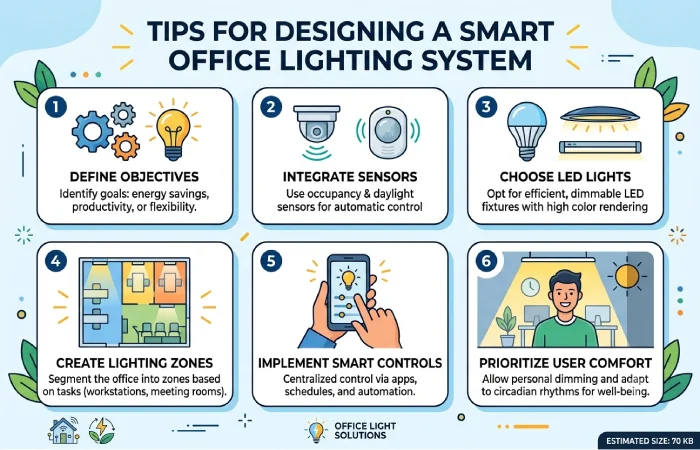
Begin with considering the office that exists rather than rushing to buy light bulbs right away. Find out where daylight is coming into the office space, where there is glare, and which spaces need more lighting.
The workstation should receive comfortable, consistent light. Do not have a bright window illuminated behind the computer monitor if the reflection will be distracting. Do not have the computer sitting dead center opposite a bright window if the contrast makes the screen hard to see.
Layered lighting is another useful strategy. In addition to relying solely on overhead lights, you should also integrate ambient lighting along with task and accent lighting wherever necessary.
For instance, you can use overhead lights for general illumination, the intelligent desk light for task lighting, and the soft light from the walls/indirect lighting for an enhanced atmosphere.
Then comes automation, which can be used to control all these components together. You could have a morning scenario that increases the level of brightness slowly, and a meeting scenario that turns on several lights at once.
“To take the next step, see our detailed guide on Wireless Charging and Power Gadgets.”
Smart Lighting For Various Office Locations
There are various types of lighting needs at different office locations.
Work stations need constant ambient lighting as well as variable task lighting. Conference rooms require versatile scenes as these rooms can be utilized for conversations, presentations, video conferences, and collaboration.
Smart lighting can be implemented in the reception area to make it attractive and functional.
Rooms with occupancy sensors Most doorways, storerooms and other seldom-used spaces will greatly benefit from occupancy sensors. Lights could be switched on upon entering an area and turned off after it has been unoccupied for some time.
Such an approach brings together comfort and energy control without making staff remember about all light switches.
Smart Lighting vs. Traditional Office Lighting
Control is what sets smart lighting apart from conventional lighting the most. Conventional lights tend to be very basic and dependable, however they aren’t as flexible.
Smart systems will add several further functionalities including dimming, scheduling, remotely accessing and controlling, as well as data-based energy management and automation.
| Factor | Traditional Lighting | Smart Lighting |
| Brightness control | Usually manual | Manual or automated |
| Scheduling | Limited | Common |
| App control | No | Yes |
| Automation | Limited | Extensive |
| Energy management | Basic | More advanced |
| Color temperature | Usually fixed | Often adjustable |
| Installation | Generally simple | Depends on system |
| Scalability | Straightforward | Depends on platform |
Smart lighting does have some drawbacks Connected products may have higher price tags, require configuration, and could be reliant on Wi-Fi, hubs, apps, or compatible ecosystems.
In a modest office, a few desk and smart lights are likely to be all they need, and won’t need a commercial installation.
What is the Price of Smart Office Lighting?
This is greatly influenced by the kind and number of fixtures that will be installed. A simple smart LED light bulb may be affordable, but installing an advanced commercial lighting system that comes with a controller and sensors may be very expensive.
For example, a simple office setup may comprise two or three smart light bulbs and one adjustable table lamp.
For big offices, the total cost of ownership has to be taken into consideration instead of the mere price of the bulbs themselves. The overall cost can be attributed to installation, wiring, controls, maintenance, compatibility, energy consumption and future expansion.
Tips for Getting Better Results
Avoid making the entire office extremely bright. More light is not necessarily good light Rather, light to eliminate is what you should aim for.
Utilise daylight whenever possible. The lighting can take advantage of the natural light from the sun and therefore reduce the amount of electric light required at certain times of the day.
Offer employees a little bit of control. Everyone is different, and the same level of lighting may seem too bright to one person and too dark to another.
Lastly, select an ecosystem that can grow alongside your demands While you might be contemplating to include self-smart switches, sensors, lamps and different workplace automation merchandise later, guarantee that the lighting platform is suitable with the merchandise you will probably be going to make use of.
Final Thoughts
Smart office lighting can elevate an ordinary office space into a more comfortable and flexible one. From smart desk lamps and LED bulbs to automated features and occupancy sensors, there are plenty of effective options available.
More expensive is not always better sometimes the best arrangement simply involves the cheapest technology. For many people in an office, offering a modest amount of tunable-white lighting, a degree of brightness control, provide ample task lighting, and some simple automation can do the trick.
Office lighting is an area where comfort, glare control, flexibility, reliability and ease of management should be at the forefront of decisions. With the correct selection of fixtures and automation the office can be brighter for tasking, more comfortable during meetings, and more efficient in unoccupied rooms.