
Last Updated: September 28, 2026
In today‘s “office,” we use many devices. The modern office worker would have to operate his or her own notebook, personal digital assistant, wireless headphones, watch, tablet, and several other accessories on a daily basis.
These gadgets increase efficiency at work but present one drawback in common: plenty of wires and no ready sources of power.
This is where wireless charging and power devices come into play.
Whether it is wireless charging pads, multiple device chargers, USB C powered hubs, or portable power banks, today’s power gadgets simplify keeping all necessary devices powered.
In addition to making the office more neat, the gadgets help in decluttering the workspace.
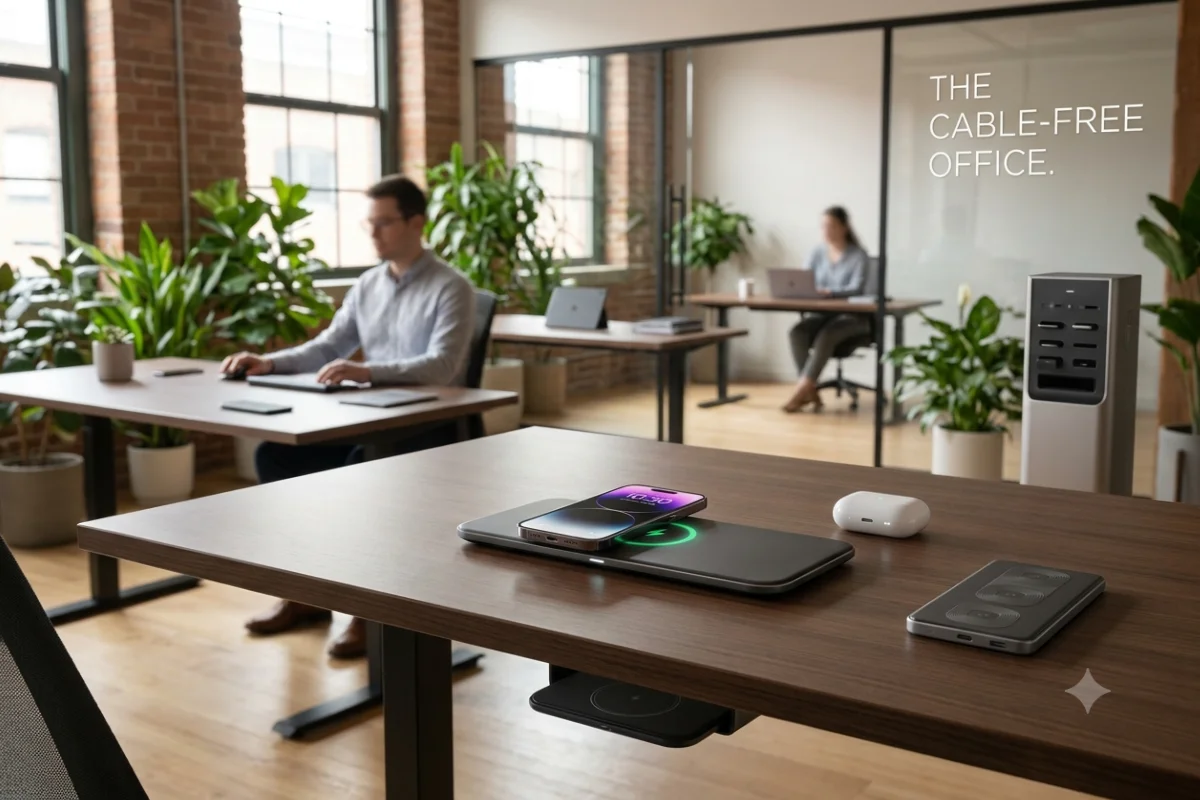
The concept of a cable-free office does not mean an office without any cables at all.
It implies a minimal use of unnecessary cables where possible.
With the right charging gadgets, the office experience becomes easier and more convenient.
This guide is all about the best wireless charging and power devices to build a more eco-friendly and energy-efficient smart office.
“For the overarching strategy, read our complete guide on Smart Office Gadgets.
Wireless Charging and Power Devices Are Necessary for a Smart Office Environment
The office environment has been transformed drastically over the past few years.
The rise of remote work, flexible offices, and mobile technology has made it necessary to provide power devices.
Employees are not spending their entire day on a desktop PC anymore.
People are moving from home offices to coworking spaces and conventional offices.
These devices must accompany them wherever they go.
This is where wireless charging and power gadgets come into play as they make the process easier.
The user no longer has to search for the right cable but just put the compatible smartphone on the charging pad.
The user no longer has to connect various chargers to the single plug point but uses a multi-device charging station.
An intelligent charging system can also enhance the aesthetics of the work desk.
The fewer the visible cables, the better looks the desk will have.
Benefits of Smart Power Gadgets
- Reduced cable clutter
- Faster access to charging
- Better desk organization
- Support for multiple devices
- Improved portability
- Fewer occupied power outlets
- Easier workspace management
When you’re an individual who uses multiple devices daily, then making the right investments in power equipment can have quite a significant effect.
Best Wireless Charging Pads for the Office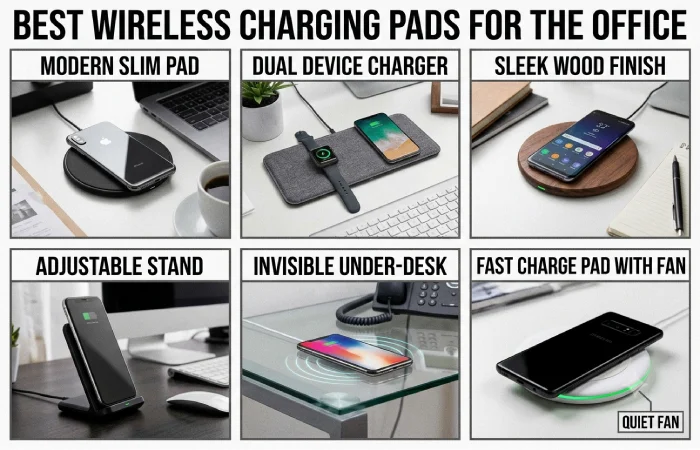
Wireless charging pads are perhaps the easiest way to make your workspace more efficient.
These devices make it easy to charge your smartphone and any other compatible accessories without having to plug them into a device.
You simply place the device on the charging surface.
Modern wireless chargers utilize wireless charging standards that are widely accepted.
There have been advances in new technology that have enhanced charging speed and device alignment.
The wireless charging pad is ideal for office desks as it provides a charging point.
Unlike having the phone connected by a wire behind the computer screen, the phone will be placed on the charging pad.
This keeps the phone within sight and reach during the charging process.
Features of an Ideal Office Wireless Charging Pad
The following are some of the essential features to consider when buying a wireless charging pad.
| Feature | Importance |
| Charging speed | Faster charging reduces downtime |
| Device compatibility | Ensures support for your smartphone |
| Size | Should fit comfortably on your desk |
| Heat management | Helps protect devices during charging |
| Non-slip surface | Prevents devices from moving |
| USB-C input | Supports modern power connections |
| Portable design | Useful for flexible workspaces |
For ordinary office users, a small-sized charging pad would be sufficient to charge a smartphone.
Professional people who have various devices might require a charging stand or a multi-device station.
Another good use of a wireless charging stand would be that users can view their notifications as they charge their phones.
This is particularly beneficial for professionals as they keep using their smartphone to communicate with clients all day long.
Uses of Wireless Charging Pads
Wireless charging pads are suitable for:
- Executive desks
- Reception desks
- Home offices
- Meeting rooms
- Hot-desking environments
- Shared workspaces
Adding a wireless charger is among the easiest improvements you could implement for a smarter office.
Multi-Device Charging Station
A smartphone is not the only thing that may need charging throughout the day.
Professionals often carry multiple devices including wireless earbuds, smartwatches, tablets, and even second-hand phones.
Multi-device charging station is where you can use your gadgets together.
These charging stations combine several charging options into one central unit.
If the design permits, these may come with features such as wireless charging areas, USB-C outlets, USB-A outlets, and compartments for smartwatches and earbuds.
Rather than having separate chargers for each electronic device, users would be able to consolidate all into one single charging station.
Advantages of Multi-Device Charging Stations
Perhaps one of the most important benefits would be reduced clutter of cables.
Picture a desktop with chargers for a phone, smartwatch, earbuds, tablet, and power bank.
One multi-device charger can substitute for multiple charging gadgets.
Convenience is yet another advantage.
At the close of the day, the professionals only need to leave their devices in one charging spot.
They will be all set for the next day.
Ideal Locations for Charging Stations
Multi-device Charging Stations can be placed in several office areas.
Personal Desk
A portable charging station is able to charge personal gadgets without using more than one socket.
Conference Room
A shared charging station will be useful for people working and visiting the office to charge their gadgets.
Reception Area
Wireless charging stations may provide a good service for visitors of the office.
Shared Workspace
Centralized charging is suitable in hot-desking settings.
The staff does not always have a desk or individual charger.
A number of charging units may be placed in large offices.
USB-C Power Hubs for Desks
Wireless charging is good for smartphones and some small devices.
However, laptop and other large devices need to be connected.
This is where USB-C power hubs for desks become important.
USB-C is one of the most useful connectivity standards used today in modern computing.
Most laptops, tablets, smartphones, monitors, and other peripherals come with USB-C.
A USB-C power hub might be able to help you control all your devices from one place.
Depending on the type of hub, it might come with:
- USB-C charging ports
- USB-A ports
- HDMI connections
- Ethernet ports
- SD card readers
- Display connections
- High-speed data ports
For those using the office equipment, the USB-C hub will help to minimize the number of cables that connect to the laptop.
Users do not have to connect all accessories individually but will connect the laptop to one central hub.
USB-C Hubs and Charging Stations
These two devices look alike but function differently.
| Feature | USB-C Power Hub | Charging Station |
| Device charging | Yes | Yes |
| Data transfer | Yes | Limited |
| External monitor support | Often | Usually no |
| Laptop connectivity | Excellent | Limited |
| Multiple USB ports | Yes | Yes |
| Wireless charging | Rare | Common |
USB-C Hub is recommended if you have to connect laptops, screens, and other storage options.
Wireless Charging Station is perfect if you have to charge multiple devices.
Many advanced office setups use both.
For instance, a laptop can be connected to the USB-C hub, while a phone and headphones are charged wirelessly on a charging station.
This creates a complete smart office power system.
Wireless Charging Desk Mats
The wireless charging desk mat is one of the most fascinating devices used in offices.
The product is designed with the combination of the normal desk mat and charging system.
Rather than having to add an additional device to your office desk, the charging system becomes a part of your work area.
Wireless charging desk mats come equipped with charging areas specifically for smartphones.
They provide a comfy surface to place your keyboards, mice, notepads, and other office accessories.
Benefits of Wireless Charging Desk Mats
The biggest benefit is integration.
Traditional wireless charging pads occupy additional desk space.
A desk mat combines two useful functions into one product.
It can be especially helpful for small home offices.
Wireless charging mats also allow for an aesthetic improvement of the workspace environment.
With the integration of the charging area within the mat, less technology becomes exposed.
Some advanced models may also include:
- USB charging ports
- Device organizers
- Mouse-friendly surfaces
- Water-resistant materials
- LED charging indicators
- Multiple charging zones
Who Should Use a Charging Desk Mat?
Charging desk mats are ideal for:
- Home office workers
- Designers
- Executives
- Remote workers
- Students
- Minimalist workspace enthusiasts
They are particularly effective for users who want a clean desk without adding too many separate accessories.
Portable Power Banks for Professionals
Not all professionals have an office desk.
People on business trips, working remotely, or working as consultants and salesmen usually spend lots of time without access to electricity.
For these users, portable power banks for professionals are essential.
Power banks that are produced nowadays can recharge not only smartphones but also much bigger devices.
Professional people may use such devices as tablets, laptops, cameras, etc.
USB-C Power Delivery technology has also made power banks more useful for business users.
Important Features to Consider
Battery Capacity
Higher capacity allows more device charging.
However, larger batteries are also heavier.
There is a need for professionals to balance portability with power needs.
USB-C Power Delivery
This innovation is particularly crucial for laptops and tablets.
It provides more power than traditional USB charging.
Multiple Ports
A power bank with multiple outlets is capable of charging more than one device at once.
This is important when working on travel.
Fast Charging
Fast charging reduces the period that the device needs to stay connected.
This is especially useful during hectic workdays.
Compact Design
People who travel a lot can benefit from using a portable power bank that is light in weight.
It will be easy to transport when it is small.
Common Professional Uses
Portable power banks are useful for:
- Business travel
- Client meetings
- Remote work
- Conferences
- Airports
- Coworking spaces
- Field work
- Emergency backup power
It is possible to ensure that work is not halted by using a reliable power bank due to a weak battery.
“To take the next step, see our detailed guide on Smart Speakers and Audio Devices.”
How to Create a Cable-Free Office Power System
It is unnecessary to change all devices at once in order to create a cable-free office setup.
The best way is to do it in a gradual manner.
Begin by listing which devices you charge on a regular basis.
In most cases, this will be your smartphone, laptop, headphones, smartwatch, and tablet.
Having identified your charging habits, you will now know which devices to buy.
Smart Office Charging System Example
| Device | Recommended Solution |
| Smartphone | Wireless charging pad |
| Earbuds | Multi-device charging station |
| Smartwatch | Dedicated charging dock |
| Laptop | USB-C power hub |
| Tablet | USB-C charging port |
| Travel devices | Portable power bank |
| Desk workspace | Wireless charging desk mat |
This approach prevents unnecessary purchases.
It is also assured that each and every essential piece of equipment will have a charging method available to it.
Organizing Power Gadgets for Greater Productivity
Power gadgets help in increasing productivity, but only if they are organized in the proper manner.
Too much use of chargers on a desk may lead to the same problem that you want to avoid.
A central system for charging should be ensured.
Create a Dedicated Charging Zone
Instead of putting the chargers anywhere on the desk, place them at one particular spot.
The charger may be placed at the corner of the desk, side table, or charging shelf.
By having a dedicated spot for chargers, it is easy to locate your devices.
This way, no cables will end up occupying the entire workspace.
Use Cable Management Accessories
Wireless offices still need at least some cables.
Chargers for laptops, monitors, power hubs require wired connections.
There are cable clips, sleeves, under desk trays, cable boxes that can help keep the wires hidden.
The idea is not to get rid of all the cables.
The idea is to conceal and organize the cables.
Avoid Overloading Power Outlets
Another issue that appears to be person-related and therefore must be addressed more carefully by operational staff is the safety of electric plug ports.
Using fewer high-power electrical appliances when using a power strip is even more important than when using a normal extension cord.
Employ quality surge protectors and power accessories.
This becomes important in office environments, where many devices may be functioning at the same time.
Wireless Charging and Power Gadgets for Remote Workers
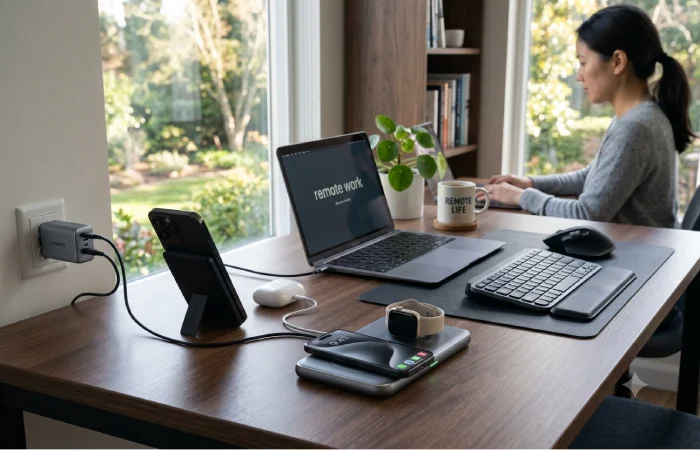
Flexible charging options are needed for those working remotely.
Their environment can be subject to changes during the course of the day.
The person could work from an office at home and then switch to the coworking office or conference room.
Portability is especially appreciated in such cases.
A remote employee could use:
- Compact wireless charging pad
- USB-C laptop charger
- Portable power bank
- Multi-port USB-C hub
- Cable organizer
- Travel charging station
An ideal arrangement would be a light one that is portable.
Large charging stations may work well in permanent offices.
Nevertheless, they may not prove useful for frequent travelers who are professionals.
Remote workers should focus on portability without sacrificing charging performance.
Smart Features to Look for in Modern Power Gadgets
Modern charging technology continues to improve.
When purchasing new wireless charging and power gadgets, consider features that will remain useful as your office technology evolves.
Fast Charging
Faster charging can reduce device downtime.
It also improves convenience during busy workdays.
Intelligent Power Management
Some advanced chargers automatically adjust power output depending on the connected device.
This can improve charging efficiency.
Temperature Protection
Heat management can help improve safety during charging.
It may also help protect devices.
Multiple Device Support
Buying a charger that supports multiple devices can reduce the need for future accessories.
It can also save desk space.
USB-C Compatibility
USB-C support is increasingly important for modern offices.
It supports charging, data transfer, and other connections.
Compact Design
Smaller charging gadgets are easier to integrate into limited workspaces.
They can be transported easily too.
Common Errors in Choosing Wireless Charging Devices
When choosing charging devices, many people are concerned about the appearance only.
However, design is only one part of the decision.
Having Too Many Individual Chargers
Individual chargers will take up more space.
Think about getting one charging station that will work for multiple devices.
Ignoring Charging Speed
Wireless chargers do not all have the same performance levels.
Verify if the charger works well with your device’s charging specifications.
Forgetting About Power Adapters
However, some charging accessories need different power supplies for operation.
It is always advisable to check what is included before buying any of them.
Choosing Poor-Quality Accessories
Cheap charging products may not provide reliable performance.
Quality matters when devices are connected for hours every day.
Ignoring Desk Space
Big charging stations cannot be effectively used on small desks.
It is advisable to measure your office space before buying new gadgets.
The Future of Wireless Power in Smart Offices
The integration of wireless charging technology will be common in office spaces.
Charging pads that are now being put on desks will not be necessary because in the future, they will have charging technology incorporated into them.
Wireless charging may also support a wider range of devices.
Charging speeds and convenience will likely continue to improve.
USB-C will also continue to simplify wired power.
A single connection can handle charging, data, and display connections.
Smart power management systems may help offices monitor energy usage across connected devices.
This could make office power management more efficient.
The future smart office will not simply contain more technology.
It will make technology easier to use.
Conclusion
Wireless charging and power devices are becoming a necessity in today’s smart offices.
With professionals using multiple devices, the need to manage their cables and keep them charged is necessary.
Wireless charging mats offer easy charging of smartphones.
Multiple device charging mats are used to charge many accessories from one place.
USB-C power hubs are used to charge laptops and other professional equipment.
Wireless charging desk mats have power built right into the desk mat.