
Last Updated: August 1, 2026
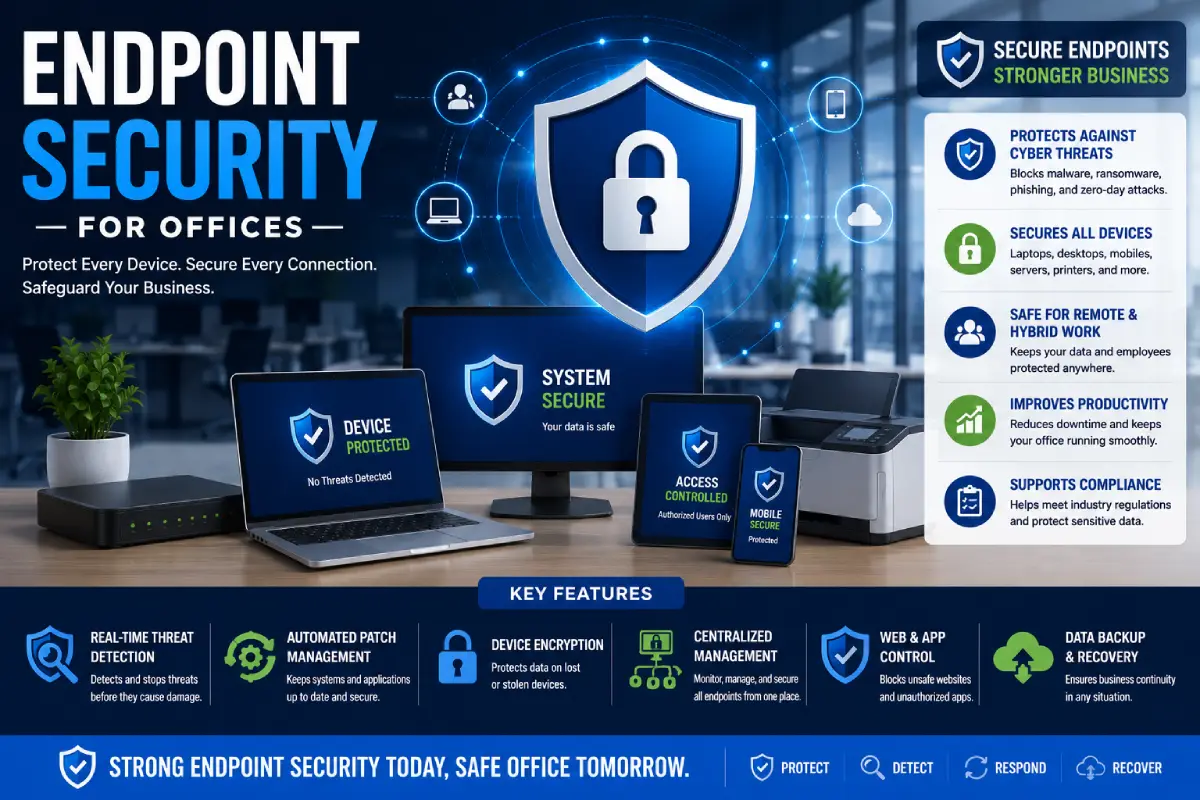
Office endpoint security is arguably the most critical element of a comprehensive, modern approach to cyber defence. “Any laptop, desktop, smart phone, tablet, printer, or server connected to your business network can be a window of entry for hackers.”
As hybrid work, cloud computing and remote access keep increasing, organizations require sophisticated endpoint security tools to secure all end-user devices that access company resources.
If you run a small office or a large business, implementing endpoint security can help protect critical data, support deadlines and keep your business running smoothly.
What Is Endpoint Security?
What is endpoint security?, is a method in which all the devices (Endpoints) which connect to a business network are protected against cyber threats.
Endpoints include:
- Desktop computers
- Laptops
- Smartphones
- Tablets
- Servers
- Point-of-sale (POS) system Most public bars, social clubs, and sports clubs will have various point-of-sale systems to register the number of drinks ordered.
- Printers
- IoT devices
- Remote computer devices In the case of a staff member working remotely, and not having the capacity to connect to the network via a VPN or have a computer that is wired-in, certain devices are available to enable them to connect to the network.
All endpoints are monitored and protected by security tools, policy and centralized management.
Why Endpoint Security Matters
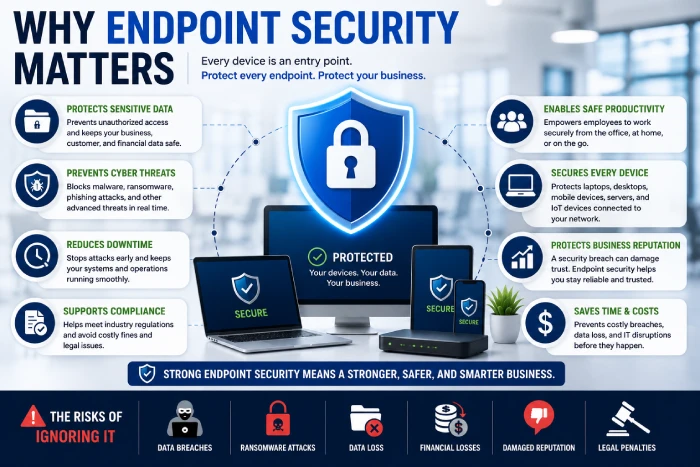
Countless interconnected devices are used in any given workplace today.
Without endpoint protection, businesses become vulnerable to:
- Malware
- Ransomware
- Phishing attacks
- Data theft
- Insider threats
- Unauthorized access
- Zero-day exploits
As individual devices are typically the initial target for an attacker, endpoint security provides an important component of first-line defense, before the attack propagates across the network.
Common Endpoint Security Threats
Malware
Malicious software can infect computers through:
- Email attachments
- Fake downloads
- Compromised websites
- USB devices
Once malware is installed, it may either steal information or damage business systems.
Ransomware
Ransomware encrypts business files and demands a fee for decryption.
An infected device can infect the office network and deploy ransomware onto it in minutes.
Phishing
Employees may receive fraudulent emails designed to steal:
- Passwords
- Banking information
- Login credentials
- Company data
Employees’ awareness training leads to a significant reduction on the risks of phishing.
Insider Threats
Security risks may come from:
- Negligent employees
- 8) User account was compromised.
- Installation of unapproved software.
- Misconfigured devices
Effective access controls will mitigate these risk.
Lost or Stolen Devices
Lost or stolen unencrypted laptops or mobile phones can compromise sensitive business information.
Device encryption – secures data on disk in the absence of hardware.
Key Components of Endpoint Security
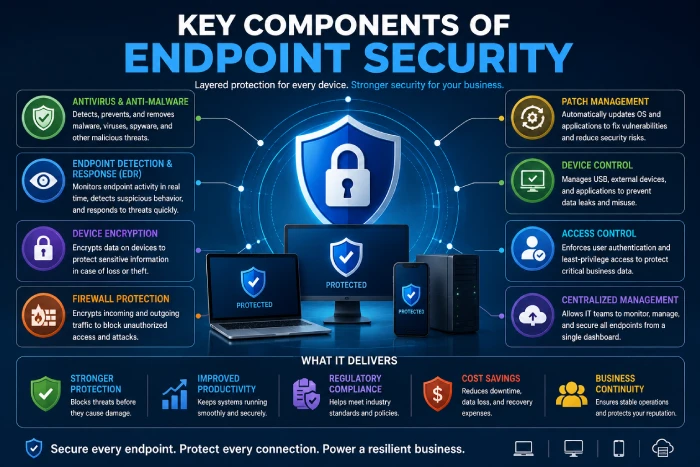
Antivirus and Anti-Malware Protection
Modern endpoint security solutions continuously scan for:
- Viruses
- Spyware
- Worms
- Trojans
- Ransomware
Detecting it in real time means danger can be stopped before it can do any harm.
Endpoint Detection and Response (EDR)
EDR solutions provide advanced monitoring by:
- Identifying suspicious activities Some events can raise suspicion, such as: a[7], b[6], c[3], and d[9].
- Investigating incidents
- Separating infected computers
- (Automation of) threat response. Automating a threat response can enhance the speed of action and, through the application of expert algorithms, may increase effectiveness.
This allow faster response and containment of security incidents.
Device Encryption
Encryption protects sensitive files stored on:
- Laptops
- Desktops
- Mobile devices
- External drives
Should a device be stolen, encrypted data stays encrypted and therefore not decipherable without correct authentication.
Patch Management
Maintaining operating systems and applications up to date by, represents perhaps the most important measure that can be taken to protect against attack, since it removes all known security vulnerabilities that can be exploited by an attacker.
Automated patch management guarantees security patches are provided to the devices on a regular basis.
Firewall Protection
IP firewalls 3 – These firewalls, installed at the points where the network joins the Internet, examine both incoming and outgoing traffic in order to prevent unauthorized connection and malicious network activity.
Benefits of Endpoint Security for Offices
Protects Business Data
Endpoint security helps prevent unauthorized access to:
- Customer information
- Financial records
- Contracts
- Employee files
- Intellectual property
Supports Remote Work
Secure access for a mobile workforce accessing from home or traveling.
Improves Regulatory Compliance
Many policies are asking to organizations to implement the security controls of secure the endpoints and protected the sensitive data.
This is where endpoint security can help businesses to fulfill these compliance requirements.
Reduces Downtime
Early detection of a threat can reduce attacks that cause disruption from malware and ransomware.
Centralized Device Management
IT teams can:
- Monitor endpoints
- Deploy updates
- The final controls involve the enforcement of security policies.
- “Invented a way…to reply to threats” Responses to threat
- Create a compliance report
Through one management console.
Best Practices for Endpoint Security
Enable Multi-Factor Authentication (MFA)
Require MFA for:
- Email accounts
- VPN access
- Cloud applications
- Administrative accounts
MFA is also an extra layer of security.
Keep Software Updated
Regularly update:
- Operating systems
- Browsers
- Office applications
- Security software
- Drivers
Automatic updates can help to quickly eliminate security gaps.
Apply the Principle of Least Privilege
Please restrict users to how much they need to use the system. Only grant access to users that need it.
Restrict access to administration if a compromised account exists, places limits on the severity of the damage that can be inflicted.
Encrypt Business Devices
Enable full-disk encryption on:
- Laptops
- Mobile devices
- Portable storage
This is useful, for example, if hardware is lost. It protects sensitive information.
Train Employees
Regular cybersecurity awareness training should cover:
- Phishing emails
- Safe browsing
- Password security
- Social engineering
- Sharing files securely
Employees may be the strongest defense against cyber threats.
Common Endpoint Security Mistakes
Avoid these common mistakes:
- If you are running old downloaded antivirus software;
- Not keeping devices up-to-date. Failing to the latest software versions for your technology leaves you open to known security problems and faults.
- Unmanageable devices Open unmanaged devices. This is set to 0 (zero) by default. If set to 1 all unmanaged devices are accepted.
- Weak password policies. If nothing is directed, users often take the easiest route of creating passwords. For weaker passwords, people will tend to opt for the most common choices.
- Sharing administrator accounts.
- Turning off spyware and malware protection
- Failure to back up vital information.
Addressing these problems greatly enhances the security of the various office environments.
Choosing an Endpoint Security Solution
When selecting an endpoint protection platform, consider:
- Business size
- Number of device. As the number of devices increases, the bandwidth needs actually increase.
- Cloud integration
- Malicious program detection abilities. As for the ability to catch malicious programs, the improvements made on network monitoring, virus detection software, criteria for defining malicious programs, are medium to good.
- Centralized management
- Reporting features
- Planned or potential for rapid deployment.
- Vendor support
Select a solution that will grow with your organization.
Future Trends in Endpoint Security
Endpoint protection continues to evolve with technologies such as:
- Advanced threat detection with AI
- Extended Detection and Response (XDR)
- Zero Trust security
- Behavioral analytics
- Cloud-native endpoint security
- Automated incident response.
These innovations allow to businesses to detect and block cyber threats more efficiently.
How to Improve Endpoint Security
Follow these practical steps:
- Have a cross-platform Endpoint Protection Software in place to be installed and used on all endpoints.
- Authorize the use of two-factor authentication.
- Ensure it does not have the re-authentication from time to time.
- Encrypts business laptops or any mobile device that is used besides a traditional computer.
- Batch jobs. Choose centralized management of device.
- Perform periodic audits of the security.
- Ensure that important business data is backed up.
- Offer continual cybersecurity training for employees.
Frequently Asked Questions
What is endpoint security?
The security of endpoints is security provided for all devices attached to a business network, for example through the deployment of anti virus software, encryption, monitoring and centralized management.
Why is endpoint security important for offices?
Any connected device is a potential entry point for hackers. Endpoint SecurityDefends against attack at the point where it occurs, before it enters the network.
What devices require endpoint protection?
All laptops, desktops, mobile phones, tablets, servers, printers, POS systems, and any other connected devices…..
What is the difference between antivirus and endpoint security?
Antivirus is mainly detecting malware/virus, while endpoint security is a more comprehensive protection by managing devices, encrypting, monitoring and providing detection of threat, alerting and auto response.
Can small businesses benefit from endpoint security?
Yes. Cybercriminals are now concentrating on small business as their primary target. This underpins the need to for endpoint security treatment, regardless of whether the organization is large or small.
Conclusion
Office endpoint security is critical as it offers protection for all endpoints connected to your corporate network. Together through combining anti-malware, EDR, data encryption, patch management, solid access controls and awareness among staff, organizations can mitigate cyber threats while enabling a hybrid work environment.