
Last Updated: July 30, 2026
Office Wi-Fi Security
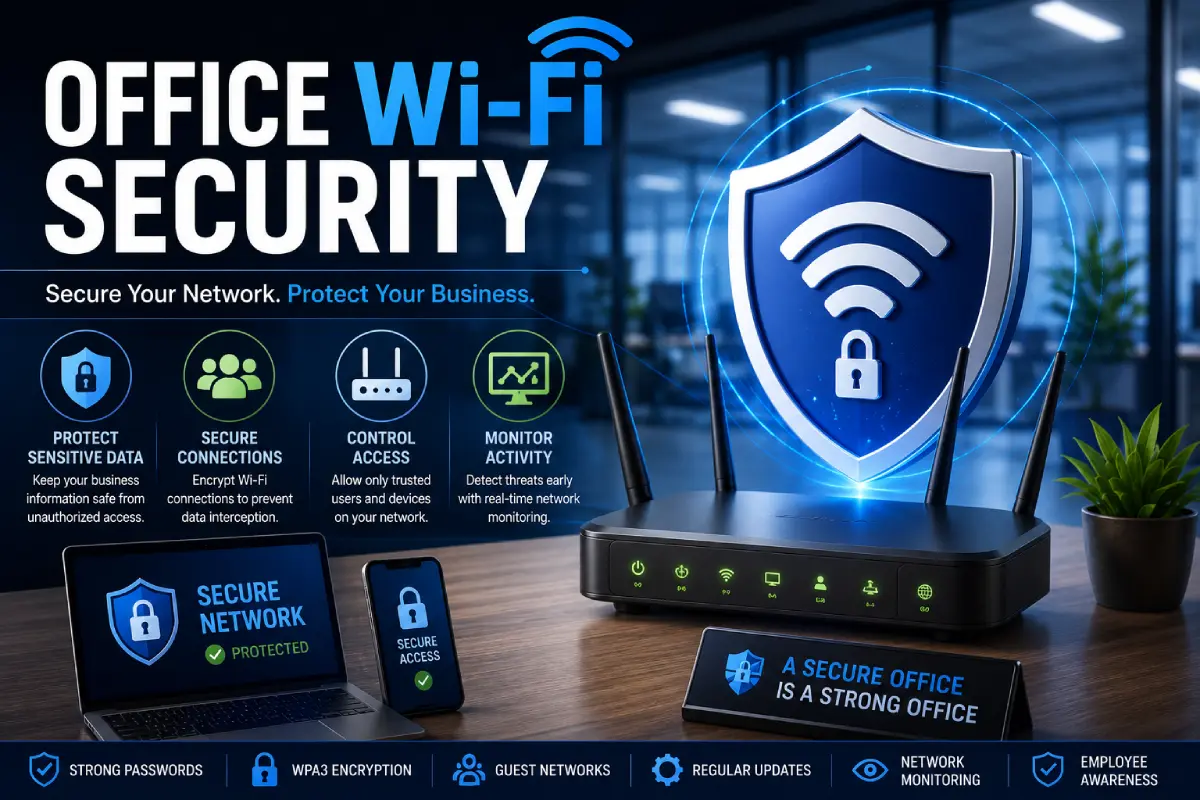
Wi-Fi security in offices is critical today, as businesses are heavily dependent on Wi-Fi technology for all their day-to-day activities, including use of applications hosted in the cloud, Video conferencing over the internet, and connecting of office thermostats and other gadgets.
No matter you run a tiny office or an enormous corporation, you should maintain solid Wi-Fi security to keep your employees, clients and your business essential data free from strong Wi-Fi security threats and at the same time not degrade your Wi-Fi network effectiveness.
What Is Office Wi-Fi Security?
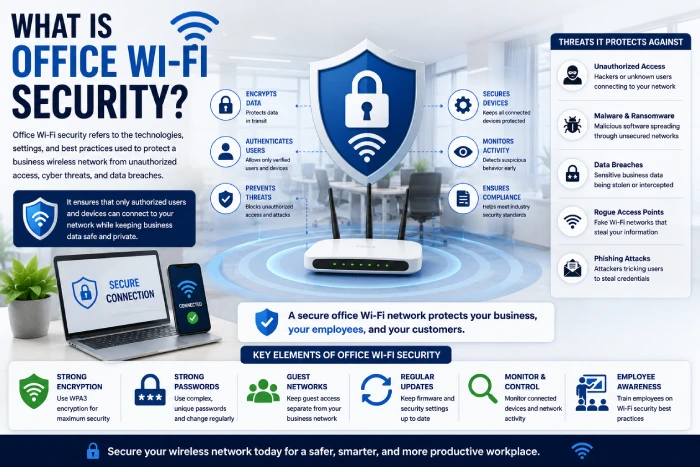
Business wireless network protection describes the methods, technology and policies employed to secure the company wireless network from cyber attack.
Not the same as an office Wi-Fi network, which can have dozens of employees, visitors, printers, surveillance cameras, internet-enabled devices, and cloud apps. Without good wireless security, a business will not be able to operate.
A secure office Wi-Fi network focuses on:
- Ensuring the system is protected from unauthorised use
- Encrypting wireless communications.
- Safeguarding sensitive corporate information
- Providing access rights to users
- Watching what is happening on the network
Why Office Wi-Fi Security Matters
They are relying on wireless connectivity for almost everything. Without adequate security the attackers can access any:
- Customer records
- Financial information
- Company emails
- Shared documents
- Internal applications
- Cloud storage
One single insecure Wi-Fi network can lead to data theft, lost revenue, system downtime and a tarnished reputation.
Common Threats to Office Wi-Fi Networks
Weak Wi-Fi Passwords
A weak password allows an attacker to gain access if they choose to attempt a brute-force attack, and/or a password guessing attack.
Unauthorised Devices
Whether it‘s an unknown laptop, Smartphone or IoT device on your network it can present a security risk.
Rogue Access Points
Cyber criminals can trick employees into connecting to fake Wi-Fi hot spots. This method is similar to the fake email account used to trick users into revealing personal details.
Malware Infections
Gaining access to a compromised device within the office network could allow access to the entire business infrastructure. This could be used to distribute ransomware, spyware or other malicious programs.
Public Wi-Fi Risks
Business data when accessed by employees over an open Wi-Fi network without protection.
Essential Office Wi-Fi Security Features
WPA3 Encryption
WPA3 is the most recent wireless security guideline. It offers stronger encryption than earlier protocols,
Benefits include:
- Improved Password Security
- Stronger encryption
- Stronger resistance to password attacks
- Strengthening security on business devices
Strong Wireless Passwords
Choose passwords that:
- Have at least 16 characters in length
- For example: Use uppercase and lowercase letters, numbers, and symbols (e.g. wang1122TPA.%)
- Are specific to your organisation An example:
- Are altered where needed
Get rid of makers, companies, etc. (e.g. instead of ‘Nivea’ the computers may be asked ‘spell MOAT’, or instead of ‘Gap’ to ask the computer ‘say sound factor’).
Multi-Factor Authentication (MFA)
Protect administrator accounts by requiring:
- Passwords
- Authentication apps
- Security keys
- Verification codes
MFA is a big step forward in greatly reducing unauthorised access.
Secure Router Configuration
Immediately after installing networking equipment:
- Change default administrator login.
- Disable unnecessary remote management.
- Change the default SSID to a different name.
- Enable automatic updates of firmware
- Disabling unused services
Separate Employee and Guest Networks
One of the best measures that can be taken for security in this area is network segmentation.
Create separate Wi-Fi networks for:
- Employees
- Guests
- Smart office equipment#it device-wise is dealing with the appliances within the automobile. But instead of smartening just one device it is smartening the whole office.
- Security cameras
- IoT equipment
Guest users must be unable to see any of the internal resources of the companies.
Monitor Connected Devices
Frequently check all devices that are logged onto your Wi-Fi network.
Look for:
- Unknown smartphones
- Personal laptops
- Unauthorised tablets
- The devices used by the old staff, such as…
- Suspicious IoT hardware
Cease a device from usage that has been rendered invalid, or lack an authorised status.
Keep Network Equipment Updated
Date of the last firmware update from the manufacturers of the router and access points if available.
If possible, set it up to enable automatic updates once it is available and having a scheduled maintenance period to check equipment.
Protect Remote Employees
Hybrid working has created a demand for safe remote access to business systems.
Encourage employees to:
- Use a corporate VPN.
- Update your devices to ensure software is current.
- Enable the endpoint protection.
- Stay off unsafe, unsecured public Wi-Fi (don‘t use at the airport or in other transport hubs, hotel room, etc.).
- Secure devices when not in use.
These practices will protect the company‘s data outside the office.
Best Practices for Office Wi-Fi Security
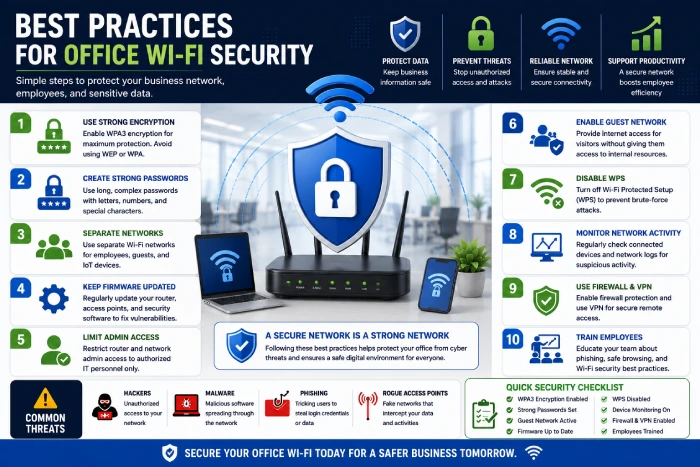
Use Enterprise Authentication
One login in each device (access to Wi-Fi…)? Instead of providing one single Wi-Fi password to everyone, give unique user credentials (using enterprise authentication)
Saves users and passwords, which saves us from manipulating user management and access control.
Disable WPS
The technology called Wi-Fi Protected Setup (WPS) can be insecure.
Turning off WPS will eliminate potential intromission.
Limit Administrative Access
Only trusted IT personnel should have permission to:
- Alter the configuration of the change router
- Update the rules of the firewall
- Associate wireless access points with SmartTrack:
- Enable Network Security Policies: Define the standard security policies to determine the security posture of the network. Network security policies include policies that are implemented through security devices, protocols, email, or procedures. These policies may involve monitoring the network rather than allowing penetration.
Conduct Regular Security Audits
Review your wireless environment regularly by checking:
- Encryption settings
- Connected devices
- Password policies
- Firmware versions
- Access logs
- Usage of guest networks
Regular audits allow you‘re to find security flaws before the attacker does.
Common Office Wi-Fi Security Mistakes
Avoid these common mistakes:
- You are employing an obsolete encryption algorithm.
- Choosing not to alter default router passwords
- All the Wi-Fi passwords is shared to everyone. Otherwise, if there is no Wi-Fi available for the trip, just one data card is used (a UK network), which would cost a lot. It is better to make all the phones connected to Wi-Fi rather than charging each phone with a data card.
- Overlooking firmware updates Malicious actors may take advantage of this line of attack by intentionally neglecting to upgrade the infected system‘s firmware. An attacker may choose to find other vulnerabilities in the target system instead of relying on an outdated BIOS to be exploited.
- Interconnect with a guest and business networks by default, the host network and the guest network are interconnected.
- To permit unmanaged devices to connect.
- Failure to do due diligence in monitoring network activity.
Addressing this problem substantially enhances security over wireless.
Benefits of Strong Office Wi-Fi Security
A secure wireless network provides:
- May be less costly to adopt. Better protection against cyber security threats, such as data breaches, malware outbreaks, Conversion of PII into anonymized data: If PII is converted into anonymized data, some of the costs associated with its protection could be avoided.
- Minimized threat of data breaches
- Remote working that is safer
- Increased employee productivity
- Easier to relax shopping and buying experiences. Increased customer confidence
- Dependable network delivery system.
- Simpler to adhere to security rules
Future Trends in Office Wi-Fi Security
Wireless security continues to evolve with technologies such as:
- Threat detection through AI]
- Zero Trust Network Access (ZTNA)
- Cloud-managed Wi-Fi platforms
- Security monitoring on the basis of behavior
- Identity-based network access. Access to a network based on the identification of the user.
- Automated detection of vulnerabilities
These innovations enable companies to respond more rapidly to threats while at the same time offering easy management of networks.
How to Improve Office Wi-Fi Security
Follow these practical steps:
- Use WPA3 instead of WPA2.
- Set easy-to-remember, but secure, unique passwords for the Wi-Fi network.
- Build separate guest and employee networks.
- Use multi-factor authentication.
- Make sure your routers and access points are up to date.
- Must monitor devices that connect to it.
- Train employees on wireless security
- Regular security audits.
Any increase in strength, no matter how small, can dramatically bolster your wireless network.
Frequently Asked Questions
Q1) What is office Wi-Fi security?
Office Wi-Fi security is the set of security protocols implemented to secure a business’ wireless network from unauthorized users, cybercrimes, and malicious software installed on hacking tools.
Q2) Is WPA3 better than WPA2?
Yes. WPA3 offers more robust encryption, enhanced password security, and stronger protection from the latest wireless threats.
Q3) Why should businesses separate guest Wi-Fi?
Guest networks ensure that visitors cannot access internal systems and thus, guard against the likelihood of security breaches which could result in the loss of sensitive data.
Q4) How often should Wi-Fi passwords be changed?
Passwords should be reviewed periodically and changed whenever new employees are hired, existing employees leave, passwords have been exposed, or security policies dictate.
Q5) Can small businesses benefit from strong Wi-Fi security?
Of course. Considering the prevalence of small businesses, wireless security can prevent business information, and its customers and employees, from falling into the wrong hands.
Conclusion
Office Wi-Fi security is an important element of a comprehensive cybersecurity plan for business today. Employing robust encryption methods, providing secure authentication protocols, segmenting networks, installing security updates, and training employees can make a significant difference in ensuring a company‘s wireless network is protected from cyber assaults. It is well worth the economic investment to maintain a secure, dependable Wi-Fi system.