
Last Updated: October 1, 2026
Designing a professional looking presentation was once a matter of agonizing over one hour sets of layouts and font sizes, hunting for images, and trying to get each slide to match. AI presentation design tools are changing that process.
Such could take a basic idea, outline, document or prompt and turn it into an organized presentation. They can recommend formats, aid in writing text, suggest graphics, and guide a user to better flow in a slide deck.
The benefit for students, marketers, business teams, teachers, freelancers, startup creators, creating a presentation for others, becoming more efficient. But overall to get quality output still need a human review and a savvy knowing of the audience.
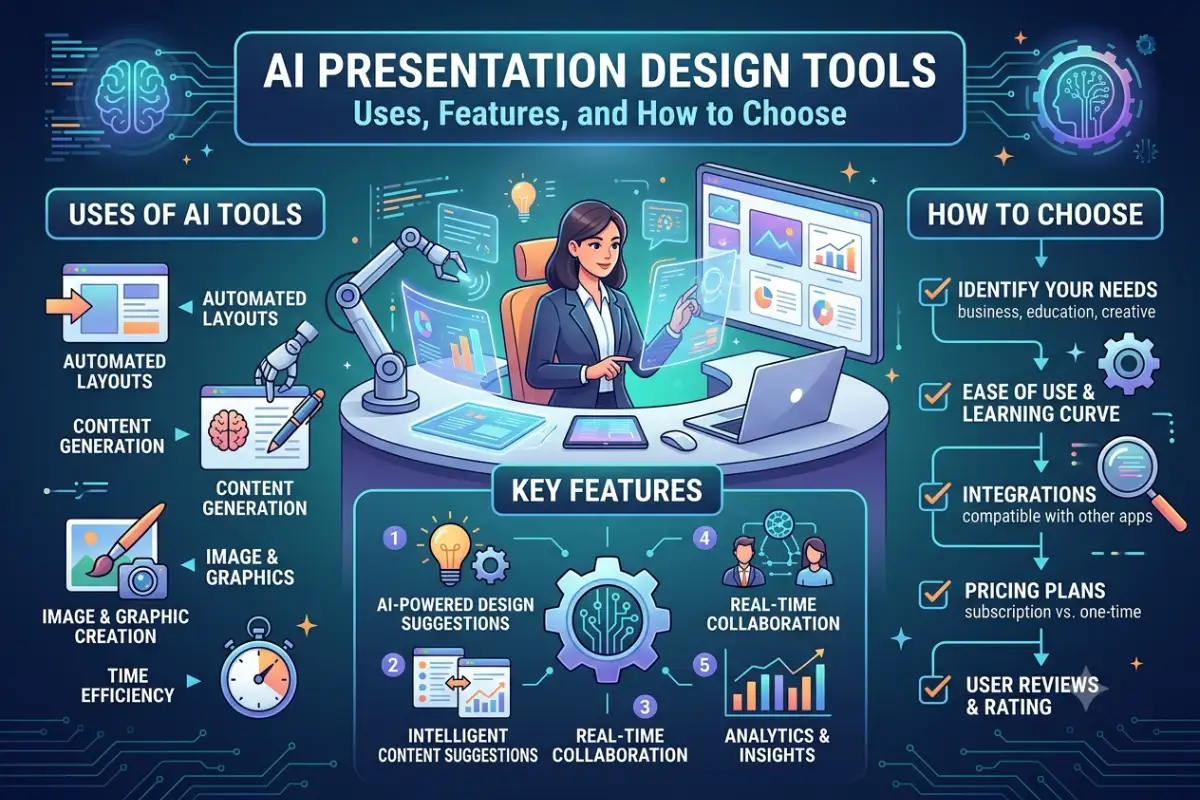
Introduction How do presentation design tools work using AI? Why use a design tool? This guide explains what presentation design tools using AI are, how they work, when you might want to use one, and how to choose.
AI Presentation Design Tools: Meaning and Key Concepts
AI presentation design tools are products that enable editors, trainers, teachers, and other users to produce, manage or enhance their slides with the aid of artificial intelligence.
Instead of designing every slide manually, a user might enter a prompt such as:
“Develop a 10-slide presentation to detail a digital marketing strategy intended for a small business.”
The tool may then generate an outline, with major headings, subpoints, formats, and displaying components:
Some platforms create full presentations, while others offer AI capabilities within more traditional presentation applications.
How Do AI Presentation Tools Work?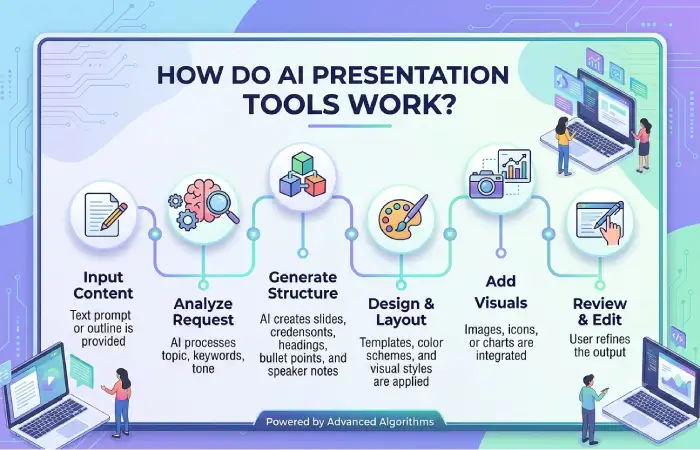
Most AI presentation generators combine several technologies.
NLP: Assists the program in comprehending prompts and documents that are written in language.
Headlines, summaries, talking points, descriptions, and other slide content can also be generated by Generative AI.
Automation for design helps determine layout, choice of typography, defining order of items, and use of space for visual hierarchy.
Certain sites also link up with image archives or an AI image generator for illustrations or other images.
The aim is not only to produce slides. If one of the purposes of BCR is to present information more clearly to the audience, a good tool should aid this process.
Why AI Presentation Design Tools Matters
Time is one of the major challenges for the creation of presentation.
You might already know what you want to say, but still need to spend time figuring out the style of each of the presentation slides. With AI, some of that work can be offloaded.
Faster Presentation Creation
AI can generate an initial deck within minutes. You begin with a draft rather than a blank slide to work from and comment on.
This can be particularly useful when creating:
- Business proposals
- Sales presentations
- Training materials
- Classroom presentations
- Marketing reports
- Project updates
- Pitch decks
- Webinar slides
More Consistent Designs
A speaker could appear unprofessional if every slide has a different font, number of lines, size of font, spacing, colors or images.
Templates helped the deck to have a more consistent visual structure.
Easier Content Organization
AI also can provide a help in organizing the information.
Take the longpan for instance. A long document could have scores of critical points, and a presentation program could help break a document down into sections, and offer ideas about what ideas would fit onto what slides.
This gives users a useful starting structure.
Helpful for Non-Designers
Not everyone creating presentations has graphic design experience.
AI presentation software can suggest layouts and visual arrangements without requiring advanced design skills. This allows us to have an easy and familiar first draft.
However, the automated design does not mean that each slide would communicate the message successfully.
Key Types, Methods, and Examples
AI presentation design tools can also be organized by the tasks they most assist users to perform.
| Type | Main Purpose |
| Prompt-to-presentation tools | Generate presentations from written instructions |
| Document-to-presentation tools | Convert reports or documents into slides |
| AI design assistants | Improve layouts and visual presentation |
| AI writing assistants | Generate or rewrite slide content |
| Visual generation tools | Create images, graphics, or illustrations |
| Template-based AI tools | Combine templates with automated recommendations |
Prompt-to-Presentation Generation
This is one of the most common approaches.
The user describes a topic, audience, and somewhat specific instructions. The AI suggests an outline and then creates slides based on that outline.
It is useful when you need a first draft in a hurry.
Document-to-Slide Generation
Some tools can take existing content and convert it into presentation format.
For instance, give it a business report and get it to select the key conclusions, and turn these into slides.
Manual review is still necessary as the AI may be presenting an order of information that is not the same as the presenter‘s.
AI-Assisted Slide Editing
Another approach is using AI to improve an existing presentation.
The software can put forward shortcuts, propose a different layout, better headlines, or other visual arrangements.
This would be helpful when the information is already there but the way it is presented can be improved.
Common Examples
Many popular presentation & design tools now offer some form of AI-powered features. These can include presentation creation, writing help, design recommendations, image creation, and auto-layouts, among other things.
Instead of weighing up how many AI features a tool claims to offer, consider if they are relevant to your workflow.
How to Use or Apply AI Presentation Design Tools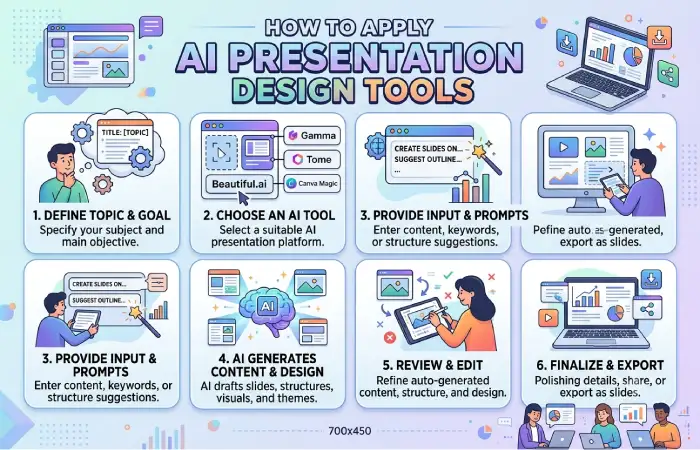
A strong AI-generated presentation starts with good instructions.
1. Define the Goal
Before created anything, think about how much the presentation should fulfill.
Are you explaining a subject, pitching an idea, giving a report, preparing a lesson, or trying to sell potential customers?
The goal influences the structure of the entire deck.
2. Identify Your Audience
Tell the AI who will see the presentation.
A presentation for senior executives will usually require a different level of detail from one created for students or new employees.
3. Write a Detailed Prompt
Instead of entering:
“Make a presentation about cybersecurity.”
Try something more specific:
“Develop a 10 slide presentation to increase cyber security awareness among employees of small businesses. Make it easy to understand and include the following topics: phishing, password management, updating software, malicious links, and safety tips.”
Clear instructions usually produce a more relevant starting point.
4. Review the Outline First
Always check the entire story first. Do not put time into polishing specific slides.
Does the the presentation have an introduction, a developed body and then a conclusion?
Remove repeated sections and add any important points the AI missed.
5. Simplify the Slides
AI-generated slides can sometimes contain too much text.
Keep the most important information visible and move additional details into speaker notes when appropriate.
6. Review Facts and Visuals
Verify the figures, dates, quotations, facts about companies, charts and anything else that you state.
Also review generated images carefully. A visually attractive image is not automatically accurate or appropriate for the topic.
Best Practices and Common Mistakes
AI works best as a presentation assistant rather than an automatic replacement for planning and editing.
Best Practices
Provide the AI with sufficient information. To whom is the presentation? What is it meant for? Is it formal or informal? How many slides? What are the relevant themes?
Limit one key concept per slide. If you have to convey three or more ideas or complex concepts, the audience is going to be lost.
Be visually consistent. Consistency in fonts, colors, level of headings, icons, and pictures style should be kept.
Edit AI-generated writing. The Presentation I want the presentation text to sound natural when spoken and to follow the same style that I talk in. If you read the presentation, I want it to sound like me talking.
Help images to have a use. Graphs, diagrams, pictures or screenshots must help inform rather than copying blank space.
Verify important information. Do not ever accept generated data or facts at face value. A human has almost always put them there; a person is much more likely to have made a mistake than a machine.
Common Mistakes
One pitfall is to take your initial created presentation and not edit it.
AI may create repetitive slides, generic headlines, unnecessary text, or layouts that do not fit the message.
Another mistake is focusing too much on visual appearance while ignoring the presentation’s story.
A beautiful deck can still be ineffective if the audience cannot understand the main point.
Privacy may also be an issue. Do not upload private business information, personal details, or sensitive documents until you know what this system does with your uploads.
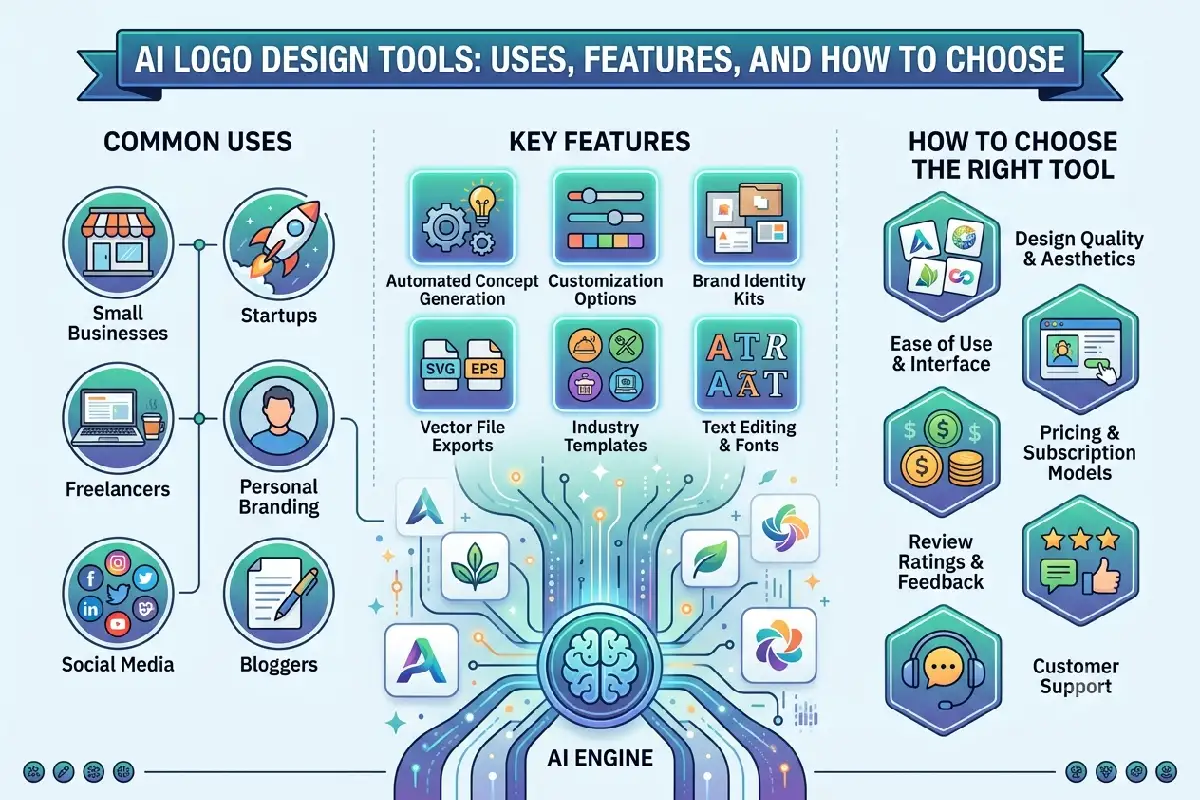
How to Choose the Right AI Presentation Design Tool
It really depends on your workflow.
Look at features such as:
- Prompt-to-presentation generation
- Template quality
- Editing flexibility
- Brand customization
- Image and graphic options
- Export formats
- Team collaboration
- Compatibility with existing presentation software
- Privacy and data controls
- Free and paid plan limitations
If you are creating business presentations for various clients or companies, the customization factor might come into play more frequently than the auto-generation.
If you‘re looking at speed, then a generator that can convert prompts or documents into fully formed drafts is perhaps more what you need.
Attempt to make the same short presentation with several different tools before settling on one. This will help to gauge the quality of the output, editing control, workflow, etc.
Final Thoughts
AI presentation design tools can streamline the process of building a slide deck by creating an initial draft that you can then customize. AI presentation design tools can…: Create a draft outline; help you organize your ideas; suggest slide layouts; create visualizations; be a starting point.
Speed is their strongest point, but never act without sound judgment.
As great as even the best presentation needs an agenda, good data, powerful narrative and a human touch in editing. Use AI to handle the tedious aspects of drafting & designing but keep the core message in your hands.
As you try to find the most suitable AI presentation tool, keep in mind whether it will only complement your current workflow, or whether it will be coherent with your occasion, audience, branding and presentation format.