
Last Updated: September 16, 2026
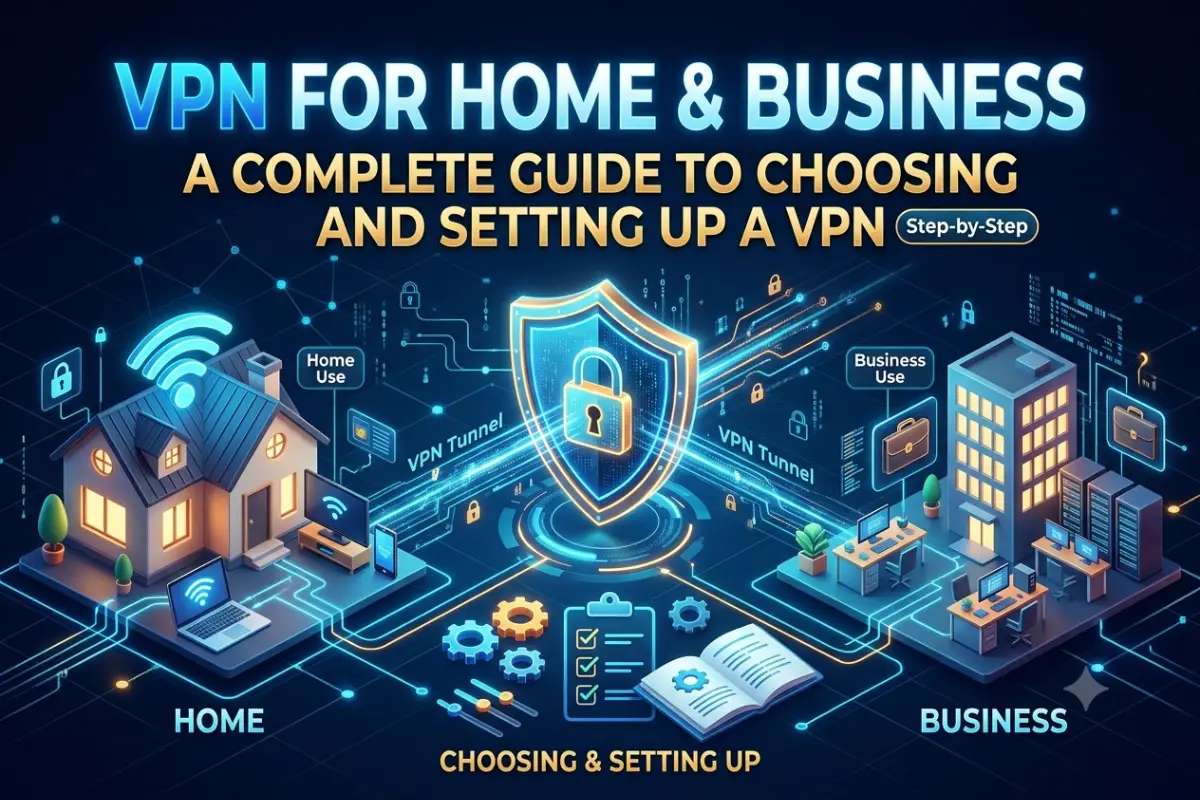
A VPN for home and business creates a more private and secure connection between your devices, networks, and the internet. For home users, a VPN can help protect traffic when using public Wi-Fi and provide secure access to private resources. For businesses, VPN technology can connect remote employees, branch offices, and internal systems over untrusted networks.
Modern VPNs are no longer limited to large enterprises. Remote workers, small businesses, home offices, and families can all use VPN technology for different security and connectivity requirements.
However, choosing the right VPN depends on how you plan to use it. A consumer VPN service, a router-based VPN, a remote-access VPN, and a site-to-site business VPN solve different problems.
This guide explains how VPNs work, the main VPN architectures and protocols, router configuration, and practical considerations for home and business networks.
How VPNs Work
A VPN creates an encrypted tunnel between a device or network and a VPN endpoint. Instead of sending traffic directly across an untrusted network, the VPN client encapsulates and encrypts applicable traffic before transmitting it.
For example, when an employee connects to a company’s VPN from a coffee shop, the employee’s laptop can establish an encrypted connection to the organization’s VPN gateway. Once authenticated, the user may be able to access permitted internal applications, file servers, or other business resources.
A typical VPN connection involves several components:
| Component | Purpose |
| VPN client | Software or device that initiates the VPN connection |
| VPN server/gateway | Terminates the encrypted VPN connection |
| Authentication | Verifies the identity of the user or device |
| Encryption | Protects data while it travels through the tunnel |
| Routing | Determines which traffic passes through the VPN |
| Firewall/access controls | Restrict access to authorized resources |
A VPN does not automatically make every aspect of a network secure. If a device is infected with malware, for example, the VPN does not remove that malware. Similarly, a VPN does not eliminate the need for strong passwords, multifactor authentication, software updates, endpoint protection, or appropriate firewall rules.
VPN Encryption in Simple Terms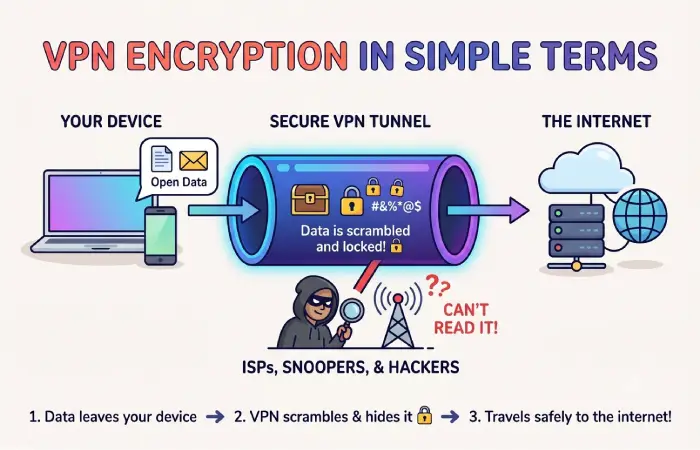
Suppose you are working from a hotel and connect to your company’s VPN.
Without a VPN, traffic may travel across several networks before reaching the organization’s services. With a properly configured VPN, traffic between the VPN client and VPN gateway is encrypted.
The security of that connection depends on the VPN protocol, encryption algorithms, authentication methods, endpoint security, and configuration.
Full-Tunnel vs Split-Tunnel VPN
Businesses can decide whether all client traffic should pass through the VPN or only traffic destined for corporate resources.
Full-tunnel VPN: Internet and corporate traffic are routed through the organization’s VPN infrastructure.
Split-tunnel VPN: Only selected corporate traffic uses the VPN, while other internet traffic goes directly to the user’s internet connection.
Full tunneling can provide greater centralized control but may increase bandwidth requirements. Split tunneling can reduce VPN bandwidth consumption but requires careful security and routing policies.
Site-to-Site vs Remote Access VPN
The two common business VPN architectures are site-to-site VPN and remote access VPN.
A site-to-site VPN connects two or more networks. A remote-access VPN connects an individual user or device to a private network.
| Feature | Site-to-Site VPN | Remote Access VPN |
| Main purpose | Connect networks | Connect users/devices |
| Typical users | Offices, branches, data centers | Employees and contractors |
| Endpoint | Network gateway | User device or VPN client |
| User configuration | Usually minimal | VPN client/configuration required |
| Common use | Branch-office connectivity | Remote work |
| Scalability | Depends on network architecture | Depends on VPN platform and authentication |
Site-to-Site VPN
A site-to-site VPN is useful when two physical locations need regular access to one another.
For example, a business with offices in Delhi and Bengaluru could configure VPN gateways at both locations. Authorized traffic between the two networks can then travel through an encrypted VPN tunnel.
This approach is generally managed at the network level rather than requiring every employee to start a VPN connection manually.
Remote Access VPN
A remote-access VPN is designed for individual users.
An employee working from home can launch a VPN client and authenticate with the company’s VPN gateway. Depending on the company’s policies, the employee may then access internal applications, servers, or other private resources.
Remote-access VPNs are particularly useful for distributed teams and organizations that support hybrid work.
Best VPN Protocols: WireGuard and OpenVPN
The VPN protocol determines how a VPN connection establishes authentication, encryption, tunneling, and data transport.
Two important options are WireGuard and OpenVPN.
WireGuard
WireGuard is a modern VPN protocol designed around a relatively small and streamlined codebase.
It is known for straightforward configuration, modern cryptographic primitives, and strong performance on supported platforms.
WireGuard can be a practical option for home users, small businesses, site-to-site connections, and remote-access deployments.
OpenVPN
OpenVPN is a mature VPN technology with extensive platform support and a large ecosystem.
It can operate over TCP or UDP and provides substantial configuration flexibility. Its maturity makes it common in business environments and consumer VPN applications.
WireGuard vs OpenVPN
| Factor | WireGuard | OpenVPN |
| Design | Modern, streamlined | Mature and highly configurable |
| Configuration | Generally simpler | More configuration options |
| Performance | Often very efficient | Can require more overhead |
| Platform support | Broad modern support | Very broad support |
| Complexity | Relatively low | Higher |
| Best suited for | Modern VPN deployments | Compatibility and established deployments |
The best protocol depends on the VPN platform, operating systems, network requirements, security policies, and compatibility needs rather than protocol name alone.
Setting Up a VPN on a Router
A router-based VPN can simplify network-wide VPN management.
Instead of installing a VPN client separately on every compatible device, a supported router can establish the VPN connection for devices connected to that network.
This can be particularly useful for smart TVs, game consoles, IoT devices, and other equipment that may not support VPN software directly.
Basic Router VPN Setup
The exact interface differs between router manufacturers, but the general process is:
- Check whether the router supports the required VPN technology.
- Update the router’s firmware.
- Obtain the VPN configuration from your VPN provider or VPN server.
- Sign in to the router’s administration interface.
- Open the VPN configuration section.
- Import or enter the required configuration.
- Configure DNS and routing settings if necessary.
- Establish the VPN connection.
- Verify the public IP address and connectivity.
- Test devices connected to the router.
For a business environment, router-based VPN configuration should also include firewall policies, authentication controls, logging, monitoring, and access restrictions.
VPN Router vs VPN on Individual Devices
A router-based VPN provides centralized coverage, while device-level VPN clients provide more granular control.
| Approach | Advantages | Limitations |
| VPN on router | Covers multiple devices | Less granular per-device control |
| VPN client on device | Individual configuration | Requires configuration on each device |
| Business VPN gateway | Centralized administration | Requires more technical management |
A hybrid approach can be useful when some devices require network-wide VPN protection while others need direct internet access or separate VPN policies.
VPN for Remote Workers
Remote work has made secure access to company resources an important networking requirement.
A remote employee may connect from a home network, hotel, coworking space, airport, or public Wi-Fi network. A business VPN can provide an encrypted connection between the employee’s device and the organization’s VPN infrastructure.
However, businesses should avoid treating the VPN as the only security control.
A stronger remote-access architecture can combine:
- VPN encryption
- Multifactor authentication
- Device authentication
- Endpoint protection
- Security updates
- Role-based access control
- Network segmentation
- Strong password policies
- Access logging
- Zero-trust security principles
VPN Access for Contractors
Businesses often work with contractors, consultants, and external partners.
Instead of giving every external user broad access to the corporate network, administrators can use VPN policies to restrict access to specific resources.
For example, a contractor responsible for maintaining an internal application may only need access to the application’s management environment rather than the entire company network.
The principle should be least privilege: users receive only the access required to perform their authorized work.
VPN for Home Networks
Home users can use VPN technology in several ways.
One option is a commercial VPN service that routes internet traffic through a VPN provider’s servers.
Another is hosting a VPN server on a home router or another supported device. This can allow the homeowner to securely connect back to their home network while traveling.
For example, someone traveling with a laptop could connect to their home VPN and access an authorized home-network resource.
These two scenarios are different:
| Use Case | VPN Endpoint |
| Hide traffic from local network/operator | Commercial VPN provider |
| Securely access home resources remotely | Home VPN server |
| Connect two private networks | VPN gateways |
| Secure employee access | Business VPN gateway |
Understanding the purpose of the VPN is important before choosing a service or configuration.
How to Choose a VPN for Home and Business
The right VPN depends on your network architecture and security requirements.
For Home Users
Consider:
- Supported VPN protocols
- Number of simultaneous connections
- Router compatibility
- Device compatibility
- Connection performance
- Privacy policies
- DNS leak protection
- Kill-switch support
- Ease of configuration
Home users should also consider whether they actually need a commercial VPN service or whether their goal is remote access to their own home network.
For Small Businesses
Small businesses should evaluate:
- Number of users
- Number of locations
- Remote-access requirements
- Authentication options
- Multifactor authentication
- Router/firewall compatibility
- Centralized administration
- Logging and monitoring
- Access-control capabilities
- Scalability
A business VPN should fit into the organization’s broader security architecture.
For Larger Organizations
Larger organizations may need more advanced capabilities such as centralized identity management, device posture checks, network segmentation, high availability, detailed logging, and integration with security monitoring platforms.
Some organizations may also use zero-trust network access (ZTNA) alongside or instead of traditional VPN architectures for particular applications and user groups.
Common VPN Mistakes to Avoid
A VPN can introduce security problems when it is poorly configured.
Using Weak Authentication
A VPN account protected only by a weak or reused password can become an attractive entry point for attackers.
Use strong authentication and multifactor authentication where supported.
Giving Users Excessive Network Access
A successful VPN login should not automatically provide unrestricted access to every internal resource.
Use network segmentation and access-control policies to limit exposure.
Ignoring VPN Updates
VPN servers, routers, firewalls, and client software should receive security updates according to the organization’s patching process.
Forgetting DNS Configuration
Incorrect DNS settings can create privacy or connectivity problems. Test DNS behavior after deploying a VPN.
Assuming a VPN Replaces Security Software
A VPN protects a network connection; it does not replace endpoint protection, firewalls, identity controls, backups, or security monitoring.
VPN Security Best Practices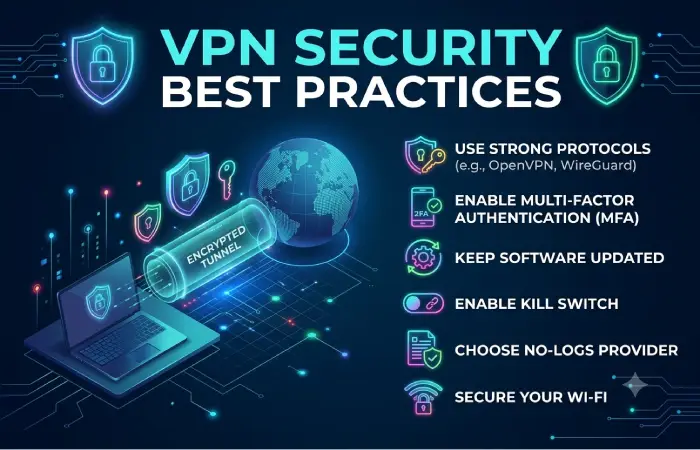
For home and business networks, follow these practical guidelines:
- Use a modern, well-supported VPN protocol.
- Keep VPN servers, routers, and clients updated.
- Enable multifactor authentication when available.
- Use unique and strong credentials.
- Apply least-privilege access policies.
- Segment sensitive business resources.
- Monitor VPN authentication and connection logs.
- Remove inactive accounts promptly.
- Test VPN failover and recovery procedures.
- Review VPN configurations regularly.
Businesses should document who has VPN access, what resources they can reach, and how access is revoked when users leave the organization.
VPN vs Other Network Security Technologies
A VPN is only one component of a modern network-security architecture.
| Technology | Primary Purpose |
| VPN | Secure network connectivity |
| Firewall | Control network traffic |
| MFA | Strengthen user authentication |
| Antivirus/EDR | Protect endpoints |
| IDS/IPS | Detect or prevent suspicious network activity |
| ZTNA | Provide controlled application access |
| Network segmentation | Limit lateral movement |
These technologies can work together rather than being treated as alternatives in every situation.
Frequently Asked Questions
Is a VPN useful for home users?
Yes. Home users may use VPNs for secure remote access, privacy-related purposes, or connecting to private home-network resources. The appropriate setup depends on the intended use.
Is a VPN necessary for a small business?
It depends on the business’s remote-access and network-connectivity requirements. Businesses that need employees or locations to securely access private resources may benefit from VPN technology.
Which is better, WireGuard or OpenVPN?
Both are established VPN technologies. WireGuard emphasizes a streamlined modern design, while OpenVPN offers mature technology and broad compatibility. The appropriate choice depends on the deployment environment.
Can I install a VPN directly on my router?
Many VPN-capable routers support VPN client or server functionality, but capabilities vary by router model and firmware.
Does a VPN protect every device in my home?
A VPN configured on a router can route traffic from multiple connected devices through the VPN. However, routing rules and device compatibility can affect which traffic is covered.
Is a VPN enough for business security?
No. Businesses should combine VPN technology with identity security, multifactor authentication, endpoint protection, firewalls, patch management, access controls, monitoring, and other appropriate security measures.
What is the difference between a VPN client and VPN server?
A VPN client initiates a VPN connection, while a VPN server or gateway terminates and manages the connection. In a business environment, the server may enforce authentication and access policies.
Final Thoughts
A VPN for home and business can provide an important layer of secure connectivity, but the right implementation depends on the problem you are trying to solve.
Home users may need a simple VPN service or secure remote access to their home network. Businesses may require remote-access VPNs for employees or site-to-site VPNs connecting offices and private networks.
WireGuard and OpenVPN provide two established approaches, while router-based VPN configurations can simplify coverage across multiple devices.
For business environments, VPN deployment should be considered as part of a broader network-security strategy. Strong identity controls, multifactor authentication, endpoint security, segmentation, patching, and monitoring remain important even when VPN encryption is in place.