
Last Updated: September 21, 2026
A lot has happened to the field of home security in the past decade. Old-fashioned home alarm systems that only made noise during an intrusion are gradually giving way to smart alarm systems that provide timely notifications, remote monitoring, automation, and even integration with other smart home systems.
Whether you are a home owner protecting your family, or a tenant looking to secure your home easily, a smart alarm system will greatly increase the level of protection of your home. In this detailed article, we will talk about how smart alarm systems function, review some of the best smart alarm systems on the market, and also talk about wireless home alarm systems, installation, monitored alarms and smart alarms with apps.
Alarm systems from our smart home security guide.
What Is a Smart Alarm System?
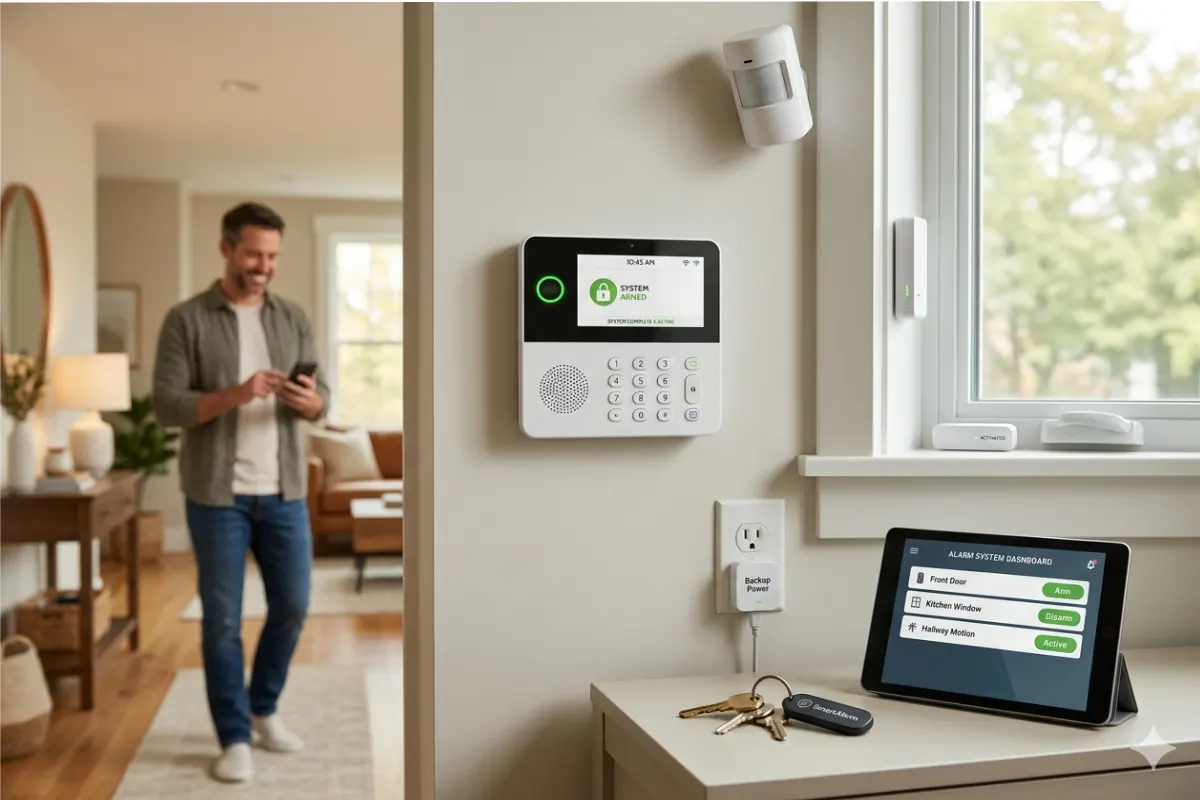
Smart Alarm Systems, It refers to a connected home security system using sensors, cameras, sirens, and advanced smart technology to provide protection for your home. Unlike conventional alarm systems, smart alarm system connect to the WiFi or cellular network in your home and you can monitor and control alarms using an app in your phone.
Some smart alarm systems come with:
- Motion detectors
- Door and window sensors
- Indoor sirens
- Smart hubs
- Mobile notifications
- Remote arming and disarming
- Optional professional monitoring
They also work perfectly with different smart home technologies such as Amazon Alexa, Google Home, Apple Homekit among others.
Why Choose a Smart Alarm System?
It is impossible to find a single perfect smart alarm system. It will be determined by your budget, house size and functionalities you prefer.
Some of the best include:
1. Remote Access
Control your security system from anywhere using your smartphone.
You can:
- Arm the alarm
- Disarm the alarm
- View alerts
- Check system status
- Receive emergency notifications
2. Real-Time Notifications
Instead of waiting until you return home, you’ll instantly receive notifications when:
- Someone opens a door
- Motion is detected
- Glass breaks
- Smoke alarms activate
- Water leaks occur
3. Smart Home Automation
Many systems work alongside:
- Smart locks
- Smart lighting
- Video doorbells
- Smart cameras
- Smart thermostats
For example, when the alarm is armed:
- Doors lock automatically
- Lights switch off
- Cameras begin recording
4. Easy Expansion
Most smart alarm systems are modular.
You can add:
- Extra sensors
- Cameras
- Outdoor sirens
- Smoke detectors
- Flood sensors
- Panic buttons
as your needs grow.
Top Smart Alarm Systems
There is no one-size-fits-all smart alarm system. The right alarm system will depend on your budget, home size, and preferred functionality.
Here are some of the best systems:
1. Ring Alarm
Best for:
- Beginners
- Alexa users
Pros:
- Easy installation
- Affordable
- Expandable
- Excellent mobile app
- Professional monitoring available
Cons:
- Best experience within the Alexa ecosystem
2. SimpliSafe
Best for:
- Flexible monitoring
Pros:
- No long-term contracts
- DIY installation
- Fast setup
- Reliable sensors
- Indoor and outdoor cameras
Cons:
- Some advanced features require a subscription.
3. Abode Security
Best for:
- Smart home enthusiasts
Pros:
- Supports multiple smart home platforms
- HomeKit compatible
- Professional monitoring optional
- Powerful automation
Cons:
- Slightly more expensive
4. Yale Smart Alarm
Best for:
- Existing Yale smart lock users
Pros:
- Strong security reputation
- Smart lock integration
- Mobile notifications
- Expandable accessories
Cons:
- Smaller accessory ecosystem
5. Eufy Security Alarm
Best for:
- No monthly fees
Pros:
- Local storage
- Privacy focused
- Easy setup
- High-quality cameras
Cons:
- Fewer professional monitoring options
Wireless Home Alarm Systems
Wireless technology is used in most modern home security systems.
In contrast to wired alarms that use electric wiring, wireless alarm systems use WiFi, radio frequencies or cellular networks.
Advantages
Easy Installation
No drilling through walls or complicated wiring.
Flexible Placement
Sensors can be installed almost anywhere.
Expandable
Add devices whenever needed.
Portable
Perfect for renters or those who frequently move around.
Better Appearance
No exposed wires in your home.
Possible Disadvantages
The wireless system may need:
- Battery replacement
- Reliable Wi-Fi
- Backup cellular connectivity for maximum protection
Luckily, good systems have battery backup for power outages.
Trigger alarms using smart motion sensors.
Important Features to Check Before Buying
Selecting a smart alarm requires consideration of a number of features.
Mobile App Quality
The app should allow you to:
- Arm/disarm remotely
- Receive alerts
- Watch live camera feeds
- Manage users
- Control automation
A poorly designed app can reduce the usefulness of an otherwise excellent alarm system.
Camera Integration
Some alarm systems work seamlessly with:
- Indoor cameras
- Outdoor cameras
- Video doorbells
Integrated cameras provide visual verification during alarm events.
Smart Home Compatibility
Look for compatibility with:
- Amazon Alexa
- Google Assistant
- Apple HomeKit
- Smart locks
- Smart lights
This allows your devices to work together automatically.
Battery Backup
A power outage should not disable your home security system.
Choose systems with:
- Backup batteries
- Cellular communication
- Offline operation
Expandability
Your security needs may change.
Ensure additional devices can be added later, including:
- Motion sensors
- Cameras
- Flood sensors
- Smoke alarms
- Carbon monoxide detectors
DIY Smart Alarm Installation
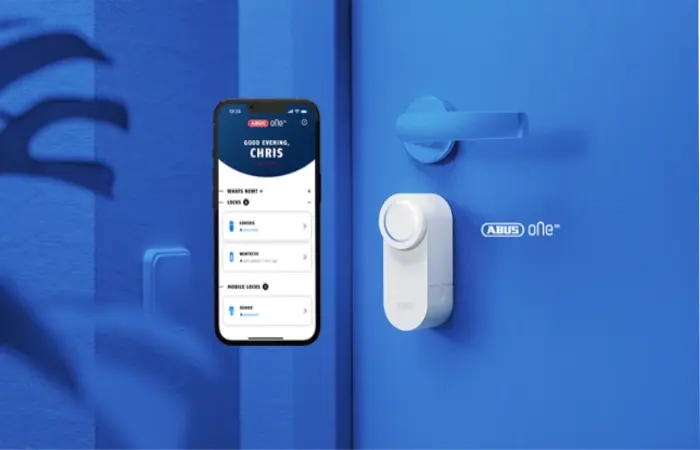
One of the key features of current smart alarm systems is their easy installation process.
Most people can install the system within an hour without any professional help.
Step 1: Plan Sensor Locations
Install sensors on:
- Front door
- Back door
- Garage entry
- Ground-floor windows
Step 2: Install the Base Station
Place the control hub:
- Near the center of your home
- Close to your router
- Away from thick walls
Step 3: Connect Devices
Connect:
- Motion sensors
- Door sensors
- Cameras
- Sirens
Step 4: Test Every Device
Verify:
- Motion detection
- Sensor response
- Camera recording
- Notifications
- Siren operation
Step 5: Automation setup
Create scenarios like:
- Arm automatically at bedtime
- Notify family members
- Turn lights on during alarms
- Lock doors automatically
Monitored and Unmonitored alarms
One of the major decisions you will have to make concerns monitoring of alarms or not.
Professionally Monitored Alarms
When choosing professional monitoring, a security firm will constantly monitor your alarm system.
If an alarm triggers:
- The monitoring center receives the alert.
- They attempt to contact you.
- Emergency services might be dispatched.
Advantages
- 24/7 monitoring
- Faster emergency response
- Protection even if your phone is off
- Greater peace of mind
Disadvantages
- Monthly subscription fees
- Possible long-term contracts with some providers
Unmonitored Alarms
In the case of self-monitored alarms, you get a notification on your phone.
You decide whether to:
- Ignore
- Investigate
- Contact emergency services
Advantages
- No monthly fees
- Complete control
- Lower overall cost
Disadvantages
- You’re responsible for responding
- Missed notifications can delay action
Smart Alarm with Mobile App
A mobile app transforms a traditional alarm into a truly smart security system.
Current mobile applications give you an opportunity to monitor your house from all around the globe.
Common features include:
- Instant notifications
- Remote arming
- Remote disarming
- Live camera viewing
- Two-way audio
- User management
- Activity history
- Device health monitoring
Some apps also support:
- Geofencing
- Voice assistants
- Automation routines
- Emergency panic buttons
The quality of the mobile app should be a major factor when selecting an alarm system.
Additional Smart Security Devices
Your alarm system becomes even more effective when combined with complementary devices.
These include:
- Video doorbells
- Outdoor security cameras
- Indoor cameras
- Smart locks
- Motion-activated lighting
- Smoke detectors
- Carbon monoxide detectors
- Water leak sensors
- Glass break sensors
Combined together, they become one smart home security system.
Cost of Smart Home Alarm Systems
The price depends on the brand and components.
Price ranges are as follows:
| Component | Average Cost |
| Starter Kit | $150–$350 |
| Motion Sensor | $25–$60 |
| Door Sensor | $20–$50 |
| Indoor Camera | $40–$150 |
| Outdoor Camera | $80–$300 |
| Video Doorbell | $80-$250 |
| Monitoring service | $10-$40 per month |
Although monitoring service comes at an extra fee, people still consider it reasonable to pay for more security.
What Should You Take into Account While Buying a Smart Alarm System?
The following factors must be considered before purchasing one:
- Budget;
- Installation preferences (DIY or professional);
- Types of monitoring (self or professional);
- Compatibility with other smart devices in your home;
- Ease-of-use of the mobile app;
- Scalability;
- Customer reviews;
- Warranties;
- Backup power and cellular backup.
The Most Common Mistakes to Avoid
Do make sure that you avoid making the following mistakes when buying your alarm system:
- Buying based solely on price
- Ignoring app quality
- Forgetting future expansion
- Overlooking subscription costs
- Choosing incompatible devices
- Installing sensors in poor locations
- Skipping routine testing and maintenance
Making plans beforehand will help you benefit from your purchase.
Verify threats with smart security cameras.
Frequently Asked Questions (FAQ)
Is it worthwhile investing in smart alarm systems?
Yes. They give you real-time alerting, remote control capabilities, automation, and greater security as compared to traditional alarm systems.
Can I set up my smart alarm system by myself?
Absolutely. A lot of smart alarm systems are built to be installed by yourself and will guide you in their setup process via an app.
Do smart alarm systems operate without Wi-Fi connection?
There are some alarm systems which have a cell connection that allows you to use your alarm in the absence of WiFi network, although not all the features might work.
Do I need professional monitoring of the smart alarm systems?
It’s not always necessary. Professional monitoring ensures that there will be immediate 24/7 emergency response in case of an alarm.
Can I use smart alarm systems as a renter?
Yes. Adhesive-mounted, wireless systems will suit you well, as they do not require any kind of installation at all.
Concluding
Modern smart alarms have revolutionized the way we approach security at home through the integration of intelligence, connection, and automation into a single product that can easily be managed. No matter whether your need is a tiny flat or an entire family house, there are various options available starting from simple self-monitored alarms to complex professionally monitored alarms.
Choosing the best type of smart alarm will depend on several factors like the size of your premises, preference in monitoring, compatibility with your smart devices, and, of course, quality of the mobile application. The wireless design, ability to install and expand the ecosystem on your own make modern smart alarms suitable for everyone.
By installing the best smart alarm system in your home, you will ensure its safety in addition to gaining peace of mind.