Last Updated: July 1, 2026
Modern technologies have advanced not only regular home security solutions but smart home security as well. Today one can use one’s smartphone to monitor cameras, close doors, get instant notifications, and even talk to the visitors. And it is all possible thanks to smart home security applications that give full control over security from any place.
Be it on vacation or at work, one can view the camera streams, get motion alerts, look through the recordings, and control connected smart devices with a few clicks.
In the article below, we will talk about the best home security apps, their free and paid versions, difference between iOS and Android apps, camera monitoring applications, and integration of smart security solutions into a smart home ecosystem.
What Are Smart Home Security Apps?
The smart home security applications are special mobile apps that help control and monitor home security products. The app links to Wi-Fi cameras, smart locks, video doorbells, motion detectors, alarms, and environmental sensors.
Using these apps does not require access to a traditional control panel. All that the homeowner needs is a smartphone or tablet.
With modern apps, the user usually can:
- Watch live video feeds
- Receive instant motion alerts
- Arm or disarm alarm systems
- Lock and unlock smart doors
- View recorded video clips
- Speak through two-way audio
- Manage multiple family members
- Automate security routines
Specialized apps for individual home security products are provided by each manufacturer, while bigger smart home solutions may integrate different security devices into a single system.
Importance of Smart Home Security Applications
Earlier, homeowners had to come home themselves in order to activate/deactivate alarm systems or watch surveillance videos on the screen. Smart home technology solved this problem thanks to special mobile apps.
With a security app, you will be able to quickly determine whether an alert is a genuine threat or your pet roaming about the home. No need to ponder the cause of the alarm; one can directly view live footage.
No need to wonder if you left your front door unlocked or the alarm system on, all this can now be checked from afar.
Some benefits include:
| Feature | Benefit |
| Remote monitoring | Check home from anywhere |
| Instant notifications | Respond quickly to events |
| Live video streaming | Verify alerts immediately |
| Device control | Lock doors and arm alarms remotely |
| Automation | Reduce manual tasks |
| Activity history | Review security events anytime |
Best Home Security Apps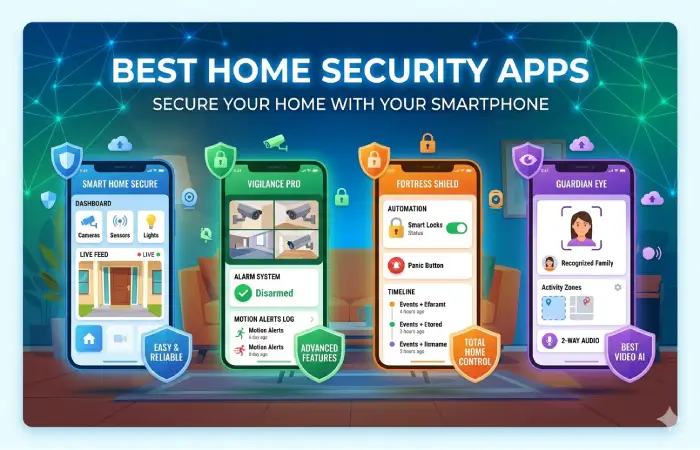
There are many security apps on the market for different ecosystems or specific device brands. While some focus on usability, other apps concentrate on automation and advanced technology such as artificial intelligence.
Below is a comparison of some of the most used apps.
| App | Best For | Key Features |
| Ring | Video doorbells | Live video, alerts, package detection |
| Arlo Secure | Wireless cameras | AI detection, cloud recording |
| Google Home | Google smart homes | Cameras, automation, Assistant integration |
| Apple Home | Apple ecosystem | HomeKit Secure Video, privacy features |
| Eufy Security | Local storage | No monthly fee options |
| Reolink | Multi-camera systems | Continuous recording, remote access |
| Blink Home Monitor | Affordable monitoring | Battery cameras, cloud storage |
| SimpliSafe | Alarm systems | Professional monitoring, emergency alerts |
Each application offers slightly different features depending on the supported devices and subscription plan.
Core Features Every Security App Should Include
Not every security app delivers the same experience. While some security apps provide just simple notifications, the premium versions come equipped with AI, cloud storage, facial recognition, and automation.
Factors to consider when picking an app include:
| Feature | Why It Matters |
| Live streaming | View real-time footage |
| Motion alerts | Immediate notification of activity |
| Video playback | Review recorded events |
| Two-way audio | Talk with visitors remotely |
| Smart lock control | Lock or unlock doors |
| Cloud backup | Protect recordings |
| Local storage support | Avoid subscription fees |
| Multi-user access | Share control with family |
| Automation | Trigger actions between devices |
All of these characteristics must be combined to create an easy-to-use and responsive interface of a security application.
Free Home Security Mobile Apps
Free mobile applications that include some basic security functionalities are available from many companies. Such apps are suitable for home owners who do not want to pay monthly fees for their remote monitoring.
Free versions commonly include:
- Live camera viewing
- Basic notifications
- Device setup
- Manual recording
- Smart device control
- Firmware updates
Nevertheless, advanced functionalities usually require subscription fees.
Examples include:
| Free Feature | Premium Upgrade |
| Live view | Cloud recording |
| Motion alerts | AI person detection |
| Device management | Extended video history |
| Remote control | Professional monitoring |
| Basic automation | Advanced automation |
For users who only need occasional monitoring, free home security mobile apps may provide all the necessary functionality.
Apps for Monitoring Security Cameras
One of the primary reasons homeowners install security apps is remote camera access.
Camera monitoring apps allow users to:
- Watch live video
- Zoom into footage
- Rotate PTZ cameras
- Review recordings
- Capture screenshots
- Download video clips
- Receive intelligent motion alerts
Many modern apps also distinguish between different types of movement.
For example:
| Detection Type | Purpose |
| Person detection | Reduce false alarms |
| Vehicle detection | Monitor driveways |
| Pet detection | Ignore animals if desired |
| Package detection | Monitor deliveries |
| Motion zones | Focus on selected areas |
Artificial intelligence has dramatically improved camera monitoring by reducing unnecessary alerts from trees, rain, shadows, or insects.
iOS vs Android Security Apps
Most major security platforms support both iPhone and Android devices. While the overall functionality is similar, there are differences in ecosystem integration.
| Feature | iOS | Android |
| Apple Home integration | Excellent | Not available |
| Siri support | Native | Limited |
| Google Assistant | Available | Native |
| Notification customization | Good | Excellent |
| Widget support | Yes | Yes |
| Background flexibility | More restricted | More flexible |
| Device compatibility | Apple ecosystem | Wide variety of devices |
iOS Advantages
Apple users are provided with HomeKit compatibility, HomeKit Secure Video, high privacy protection level, and interaction with Siri.
Android Advantages
Android allows more personalization, wider range of supported devices, better notification control, and integration with Google services.
As far as security performance is concerned, both operating systems are excellent when used with compatible devices.
Smart Home Security App Integrations
Modern security apps rarely work in isolation. Instead, they communicate with numerous smart home devices to create a fully automated security system.
Common integrations include:
| Device | Integration Example |
| Smart locks | Unlock after facial recognition |
| Smart lights | Turn on when motion detected |
| Video doorbells | Display visitor notifications |
| Motion sensors | Trigger camera recording |
| Smoke detectors | Send emergency alerts |
| Smart speakers | Voice control |
| Smart displays | Show live camera feeds |
| Garage doors | Remote open and close |
These integrations improve both convenience and overall security.
Automation Features That Improve Security
Automation allows multiple devices to work together without manual input.
Instead of controlling each device individually, users create routines based on triggers.
For example:
| Trigger | Automated Action |
| Front door opens | Entry camera starts recording |
| Motion detected | Outdoor lights activate |
| Alarm armed | Lock all smart doors |
| Family arrives home | Alarm disarms automatically |
| Smoke alarm activates | Unlock exits and notify owner |
Automation reduces response times while making the home feel more intelligent.
Cloud Storage vs Local Storage
Most security apps support either cloud recording, local storage, or both.
| Cloud Storage | Local Storage |
| Accessible anywhere | Stored on local device |
| Subscription required | Usually free |
| Protects recordings from theft | May be lost if hardware stolen |
| Automatic backup | Limited capacity |
| Easy sharing | Faster local playback |
Storage selection depends on user’s privacy preferences, budget, and desired protection level.
Notification Management
Too many notifications can make users ignore important alerts. Good security apps allow detailed notification customization.
They are:
- Motion sensitivity adjustment
- Scheduled notifications
- Quiet hours
- Person-only alerts
- Package notifications
- Door opened alerts
- Alarm activation alerts
- Smoke detector warnings
Personalized notifications increase response time but decrease unwanted distractions.
Features for Privacy and Security
Because of the nature of security applications, users’ privacy must remain a concern.
Modern apps typically include:
| Security Feature | Purpose |
| End-to-end encryption | Protect video streams |
| Two-factor authentication | Prevent unauthorized access |
| Encrypted cloud storage | Secure recordings |
| Device verification | Stop unknown logins |
| Permission controls | Manage shared users |
| Automatic logout | Reduce unauthorized access |
Two-factor authentication must be enabled where possible.
Selecting the Proper Smart Home Security App
Choosing the most suitable security application is greatly affected by the number of devices you already have in your home.
The following points must be considered during the selection process:
| Factor | Importance |
| Device compatibility | Essential |
| Ease of use | High |
| Video quality | High |
| Notification speed | High |
| Automation support | Medium |
| Cloud storage costs | Medium |
| Privacy features | High |
| Customer support | Medium |
When choosing a security application, reliability, speed, and integration should matter more than features.
Future of Smart Home Security Apps
Artificial intelligence will change the nature of mobile security applications significantly.
Future security apps will become highly proactive and not only reactive as today. They will recognize users’ routines and patterns, be able to tell known faces apart and decrease false alarms to virtually nothing.
Some of the innovations that we can expect in the future will be:
| Emerging Technology | Expected Benefit |
| Predictive AI | Detect unusual activity before incidents occur |
| Advanced facial recognition | Recognize family and trusted visitors |
| Voice authentication | Secure remote access |
| Edge AI processing | Faster local analysis |
| Smart emergency response | Automatic contact with emergency services |
| Cross-platform automation | Better interoperability between brands |
With the development of standardization frameworks like Matter, security applications will become even more compatible between brands and allow homeowners to control their connected devices through one application.
How to Make the Most of Your Security App
A properly configured security app can enhance the safety and convenience of your home. Always keep the app up-to-date to get the latest security updates and features. Also, use two-factor authentication to prevent any unauthorized access, and check the activity log often to spot anything suspicious.
Customize the motion detection area to reduce false triggers from moving cars, trees, and pets. In case your app has automation, make sure you create scenes involving lights, cameras, and alarm activation. Lastly, test notifications regularly to make sure you receive any alerts in time.
FAQ
Can smart home security apps function without Wi-Fi?
Remote monitoring features usually depend on an internet connection. However, there are systems with local recordings that can record even when internet is not available.
Are free home security mobile apps enough?
Free applications will do just fine for basic surveillance, real-time viewing, and device control. The advanced functionalities include cloud storage, AI detection, and professional surveillance services, which normally need to subscribe to a plan.
Can I use a single application for devices of various brands?
Yes. Applications that use standards such as Matter or ecosystems such as Google Home, Apple Home, and Amazon Alexa are capable of integrating all compatible devices of various brands into a single app.
Is cloud storage or local storage better?
Cloud storage allows off-site backup and remote access but involves paying a monthly fee. Local storage doesn’t involve any monthly fees but makes access quicker.
Conclusion
Smart home security apps have emerged as the control center of modern security systems, providing live monitoring, instant notification, automation, and remote control from almost any location. Regardless of whether you select a free app for live monitoring purposes or opt for an advanced platform featuring AI-driven monitoring and cloud recording services, you can find a mobile application that is capable of providing you with enhanced security.
As you pick the app, pay attention to its ability to work seamlessly with your devices, reliable functionality, top-notch privacy, and automation options that suit your preferences. With the evolution of smart home technology, security apps will become even smarter.