
Last Updated: September 14, 2026
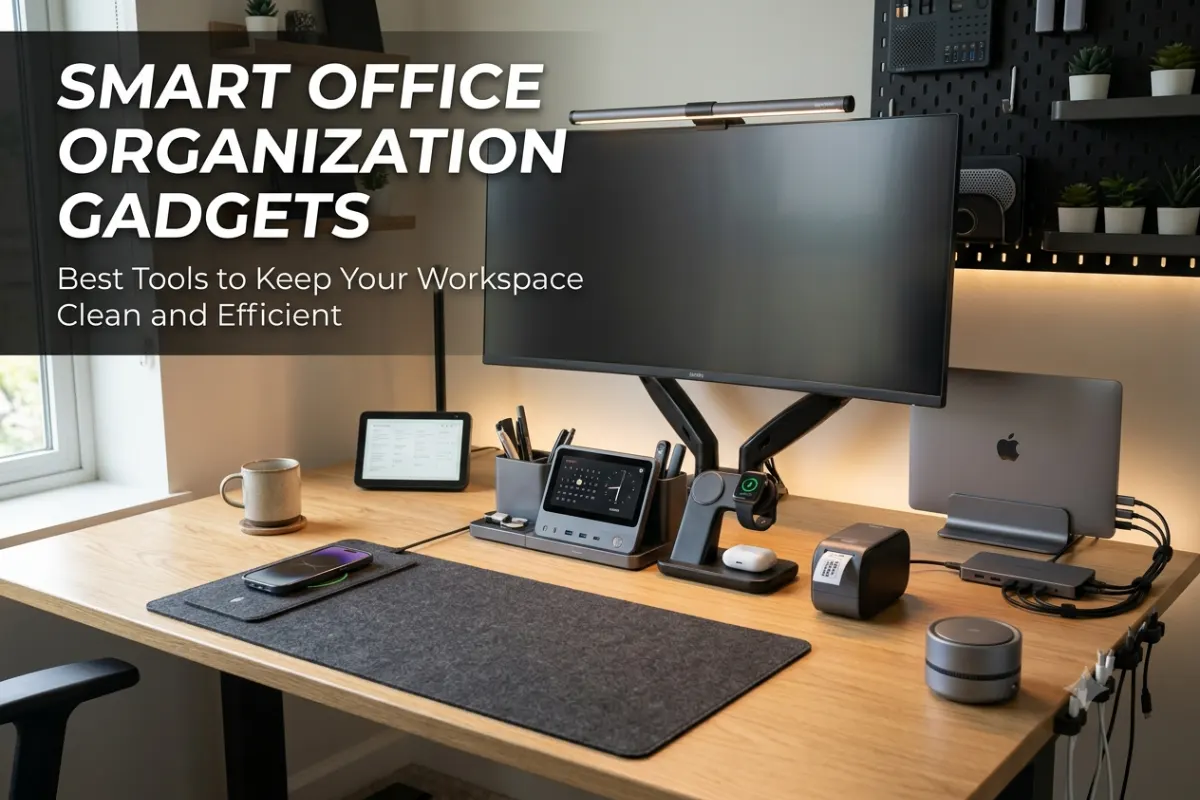
A cluttered workspace can make even simple tasks feel more difficult. Tangled cables, misplaced accessories, scattered notes, and overcrowded desks can reduce productivity and create unnecessary distractions. This is where smart office organization gadgets can make a meaningful difference.
Modern workspace organization is no longer limited to drawers and plastic storage trays. Smart gadgets now help professionals manage cables, store devices, organize documents, track important items, and replace paper notes with digital alternatives.
Whether you work from a home office, shared workspace, or corporate office, the right organization tools can help create a cleaner and more efficient environment.
What Are Smart Office Organization Gadgets?
Smart office organization gadgets are tools and devices designed to improve how you manage your workspace. They may use technology, automation, connectivity, sensors, or multifunctional designs to reduce clutter and simplify everyday tasks.
For example, a traditional desk organizer may only hold pens and papers. A smart desk organizer may also include wireless charging, USB ports, device stands, and compartments for multiple accessories.
Similarly, a basic storage box simply stores items, while a smart storage solution may include labels, tracking features, or modular organization.
The goal is simple: keep frequently used items accessible without allowing them to take over your workspace.
Why Office Organization Matters for Productivity
A well-organized office can make it easier to focus on important tasks. When everything has a dedicated location, you spend less time searching for cables, chargers, notebooks, headphones, and other accessories.
Workspace organization can also improve the overall appearance of your office. This is particularly important for remote workers who regularly participate in video meetings from their desks.
A clean workspace may also support better technology management. Instead of having multiple chargers and cables spread across the desk, smart organization tools can centralize devices and accessories.
| Workspace Problem | Smart Organization Solution |
| Tangled charging cables | Cable clips and cable management boxes |
| Too many desk accessories | Multifunctional desk organizers |
| Paper notes everywhere | Digital sticky note gadgets |
| Lost office supplies | Smart storage boxes |
| Visually cluttered desk | Minimalist office gadgets |
| Multiple devices to charge | Charging stations and organizers |
Smart Cable Management Solutions
Cables are one of the biggest sources of desk clutter in a modern office. A typical workspace may include cables for monitors, laptops, smartphones, keyboards, speakers, webcams, and chargers.
Without proper organization, these cables can quickly become tangled and difficult to manage.
Cable Management Boxes
Cable management boxes hide power strips, adapters, and excess cable lengths inside a dedicated enclosure. This creates a cleaner appearance while keeping important connections in one location.
They are especially useful for desks with multiple monitors and charging devices.
When choosing a cable management box, consider:
- The size of your power strip
- The number of connected devices
- Ventilation requirements
- Accessibility to ports
- Available desk or floor space
A simple cable management box can make a large visual difference in both home and professional offices.
Cable Clips and Cable Holders
Cable clips keep frequently used cables in place. For example, you can attach clips to the edge of a desk so your phone charger or USB cable does not fall behind the workspace.
These small accessories are useful for:
- Smartphone charging cables
- USB cables
- Headphone cables
- Keyboard cables
- Mouse cables
Cable holders are inexpensive but can significantly improve daily workspace organization.
Under-Desk Cable Trays
Under-desk cable trays create a dedicated space below the desktop for power strips and cables.
This solution works particularly well with standing desks and multi-monitor setups. Instead of allowing cables to hang freely, the tray keeps them contained and organized.
For a modern smart office, combining an under-desk tray with reusable cable ties can create a much cleaner setup.
Best Cable Management Setup for a Smart Office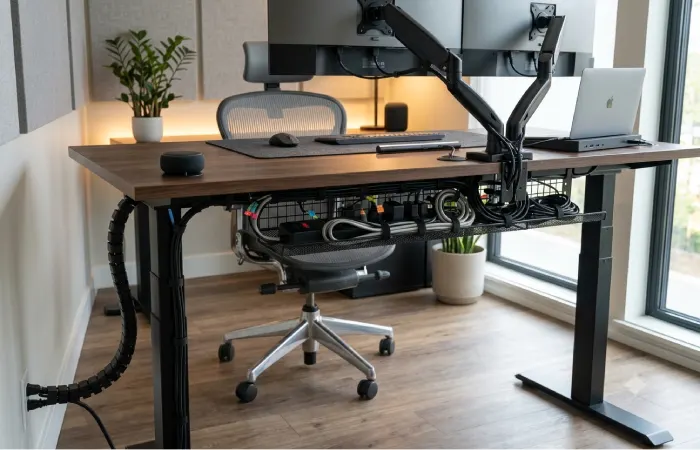
A complete cable organization system may include several tools working together.
| Tool | Best Use |
| Cable clips | Frequently used cables |
| Cable sleeves | Multiple cables running together |
| Cable box | Power strips and adapters |
| Under-desk tray | Larger cable setups |
| Cable labels | Identifying connections |
| Cable ties | Bundling extra cable length |
The best approach is to organize cables based on how often they are accessed. Frequently used cables should remain easily accessible, while permanent connections can be hidden under or behind the desk.
Smart Desk Organizers for Modern Workspaces
Smart desk organizers combine traditional storage with useful technology features. They are designed for modern professionals who use multiple devices throughout the day.
A good organizer can reduce clutter while keeping essential items within reach.
Multifunctional Desk Organizers
Many modern desk organizers include multiple features in one device or accessory. These may include:
- Wireless charging pads
- Smartphone stands
- Tablet holders
- USB charging ports
- Pen compartments
- Storage drawers
- Headphone holders
This multifunctional design can reduce the number of separate gadgets required on your desk.
For example, instead of using a separate phone stand, charger, pen holder, and storage tray, one organizer may perform several of these functions.
Wireless Charging Desk Organizers
Wireless charging organizers are particularly useful for smart offices. They provide a dedicated location for charging compatible smartphones and accessories.
This can also reduce cable clutter around the desk.
A wireless charging organizer is most useful for people who regularly use:
- Smartphones
- Wireless earbuds
- Smartwatches
- Other compatible accessories
However, charging speed and compatibility should always be considered before choosing a product.
Monitor Shelf Organizers
Monitor shelf organizers use vertical space to create additional storage. They can hold small office accessories while keeping the main desktop clear.
Some monitor accessories also provide space for smartphones, tablets, and office supplies.
Using vertical space is one of the easiest ways to improve a small office setup without purchasing additional furniture.
Digital Sticky Note Gadgets
Paper sticky notes are useful, but they can quickly create visual clutter. Digital alternatives provide a more organized way to manage reminders, tasks, and quick ideas.
Digital sticky note gadgets may include electronic displays, smart writing surfaces, and connected note systems.
Electronic Note Boards
Electronic note boards allow users to write reminders and messages digitally. Depending on the device, notes may be saved, erased, or synchronized with other devices.
These gadgets can be useful for:
- Daily task reminders
- Meeting notes
- Quick ideas
- Project planning
- Personal reminders
A reusable digital note system can also reduce paper waste in an office.
Smart Displays for Office Reminders
Smart displays can function as organization hubs in a connected workspace. They may display calendars, reminders, tasks, weather information, and other useful updates.
In a smart office environment, a display can provide a central location for checking important information.
For example, professionals may use smart displays to monitor:
- Upcoming meetings
- Calendar events
- Task lists
- Team reminders
- Time and schedules
This makes them useful alternatives to multiple paper reminders placed around the workspace.
Digital Writing Tablets
Digital writing tablets are another option for temporary notes. They allow users to write with a stylus and erase the content when it is no longer needed.
These gadgets are particularly useful for quick calculations, brainstorming, and short reminders.
They are simple, portable, and can help keep unnecessary paper away from the desk.
Smart Storage Boxes for Office
Office storage is often overlooked when designing a smart workspace. However, poor storage can create clutter even when the desk itself looks clean.
Smart storage boxes and modular containers help create dedicated locations for accessories, documents, cables, and other supplies.
Modular Storage Systems
Modular storage systems allow users to customize their organization based on available space and changing needs.
You can add or rearrange storage sections for:
- Charging accessories
- Computer peripherals
- Documents
- Office supplies
- Cameras and equipment
- Smart devices
This flexibility makes modular systems particularly useful for growing home offices.
Labeled Storage Boxes
Clearly labeled boxes make it easier to find items quickly. Labels can be physical or digital depending on the storage system.
Instead of placing all accessories in one large drawer, separate them into categories.
For example:
| Storage Category | Items |
| Charging | Chargers, adapters and power banks |
| Computer accessories | Mouse, keyboard accessories and USB devices |
| Audio equipment | Headphones and microphones |
| Documents | Important papers and files |
| Office supplies | Pens, clips and notebooks |
A simple categorization system can save time and prevent unnecessary clutter.
Storage Solutions for Small Offices
Small offices require smarter use of available space. Vertical storage, under-desk containers, and stackable boxes can help keep the workspace organized without making it feel crowded.
Look for storage solutions that fit your actual workflow.
For example, frequently used items should remain close to the desk, while rarely used accessories can be stored in cabinets or higher shelves.
Minimalist Office Gadgets for a Cleaner Workspace
Minimalism is becoming increasingly popular in modern office design. A minimalist workspace does not necessarily mean removing all gadgets. Instead, it means choosing fewer tools that provide more value.
The best minimalist office gadgets are compact, functional, and visually simple.
Compact Charging Stations
A single charging station can replace several individual chargers. This reduces cable clutter and creates a dedicated charging location.
A compact charging station may support multiple devices, depending on its design.
This is particularly useful for professionals who use a combination of smartphones, tablets, earbuds, and other portable technology.
All-in-One Desk Accessories
All-in-one accessories support minimalist organization because they reduce the number of separate products on the desk.
Popular combinations include:
- Desk organizer and charger
- Monitor stand and storage shelf
- Laptop stand and docking station
- Lamp and wireless charger
- Storage drawer and device stand
Before buying multifunctional gadgets, make sure each feature is genuinely useful. Too many unnecessary features can create additional complexity.
Minimalist Device Stands
Laptop, tablet, and smartphone stands can improve organization by giving each device a dedicated position.
This also helps create a cleaner visual layout.
A simple desk setup may include:
- One monitor
- One laptop stand
- One charging station
- One compact organizer
- One cable management system
This approach keeps essential technology accessible without overcrowding the workspace.
Best Types of Smart Office Organization Gadgets
The right gadget depends on your workspace and work habits.
| Gadget Type | Best For | Main Benefit |
| Cable management box | Multi-device setups | Reduces visible cable clutter |
| Smart desk organizer | Busy professionals | Combines storage and technology |
| Wireless charging station | Multiple mobile devices | Centralizes charging |
| Digital note device | Paperless offices | Reduces paper clutter |
| Smart display | Connected offices | Manages reminders and schedules |
| Modular storage | Growing workspaces | Flexible organization |
| Monitor shelf | Small desks | Adds vertical storage |
| Device stand | Laptop and tablet users | Improves desk layout |
How to Choose Smart Office Organization Gadgets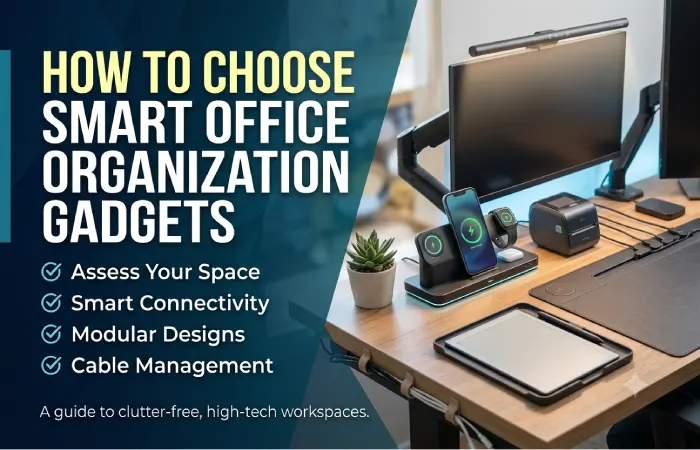
Not every gadget will improve your workspace. Some products may simply add more items to the desk.
Before purchasing a new organization gadget, consider the following factors.
Identify Your Biggest Workspace Problem
Start by identifying what creates the most clutter.
Do you have too many cables? Choose cable management solutions.
Do you regularly lose accessories? Consider dedicated storage.
Do paper notes cover your desk? Try digital note tools.
Choosing gadgets based on real problems is more effective than purchasing products simply because they look useful.
Consider Available Desk Space
Measure your workspace before buying larger organizers.
Small desks benefit from vertical storage and multifunctional accessories. Large desks may support additional storage zones.
Avoid filling every available space. Empty space can make a workspace feel cleaner and easier to use.
Choose Multifunctional Products Carefully
Multifunctional gadgets can reduce clutter, but only when you use their features.
For example, a desk organizer with wireless charging is useful if you regularly charge a compatible device. Otherwise, a simpler organizer may be a better option.
The goal should be to reduce unnecessary equipment rather than adding more technology.
Check Device Compatibility
Smart office gadgets should work with your existing technology.
Check compatibility with:
- Smartphones
- Laptops
- Tablets
- Charging standards
- USB connections
- Wireless charging systems
- Smart home or office platforms
Compatibility is especially important for charging stations and connected devices.
Smart Office Organization Setup Ideas
Here are a few practical setup ideas for different types of professionals.
Home Office Setup
A home office may benefit from:
- Cable management box
- Wireless charging organizer
- Digital writing tablet
- Compact storage drawer
- Laptop stand
This setup focuses on keeping a small workspace clean and functional.
Multi-Monitor Workspace
A larger productivity setup may require:
- Under-desk cable tray
- Cable sleeves
- Monitor shelf
- Charging station
- Modular accessory storage
The main priority is managing multiple cables and devices.
Minimalist Smart Office
A minimalist workspace can include:
- One multifunctional organizer
- One charging station
- Hidden cable management
- Vertical storage
- Digital note system
The focus should remain on essential tools and clear desk space.
Common Mistakes When Organizing a Smart Office
Even with good gadgets, poor organization habits can create clutter.
One common mistake is purchasing too many organizers. Multiple boxes and trays can make a desk look more complicated rather than cleaner.
Another mistake is failing to manage cables before adding new devices. Every new gadget should have a planned power and cable connection.
Many users also store items based on available space rather than frequency of use. Frequently used items should be easy to access.
Finally, avoid mixing unrelated accessories in the same storage area. Creating simple categories makes the workspace easier to maintain.
How to Maintain an Organized Smart Office
Office organization is not a one-time task. A workspace needs regular maintenance.
A simple weekly routine can help:
- Remove unnecessary items from the desk.
- Return accessories to their storage locations.
- Check for unused cables.
- Clean charging areas.
- Update digital notes and reminders.
- Organize new documents and supplies.
The easier your organization system is to maintain, the more likely you are to continue using it.
Are Smart Office Organization Gadgets Worth It?
Smart office organization gadgets can be worth the investment when they solve a specific workspace problem.
A cable organizer that eliminates tangled wires, a charging station that replaces multiple chargers, or a digital note system that reduces paper clutter can provide practical benefits every day.
However, buying too many gadgets can have the opposite effect.
The best strategy is to start with the biggest source of clutter and gradually improve the workspace. For most people, cable management, device storage, and charging organization are good starting points.
Final Thoughts
The best smart office organization gadgets make your workspace easier to use without adding unnecessary complexity. From smart cable management solutions and multifunctional desk organizers to digital sticky note gadgets and smart storage boxes, modern tools can help create a cleaner and more productive environment.
Start by identifying your biggest organization challenge. Then choose practical gadgets that fit your available space and daily workflow.
A well-organized smart office does not need dozens of devices. With the right combination of minimalist office gadgets, storage systems, cable management tools, and digital organization solutions, you can create a workspace that looks cleaner and supports better productivity.
Frequently Asked Questions
What are the best smart office organization gadgets?
Some of the best options include cable management boxes, wireless charging organizers, digital note devices, modular storage systems, monitor shelves, and multifunctional desk organizers.
How can I organize cables in a smart office?
Use cable clips for frequently used cables, sleeves for grouped wires, cable boxes for power strips, and under-desk trays for larger setups.
Are digital sticky note gadgets useful?
Yes. Digital note gadgets can help reduce paper clutter and provide a reusable space for reminders, quick notes, and daily tasks.
What should I keep on a minimalist office desk?
Keep only essential devices and frequently used accessories. A monitor, laptop stand, compact organizer, charging station, and simple cable management system are often enough.
How do smart desk organizers improve productivity?
Smart desk organizers provide dedicated spaces for devices and accessories. Some also include wireless charging, USB ports, and device stands, reducing clutter and making important items easier to access.