
Last Updated: October 1, 2026
Designing a logo previously involved hiring a designer, mastering complex design programs, or trial-and-error with dozens of fonts, icons, shapes and colors. With AI logo design tools, you can do it in no time.
These applications utilize AI and automated layout systems which help formulate logo ideas by providing inputs such as your business name, the industry, your choice of style, colors and symbols. It will show you various options and let you play around with different styles in minutes.
But having AI just doesn‘t necessarily mean a great brand identity will automatically happen. Even better results still need good inputs, adjustments made by prior knowledge, and verification that the shaped logo functions well in different contexts.
Here‘s how you can learn everything you need to know about AI logo maker tools.
AI Logo Design Tools: Meaning and Key Concepts
AI Logo generation tools are online services or software tools that enables the user to create logos using AI or Automated design technology.
Instead of designing everything manually, you usually provide basic information such as:
- Business or brand name
- Industry or niche
- Preferred colors
- Design style
- Icons or symbols
- Tagline, if required
The tool processes these preferences and generates several logo concepts.
Other tools employ templates & rules of design. The more sophisticated ones utilize generative AI to generate unique visual ideas based on words provided.
How these AI Logo Design tools operate?
The specific workflow differs a little between sites, but most generally go through the following steps.
You begin by inputting your brand name as well as some background about your company. You then have the option to select from different styles; these include modern, minimal, professional, fun, luxury and bold styles.
Software mixes fonts, layouts, icons, shapes, colors in order to provide varied design.
Next, you are able to personalize your chosen logo such as altering the typography, spacing, color, symbol or layout.
Some demonstrate the logo placed on business cards, websites, social media pages, on packaging, signage, or on merchandise.
Why AI Logo Design Tools Matters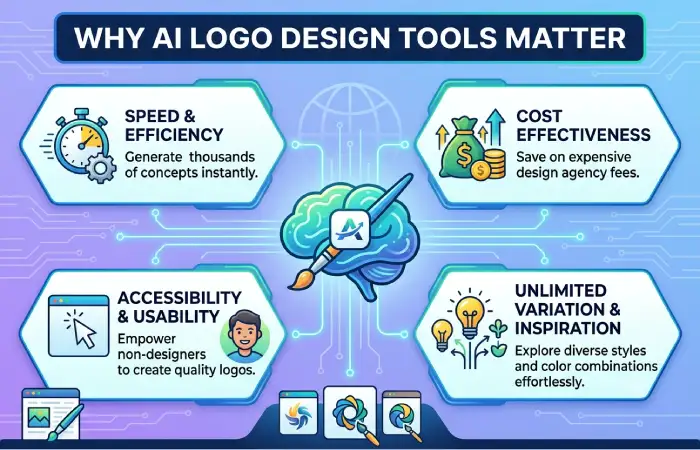
A logo is one of the first visual references people often associate with a business. It can be incorporated into your website, social media pages, products, advertising campaigns, receipts, packaging, and promotional materials.
AI alone simplifies logo design, giving new startups and small businesses, freelancers, creatives, and new-business pilot projects an easier, more affordable way to design a simple logo.
Faster Logo Creation
Speed offers one of their prime features.
You don‘t need to build all concepts by hand; you can create a whole range of options in minutes. Great during the early more free form rumbling stage when you want to look at many different visual directions.
Lower Initial Cost
Considering that one may not even have the know-how or money to set up a branding project, professional branding is sometimes a huge additional budget. AI logo makers could be seen as a more accessible budget for business in that position.
Pricing is of course all over the map. Some produce cheap to free files for every day use but have fairly costly high res or commercial licenses.
Easy for Beginners
In general you do not require to be a professional designer.
Most of the websites have basic controls to change the fonts, colours, icons and layouts. It enables users who are not designers to try out ideas without having to know complex computer graphics programs.
More Design Ideas
Oftentimes the hardest thing is just figuring out where to go.
Even if you produce the final design yourself, or have it professionally fine-tuned, variations from AI can be useful for discovering combinations you haven‘t previously thought of.
Key Types, Methods, and Examples
Different AI logo generators employ different methods. Being familiar with the basic strategies can simplify the selection process.
1. Template-Based Logo Makers
These tools build on existing layouts and make personalized recommendations for combinations for you.
They are easy to apply and give reproducible results.
They would be suitable if requiring a quick, simple logo; however, designs can tend to be quite similar to those used by other designers.
2. Generative AI Logo Tools
Generative tools generate images or design ideas from a text description.
For example, you might describe:
” An uncomplicated geometric badge for a green technology company, incorporating a leaf and circuitry motif.”
Once the description has been heard, the AI creates visual concepts.
This approach allows more freedom in your creative work, but the results produced tend to need editing.
3. AI-Assisted Design Platforms
There are graphic design online tools that are integrated with AI generators and traditional editing features.
Utilize AI to create a first idea and then play with the typography, the format, the color, the space and others.
This gives us more control than just any kind of automatic creation.
4. Brand Identity Generators
Some logo tools go beyond the logo itself.
They may generate:
- Color palettes
- Font combinations
- Social media graphics
- Business cards
- Brand guidelines
- Website graphics
- Marketing templates
This can be valuable if you prefer a more incorporated visual identity that is not an isolated logo.
How to Use or Apply AI Logo Design Tools
AI can also accelerate the design process. However, start off with a well defined brief to the AI will bring ideal outcomes.
Step 1: Define Your Brand
Before opening a logo generator, write down a few basic characteristics of your brand.
Ask yourself:
Who is my audience?
What should the brand feel like?
What kind of feeling do you want the logo to evoke modern? values luxury, approaching, technical,silly,old-fashioned?
Known brand identification direction allows smoother evaluation of AI generated design.
Step 2: Write a Clear Prompt or Select Preferences
In cases where text cues are allowed, the more specific, the better.
Instead of:
“Make a business logo.”
Try:
” Design a clean minimalist logo for a cyber security firm. Incorporate a minimal shield inspired geometric design and use contemporary fonts.”
Clear instructions reduce random results.
Step 3: Generate Multiple Concepts
Do not settle to use the first design right away.
Come up with a few options and compare. Pay attention to the symbol, typography, spacing, proportions, readability etc.
You may discover that elements from different concepts point toward a stronger final direction.
Step 4: Customize the Design
AI-generated logos should usually be treated as starting points rather than automatically finished designs.
Adjust elements such as:
| Element | What to Check |
| Font | Is it readable and appropriate for the brand? |
| Colors | Do they fit the intended brand personality? |
| Icon | Is it clear and recognizable? |
| Spacing | Does the logo feel balanced? |
| Layout | Does it work horizontally and vertically? |
Less is more. Simplification often results in a more effective logo.
Step 5: Test the Logo at Different Sizes
A logo, which appears appealing on a screen is sometimes hard to easily identify when shrunk down to the size of a social media profile picture or website favicon.
Test it in both large and small formats.
Check how it appears on a light and a dark background too.
Step 6: Download the Right File Formats
Whenbusiness use is more serious, search for scalable vectors formats like SVG where possible.
Possibly transparent PNG graphics for website and social media use.
The multiple versions (full color, black, white, icon only and horizontal lock ups) make it more user friendly.
How to Choose the Best AI Logo Design Tool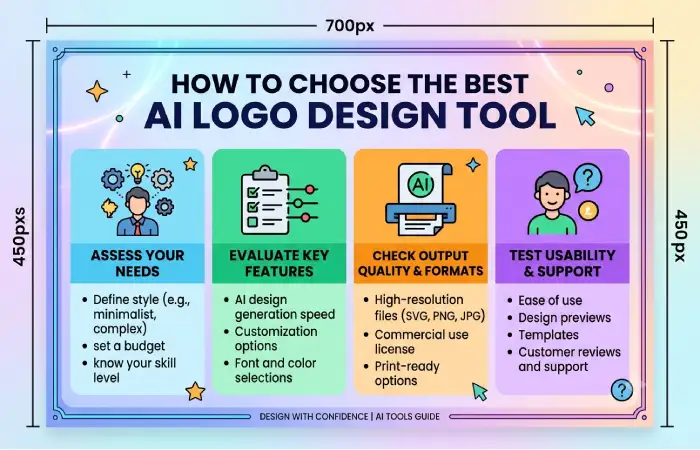
There isn‘t one size fits all when choosing what tag management tool to use. It all depends on how much you want to customize yourself.
Consider the following factors.
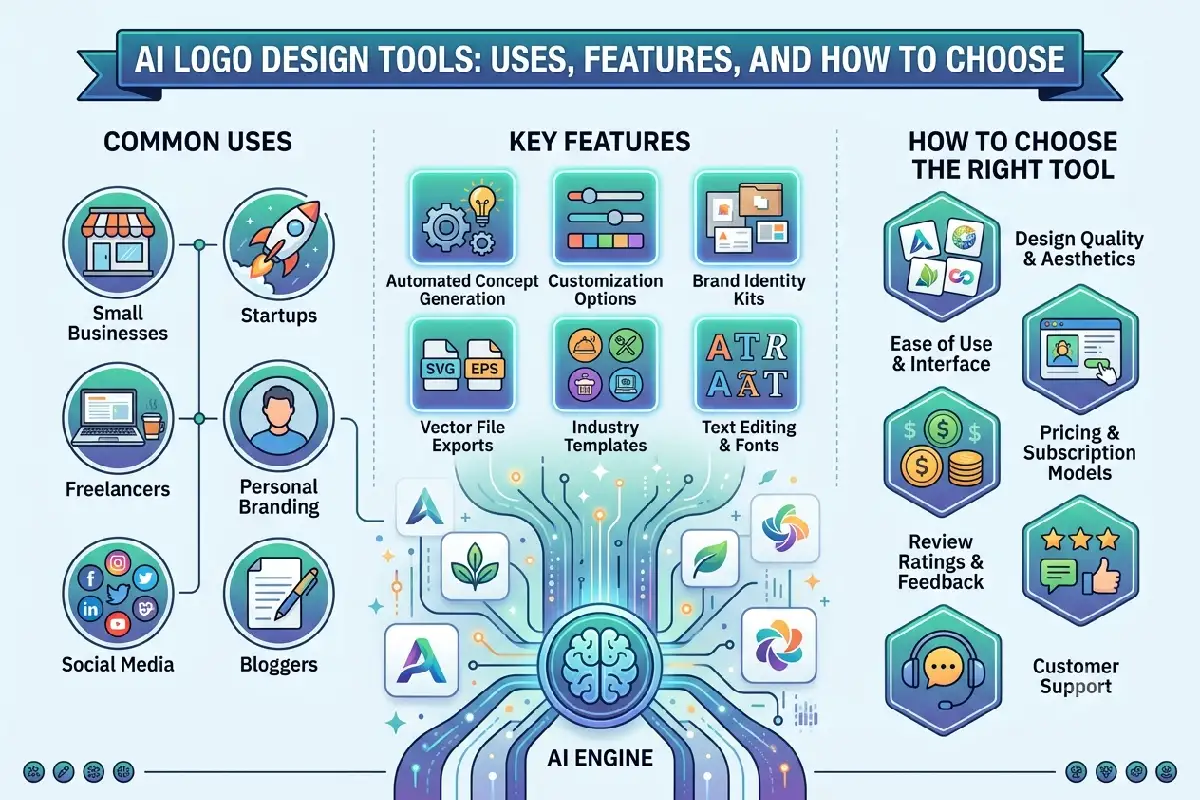
Customization Options
Test to see if changing fonts, icons, colors, spacing, backgrounds, and page layouts is simple.
The more options there are to customize, the less likely it will look completely bland.
Export Quality
Verify the types and resolutions of files to be included before the charge is made.
One advantage of vector files is that, in most instances, they can be scaled without compromise to quality.
Commercial Usage Terms
The above statement should not be taken as implying that simply creating or buying a logo guarantees you every possible ownership or trademark rights.
Carefully review licensing and commercial-use policies which are currently in place for the target platform.
Brand Kit Features
Must have social media graphics, business cards, presentations, or marketing materials? However a site with brand-kit features might save some time.
Pricing
The initial asking price is not the final selling price. An educated buyer will be aware of, and take into consideration, these elements:
Certain services provide free designs that do not cost when using low-res files or exporting to vectors but charge for:?Additional variations or versions? Whole brand kit
Choose what you actually get instead of following the cheapest option.
Best Practices and Common Mistakes
AI simplifies designing a logo, but some design laws remain relevant.
Don‘t over Design. Your logo is the ID for your brand. It‘s not necessary to have hundreds of icons, effects, fonts, and colors. Simple is better.
Make it readable. A good use of decorative typography can look great at large sizes, but when the logo is scaled down it would be very difficult to read.
Do not accept your first as correct. Think of variations, don‘t stick to the first press. Create the new idea efficiently!
Think beyond trends. Even a very fashionable design can go out of style very quickly. Try to think how you logo will still reflect your business a few years down the line.
Check originality. Can be similar to visual styles, characters or logos. Search for similar branding before commercial usage.
Consider trademark issues. However, AI generation cannot be relied on to ensure that a name, symbol or design is available for registration as a trademark. If there are likely to be commercial implications in the use, a trade mark search should be undertaken.
AI Logo Design Tools vs Professional Designers
An AI tools and professional designers approach slightly different challenges.
AI logo makers are ideal for quick prototyping, startups, side projects, and small funds.
A professional designer is a better choice if the business requires,‘much research and unusual visual positioning; well-developed brand guidelines, a well-developed identity system.
Finally, a shortcut could be to combine both procedures: use AI to try some directions and the select the best one to be improved with human efforts or design professionnels.
Final Thoughts
AI logo creation software can make creating a logo much easier by helping to generate ideas, offering color and font combinations, designing multiple compositions, or simply assisting someone who has no design knowledge to put together a simple visual identity.
The important thing is to spend time on AI not as a business move it‘s a creative tool.
Begin with a well-defined concept of your brand, develop several ideas, refine the best idea, try it out with various sizes and backgrounds, and be sure to check licensing and copyright before using it commercially.
Once achieved, an AI logo generator can help us to start building a real and recognizable branding.