
Last Updated: October 1, 2026
Getting a video to look professional previously took cameras, editing programs, a decent computer, and lots of time. Today, AI video generators can take care of most of that.
They can transform your ideas, narrative, images, slideshows or footage into a finished video. Either a realistic scene generated by AI or a marketing video, talking avatar, social media video or auto-editing.
But the results will also differ widely from platform to platform. There are three reasons why knowing the ins and outs of what AI video generators actually do and finding out which features are actually useful could make your life easier.
AI Video Generators: Meaning and Key Concepts
What is an AI video generator? An AI video generator is a program that employs Artificial Intelligence to generate or edit video content with minimal human intervention.
Instead of building every scene yourself, you might enter a prompt such as:
“Create a short cinematic video of a modern electric car driving through a city at night.”
The AI interprets the request and generates visual frames that attempt to match the description.
But text-to-video is only one approach.
Modern AI video tools may also convert:
- Text prompts into video clips
- Images into moving scenes
- Scripts into complete videos
- Articles into short visual summaries
- Presentations into narrated videos
- Written dialogue into avatar videos
- Long videos into short social clips
How Do AI Video Generators Work?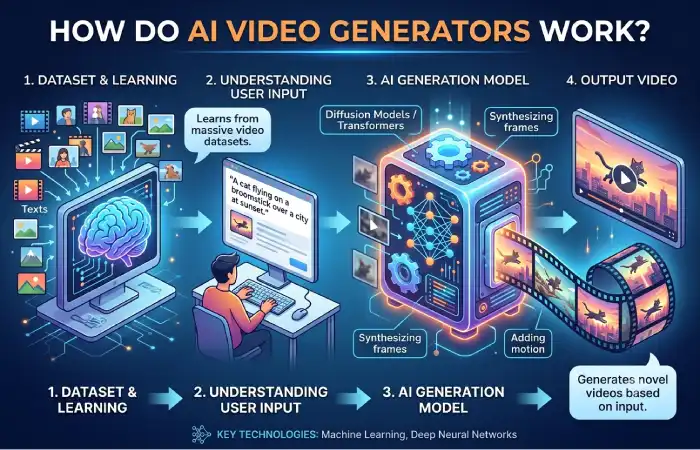
Most generative video systems are trained on large collections of visual information. The model will learn and pick up on all the objects, movement, lighting, composition, depth, and between the frames.
Your directions are used to generate additional video frames by the system based on the patterns it has learned.
More sophisticated models strive to preserve the temporal consistency, i.e. a person, object, background should be somewhat consistent over scene sequence.
This is especially difficult in video generation, because the program has to generate a convincing person image, but also convincing motion over the large number of frames.
Why AI Video Generators Matter
Video can also be used for marketing, education, product demonstration, entertainment, training or social networking. The difficulty is that conventional video production can require considerable time and resources.
AI are going to take away some of that work.
For instance, a small business may produce a basic advertisement film without carrying out a entire video production. A teacher could convert the note of the lesson into images, etc. A content creator could experiment with several concepts before investing time in a finished production.
Faster Content Production
Speed is one of the biggest advantages.
AI is also useful for scene roughs, rough captions, rough voice overs, rough transitions, or even short clips in a matter of minutes. This is extremely helpful when brainstorming and in the early stages of production.
Lower Production Barriers
Some people may not be aware of how to operate professional editing programs.
Prompt-based interfaces allow for non-expert users those with little-to-no editing, animation, or graphic design ability to produce simple video.
Easier Experimentation
AI also makes testing ideas easier.
You can produce multipletakes of a scene with distinct camera angles, graphical style, set backgrounds, etc. and select which one needs to be refined.
AI does not necessarily eliminate traditional production. In many workflows, it simply becomes another creative tool.
Key Types, Methods, and Examples
There are many genres that AI generators of videos fall into. Some of these include;
Text-to-Video Generators
They generate video clips from text prompt‘s.
You describe the at the side, the subject, the environment, the camera movement and the visual style. The model then attempts to generate a matching sequence.
They can be useful for:
- Concept videos
- Creative storytelling
- Advertising ideas
- Background footage
- Short cinematic scenes
Prompt quality often has a major effect on the result.
Image-to-Video Tools
Image-to-video input begins with an image rather than just information about an image.
For example the animator could be automating clouds over a scene, moving the camera around an object or simply adding light motion to a character.
This approach provides more visual control because the starting image establishes the appearance of the scene.
Script-to-Video Platforms
Against history just presented one may say that these are less based on each single generative scenes but rather more on content production in general:
You submit a script, article, or outline, and the software could potentially insert visuals, narration, captions, music, and effects.
Are most often used for educational, reference, and marketing materials.
AI Avatar Video Generators
Avatar tools generate virtual presenters that speak supplied text.
They can be used by all companies for employee/onboarding or internal training, demonstrating products, presenting to different language speakers.
They can reduce the need to repeatedly record a presenter when information changes.
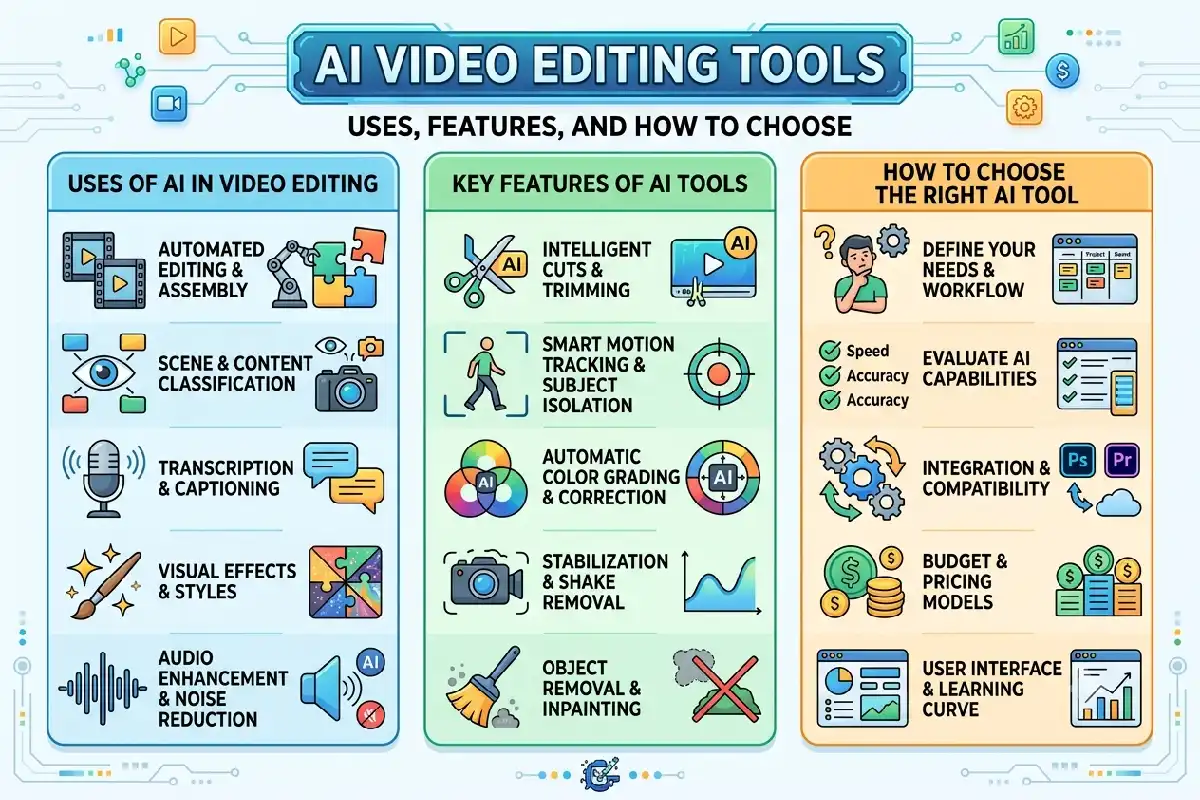
AI Video Editing Tools
Not every AI video tool generates footage from scratch.
Some use AI to simplify editing tasks such as:
- Removing backgrounds
- Creating subtitles
- Cleaning audio
- Detecting highlights
- Reframing footage
- Removing unwanted objects
- Turning long videos into short clips
To the general consumer, these useful editing tools are probably more beneficial than entirely generated film.
How to Use or Apply AI Video Generators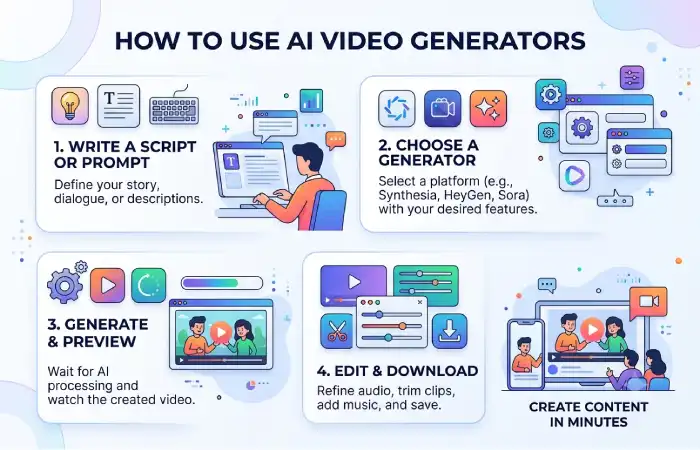
Good results don‘t start when you hit the generate button.
1. Define the Purpose
First make sure you know what you want the video to do.
Is it a piece of advertisement, tutorial, social media note, presentation, product d emo, experimental?
What type of generator do you require? It will depend on what your objective is.
2. Prepare a Clear Prompt or Script
For generative scenes, include useful visual details.
A good prompt can describe the:
Subject + action + location + lighting + camera movement + visual mood
For example:
“A cyclist riding along a quiet mountain road at sunrise, soft morning light, wide cinematic shot, camera slowly following from behind.”
Clear instructions generally provide the model with more direction than broad prompts such as “make a beautiful cycling video.”
3. Generate a Short Test
Avoid producing a large project immediately.
Create a short sample and examine movement, composition, consistency, and overall quality.
Then adjust your instructions.
4. Refine the Video
AI-generated output often benefits from human editing.
You may need to correct timing, replace weak scenes, adjust narration, add branding, improve captions, or combine several generated clips.
5. Export for the Right Platform
Check the aspect ratios and export option that are worth.
The vertical video might be more suitable for short bites of mobile content, whereas the 16:9 ratio works quite well for something like a presentation or typical video-online.
Best Practices and Common Mistakes
The best AI video generator is not necessarily one that offers the most features.
ADM0 Choose according to what you actually produce.
Important features to compare include:
| Feature | Why It Matters |
| Video quality | Determines clarity and visual realism |
| Prompt control | Helps produce more predictable scenes |
| Image-to-video | Provides greater control over starting visuals |
| Character consistency | Important for recurring people or characters |
| Editing tools | Reduces dependence on separate software |
| Resolution | Matters for professional publishing |
| Generation limits | Affects how much content you can produce |
| Commercial-use terms | Important when using videos for business |
Common Mistakes to Avoid
Getting vague prompts: vague prompts administered through the default instructional message can lead to surprising outcomes.
Assuming perfection from the start: spitting out bizarre motion, inconsistent objects, weird text, continuity errors, etc.
Ignoring audio: Good looking visuals cannot sustain a production if the pronunciation or sound quality is poor.
Producing everything with AI: Producing everything with AI: Use previously recorded footage, photography, graphics, and normal editing if it, at times, sounds like it could do a better job.
Ignoring usage rights: Review the platform’s terms before using generated videos commercially. Rules covering generated output, uploaded materials, likenesses, music, and other assets can differ between services.
Skipping human review: Watch the entire video before publishing. Look for visual errors, inaccurate information, unwanted objects, incorrect text, and unnatural movement.
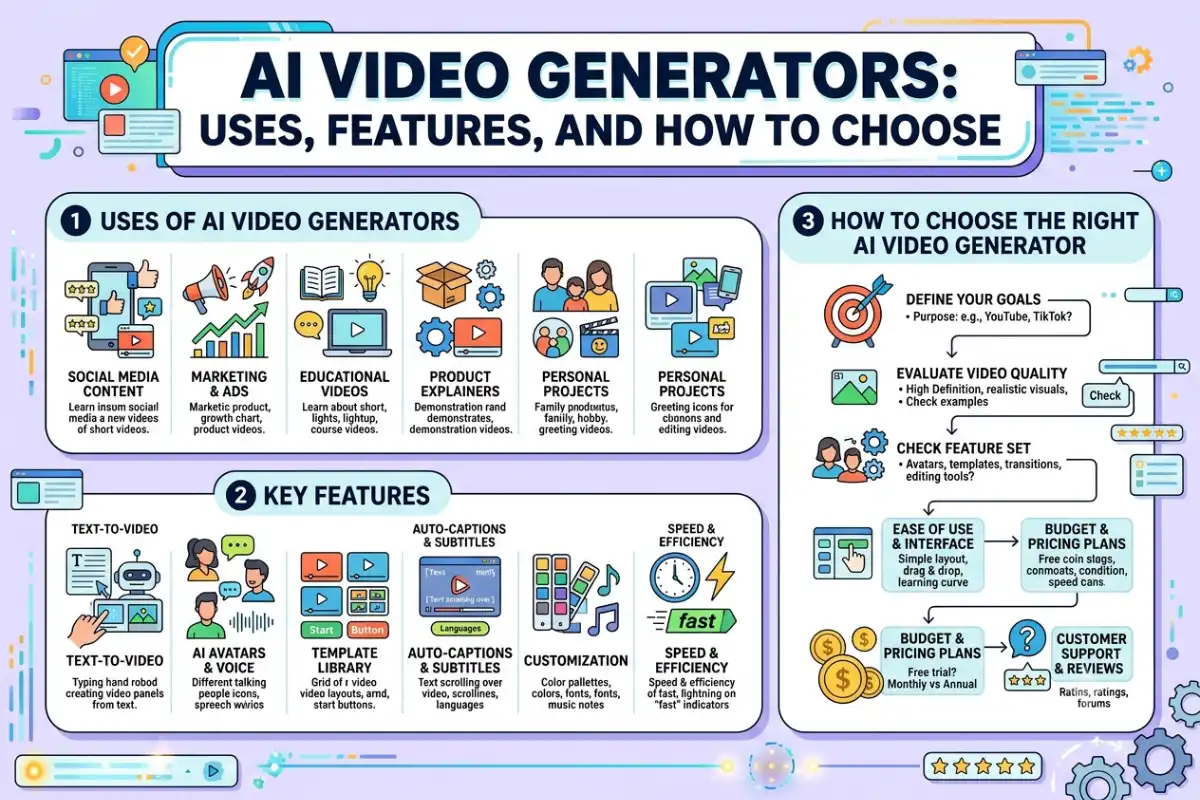
How to Choose the Right AI Video Generator
Start with your actual workflow.
If you want imaginative scenes from descriptions, prioritize text-to-video quality and prompt control. If you already have artwork or product images, strong image-to-video features may matter more.
Businesses creating training material may prefer avatars, templates, narration, and easy script editing. Social media creators may care more about vertical formats, captions, quick editing, and short generation times.
Also consider pricing carefully. Some platforms charge according to credits, generated seconds, resolution, or processing usage. A cheap subscription can become expensive if your projects require repeated generations.
So, the right AI video generator is the one which will offer you the functionalities you are used to using on a regular basis as well as a pricing and quality level that is compatible with your workflow.
Final Thoughts
AI video generators are making the process of creating videos quicker and more user accessible. They are able to convert prompts, video scripts, images, and videos into content without all of the different stages of production having to be done manually.
Their true value lies in directing their use creatively mindfully directing what they do.
Define your objective, select the right kind of instrument, compose specific instructions, try out brief sections, and examine the result thoroughly. Applied as such, AI ceases to act as a substitute for ingenuity and instead becomes the realistic assistant for bringing ideas to completion through video.