
Last Updated: September 28, 2026
How AI Code is Changing the Way Developers Work Many coders don’t have to sit down and crank out code on their own anymore. Somewhat than build things from scratch themselves, programmers can utilize AI coding tools to generate code, clarify out-of-date functions, discover bugs, generate examinations, refactor existing schemes & complete larger programming projects.
The category has also moved beyond basic autocomplete. Modern AI coding tools can work with an entire repository, understand project context, edit several files, execute terminal commands and, in some cases, continue working through a task with relatively little intervention. GitHub Copilot, Cursor, Claude Code, OpenAI Codex and Google’s developer AI offerings are examples of how different approaches are being used across the industry.
But AI does not remove the need for software engineering knowledge. Generated code still needs to be reviewed, tested and secured.
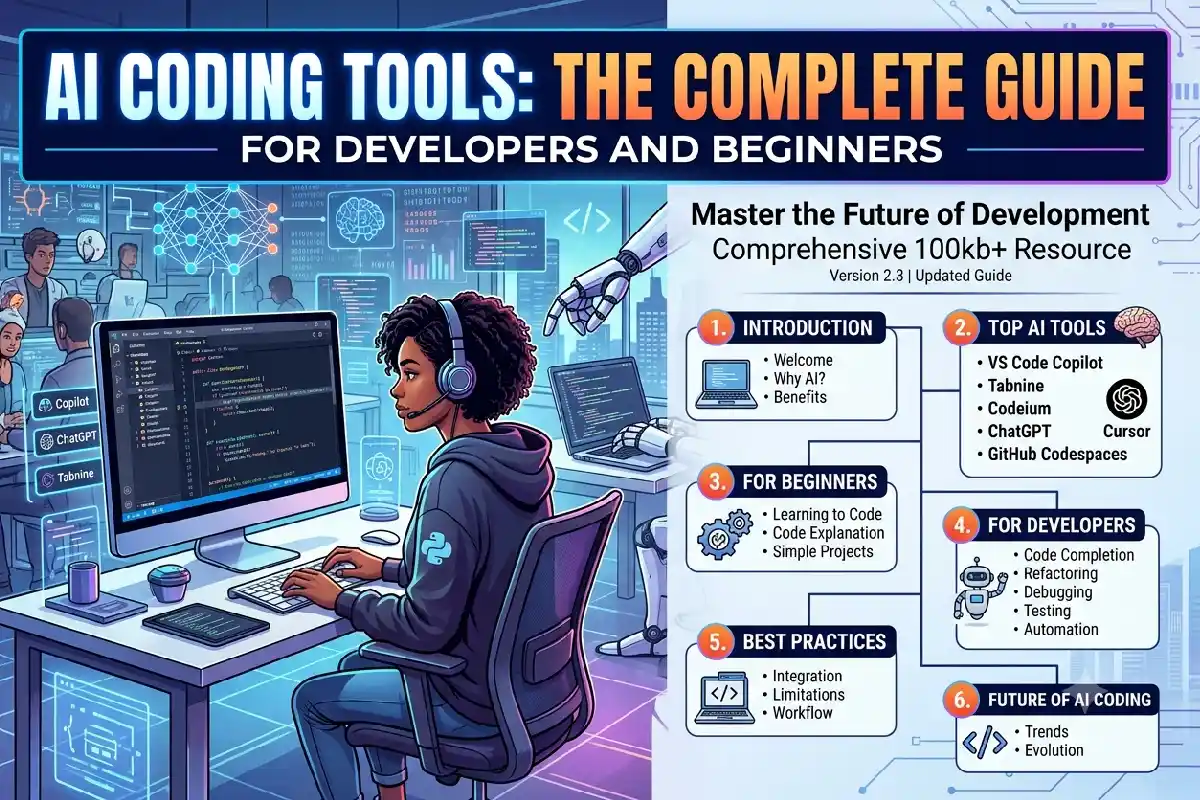
This guide clarifies about what is the AI coding tools are, how they work, what they can do, their advantages and limitations, & how to choose an appropriate tool for your development workflow.
What Are AI Coding Tools?
AI coding tools are applications that use artificial intelligence models to assist with software development tasks.
Depending on the tool, they can provide code suggestions as you type, answer questions about a project, generate functions from natural-language instructions, explain existing code, identify potential problems or make changes across multiple files.
Old-style programming requires a designer to translate an idea into programming language syntax manually. An AI coding assistant can help promise the gap between the developer’s intention and the application.
For example, instead of manually writing a function, a developer might ask:
“Create a Python function that reads a CSV file, removes duplicate rows and returns the cleaned data.”
The AI tool may produce an initial implementation. The developer can then inspect it, test it and modify it according to the project’s requirements.
Modern coding agents can go further. Cursor describes a coding agent as a system that can receive a goal, plan the work, edit files, run commands and check the results.
This means AI coding tools now cover a spectrum ranging from simple assistance to more autonomous development workflows.
How Do AI Coding Tools Work?
Most AI coding tools are powered by large language models trained to process and generate programming-related text.
A simplified workflow looks like this:
Developer instruction → AI model → code generation or action → developer review → testing
However, modern tools may add several layers around the AI model.
These can include:
- Codebase search
- File reading
- Context retrieval
- Terminal access
- Code editing
- Test execution
- Documentation lookup
- Version-control integration
- Browser tools
- Project-specific instructions
- Agent planning
The model provides the reasoning and code-generation capability, while the surrounding software gives it access to information and tools.
For example, Cursor’s documentation describes its agent as combining instructions, tools and a selected model. Its tools can search files, read code, edit files and run shell commands.
This distinction matters because two AI coding products can use similar underlying models but behave very differently depending on their interface, context management, integrations and agent capabilities.
AI Coding Assistants vs Coding Agents
Not every AI coding tool works in the same way.
One useful distinction is between AI coding assistants and coding agents.
AI Coding Assistants
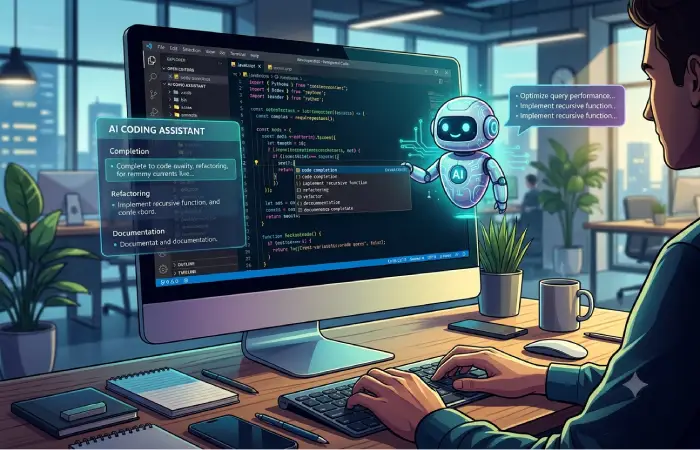
An assistant generally helps while the developer remains closely involved.
Typical features include:
- Autocomplete
- Code generation
- Code explanation
- Documentation assistance
- Refactoring suggestions
- Error explanations
- Chat-based programming help
GitHub Copilot, for example, can explain code, complete code, propose edits and provide agent functionality in supported IDEs.
Coding Agents
A coding agent can take a broader task and perform multiple steps.
Instead of asking:
“How do I write a JavaScript function to validate an email?”
you might give an agent a project-level request such as:
“Add email validation to the registration form, update the relevant tests and run the test suite.”
The agent may inspect the repository, identify relevant files, make changes and run commands.
GitHub documents Copilot agent mode as a workflow in which the agent determines files and steps, makes changes and can run terminal commands.
Cursor similarly describes its Agent as capable of searching a codebase, editing multiple files and running terminal commands.
The important point is that agentic coding increases the scope of the task the AI can handle, but it also increases the importance of reviewing its work.
What Can AI Coding Tools Do?
The exact capabilities differ between products, but modern AI coding tools can assist with many parts of the software-development lifecycle.
1. Generate Code
Code generation is one of the most familiar AI programming use cases.
You can describe the desired behaviour in natural language and ask the tool to create an implementation.
Examples include:
- Python scripts
- JavaScript functions
- React components
- SQL queries
- API endpoints
- HTML and CSS
- Regular expressions
- Unit tests
- Configuration files
Generated code should still be checked against the project’s requirements.
2. Complete Code
Autocomplete tools predict what you are likely to type next.
This can be useful for:
- Repetitive functions
- Boilerplate
- Common syntax
- API calls
- Object properties
- Test structures
The benefit is often speed rather than replacing programming knowledge.
3. Explain Existing Code
AI coding tools can be particularly useful when working with unfamiliar projects.
A developer can ask:
- What does this function do?
- Where is this API called?
- Why is this variable changed here?
- Explain this regular expression.
- What happens when this exception occurs?
- How does this component receive its data?
This can reduce the time needed to understand legacy or unfamiliar code.
4. Debug Errors
AI can help interpret error messages and suggest possible fixes.
For example, you might provide:
- A stack trace
- A failing test
- A compiler error
- A runtime error
- Relevant source code
The AI can then identify possible causes and propose changes.
However, an explanation is not proof that the diagnosis is correct. Developers should reproduce the issue and verify the proposed fix.
5. Write Tests
AI coding tools can generate:
- Unit tests
- Integration tests
- Test cases
- Edge cases
- Test data
- Mock objects
This can be useful when an existing project has incomplete test coverage.
The developer should still check whether the tests actually verify the intended behaviour rather than simply confirming what the generated implementation does.
6. Refactor Code
AI can suggest or perform refactoring such as:
- Splitting large functions
- Renaming variables
- Removing duplicated code
- Converting repeated logic into reusable functions
- Updating older syntax
- Improving code organisation
For large refactors, version control and incremental testing remain important.
7. Generate Documentation
AI can help create:
- README files
- Function documentation
- API explanations
- Code comments
- Setup instructions
- Technical summaries
This is particularly useful when documentation needs to be created from an existing codebase.
8. Work Across Multiple Files
This is where modern coding agents differ substantially from simple autocomplete.
A larger task may involve:
- Finding relevant files
- Understanding how components interact
- Editing several files
- Updating tests
- Running commands
- Reviewing errors
- Making additional changes
Agent-based tools are designed to handle workflows like this.
Popular AI Coding Tools and Their Approaches
There is no single category of AI coding software. Different tools emphasise different workflows.
GitHub Copilot
GitHub Copilot is integrated into the GitHub development ecosystem and supports AI-assisted coding in several development environments.
Its documented capabilities include code completion, explanations, suggested edits and agent mode. It supports IDEs including Visual Studio Code, Visual Studio, JetBrains IDEs, Eclipse and Xcode.
Copilot can therefore fit workflows where developers already use GitHub extensively.
Cursor
Cursor is an AI-focused code editor with agent functionality.
Its Agent can search a codebase, edit files and execute terminal commands. Cursor also provides features for larger projects, cloud agents and multi-agent workflows.
This makes it particularly relevant to developers interested in an AI-first coding environment.
Claude Code
Claude Code represents another agent-oriented approach to programming, allowing developers to work with AI through a development workflow rather than relying only on inline autocomplete.
When evaluating tools in this category, it is useful to look beyond the underlying model and examine how the tool accesses your files, executes commands and handles project context.
OpenAI Codex
An OpenAI Codex is positioned as a coding agent for software-development work.
OpenAI describes Codex as capable of handling tasks such as features, refactoring, migrations and pull requests, with support for parallel and background workflows.
Gemini Code Assist
Gemini Code Assist provides AI-powered development assistance within supported development environments.
Google documents features including code generation, code transformation, completions and smart actions.
The product landscape changes quickly, so current capabilities, availability and pricing should always be checked on the provider’s documentation before choosing a tool.
AI Coding Tools Comparison
Rather than looking for one universally suitable tool, developers should compare tools according to the workflow they need.
| Capability | Basic AI Assistant | AI Coding IDE | Coding Agent |
| Code autocomplete | Yes | Yes | Often |
| Code explanation | Yes | Yes | Yes |
| Generate functions | Yes | Yes | Yes |
| Edit one file | Yes | Yes | Yes |
| Edit multiple files | Limited | Yes | Yes |
| Search project context | Limited | Yes | Yes |
| Run terminal commands | Usually limited | Often | Often |
| Run tests | Limited | Often | Often |
| Complete multi-step tasks | Limited | Yes | Strong focus |
| Developer review | Essential | Essential | Essential |
These categories overlap. A single product may offer several of these capabilities.
The more independence an AI tool has, the more significant it becomes to appraisal changes, understand permissions and verify results.
Benefits of Using AI Coding Tools
Faster Development
AI can reduce time spent on repetitive coding tasks.
Generating boilerplate, creating test structures or explaining an unfamiliar API can take less time when the developer has an AI assistant available.
Lower Friction for Beginners
Beginners can ask questions in natural language rather than immediately searching through multiple technical references.
For example:
“Explain why this Python loop is returning an empty list.”
This can create a conversational learning experience.
However, the learners should avoid blindly copying generated code. Understanding why the solution works is more valuable than simply obtaining an answer.
Easier Codebase Exploration
AI tools can help developers navigate large repositories by explaining files, locating related code and summarising relationships between components.
Support for Legacy Projects
Older projects can contain unfamiliar frameworks, outdated syntax or limited documentation.
An AI tool can help explain existing code before developers make changes.
Assistance With Testing
Generating initial tests can help developers identify edge cases and expand test coverage.
Reduced Repetitive Work
Tasks such as formatting, simple transformations, documentation and boilerplate generation can be delegated to AI assistance.
Limitations of AI Coding Tools
AI coding tools are useful, but they are not infallible software engineers.
Incorrect Code
AI can make code that looks convincing but fixes not work properly.
A response can be syntactically lawful while still containing improper business logic.
Security Problems
Generated code can contain security weaknesses.
Potential issues include:
- Unsafe input handling
- Weak authentication logic
- Incorrect access controls
- Insecure database queries
- Exposed secrets
- Unsafe dependencies
Security-sensitive code requires careful review and appropriate testing.
Hallucinated APIs
An AI model may sometimes suggest a library function, parameter or API that does not exist or behaves differently from the description.
Checking official documentation remains important.
Poor Project Context
An AI instrument can produce a technically sensible solution that fixes not fit the project’s building.
For example, it may introduce a new dependency when the project already has an established internal solution.
Overconfidence
AI-generated explanations can sound certain even when the underlying answer is incomplete.
Developers should treat AI output as a proposed solution rather than automatically verified truth.
Context and Cost Limits
Some AI coding services impose usage limits, model restrictions or pricing based on usage.
Large projects can too create significant setting requirements.
Before adopting a tool for expert work, developers should inspect its current valuing, data rules, supported surroundings and usage limits.
How to Choose the Right AI Coding Tool
The correct choice depends on what you really need from the package.
For Beginners
Look for:
- Clear explanations
- Simple chat interaction
- Good documentation
- Code completion
- Debugging assistance
- Learning-oriented features
A beginner may benefit more from a tool that explains its suggestions than one that simply performs large autonomous tasks.
For Professional Developers
Consider:
- IDE integration
- Repository awareness
- Git integration
- Testing support
- Terminal access
- Agent capabilities
- Model selection
- Privacy controls
- Team administration
For Large Teams
Organisations should additionally examine:
- Data handling
- Access controls
- Enterprise administration
- Compliance requirements
- Auditability
- Integration with existing development systems
- Cost management
- Developer permissions
The inexpensive tool is not necessarily the most suitable, and the tool with the main eye list may not fit every plan.
How to Use AI Coding Tools Effectively
Getting useful results depends heavily on how the developer works with the tool.
Start With a Clear Task
Instead of:
“Fix this.”
provide context:
“The login form submits, but it does not display the error message when the API responds with a 401. Find the component and test file involved, determine what is wrong, make the minimal required change and run the relevant tests.”
A specific request gives the AI clearer constraints.
Provide Project Context
When possible, tell the tool:
- Which files matter
- Which framework is being used
- What behaviour is expected
- What should not be changed
- Which tests should pass
Modern agents can also search repositories themselves, but explicit constraints can reduce unnecessary changes.
Ask for a Plan First
For complicated work, ask the AI to explain its intended approach before making changes.
This allows the developer to catch misunderstandings early.
Make Small Changes
Large autonomous changes can be difficult to review.
For important projects, breaking work into smaller tasks can make testing and code review easier.
Review the Diff
Do not simply accept every generated change.
Review:
- What files changed
- What logic changed
- Whether dependencies were added
- Whether error handling is appropriate
- Whether security assumptions changed
- Whether tests cover the modification
Run Tests
AI-generated cypher should be tested in the similar way as manually printed code.
Where possible:
- Run existing tests.
- Add relevant tests.
- Reproduce the original problem.
- Confirm the fix.
- Check for regressions.
Use Version Control
Git provides an important safety layer when experimenting with AI-generated code.
Commit sensible changes and review diffs before merging them.
AI Coding Tools and Vibe Coding
The phrase “vibe coding” is often used to describe a style of software creation in which a person relies heavily on natural-language instructions and AI-generated code.
It can be useful for:
- Prototypes
- Small websites
- Experiments
- Personal projects
- Proofs of concept
However, production software usually requires more than getting something that appears to work.
Professional development may require:
- Requirements analysis
- Architecture
- Testing
- Security
- Performance optimisation
- Accessibility
- Documentation
- Monitoring
- Code review
- Maintenance
AI can participate in these processes, but it does not eliminate them.
AI Coding Tools for Different Programming Languages
An AI coding tools can support many popular programming languages, including:
- Python
- JavaScript
- TypeScript
- Java
- C#
- C++
- Go
- Rust
- PHP
- Ruby
- Swift
- Kotlin
- SQL
The style of help can fluctuate by language, framework, library and task.
While more popular languages with a rich amount of publicly available code may offer the most relevant context to a model, the developer should still double check the output code matches the version of the language and framework they are working in.
Are AI Coding Tools Replacing Developers?
AI coding tools are changing what developers spend time doing, but the practical impact depends on the type of work.
A developer may spend less time manually writing repetitive code and more time on:
- Requirements
- Architecture
- Reviewing AI output
- Testing
- Debugging
- Security
- Product decisions
- System design
- Integration
The shift is therefore not simply “AI writes code instead of developers”.
A more accurate description is that AI can automate portions of the development process while developers remain responsible for determining what the software should do and verifying that it actually does it correctly.
As coding agents become capable of handling larger tasks, developers also need to become effective at specifying goals, providing context and reviewing changes.
What Should You Never Blindly Trust an AI Coding Tool With?
Extra caution is appropriate when AI-generated output involves:
- Authentication
- Payment processing
- Personal data
- Encryption
- Access control
- Medical software
- Financial systems
- Infrastructure
- Production database changes
- Security-sensitive applications
For these areas, generated code should undergo appropriate human review and testing.
An AI coding tool can assist with implementation, but responsibility for the resulting software still belongs to the development team.
The Future of AI Coding Tools
The direction of AI-assisted programming is moving from simple suggestions towards increasingly capable agents.
Instead of predicting one line of code, tools can now work through multi-step tasks involving project exploration, file editing, command execution and testing.
Cursor’s current documentation, for example, describes agents that can operate across files and tools, while its multi-agent features allow multiple agents to work on separate tasks.
GitHub has also migrated Copilot from an autocomplete tool to agent-based workflows, including sessions that can alter code and execute commands.
This implies that for developers, the most valuable skill becomes not simply being able to crank out syntax at pace, but rather to supervise, critique, and make use of the output of AI.
Tools will continue to evolve so it’s critical for developers to understand transferable skills, such as writing software that works, how to monitor software, how to write and test software, how to understand and write in an effective way, and how to implement security.
Frequently Asked Questions
What are AI coding tools?
AI coding tools are software applications that use artificial intelligence to help with programming tasks. They can generate and complete code, explain existing code, find potential problems, create tests and, in agent-based systems, make changes across a project.
What is the best AI coding tool?
There is no solitary tool that is suitable for every designer or project. The suitable choice depends on factors such as software design language, IDE, repository size, required agent capabilities, privacy requirements, team workflow & budget.
Can beginners use AI coding tools?
Yes. Beginners can use them to explain programming concepts, generate examples and troubleshoot errors. However, beginners should use AI as a learning aid rather than relying on it without understanding the resulting code.
Are AI coding tools free?
Many AI Coding tools provide free access, with some offering free basic use, while others charge a subscription or pay-per-use. Prices and feature restrictions may vary, so verify the pricing page for a specific provider before selecting a particular tool.
Can AI coding tools build an entire application?
Some modern coding agents can work through substantial application-development tasks, including creating and modifying multiple files. However, building a reliable production application still requires requirements, architecture, testing, security review and human oversight.
Can AI coding tools fix bugs?
They can help diagnose and fix many types of programming errors. The developer should reproduce the issue, review the proposed change and run appropriate tests to verify the result.
Are AI coding tools safe?
Safety is tool, configuration, project and usage depending. Developers should review for the generated code, should not expose the Sensitivity data that try to cache inside of the project and can use the known security practices.
Do AI coding tools replace programmers?
AI coding tools automate some, but not all, aspects of programming. Programmers still have to specify requirements, review what’s been implemented, test the software, and make architectural and security decisions.
Final Thoughts
AI coding tools have expanded from autocomplete-like features into development assistants and coding agents. They assist developers in generating code, reverse engineering projects, fixing errors, writing tests, refactoring existing code, and completing complex tasks.
The greatest immediate benefit is not even that AI can write every line of software code. It is that developers can offload mundane, monotonous sections of the process while focusing on requirements, architecture, testing and evaluation.
Beginners can use the AI coding tools as a friendly way to ask coding questions and play with code. More experienced coders can save time on repetitive work and get help on more challenging coding projects.
The critical difference is between speeding up software development with AI and allowing outputs to be unpoliced. Generated code still has to be judged, tested and put through security review by humans.
As AI coding tools keep advancing, knowing how to generate prompts, give valuable context, review their updates, and plug them into a dependable engineering process will become an ever more important skill to have in your coding toolkit.