
Last Updated: September 28, 2026
Satellite Internet Starlink has changed the game of what subscribers can expect from a web connection in not-so-easy-to-reach and rural parts of the country. Instead of accessing broadband over underground fiber backbones, cable lines, or neighboring cell towers, Starlink provides the same information at a faster speed via an extensive constellation of satellites in Earth‘s orbit.
Satellite Internet Operators like Hughes Net may be an option if fiber or cable internet services are not available in your community. Satellite Internet can be used for streaming, working remotely, video calling, and remaining connected. In fact Starlink‘s low-earth orbit satellite network will have much lower latency than traditional Satellite Internet providers.
This guide is about understanding how Starlink works, its speeds and latency, hardware needed for it, cost, and compares it with the rest of the standard satellite providers.
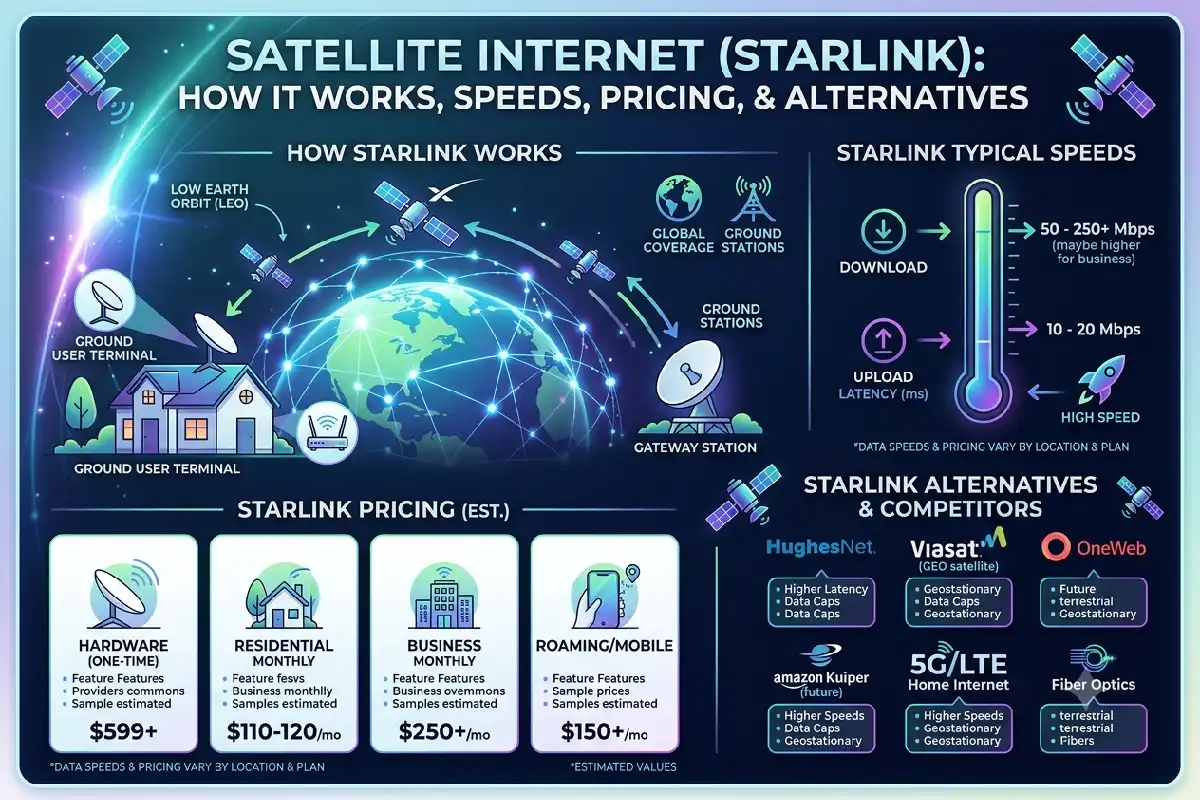
How Starlink Satellite Internet Works
Starlink is a satellite broadband service run by Elon Musk‘s SpaceX. Unlike most other satellite networks, Starlink‘s system employs thousands of low earth orbiting (LEO) satellites instead of a handful in much higher orbit.
Your internet connection generally follows this path:
Device → Wi-Fi router → Starlink dish → satellite network → ground/internet infrastructure → website or online service
Inside the Starlink dish, reflecting the user terminal, it links to the satellites above. Because the satellites are orbit at a much lower altitude, the latency is lower because the data doesn ‚t have to travel as long as regular geostationary satellites.
However, the shorter the distance when traveling is one of the best advantage of Starlink to access lower latency.
Starlink states that its service is accessible in over 160 countries, territories, and other areas, which the provider says “may experience varying levels of availability, pricing, and performance.
The sky must be visible, and there must be nothing obstructing the signal. If there are trees, mountains, buildings or objects blocking the view, you will not be able to get satellite signals.
Starlink Speeds and Latency
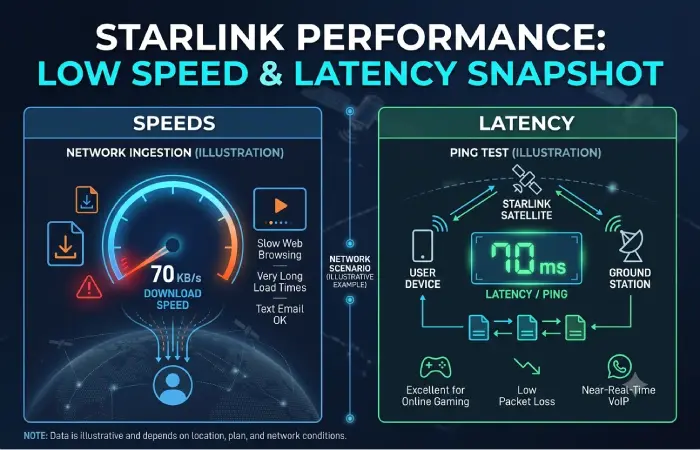
How your internet performs, varies widely according to where you are located, what package you have, how busy the network is, what equipment you are using and what conditions you are in.
Starlink’s current Residential offerings vary by market. Can be found in its support documentation for Residential Lite is ~80–200 Mbps, with higher Residential levels capable of delivering 400+ Mbps in markets that offer such plans. The current residential plans offer Upload speeds of up to ~15–40 Mbps, depending on the particular plan.
Starlink V5 Equipment promises speeds of 375+ Mbps in some areas with the newer V5 hardware.
Latency is another important advantage. Starlink has historically documented land-based latency around 25–60 milliseconds, although actual latency varies by location and network conditions.
Lower latency makes activities such as these more practical:
- Video conferencing
- Cloud applications
- Online gaming
- Remote working
- Web browsing
- HD and 4K streaming
But these speeds are not guaranteed. Conditions such as congestion, obstacles, harsh weather conditions, network priority, location etc can also influence real-world performance.
Starlink Hardware and Setup
Starlink requires dedicated hardware to communicate with its satellite network.
A Standard Starlink kit includes the Starlink antenna, kickstand, Wi-Fi router, Starlink cable, AC cable, and power supply. Current Standard hardware uses Wi-Fi 6, while exact equipment can vary by market and generation.
It is not too difficult to install
First, pick an outdoor location with a clear, wide view of the sky. The Starlink application may be used to locate obstructions.
Place or permanently mount the antenna, connect it to the supplied equipment, power the system, and configure your Wi-Fi network.
The dish then establishes communication with the satellite network.
For temporary installations, the supplied stand may be sufficient. Permanent home installations may benefit from roof, wall, pole, or other compatible mounting hardware.
Power consumption is also worth considering in remote or off-grid locations. One Standard hardware specification lists average consumption around 75–100 watts.
How Much Does Starlink Cost?
Pricing for Starlink is location dependent meaning there is not a standard global price.
Starlink, for instance, is listed as offering Residential plans in the U.S. at prices of $55/month for 100 Mbps, around $85/month for 200 Mbps, and around $130/month for Residential Max in existing listings.
Hardware costs can also vary. In some locations Starlink offers hardware promotions or even no upfront hardware cost under certain conditions.
Because prices change by region and promotion, users should enter their service address on the official Starlink website before making a decision. Starlink itself recommends checking an address to see the applicable kit and monthly service prices.
Starlink vs Traditional Satellite ISPs
Traditional satellite providers such as Hughesnet and Viasat remain alternatives, particularly in rural parts of the United States.
The major technological difference is orbit.
Conventional satellite systems have typically used geostationary satellites at significantly higher altitudes. The longer signal journey creates higher latency. Hughesnet explains that the satellite round trip adds roughly half a second of delay on its traditional satellite connection.
Starlink’s LEO network reduces that distance significantly, helping it deliver lower latency.
Speed offerings also differ. Hughesnet plans are now advertised at up to 100 Mbps and Viasat offers speeds from 25 to 150 Mbps in some markets.
Starlink residential offerings can reach considerably higher maximum speeds in supported locations, although performance isn’t guaranteed.
Traditional providers still have advantages in certain circumstances. For example, professional installation may be included, and availability or pricing may be more suitable for a particular address.
Therefore, comparing actual plans at your location is more useful than comparing advertised maximum speeds alone.
Best Use Cases for Satellite Internet
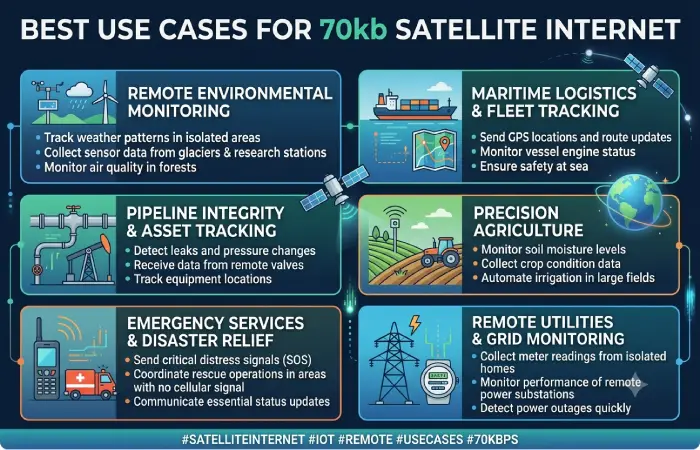
In areas where wired broadband is unable to reach satellite internet appears to be the most logical choice.
Rural property: Farms, villages, and homes not on a cable or fiber network can access broadband while they await fiber and cable to the front door.
Remote workers: Satellite with lower latency can be used for email, cloud software, video conferencing, and other routine remote working.
Remote businesses: Construction sites, farms, remote field offices, and other very distant businesses may require satellite connectivity in the absence of terrestrial infrastructure.
Traveling and on the move: Premium services by the name Roam are made available by Starlink for RV travellers, campers and travelers and the workforce on the move depending on the plans and regional limitations.
Redundant internet: In some cases, satellite is used as an alternative backup Internet connection in case the terrestrial network of the company or home fails.
Satellite is less attractive if good, cheap, broadband fiber is in place (which usually provides more stable service, very low latency and considerably faster upload speeds).
Limitations of Starlink Satellite Internet
Starlink has improved satellite broadband considerably, but there are still limitations.
The dish requires a sufficiently clear view of the sky. Trees and structures can cause interruptions. Heavy weather can sometimes affect performance, and speeds can fall during congested periods.
Equipment also needs electricity, so an extended power outage can take the connection offline unless backup power is available.
Pricing and service availability are another consideration. Plans, hardware offers, speeds, and promotions differ substantially between countries and even between addresses within the same country.
For these reasons, users should check availability and current pricing before purchasing.
Final Thoughts
Satellite Internet Starlink is the vital option available for peoplewho cannot access reliable fiber, cable or other terrestrial broadband.
With low‐Earth‐orbit satellite design, its aiming for lower latency and faster than many traditional satellite solutions. Its present day residential services are capable to handle the daily life needs, such as, streaming, video conference, working from home and a gaming, however, it all depends on local infrastructural and condition.
Starlink is especially appealing for rural households, farms, remote businesses, travelers and areas where cable or other wired broadband infrastructure is less feasible or desirable. Though, where good FTTH is in place with good pricing, fiber will generally be a more advantageous choice.
First of all compare present Starlink, Hughesnet, Viasat, fixed wireless, 5G home Internet, and your local fiber regardless of who your satellite ISP provider is at your precise address.