
Last Updated: September 21, 2026
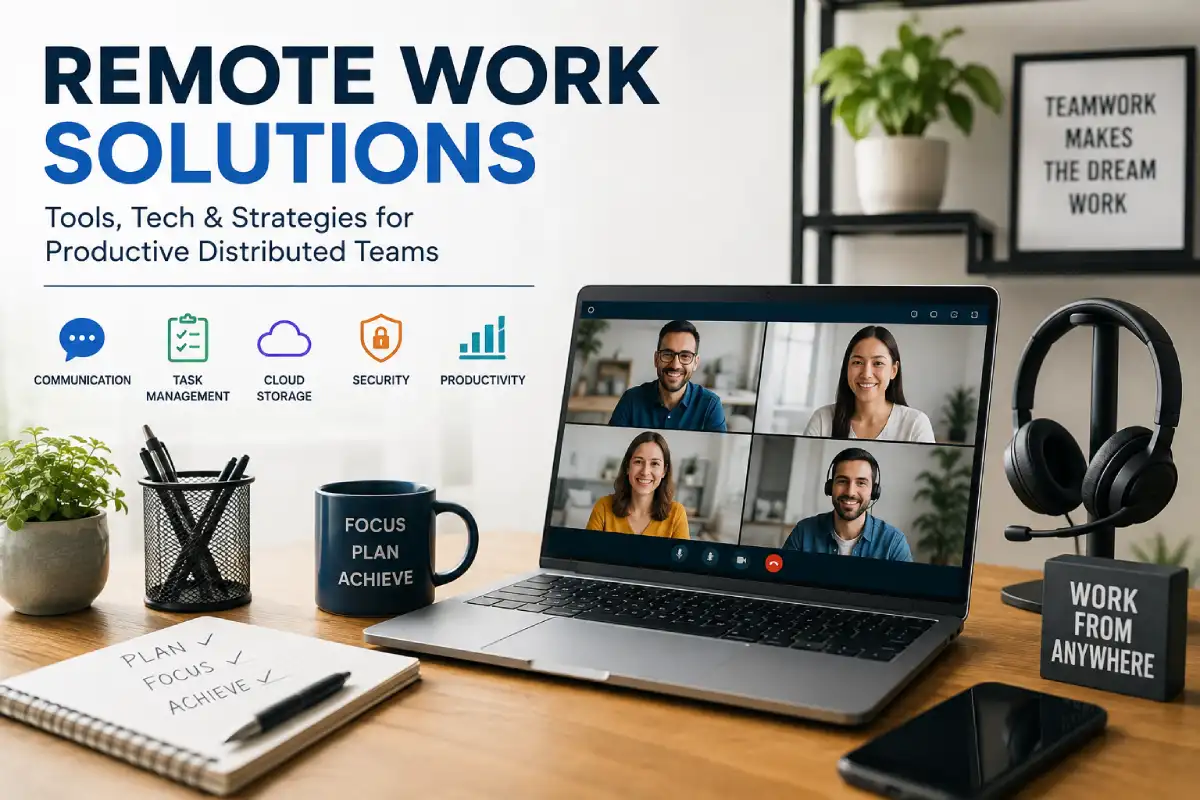
Remote Work Solutions are no longer limited to video calls and cloud storage. In 2026, a successful remote-work environment combines collaboration software, communication systems, project management, secure access, reliable hardware, productivity workflows, and management practices that allow people to work effectively from different locations.
The shift toward distributed work has also changed what businesses expect from their technology. Instead of simply replicating an office online, companies increasingly need systems that make work visible, searchable, secure, and accessible across time zones.
That distinction matters. Buying more applications does not automatically create a better remote workplace. A well-designed remote work solution connects the right tools with clear processes, ownership, documentation, and measurable outcomes.
Current workplace data supports the continued importance of these systems. Gallup’s May 2026 data shows that among U.S. employees whose jobs can be performed remotely, 52% work in a hybrid arrangement, 26% work exclusively remotely, and 22% work on-site.
This guide explains how to build a practical remote-work environment in 2026, from remote work setup essentials and remote work software solutions to communication, security, management, productivity, and troubleshooting.
Table Of Content:
“Explore comprehensive guides on this topic:
Remote Team Collaboration Tools
Video Conferencing Solutions
Remote Work Security Solutions
Home Office Setup for Remote Work
Time Tracking and Productivity for Remote Teams
Remote Work Culture and Employee Engagement
What Are Remote Work Solutions?
Remote work solutions are the combination of technology, hardware, software, policies, and workflows that allow employees to perform their jobs effectively outside a traditional office.
A complete solution usually includes several layers:
| Layer | Purpose | Examples |
| Communication | Keep people connected | Slack, Microsoft Teams, Zoom |
| Project management | Organize work and deadlines | Asana, monday.com, ClickUp |
| Documentation | Preserve organizational knowledge | Notion, Google Workspace, Microsoft 365 |
| File management | Store and share documents | Google Drive, OneDrive, Dropbox |
| Security | Protect accounts and company data | MFA, password managers, VPN, endpoint security |
| Hardware | Support reliable daily work | Laptop, monitor, webcam, headset |
| Productivity | Reduce distractions and repetitive work | Calendar blocking, automation, focus tools |
| Management | Coordinate people and performance | Goals, dashboards, check-ins, feedback |
| HR/workforce | Support distributed employees | Payroll, onboarding, time zones, benefits |
This is why a remote work solution should not be confused with a single application.
A company could have the best video-conferencing platform available and still struggle with remote work if employees do not know where project decisions are recorded, who owns tasks, or how urgent issues should be escalated.
Why Remote Work Solutions Matter in 2026
Remote and hybrid work have moved beyond being temporary workplace arrangements. They are now established operating models for many remote-capable roles.
Gallup’s latest indicator shows that the distribution of remote-capable U.S. workers has remained remarkably stable: 52% hybrid, 26% exclusively remote and 22% on-site in May 2026.
Remote-capable work distribution in 2026
| Work arrangement | Share of remote-capable U.S. employees |
| Hybrid | 52% |
| Fully remote | 26% |
| Fully on-site | 22% |
Simple 2026 comparison
Hybrid ██████████████████████████ 52%
Remote █████████████ 26%
On-site ███████████ 22%
The important lesson is that businesses should not design remote technology around meetings alone.
Gallup’s 2026 research identifies collaboration complexity, cultural disconnection, trust gaps, burnout and performance visibility as important challenges for distributed teams.
Research from the London School of Economics also found that businesses investing in training and formal management practices to support remote work reported stronger productivity outcomes.
In other words, technology works best when it is supported by management discipline.
The Core Components of a Modern Remote Work Solution
A reliable remote environment can be organized into six major systems:
- Communication
- Work management
- Knowledge and documentation
- Security and access
- Hardware and workspace
- People and productivity management
These systems should work together rather than operate as isolated applications.
For example, a project discussion might happen in Slack or Teams, the decision should be documented in Notion or a shared document, the resulting task should be created in Asana or ClickUp, and the relevant file should live in a controlled cloud-storage system.
That workflow creates an audit trail.
Without it, important information disappears into private messages, meetings, email threads, and individual computers.
Best Remote Work Tools
The best remote work tools depend on the size and working style of your organization. There is no universally superior stack.
A small creative team may need Slack, Google Workspace and Trello. A larger enterprise may require Microsoft 365, Teams, a dedicated project-management platform, identity management and endpoint security.
The following comparison focuses on common categories rather than treating every application as a direct competitor.
| Tool/platform | Best for | Major strength | Potential limitation |
| Google Workspace | Small and medium teams | Documents, email, calendar and cloud collaboration | Advanced enterprise administration may require additional systems |
| Microsoft Teams | Microsoft-centric organizations | Meetings, chat and Microsoft 365 integration | Can feel complex for smaller teams |
| Slack | Fast team communication | Channels, integrations and asynchronous conversations | Can create notification overload |
| Asana | Structured project management | Tasks, projects, workflows and visibility | More functionality than simple teams may need |
| monday.com | Custom workflows | Flexible boards and automation | Configuration can become complex |
| ClickUp | All-in-one work management | Tasks, docs, dashboards and multiple views | Learning curve |
| Notion | Documentation and knowledge | Flexible wikis and project spaces | Requires good information architecture |
| Zoom | Video meetings | Meetings, webinars and presentations | Usually needs complementary work-management tools |
| Miro | Visual collaboration | Whiteboards and brainstorming | Less suitable as the central task-management system |
| Trello | Simple task tracking | Easy Kanban workflow | Less suitable for complex project portfolios |
Current 2026 comparisons from TechRepublic similarly emphasize Google Workspace, Slack, Microsoft Teams, Asana, monday.com, ClickUp, Notion, Zoom and Miro according to different use cases.
The better question is therefore not “Which tool is best?”
It is:
“Which tool solves the specific bottleneck in our workflow without creating another silo?”
Remote Work Software Solutions
Communication and Messaging
Communication software is the foundation of distributed work.
Slack and Microsoft Teams are widely used for persistent team communication, while Zoom and similar platforms are typically used for scheduled or spontaneous video conversations.
A good communication system should define:
- Which channel employees use for urgent issues
- Which communication belongs in project channels
- When to use direct messages
- When a meeting is necessary
- Where decisions are documented
- Expected response times
- How asynchronous communication works across time zones
The objective is not maximum communication.
It is predictable communication.
A remote employee should not have to constantly monitor five applications because nobody has established where information belongs.
Project and Task Management
Project-management software provides the visibility that physical offices naturally create through proximity.
A useful platform should answer:
- What needs to be done?
- Who owns it?
- When is it due?
- What is blocking it?
- What is its current status?
- Where is the supporting information?
Asana, monday.com, ClickUp and Trello all address these needs with different levels of complexity.
For beginners, a simple workflow is often enough:
Backlog → To Do → In Progress → Review → Done
As the team grows, you can add dependencies, milestones, automations, dashboards, workload management and reporting.
Documentation and Knowledge Management
Documentation becomes more important as teams become more distributed.
In a physical office, employees can sometimes ask a colleague sitting nearby. In a remote environment, that same question may interrupt a meeting, generate a direct message, or create another email thread.
A searchable knowledge base reduces these interruptions.
Document:
- Standard operating procedures
- Product information
- Customer-service procedures
- Meeting decisions
- Onboarding instructions
- Brand guidelines
- Frequently asked questions
- Technical processes
- Company policies
Notion, Google Workspace and Microsoft 365 can all support this layer.
The important factor is not the brand.
It is whether employees can find the answer without asking another employee.
Remote Work Setup Essentials
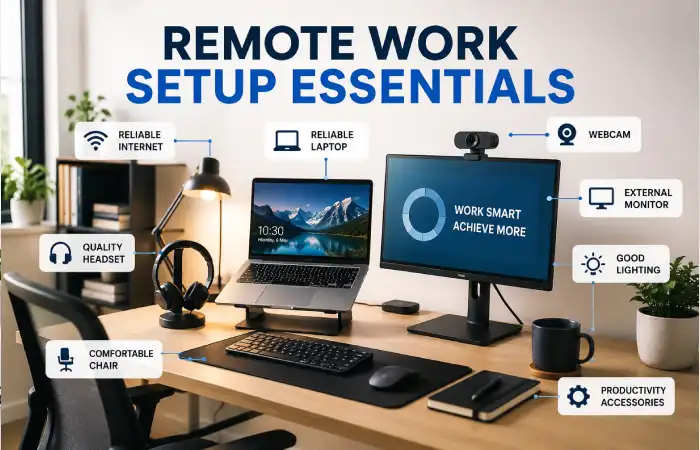
Software cannot compensate for poor physical infrastructure.
A practical home-office setup should prioritize reliability and ergonomics rather than expensive accessories.
Essential hardware
| Equipment | Priority | Why it matters |
| Reliable laptop/desktop | Essential | Core computing device |
| Stable broadband | Essential | Enables cloud applications and meetings |
| Backup internet | Highly recommended | Prevents complete downtime |
| External monitor | Recommended | Improves multitasking and workspace |
| Webcam | Recommended | Better video quality |
| Headset/microphone | Recommended | Clear communication and noise control |
| Keyboard and mouse | Optional but useful | Better long-session comfort |
| Desk/chair | Essential for regular WFH | Supports sustainable work posture |
| UPS/power backup | Useful in unreliable power areas | Protects continuity |
| External storage/backup | Useful | Additional protection for local data |
A simple remote setup might therefore look like:
Laptop + external monitor + headset + webcam + stable internet + backup connection + secure cloud storage
A more advanced professional setup can add:
Docking station + dual monitors + ergonomic chair + dedicated microphone + lighting + UPS + managed endpoint security
Hardware should match the job
A content writer does not necessarily need the same setup as a video editor.
A software developer may prioritize RAM, CPU performance and multiple displays.
A customer-service representative may prioritize headset quality and stable connectivity.
A video creator may need a high-performance computer, color-accurate monitor and high-capacity storage.
Avoid buying equipment simply because it appears in a “dream home office” video.
Buy according to workflow requirements.
How to Build a Remote Work Setup on a Budget
A good remote setup does not require thousands of dollars.
Start with the equipment that prevents downtime.
Budget setup
- Existing laptop
- Reliable Wi-Fi
- Basic headset
- Comfortable chair
- Existing desk
- Cloud storage
- Free or low-cost collaboration software
Mid-range setup
- Better laptop
- External monitor
- Quality headset
- Webcam
- UPS or power backup
- Ergonomic accessories
- Paid collaboration software
Professional setup
- High-performance computer
- Dual monitors
- Docking station
- Dedicated microphone
- Professional webcam
- Backup internet
- UPS
- Enterprise security controls
- Managed device environment
The correct approach is to upgrade the weakest link first.
If your internet connection regularly drops, buying a premium webcam will not solve the underlying problem.
Remote Team Management Tools
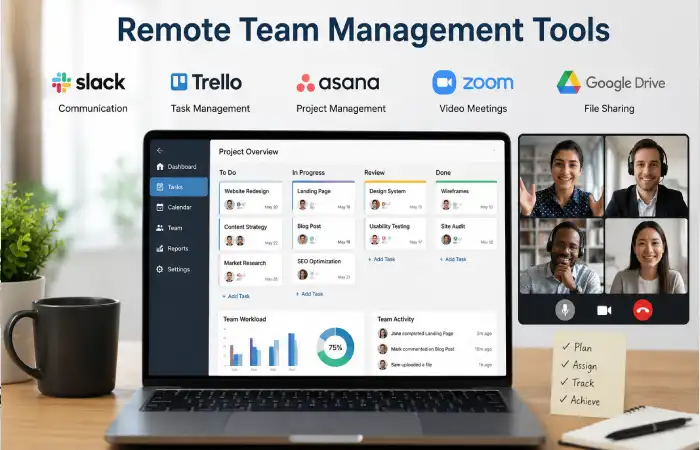
Managing remote employees requires more than monitoring whether someone is online.
Modern remote management should focus on outcomes, ownership, communication and accountability.
Popular categories include:
- Project-management platforms
- Goal-setting systems
- Time-tracking software
- Employee communication tools
- HR platforms
- Knowledge bases
- Performance-management systems
- Workforce analytics
Shopify’s 2026 guidance similarly identifies project management, customer support and time tracking as major categories for remote team management.
Avoid excessive employee surveillance
Productivity monitoring can provide useful operational information, but excessive surveillance can damage trust.
A stronger model is:
Define outcome → assign owner → establish deadline → provide resources → review result
rather than:
Monitor activity → count keystrokes → measure screen time → assume productivity
Remote work is especially vulnerable to “presence bias,” where managers mistake visible activity for productive work.
Gallup 2026 research highlights trust gaps and performance visibility as structural risks for distributed organizations.
Work From Home Productivity Solutions
Productivity problems are not always caused by employees lacking motivation.
They are often caused by fragmented systems.
A worker can lose substantial time switching between messaging applications, email, project boards, documents and meetings.
The solution is to reduce unnecessary context switching.
Use a single source of truth
Each category of information should have a primary home.
For example:
| Information | Primary location |
| Team conversation | Slack/Teams |
| Project tasks | Asana/ClickUp/monday.com |
| Company documents | Google Drive/OneDrive |
| Procedures | Notion/SharePoint |
| Meetings | Calendar |
| Decisions | Project documentation |
| Passwords | Password manager |
| Employee records | HR platform |
This prevents the “Where did you put that?” problem.
Use asynchronous communication
Not every question requires a meeting.
Instead of:
“Can we have a quick call?”
Try:
“Here is the problem, what I have tried, the decision required and the deadline.”
This gives the recipient enough context to respond without another meeting.
Establish focus periods
Remote employees often face constant notifications.
Create defined periods for:
- Deep work
- Meetings
- Administrative tasks
- Communication
- Planning
Calendar blocking is a simple productivity solution that requires no expensive software.
Microsoft also recommends designing the home environment and organizing tasks to reduce distractions when working from home.
A Practical Remote Work Technology Stack
A balanced stack for a small business might look like this:
| Need | Example solution |
| Google Workspace or Microsoft 365 | |
| Team communication | Slack or Teams |
| Video | Zoom or Teams |
| Project management | Asana, Trello or ClickUp |
| Documentation | Notion or Google Docs |
| Storage | Google Drive or OneDrive |
| Passwords | Business password manager |
| Security | MFA + endpoint protection |
| Meetings | Shared calendar |
| Automation | Native workflows/integrations |
A larger company may need additional layers for:
- Identity and access management
- Single sign-on
- Device management
- Data-loss prevention
- Compliance
- Audit logs
- Global payroll
- Employee onboarding
- Endpoint detection and response
- Backup and disaster recovery
This is why there is no single “best remote work software solution.”
The best stack is the one that fits the organization’s complexity.
How to Choose the Best Remote Work Tools
Before purchasing a tool, evaluate it against your existing workflow.
Start with the problem
Do not begin with:
“What is the newest AI productivity application?”
Begin with:
“What is currently slowing our team down?”
If tasks are being forgotten, investigate project management.
If decisions disappear in chats, improve documentation.
Then meetings consume too much time, introduce asynchronous workflows.
If employees cannot access files securely, improve identity and cloud-storage controls.
If onboarding takes weeks, build a structured knowledge base.
Evaluate integrations
Remote work tools rarely operate alone.
Check whether your shortlisted platform integrates with:
- Calendar
- Cloud storage
- HR systems
- CRM
- Accounting
- Customer support
- Development tools
- Automation platforms
HireBasis notes that modern remote stacks increasingly need to address communication, project work, organizational knowledge, automation, security and global workforce management.
Evaluate adoption
A theoretically powerful platform is useless if employees avoid it.
Score each candidate on:
| Criterion | Suggested importance |
| Ease of adoption | 20% |
| Core functionality | 20% |
| Integrations | 15% |
| Security | 15% |
| Scalability | 10% |
| Reporting | 10% |
| Cost | 10% |
For smaller teams, increase the weighting for simplicity.
For enterprises, increase the weighting for security, administration and scalability.
Remote Work Solutions for Small Businesses
Small companies should avoid building a complicated technology stack too early.
A five-person company probably does not need fifteen specialized applications.
A lean stack might include:
Google Workspace + Slack/Teams + Trello/Asana + cloud storage + password manager
The goal should be fewer tools with clearer rules.
For example:
- Email = external communication
- Slack = internal conversation
- Project tool = tasks
- Drive = files
- Knowledge base = procedures
That simple architecture can eliminate significant confusion.
Remote Work Solutions for Growing Teams
As a company moves from 10 to 50 or 100 employees, informal systems begin to break.
You need:
- Standardized onboarding
- Defined communication channels
- Project ownership
- Central documentation
- Access management
- Employee directories
- Security policies
- Formal meeting structures
- Performance expectations
At this stage, integrations become more important.
The goal is to prevent every department from creating its own independent technology ecosystem.
Remote Work Solutions for Enterprise Teams
Large organizations have different requirements.
An enterprise remote-work architecture may involve:
Identity → Device → Applications → Data → Monitoring → Governance
Identity systems determine who can access resources.
Device-management systems control company hardware.
Application controls determine what employees can use.
Data policies protect sensitive information.
Monitoring and audit systems provide visibility.
Governance establishes the rules.
Security should therefore be built into the remote-work architecture rather than added after deployment.
Remote Work Security Essentials
Security becomes more complicated when employees work from homes, cafés, coworking spaces and different countries.
At minimum, organizations should implement:
Multi-factor authentication
Passwords alone are insufficient for business-critical systems.
Require MFA for:
- Cloud storage
- Project management
- HR systems
- Financial systems
- Administrative accounts
Strong password management
Employees should not reuse business passwords across applications.
A business password manager can centralize credential management while allowing organizations to control access.
Device security
Company devices should use:
- Automatic updates
- Screen locks
- Disk encryption
- Endpoint protection
- Restricted administrator privileges
- Remote management where appropriate
Secure Wi-Fi
Employees should use secured networks and avoid accessing sensitive systems through untrusted public connections.
Phishing awareness
Remote employees should be trained to recognize:
Fake login pages
Urgent payment requests
Impersonation
Suspicious file-sharing invitations
Fake IT-support messages
Credential-reset scams
Remote work expands the number of locations from which business information can be accessed, so security processes need to scale with that flexibility.
Remote Work and Cybersecurity in 2026
Cybersecurity remains a major consideration for distributed organizations.
The 2026 RSA Conference cybersecurity outlook specifically highlights remote-work security and identity verification as areas of renewed concern, including risks associated with fraudulent remote-worker identities.
This makes identity security particularly important for companies hiring internationally.
A secure remote environment should therefore verify:
Who is the employee?
What device are they using?
What are they authorized to access?
Is the activity consistent with their role?
What happens when employment ends?
That final question is often overlooked.
Offboarding should immediately remove access to company accounts, devices, applications and shared resources.
Remote Work and AI in 2026
AI is increasingly becoming part of remote-work software rather than a separate productivity category.
Useful applications include:
- Meeting summaries
- Action-item extraction
- Document drafting
- Search across company knowledge
- Task creation
- Workflow automation
- Customer-service assistance
- Data analysis
- Content generation
The best use of AI is to eliminate repetitive coordination work.
For example, after a project meeting, an AI-enabled workflow could:
Summarize discussion → identify decisions → create tasks → assign owners → update documentation
That is more valuable than simply generating another generic summary.
However, businesses should establish rules for confidential information before employees paste company data into AI systems.
Remote Work Meetings: Less Is Usually Better
Meetings are useful when they solve problems that asynchronous communication cannot.
Good reasons for a meeting include:
- Complex decision-making
- Sensitive conversations
- Brainstorming
- Negotiation
- Team relationship building
- Immediate incident response
Poor reasons include:
- Reading status updates aloud
- Sharing information that could be documented
- Asking questions that require one short response
- Repeating information already available in the project system
A simple rule works well:
If the purpose can be completed clearly in writing, do not schedule a meeting.
How to Manage Remote Teams Across Time Zones
Time zones are one of the biggest operational differences between local and distributed teams.
Create a team-wide agreement covering:
- Core collaboration hours
- Individual working hours
- Response expectations
- Meeting windows
- Emergency procedures
- Holiday calendars
- Handoff responsibilities
For example:
Core collaboration window: 10:00–14:00 UTC
Outside that window, employees can work asynchronously unless a matter is urgent.
This gives people predictable overlap without forcing everyone into identical schedules.
A 30-Day Remote Work Implementation Plan
You do not need to rebuild your entire remote-work environment in one week.
Week One: Audit
List every tool currently being used.
Identify:
- Duplicate applications
- Unused subscriptions
- Information silos
- Security gaps
- Communication problems
- Repeated manual processes
Week Two: Standardize
Choose one primary tool for each major function.
Create rules for:
- Communication
- Project management
- File storage
- Documentation
- Meetings
- Security
Week Three: Document
Create a remote-work handbook covering:
- Communication norms
- Meeting expectations
- Security
- Working hours
- Time zones
- File organization
- Escalation procedures
- Onboarding
Week Four: Measure
Track:
- Project completion
- Missed deadlines
- Meeting hours
- Response times
- Tool adoption
- Employee feedback
- Security incidents
- Support requests
Then adjust the system based on evidence.
Remote Work Solutions: Comparison by Team Size
| Team size | Recommended approach | Priority |
| 1–10 | Lean cloud stack | Simplicity |
| 11–50 | Integrated collaboration stack | Standardization |
| 51–250 | Structured distributed-work platform | Governance |
| 251–1,000 | Enterprise collaboration + identity | Security and scalability |
| 1,000+ | Integrated enterprise architecture | Governance, compliance and automation |
This is a framework rather than a rigid rule.
A highly regulated 20-person company may require more controls than a 200-person creative agency.
Common Remote Work Problems and How to Fix Them
Problem: Too many communication channels
Symptom: Employees do not know where information belongs.
Solution: Assign a specific purpose to every communication channel and remove redundant ones.
Problem: Meetings are taking over the workday
Symptom: Employees attend meetings all day but struggle to complete focused work.
Solution: Establish meeting-free blocks and move routine status reporting to asynchronous updates.
Problem: Employees cannot find information
Symptom: The same questions are repeatedly asked.
Solution: Build a searchable knowledge base and link documentation from project workflows.
Problem: Tasks are being forgotten
Symptom: Work is assigned through messages but never appears in a project tracker.
Solution: Require every actionable task to have an owner and a location in the project-management system.
Problem: Remote employees feel disconnected
Symptom: Communication becomes purely transactional.
Solution: Create intentional social interaction, regular one-to-one conversations and team rituals.
Problem: Managers cannot see progress
Symptom: Leaders become tempted to monitor employee activity.
Solution: Improve outcome-based project reporting rather than increasing surveillance.
Problem: Security incidents increase
Symptom: Employees access sensitive systems through unmanaged devices or weak authentication.
Solution: Implement MFA, endpoint controls, access policies and security training.
How to Measure Whether Your Remote Work Solution Is Working
Technology adoption alone is not a success metric.
Track operational outcomes.
| Metric | What it tells you |
| Task completion rate | Whether work is progressing |
| On-time delivery | Reliability of execution |
| Meeting hours | Collaboration overhead |
| Average response time | Communication efficiency |
| Rework rate | Quality of handoffs |
| Employee engagement | Team experience |
| Security incidents | Risk exposure |
| Tool adoption | Whether systems are actually being used |
| Customer satisfaction | Business impact |
A good remote-work system should make work clearer, not merely make employees more observable.
This distinction is important because research increasingly points toward management quality, training, trust and organizational practices as major determinants of successful distributed work.
What Makes a Remote Work Solution E-E-A-T Friendly?
For organizations publishing remote-work advice, Experience, Expertise, Authoritativeness and Trustworthiness should be visible throughout the content.
Experience
Explain how tools work in real workflows rather than repeating feature lists.
For example:
“Use the project board as the source of truth for deadlines, while keeping discussion in the associated project channel.”
That is more useful than simply saying a platform has “task management.”
Expertise
Explain trade-offs.
Do not claim that one tool is best for everyone.
A platform that works brilliantly for a 10-person startup may be unnecessarily complex for a freelancer.
Authoritativeness
Support workplace statistics and research with reputable sources.
Useful sources include Gallup, academic research, government labor data, major technology vendors and established software-review publications.
Trustworthiness
Be transparent about:
- Pricing changes
- Affiliate relationships
- Testing methodology
- Product limitations
- Data limitations
- Security considerations
Avoid unsupported claims such as “this tool will increase productivity by 50%.”
FAQ
What are remote work solutions?
Remote work solutions are the technologies, hardware, processes and management practices that enable employees to work effectively from different locations. They can include communication software, project management, cloud storage, cybersecurity, remote-access tools, home-office equipment and workforce-management systems.
What are the best remote work tools in 2026?
The best tools depend on your workflow. Common choices include Google Workspace or Microsoft 365 for productivity, Slack or Teams for communication, Asana/monday.com/ClickUp for project management, Notion for documentation, Zoom or Teams for meetings, and cloud storage for files.
What are the essential remote work setup essentials?
A basic setup needs a reliable computer, stable internet, comfortable workspace, secure access and a communication device such as a headset. A monitor, webcam, backup internet connection and UPS can improve reliability.
What is the best remote work software?
There is no single best remote work software platform. The correct choice depends on team size, workflow complexity, security requirements, integrations and budget.
How do you manage a remote team effectively?
Set clear expectations, assign ownership, document work, use outcome-based goals, establish communication norms and schedule regular one-to-one conversations. Avoid relying on online status as a measure of productivity.
How can remote employees stay productive?
Use a clear task-management system, block time for focused work, reduce unnecessary notifications, establish communication windows and keep important information in searchable shared systems.
Is remote work more productive than office work?
Research does not support a universal answer. Outcomes depend on job type, management practices, employee preferences, organizational culture and working conditions. A 2026 meta-analysis of 82 studies found a small positive average productivity effect associated with working from home, with results varying by context.
What security measures should remote companies use?
At minimum, organizations should use multi-factor authentication, strong password management, device security, software updates, controlled access, employee security training and reliable backup procedures.
How many remote work tools does a company need?
As few as necessary.
A well-designed five-tool stack can outperform a poorly organized 20-tool stack because employees know where information belongs and workflows remain connected.
Final Takeaway
The best Remote Work Solutions in 2026 are not defined by the number of applications a company purchases.
They are defined by how effectively technology, people and processes work together.
A strong remote environment gives employees a clear place to communicate, a reliable system for managing tasks, searchable documentation, secure access to company resources, appropriate hardware and enough autonomy to complete meaningful work without unnecessary meetings or surveillance.