Last Updated: September 28, 2026
AI chatbot are no longer only a website feature or a pop up. They have demonstrated to be effective business instruments. Currently, companies are able to utilise chatbots to answer customers, to qualify leads, to support their employees, tobook appointments, to make recommendations or to carry out simple chat.
And for a business, the bottom line is straightforward: customer want quick answers and the average team has only so much time to do so. Business AI chatbots can bridge the gap, by automatically taking care of some of the more familiar interactions and providing better direction toward an human when necessary.
Nevertheless, a chatbot is only valuable if it addresses an actual issue. In this section we will explain what is a business AI chatbot and why they are important, the main types of chatbots and how companies can make use of them.
AI Chatbots For Business: Meaning and Key Concepts
What is the AI bot for business? The AI bot for business is the software that interacts with customers, employees, or potential clients via chat in natural language.
Old school bots could only respond to preprogrammed buttons or give canned answers; however as new and more advanced AI chatbots emerge, they can now be programmed to answer various questions.
For example, a customer might ask:
“Can I also have my delivery address altered if I have already confirmed my order?”
Rather than forcing the customer to hunt for the best answer within a help centre, a well trained bot will be able to interpret the question, extract the correct piece of information and respond instantly.
How Business AI Chatbots Work
Most current systems.
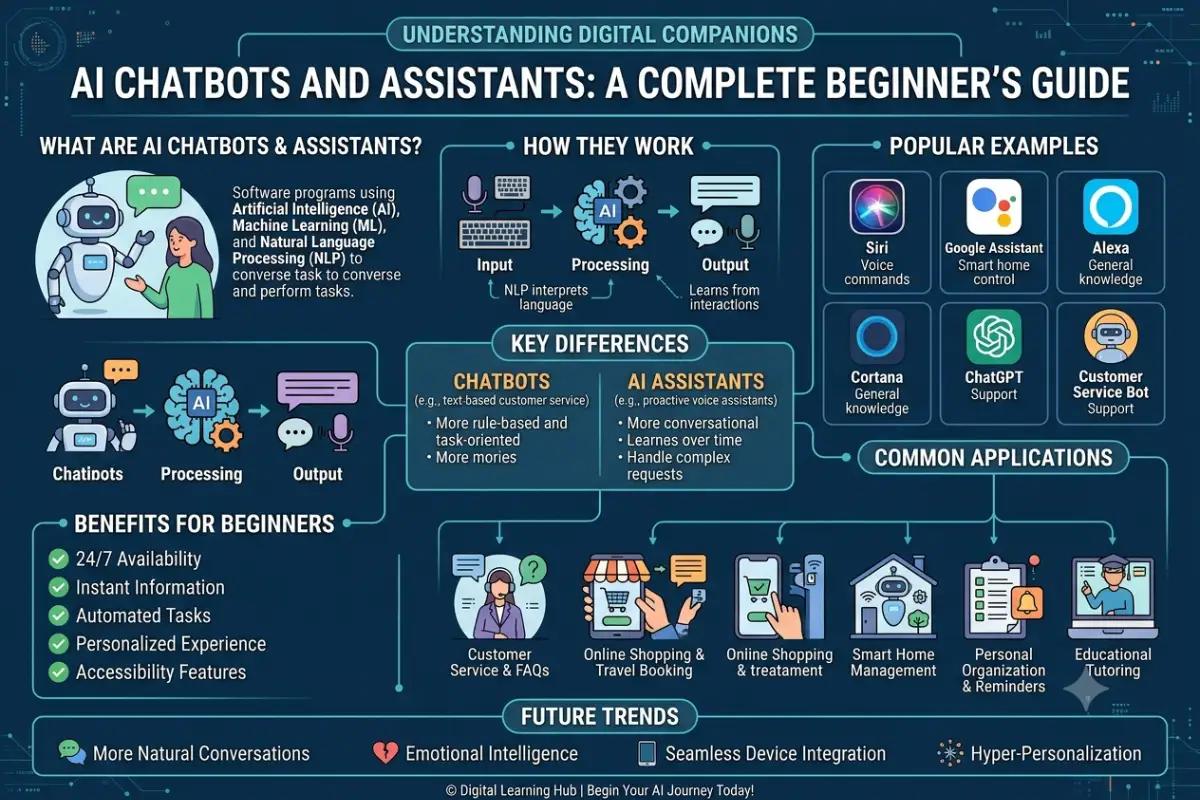
By enabling the system to interpret a human‘s question, it is Natural Language Processing (NLP).
Machine learning can be used to find patterns, classify requests and support some of the chatbots functions.
AI with Free-flowing Conversations Generative AI enables advanced chatbots to provide free flowing conversation responses rather than catering to only a set of scripts.
Business integrations: link the chatbot with CRM systems, knowledge bases, calendars, help desks, or ecommerce systems.
Some generalities, but the full feature set really depends on how the bot is implemented and what data and infrastructure it can draw upon.
Why AI Chatbots For Business Matters
The greatest value of a business chatbot is not to automate each and every conversation. Instead, the real value is in streamlining everyday interactions.
1. Faster Customer Responses
There are often standard questions that customers will ask time and time again about how the shipping works, the price, the fact they can‘t find what they want in stock, the refund policy, how to get into their account or getting access to the service.
A chatbot can reply to a variety of routine queries instantly instead of keeping demanding customers waiting for a support representative.
2. 24/7 Basic Assistance
Human support teams normally work within specific hours. Chatbots can continue handling supported requests outside those hours.
For complicated problems, the chatbot can collect useful details and prepare the conversation for a human representative.
3. Reduced Repetitive Work
Employees can often answer fundamental questions over and over again through a variety of channels.
Automating appropriate requests enables teams to dedicate more time to cases that demand judgment, empathy, negotiation, or expertise.
4. Lead Generation
Hiring a chatbot can also be used to support sales:
Take the following example: a visitor enters a software company‘s site and inquires about prices. The chatbot responds by providing the available packages, poses questions about company size, defines needs, gather contact information, and forward a potential customer to a demo.
5. Consistent Information
A well-maintained chatbot can provide standardized answers based on an approved knowledge source.
This can reduce situations where customers receive different answers to the same basic question.
Key Types, Methods, and Examples
Not every chatbot works in the same way. Businesses should choose the type according to the task they want to automate.
| Chatbot Type | How It Works | Common Business Use |
| Rule-Based | Uses predefined rules and conversation paths | FAQs and basic support |
| AI/NLP Chatbot | Interprets natural-language requests | Customer service |
| Generative AI Chatbot | Generates responses based on instructions and knowledge | Advanced support and assistance |
| Sales Chatbot | Engages and qualifies prospects | Lead generation |
| Ecommerce Chatbot | Helps shoppers find products or information | Online stores |
| Internal Assistant | Helps employees find company information | HR and internal support |
Customer Service Chatbots
One of the most prevalent uses.
What kind of questions would it be able to answer: questions about sending/delivery time,return / exchage policies, account preferences, business hours, subscriptions, fixing my problem.
Where it can‘t quite get there itself, it should offer a bright, easy-to-find way to human aid.
Sales Chatbots
Performance chatbots, A lot of these has to do with how a purchasing situation might be going and conversation flows.
They can ask qualifying questions such as company size, budget range, requirements, or preferred service before sending appropriate leads to the sales team.
Ecommerce Chatbots
Online stores can use conversational assistants to help customers browsing through extensive amounts of products.
For example, a shopper could say:
“Running shoes for beginners in this price range.”
The chatbot might be able to use the existing information in the catalog to trim down to those similar requirements.
Internal Business Assistants
AI chatbots do not have to be customer-facing.
Companies can develop their own internal bot that assists users in finding, policies, onboarding documentation, technical instructions, or other approved company content
How to Use or Apply AI Chatbots For Business
Artificial intelligence, like most things, needs to meet a particular business need. Don‘t develop a chatbot just because people are deploying one. Identify a particular pain point.
Step 1: Identify the Use Case
What do you want your Chatbot to do?
Potential goals might be to reduce repetitive questions and requests for support, qualify website leads, to support shoppers, make appointments or help employees find information internally.
More often than not, a linearly narrow and measurable goal will be far easier to implement successfully.
Step 2: Study Common Questions
Review customer support chats, faq‘s, website searches, sales questions and other such correspondence.
Identify repetitive requests that can be cost-effectively automated.
Step 3: Build a Reliable Knowledge Base
A chatbot is only as good as the information it has to supply.
Arrange and keep every reference document FAQs, product information, price schedules, policies, troubleshooting, service records, etc.
Old information should be sanitized or amended.
Step 4: Decide What Should Stay Human
Not every conversation belongs with AI.
Sensitive complaints, strange billing issues, negotiations, big-ticket selling situations, or others calling for a big dose of judgment may call for a human being.
Order simple, well-defined escalation rules.
Step 5: Integrate Necessary Business Tools
In some cases, the Chatbot would have access to a CRM, support platform, catalogue of products, appointment system or the internal database.
Provide the minimum privilege to the system to do its specified task.
Step 6: Test Before Launching Widely
Test realistic questions rather than only perfect examples.
Include the following failures into your test list:poor spelling,wrong but similar words,wrong words that are similar in sound,lack of knowledge of the complete question,asking for other information after the correct answer has been provided,unexpected requests.
It should be able to honestly say, I don‘t know. Instead of making assumptions on own.
Step 7: Measure Performance
Track Metrics- Keep track of the following metrics- resolution rate, escalation rate, customer satisfaction, lead conversion, response time and repeated failures.
These findings can also show the location of what is wrong with the chatbot.
Best Practices and Common Mistakes
Effective deployment of an AI chatbot requires continuous management.
Allow users to have a simple human support option. Users should not be stuck within an automated dialog when the chatbot is unable to resolve the issue.
Stay up-to-date. If there are any changes in prices, policies, products and services, all should be reflected in the chatbot‘s approved knowledge sources.
Secure sensitive information. It is essential for businesses to limit what information users are allowed to put in and which parts of their systems the chatbot can make use of.
Set boundaries. Explicitly state what topics and actions the chat bot is trained to handle.
Inspect conversations routinely. Failing conversations express incidents of information lacking, amusing directives, and learnings.
There are a number of potential pitfalls to watch out for as well. These are trying to do too much automation, releasing a functional chatbot with an incomplete knowledge base, concealing the existence of customer care, providing the chatbot with unneeded system permissions and assuming the system will stay accurate without supervision.
Another mistake consists in evaluating success only by the volume of conversations if your bot is able to talk to thousands of people but actually frustrates them, it is not a great success.
Final Thoughts
Business AI chatbot solutions can increase efficiencies in customer support, sales, ecommerce, and internal processes when built with a well defined business purpose in mind.
The best way (most of the time) is to introduce a single use case, give solid information, link only what needs to be linked, test, and have a clear path for human help.
AI chatbots can only act a part of wider business processes and will not replace every human interaction. However if set up with clear expectations and constantly improved, AI chatbots should be a useful tool for straightforward conversations and free up employees to do work requiring a human judgment.