Last Updated: September 15, 2026
Reliable connectivity is the foundation of almost every modern digital environment. Homes, offices, businesses, factories, schools, healthcare facilities, and data centers all depend on networks that can move data quickly, consistently, and securely.
The challenge is that there is no single connectivity solution that works for every situation. Ethernet can deliver stable, low-latency connections, while Wi-Fi provides mobility and convenience. Fiber optic connections support long-distance, high-capacity communication, whereas powerline networking can extend connectivity through a building’s existing electrical wiring. Cellular and 5G networks provide connectivity where wired infrastructure is unavailable or impractical.
Modern networks increasingly combine several of these technologies. A business might use fiber for its internet connection, Ethernet for servers and workstations, Wi-Fi for employees and guests, and 5G as a backup connection. A home might use Ethernet for a desktop or gaming console, Wi-Fi for mobile devices, and a mesh system to eliminate dead zones.
What Are Connectivity Solutions?
Connectivity solutions are the technologies, hardware, services, and network configurations used to connect computers, devices, applications, systems, and users so they can exchange data.
A connectivity solution can be wired, wireless, cellular, fiber-based, or a combination of multiple technologies.
Common examples include:
- Ethernet connections
- Wi-Fi networks
- Fiber optic connections
- Powerline networking
- Cellular and 5G connectivity
- Broadband internet
- Point-to-point wireless links
- Enterprise WAN connections
- VPN connectivity
- Hybrid network architectures
- Network switches and routers
- Access points and mesh systems
The best solution depends on several factors, including required speed, coverage, latency, reliability, security, installation difficulty, budget, and the physical environment.
For example, a workstation used for large file transfers may benefit from Ethernet, while a smartphone obviously requires wireless connectivity. A remote construction site may rely on 5G because installing fiber would be expensive or impractical.
Why Connectivity Matters in Modern Networks
Connectivity is more than simply getting devices online.
Poor connectivity can cause slow applications, dropped video calls, unreliable cloud access, interrupted streaming, unstable IoT devices, and lost productivity.
For businesses, network performance can directly affect employees and customers. Cloud applications, VoIP, video conferencing, remote desktop systems, CRM platforms, security cameras, and file-sharing services all depend on dependable network connections.
A strong connectivity strategy should therefore consider:
| Factor | Why It Matters |
| Speed | Determines how quickly data can be transferred |
| Latency | Affects responsiveness for calls, gaming, cloud applications, and real-time systems |
| Reliability | Reduces outages and connection drops |
| Coverage | Determines where users and devices can connect |
| Capacity | Determines how many devices can operate effectively |
| Security | Protects data and connected systems |
| Scalability | Allows the network to grow without major redesign |
| Cost | Determines installation and operating feasibility |
| Redundancy | Provides alternatives when a primary connection fails |
The goal is not always to select the fastest technology. It is to build a connection architecture that matches the actual requirements of the environment.
Types of Connectivity Solutions
Connectivity technologies can broadly be divided into wired, wireless, cellular, and hybrid solutions.
Wired Connectivity
Wired networks use physical cables to transmit data.
Common wired technologies include:
- Ethernet
- Fiber optic
- Coaxial networking
- Powerline networking
Wired connections are usually preferred when consistent performance, security, and low latency are more important than mobility.
Wireless Connectivity
Wireless networks transmit data without requiring a physical network cable between the endpoint and network infrastructure.
Wi-Fi is the most common example.
Wireless connectivity is particularly useful for:
- Smartphones
- Laptops
- Tablets
- Smart-home devices
- IoT sensors
- Guest networks
- Mobile work environments
Cellular Connectivity
Cellular networks use mobile operator infrastructure to provide internet and data connectivity.
4G LTE remains widely used, while 5G enables higher capacity, lower latency in suitable deployments, and new possibilities for fixed wireless access, industrial networking, private networks, and connected devices.
Hybrid Connectivity
Hybrid networking combines multiple technologies.
For example:
Internet → Fiber → Router → Ethernet + Wi-Fi + 5G Backup
This approach can provide better reliability than depending on a single connection type.
Ethernet vs WiFi Connections
Wi-Fi and Ethernet are two of the most common connectivity solutions for local networks.
Ethernet uses a physical network cable, while Wi-Fi uses radio communication.
Neither technology is universally better. The right choice depends on the device and application.
| Feature | Ethernet | Wi-Fi |
| Connection | Wired | Wireless |
| Mobility | Limited | Excellent |
| Latency | Usually very low | Usually higher and variable |
| Interference | Low | Can be affected by interference |
| Installation | Requires cabling | Easier for many devices |
| Reliability | Highly consistent | Depends on signal conditions |
| Security | Physical access matters | Requires wireless security |
| Best For | Desktops, servers, gaming, access points | Phones, laptops, IoT, mobile users |
Advantages of Ethernet
Ethernet is particularly valuable for devices that require predictable network performance.
Typical examples include:
- Desktop computers
- Network-attached storage
- Servers
- Gaming PCs
- Smart TVs
- Security systems
- Business workstations
- Wi-Fi access points
A wired connection avoids many of the radio interference and signal-strength problems associated with wireless networking.
Ethernet is also useful for network infrastructure because switches can provide dedicated physical connections between devices.
Advantages of Wi-Fi
Wi-Fi removes the need to run a cable to every endpoint.
This makes it ideal for:
- Mobile employees
- Laptops
- Smartphones
- Tablets
- Smart-home devices
- Temporary workspaces
- Meeting rooms
- Guest access
The trade-off is that Wi-Fi performance depends on distance, walls, interference, access-point placement, client capabilities, channel conditions, and network congestion.
Should You Choose Ethernet or Wi-Fi?
Use Ethernet when:
- Low latency is important.
- Performance needs to be consistent.
- The device does not move.
- Large files are transferred regularly.
- You are connecting servers or network infrastructure.
- You want to reduce wireless congestion.
Use Wi-Fi when:
- Mobility is important.
- Running cables is difficult.
- Many devices need convenient access.
- Users regularly move between locations.
- The device has no Ethernet port.
For many modern networks, the best answer is both.
Understanding Fiber Optic Connectivity
Fiber optic connectivity uses light transmitted through optical fiber to carry digital information.
Instead of transmitting data through electrical signals over copper conductors, fiber uses pulses of light.
This makes fiber particularly valuable for high-capacity and long-distance network connections.
Fiber is commonly used for:
- Internet backbone connections
- Data centers
- Enterprise networks
- Campus networks
- ISP infrastructure
- Fiber-to-the-home services
- Metropolitan networks
- Long-distance communications
How Fiber Optic Connections Work
A fiber network typically converts electrical data into optical signals.
A transmitter sends light through the fiber. At the destination, an optical receiver converts the light back into electrical information that network equipment can process.
Fiber can carry enormous amounts of data over long distances while remaining relatively resistant to electromagnetic interference.
Single-Mode vs Multimode Fiber
Two major categories are single-mode and multimode fiber.
| Feature | Single-Mode Fiber | Multimode Fiber |
| Core size | Smaller | Larger |
| Typical use | Long-distance communication | Shorter network links |
| Common environment | Telecom, WAN, campus links | Buildings, data centers |
| Distance capability | Very high | Generally shorter |
| Cost considerations | Equipment can be more specialized | Often economical for short links |
Single-mode fiber is commonly used where long distance and high signal quality are priorities.
Multimode fiber is commonly found in shorter-distance enterprise and data-center environments.
Benefits of Fiber Connectivity
Fiber offers several important advantages.
High Bandwidth
Fiber can support high-capacity network links, making it suitable for demanding applications and network backbones.
Long Distance
Fiber can transmit data much farther than many conventional copper connections without requiring the same type of signal regeneration.
Low Electromagnetic Interference
Because fiber carries information using light rather than electrical current, it is not affected by electromagnetic interference in the same way as copper cabling.
Scalability
Fiber infrastructure can support network upgrades as bandwidth requirements increase, although transceivers and other equipment may need to be upgraded.
Limitations of Fiber
Fiber is not perfect for every situation.
Potential disadvantages include:
- Higher installation complexity
- Specialized termination equipment
- More delicate handling requirements
- Higher initial infrastructure costs in some deployments
- Optical transceiver requirements
For a large business or campus network, however, these considerations can be justified by the performance and distance advantages.
Powerline Networking Adapters
Powerline networking is an alternative connectivity solution that uses a building’s electrical wiring to transmit network data.
A typical setup uses two adapters.
One adapter connects to the router using Ethernet and plugs into a power outlet. Another adapter is installed elsewhere in the building and provides network connectivity at that location.
Some adapters provide Ethernet ports, while others also create a Wi-Fi access point.
How Powerline Networking Works
The adapters communicate over the electrical wiring already installed in the building.
This can be useful when Wi-Fi coverage is poor and running Ethernet cable is difficult.
For example:
Router → Powerline Adapter → Electrical Wiring → Second Adapter → Ethernet Device
When Powerline Networking Makes Sense
Powerline can be useful for:
- Older homes
- Difficult-to-cable buildings
- Remote rooms
- Home offices
- Entertainment systems
- Devices located far from the primary router
However, actual performance depends heavily on the building’s electrical wiring and network environment.
Powerline vs Wi-Fi Extender
| Factor | Powerline | Wi-Fi Extender |
| Uses electrical wiring | Yes | No |
| Extends network reach | Yes | Yes |
| Performance consistency | Depends on wiring | Depends on wireless conditions |
| Installation | Generally simple | Generally simple |
| Wireless support | Some models | Yes |
| Best environment | Suitable electrical circuits | Good wireless signal available |
Powerline should be viewed as one option rather than a guaranteed solution for every dead zone.
Cellular and 5G Connectivity
Cellular connectivity allows devices and networks to access the internet through mobile network infrastructure.
Traditional mobile broadband uses technologies such as 4G LTE, while 5G introduces newer radio and network capabilities.
5G is increasingly relevant not only to smartphones but also to fixed wireless access, IoT, industrial applications, remote locations, and business connectivity.
What Is 5G Connectivity?
5G is the fifth generation of cellular network technology.
Depending on deployment and network conditions, 5G can provide:
- Higher capacity
- Faster data rates
- Lower latency
- Better support for large numbers of connected devices
- New enterprise networking possibilities
Actual performance varies substantially by spectrum, network deployment, signal quality, device capability, congestion, and location.
5G Fixed Wireless Access
5G can also be used as a fixed internet connection.
Instead of receiving broadband through fiber, cable, or DSL, a dedicated 5G router connects to the cellular network and distributes internet access through Ethernet and Wi-Fi.
This can be useful where wired broadband is unavailable, delayed, or difficult to install.
5G for Business
Businesses can use cellular connectivity as:
- Primary internet access
- Backup internet connectivity
- Temporary office connectivity
- Remote-site connectivity
- IoT connectivity
- Vehicle connectivity
- Field-service connectivity
A company might combine fiber as the primary connection with 5G as a failover link.
If the fiber connection fails, network traffic can automatically switch to the cellular connection.
Private 5G Networks
Cellular Private networks can provide dedicated wireless connectivity within controlled environments such as:
- Factories
- Warehouses
- Ports
- Campuses
- Industrial facilities
- Large enterprise environments
Private 5G can be considered when organizations need controlled wireless connectivity across large or specialized environments.
Enterprise Connectivity Solutions
Enterprise networks have significantly different requirements from typical home networks.
A business may have hundreds or thousands of users, multiple offices, cloud applications, VoIP systems, security cameras, servers, IoT devices, and remote workers.
Enterprise connectivity therefore needs to prioritize reliability, security, scalability, monitoring, and redundancy.
Common Enterprise Connectivity Technologies
Enterprise networks may use:
- Fiber
- Ethernet
- Wi-Fi
- SD-WAN
- MPLS
- Broadband
- Dedicated internet access
- 4G/5G
- VPN
- Private cellular networks
- Cloud connectivity
The right combination depends on the organization’s size and application requirements.
Wired, Wireless, and Hybrid Networks Compared
| Network Type | Main Advantage | Main Limitation | Best Use |
| Ethernet | Stability and low latency | Requires cabling | Workstations and infrastructure |
| Wi-Fi | Mobility | Wireless interference | Mobile devices |
| Fiber | High capacity and distance | Installation complexity | Backbones and WANs |
| Powerline | Uses existing wiring | Depends on electrical system | Difficult-to-wire areas |
| 4G LTE | Wide coverage | Performance varies | Mobile and backup connectivity |
| 5G | Capacity and flexibility | Coverage varies | Mobile, fixed wireless, enterprise |
| Hybrid | Resilience and flexibility | More complex | Business and critical networks |
How to Choose the Right Connectivity Solution
Choosing a connectivity solution should begin with requirements rather than technology.
Ask the following questions before buying equipment.
1. How Much Speed Do You Need?
A basic browsing device does not require the same network capacity as a workstation transferring large video files.
Consider:
- Number of users
- Number of devices
- File sizes
- Cloud applications
- Video conferencing
- Streaming
- Backups
- Security cameras
- IoT traffic
Network capacity should account for current and future requirements.
2. How Important Is Latency?
Bandwidth and latency are different.
Bandwidth describes how much data can be transferred over a connection.
Latency describes how long data takes to travel between endpoints.
Low latency is especially important for:
- Video conferencing
- Online gaming
- Remote desktop
- VoIP
- Industrial control
- Real-time applications
A connection with high bandwidth can still feel slow when latency or packet loss is high.
3. How Much Coverage Is Required?
For wireless networks, coverage is critical.
A single router may be enough for a small apartment but insufficient for a large house, office, warehouse, or multi-floor building.
Larger environments may require:
- Multiple access points
- Mesh Wi-Fi
- Wired backhaul
- Distributed switching
- Outdoor access points
- Directional wireless links
4. How Reliable Must the Connection Be?
Ask what happens if the primary connection fails.
For casual home browsing, an outage may simply be inconvenient.
For a business running cloud applications, payment systems, customer services, or remote operations, downtime can be much more serious.
Possible redundancy options include:
- Dual fiber connections
- Fiber + broadband
- Fiber + 5G
- Wired + wireless backup
- Multiple ISPs
5. What Is Your Budget?
The cheapest connectivity solution is not necessarily the least expensive over time.
A low-cost system that produces frequent outages or poor performance can create productivity losses.
Consider:
- Hardware
- Installation
- Cabling
- Internet service
- Maintenance
- Monitoring
- Upgrades
- Replacement costs
Connectivity Solutions for Homes
A modern home may contain dozens of connected devices.
These can include:
- Smartphones
- Laptops
- TVs
- Streaming devices
- Gaming consoles
- Smart speakers
- Cameras
- Doorbells
- Smart lighting
- Thermostats
- Appliances
- Printers
- IoT sensors
A good home connectivity architecture normally combines wired and wireless networking.
Recommended Home Architecture
For many homes:
ISP Connection → Router → Ethernet + Wi-Fi
For larger properties:
ISP Connection → Main Router → Ethernet Backhaul → Multiple Access Points
For difficult coverage areas:
ISP Connection → Router → Ethernet/Powerline/Mesh → Remote Area
For reliability:
Primary ISP → Router/Firewall ← 5G Backup
The exact configuration should depend on building size, construction materials, device count, and internet requirements.
Connectivity Solutions for Small Offices
Small offices often need a balance between affordability and reliability.
A basic setup may include:
- Business-grade router
- Firewall
- Managed or unmanaged switch
- Wi-Fi access points
- Ethernet cabling
- Primary internet connection
- Optional 4G/5G backup
Critical systems should ideally use wired Ethernet wherever practical.
Wi-Fi can then serve laptops, smartphones, visitors, and devices that require mobility.
Connectivity for Remote and Rural Locations
Remote locations may not have access to high-quality wired infrastructure.
Potential solutions include:
- 4G LTE
- 5G
- Fixed wireless
- Satellite internet
- Point-to-point wireless
- Fiber where available
- Hybrid connectivity
The best option depends on local infrastructure, terrain, population density, available spectrum, and service-provider coverage.
For businesses operating in remote locations, combining a primary connection with a secondary cellular service can provide useful resilience.
Connectivity for IoT Devices
IoT introduces a different connectivity challenge because devices vary dramatically in their requirements.
A smart sensor may transmit only a small amount of data periodically, while a security camera may continuously generate video traffic.
Common IoT connectivity options include:
- Ethernet
- Wi-Fi
- Bluetooth
- Zigbee
- Thread
- Cellular
- LPWAN technologies
- Private wireless networks
The choice should consider power consumption, range, bandwidth, device density, security, and deployment environment.
For example, battery-powered sensors may prioritize low power consumption over high bandwidth.
Connectivity and Network Security
A strong connection is not enough. It must also be secure.
Every connectivity solution creates potential attack surfaces.
Important security practices include:
- Use strong network authentication.
- Keep routers and access points updated.
- Replace default administrator passwords.
- Separate guest devices from business systems.
- Use network segmentation where appropriate.
- Secure Wi-Fi with modern encryption.
- Monitor unusual network activity.
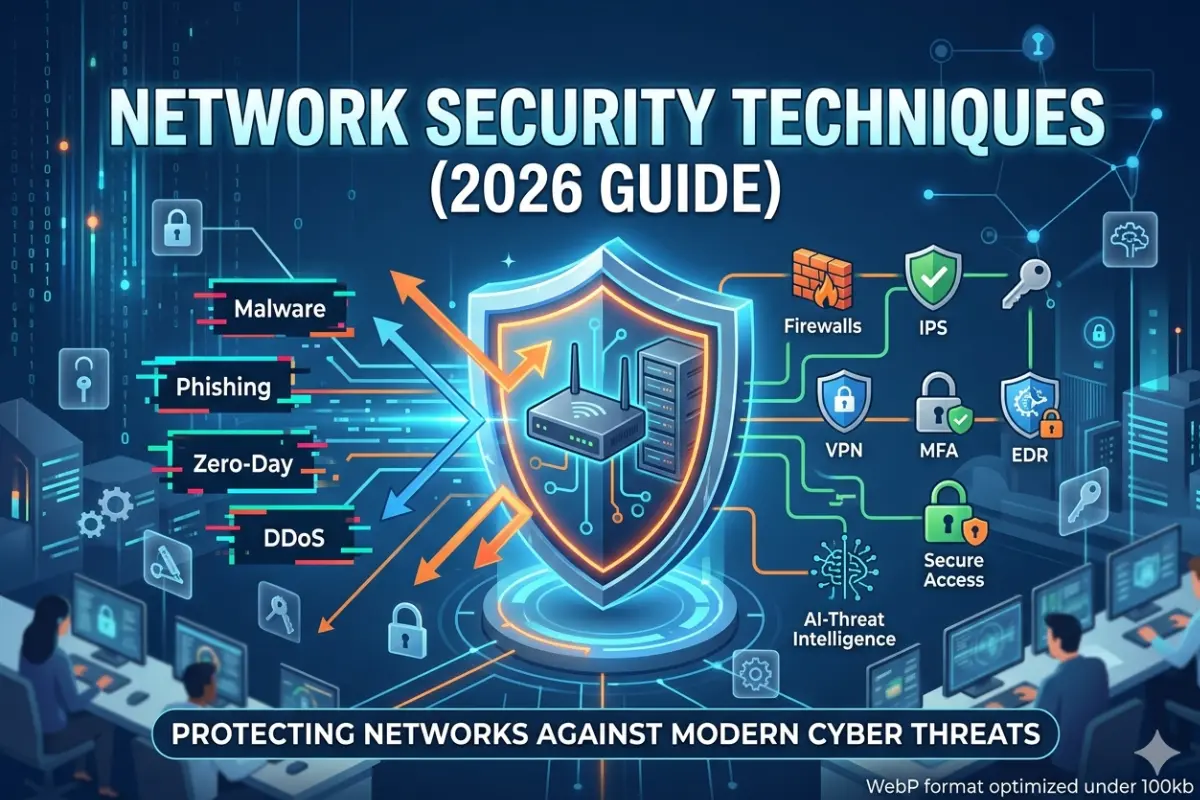
- Use firewalls at network boundaries.
- Disable unnecessary services.
- Protect remote access with strong authentication.
Businesses should consider separating employees, guests, servers, cameras, IoT devices, and administrative systems into appropriate network segments.
This limits the impact of a compromised device.
Network Segmentation for Better Connectivity
Network segmentation divides a network into logical sections.
For example:
| Segment | Example Devices |
| Corporate | Employee computers |
| Guest | Visitor smartphones |
| IoT | Sensors and smart devices |
| Security | Cameras and access systems |
| Servers | Business applications |
| Management | Network infrastructure |
Segmentation can improve both security and network management.
It can also prevent high-volume or poorly configured devices from affecting critical systems.
Connectivity Redundancy and Failover
Redundancy is one of the most important concepts in business connectivity.
A network with only one internet connection has a single point of failure.
A redundant design can use two independent connections.
For example:
Primary: Fiber
Backup: 5G
If the fiber connection fails, the router or firewall can move traffic to the 5G connection.
This is called failover.
For more demanding environments, organizations may use two different ISPs or physically diverse connection paths.
The key point is that redundancy is only useful if the backup connection is genuinely independent.
Two services using the same physical infrastructure may still fail simultaneously.
Connectivity Performance Metrics
You should evaluate network performance using more than download speed.
Important metrics include:
Bandwidth
The amount of data a connection can transfer.
Latency
The delay between sending and receiving data.
Jitter
Variation in packet delivery timing.
High jitter can affect voice and video applications.
Packet Loss
The percentage of packets that fail to reach their destination.
Packet loss can cause retransmissions, slow applications, audio problems, and unstable connections.
Availability
How consistently the connection remains operational.
Signal Strength
Important for Wi-Fi and cellular networks.
Throughput
The actual amount of useful data transferred, which may be lower than the theoretical link speed.
Common Connectivity Problems
Connectivity problems can originate from many different sources.
Slow Internet
Possible causes include:
- ISP congestion
- Wi-Fi interference
- Weak signal
- Outdated hardware
- Too many active devices
- Background downloads
- Faulty cables
- DNS issues
- Router limitations
Test the connection using Ethernet before assuming that the ISP is responsible.
If Ethernet performs well but Wi-Fi is slow, the wireless network may be the problem.
Wi-Fi Dead Zones
Common causes include:
- Distance
- Thick walls
- Metal structures
- Poor access-point placement
- Wireless interference
- Incorrect channel configuration
Potential solutions include:
- Repositioning the router
- Adding an access point
- Using mesh Wi-Fi
- Installing Ethernet backhaul
- Reducing interference
- Upgrading wireless hardware
Intermittent Connections
Intermittent connectivity can be caused by:
- Damaged cables
- Poor connectors
- Wireless interference
- Router overheating
- ISP instability
- DHCP problems
- Firmware issues
- Power problems
Troubleshooting should start by identifying whether the problem affects one device or the entire network.
High Latency
High latency can result from:
- Long network paths
- Congestion
- Wireless interference
- Poor routing
- ISP issues
- VPN overhead
- Overloaded network equipment
Run tests at different times to determine whether latency is constant or congestion-related.
Connectivity Troubleshooting Checklist
When a connection stops working, use a structured troubleshooting process.
Step 1: Identify the Scope
Does the problem affect:
- One device?
- One room?
- One network segment?
- All devices?
- Internet access only?
- Local network communication too?
Step 2: Check Physical Connections
Inspect:
- Ethernet cables
- Fiber connections
- Power supplies
- Network ports
- Modems
- Routers
- Switches
Step 3: Test Locally
Try communicating with another device on the local network.
If local connectivity works but internet access does not, the issue may be upstream.
Step 4: Test Wired Connectivity
Connect a device directly through Ethernet if possible.
This helps determine whether the problem is wireless or broader.
Step 5: Check Router and Access Point Status
Look for:
- Error indicators
- High CPU usage
- High memory usage
- Connection drops
- Firmware problems
- Configuration errors
Step 6: Test DNS
If IP connectivity works but websites do not load, DNS may be responsible.
Step 7: Check the ISP
If all local equipment appears healthy, investigate the internet service.
How to Build a Hybrid Connectivity Strategy
Hybrid networking is becoming increasingly practical because different connection types solve different problems.
The 5G connection remains available for failover.
For a large organization, the architecture could expand to include multiple ISPs, SD-WAN, cloud connectivity, private wireless, and redundant network infrastructure.
Benefits of Hybrid Connectivity
Hybrid connectivity can provide:
- Better reliability
- More flexibility
- Multiple access technologies
- Easier expansion
- Better support for remote locations
- Backup connectivity
- Reduced dependence on one provider
The downside is increased management complexity.
A hybrid network should therefore be documented and monitored carefully.
Connectivity Solutions Buying Checklist
Before purchasing network hardware or connectivity services, evaluate the following.
| Question | What to Consider |
| What devices need connectivity? | Computers, phones, IoT, servers |
| How many devices? | Current and projected number |
| What speed is required? | Internet and internal network needs |
| Is low latency important? | Gaming, VoIP, cloud, industrial systems |
| What coverage is needed? | Home, office, campus, warehouse |
| Wired or wireless? | Mobility vs consistency |
| Is redundancy required? | Critical business operations |
| What security is needed? | Segmentation, firewall, authentication |
| What is the budget? | Hardware + installation + recurring costs |
| Can the network scale? | Future users and applications |
| Who will manage it? | Internal IT or managed provider |
| What happens during an outage? | Backup connection and failover |
Future of Connectivity Solutions
Connectivity will continue evolving as businesses and consumers use more cloud services, AI applications, IoT devices, automation, high-resolution video, and connected infrastructure.
Several trends are particularly important.
Faster Wired Networks
Ethernet continues to evolve toward higher speeds for data centers, enterprise networks, and demanding applications.
As data requirements increase, network backbones will need greater capacity.
Wi-Fi Evolution
Wireless networking continues to improve through newer Wi-Fi generations, better spectrum utilization, higher capacity, and improved multi-device performance.
However, wireless speed will still depend on the client device, access point, environment, spectrum, and network configuration.
Expansion of Fiber
Fiber remains an important foundation for internet infrastructure, enterprise networks, data centers, and telecommunications.
The increasing demand for cloud services and high-capacity applications makes fiber infrastructure strategically important.
5G and Private Wireless
Cellular connectivity is moving beyond smartphones.
5G can support fixed wireless access, industrial connectivity, IoT, logistics, remote operations, and private enterprise networks.
More Hybrid Networks
Future networks are likely to combine multiple connection technologies rather than relying on one.
Each technology can serve a specific purpose.
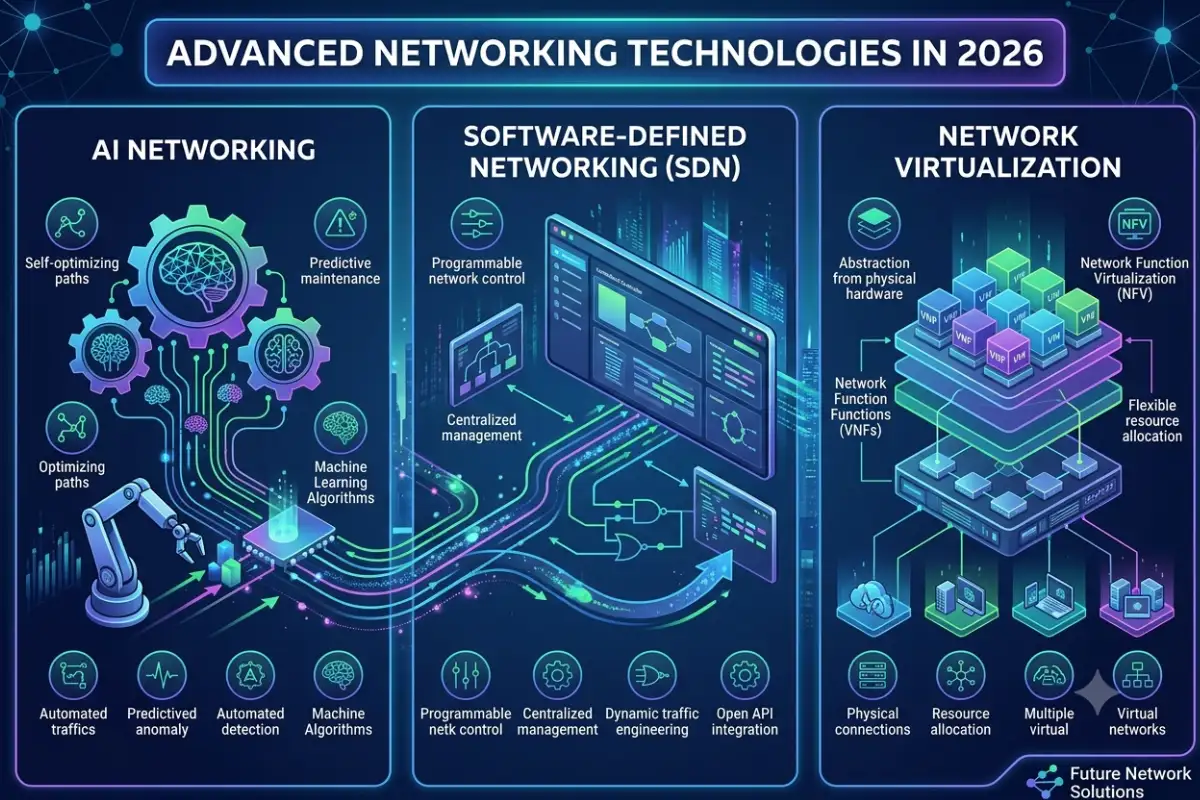
AI-Assisted Network Management
Network management is also becoming increasingly automated.
Modern platforms can analyze traffic patterns, detect anomalies, identify performance problems, and help administrators optimize network resources.
As networks become more complex, automated monitoring and intelligent troubleshooting can become increasingly valuable.
Connectivity Solutions: Best Option by Use Case
| Use Case | Recommended Connectivity |
| Desktop workstation | Ethernet |
| Smartphone | Wi-Fi / Cellular |
| Home laptop | Wi-Fi or Ethernet |
| Gaming PC | Ethernet where practical |
| Smart TV | Ethernet or Wi-Fi |
| Home IoT | Wi-Fi / specialized IoT protocols |
| Large office | Ethernet + Wi-Fi |
| Data center | Fiber + high-speed Ethernet |
| Remote office | Fiber/broadband + 4G/5G backup |
| Rural location | 4G/5G, fixed wireless, satellite, or fiber where available |
| Warehouse | Wi-Fi + Ethernet + potentially private wireless |
| Industrial environment | Ethernet + fiber + specialized wireless |
| Business-critical site | Primary connection + independent backup |
| Campus network | Fiber backbone + Ethernet + Wi-Fi |
| Temporary site | 4G/5G or wireless connectivity |
Frequently Asked Questions About Connectivity Solutions
What are connectivity solutions?
Connectivity solutions are technologies and network systems that connect devices, users, applications, and locations. They include Ethernet, Wi-Fi, fiber optic, powerline, cellular, 5G, and hybrid networking.
Is Ethernet better than Wi-Fi?
Ethernet is generally better when consistent performance, low latency, and reliability are priorities. Wi-Fi is better when mobility and installation flexibility matter. Most modern networks benefit from using both.
Is fiber better than Ethernet?
Fiber and Ethernet are not directly competing technologies. Ethernet is a networking technology that can operate over different physical media, including copper and fiber. Fiber is often selected for high-capacity or longer-distance Ethernet connections.
Is fiber faster than Wi-Fi?
Fiber is a physical transmission medium and Wi-Fi is a wireless networking technology, so the comparison depends on the complete network. A fiber internet connection can provide very high capacity, while Wi-Fi determines how devices communicate wirelessly within the local environment.
Are powerline adapters reliable?
Powerline adapters can be useful, but performance depends on the electrical wiring and environment. They should be tested in the specific building rather than assumed to deliver their advertised maximum speed.
Is 5G suitable for home internet?
5G can be an effective home internet solution where the local cellular network provides strong capacity and coverage. It can also be useful when wired broadband is unavailable or as a backup connection.
What is the best connectivity solution for a business?
There is no universal answer. A typical business may benefit from fiber or broadband for internet access, Ethernet for fixed devices, Wi-Fi for mobile users, and 4G/5G for backup connectivity.
How can I improve network reliability?
Start by identifying single points of failure. Consider reliable network hardware, structured cabling, redundant internet connections, UPS protection, monitoring, firmware updates, and automatic failover.
Final Takeaway
The best connectivity solutions are not necessarily the newest or fastest technologies. They are the solutions that match the environment, applications, users, performance requirements, budget, and reliability expectations.
Ethernet remains highly valuable for stable wired connections. Wi-Fi provides mobility and convenience. Fiber provides a powerful foundation for high-capacity and long-distance communication. Powerline networking can solve connectivity challenges in difficult-to-wire environments. Cellular and 5G can provide flexible connectivity and valuable backup options.
For many modern networks, the strongest approach is a combination of technologies.
A well-designed hybrid network might use fiber for the primary internet connection, Ethernet for critical devices, Wi-Fi for mobile users, and 5G for backup connectivity. Larger organizations can extend this architecture with redundant links, SD-WAN, private wireless, cloud connectivity, network segmentation, and centralized monitoring.
Before selecting any connectivity technology, evaluate speed, latency, coverage, capacity, reliability, security, scalability, installation requirements, and total cost.
The goal is not simply to connect more devices. The goal is to build a network that remains fast, reliable, secure, manageable, and ready for future requirements.