
Last Updated: September 28, 2026
Fiber optic internet. It is a very high-speed broadband internet that uses thin glass or plastic strands or fibers to direct the sending of radio waves in form of pulses of light.
It is much better than the traditional broadband technology that is based on copper cable as it is faster, latencies are much lower, it provides a stable connection and optimum performance for multiple devices connected at the same time.
Fiber has become a critical connectivity technology for homes, offices, cloud applications, 4K content delivery, online gaming, remote conferencing, and smart-home devices. Full-fiber connections (sometimes called FTTH or FTTP) bring fiber all the way to the customer‘s premises.
What Is Fiber Optic Internet?
Fiber optic internet is a broadband connection where digital info is transmitted via optical fiber cables. Such signals are transmitted as light instead of electrical signals over copper wires.
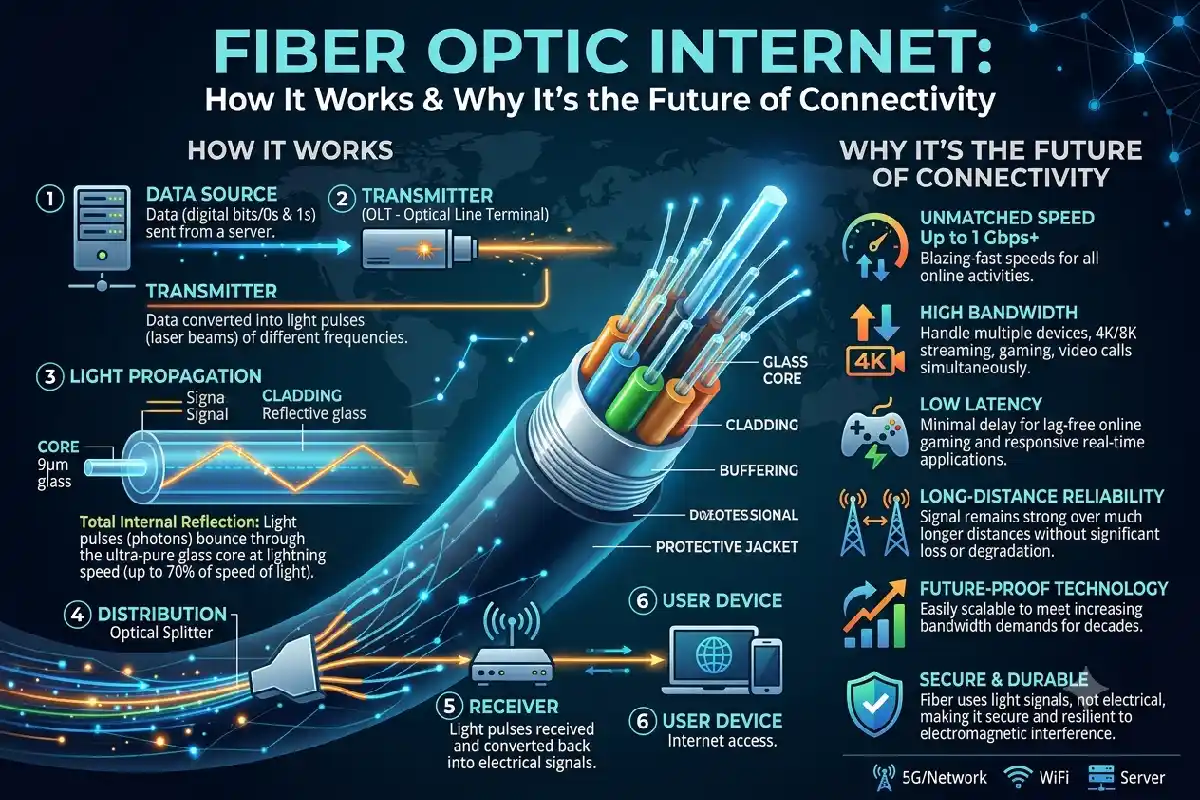
A typical fiber network contains several stages. The data will travel from the internet provider network, traveling along fiber cables to the local distribution point to the end customer‘s premise. Within the customer‘s house an ONT or ONU is used to convert the optical into an Ethernet connection which the router uses.
The outcome is a rapid connection which is capable of handling any high bandwidth, network intensive application you can throw at it.
What Is the Working Process of Fiber Optic Internet?
Fiber internet transmission is achieved by turning digital data into light pulses.
A simplified process looks like this:
Internet provider to fiber network to cable fiber to ONT/ONU to router to other devices connected.
Fiber cable has a core where light passes through surrounded by layers of materials which help to contain the light in the core. As data is sent using light instead of electrical signals fiber cable can have very high bandwidth capabilities.
The ONT or ONU takes your optical feed, from the street, and converts it to electrical Ethernet data, which your router then distributes around your house via Wi-Fi or a wired Ethernet connection.
This is perhaps one of the reasons why FTTH can offer very high speeds and system sustainability.
Fiber vs Cable vs DSL
Fiber, cable, and DSL, on the other hand, are different primarily because each uses a different physical network infrastructure to provide the Internet service.
| Feature | Fiber | Cable | DSL |
| Transmission | Light through optical fiber | Electrical signals over coaxial cable | Electrical signals over telephone copper |
| Typical speed potential | Very high | High | Lower |
| Upload performance | Often strong | Often lower than download | Usually limited |
| Latency | Low | Low to moderate | Higher |
| Distance performance | Excellent | Good | Declines with distance |
| Interference | Highly resistant | More susceptible | More susceptible |
| Best suited for | High-demand homes and businesses | General broadband | Basic internet access where fiber is unavailable |
The actual performance varies by provider, network design, plan, equipment, and local infrastructure.
Until recently, fiber may have been a good fit for those who routinely: upload large files to the Web; use cloud-based software; work from home; view HD video streams; or have numerous devices connected to the internet.
Fiber Internet Speeds Explained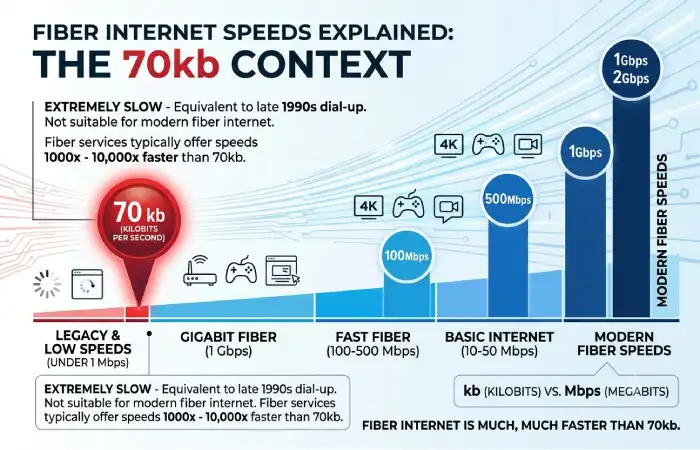
Fiber providers sell everything from basic broadband packages to gigabit speeds.
Common speed tiers include:
- 50–100 Mbps: Enough for light browsing, HD streaming, video chat and smaller households.
- 200–500 Mbps: suitable for many users, streaming 4K, gaming, huge downloads, and connected smart-home devices.
- 1 Gbps: For high demand household intakes and transfers, such as large file downloads/renders, streaming video in high resolutions, multi user gaming etc.
- Above 1 Gbps: More applicable to power users, advanced home networks, content creators, and business usage where supported.
The bandwidth offered by 1 Gbps is theoretically 1000 Mbps but a real device is not that fast because of wifi, router quality, Ethernet standards, server and network overload.
For instance, having a gigabit internet plan does not mean all phones and laptops will experience 1 gigabit per second when on Wi-Fi.
Setting Up Fiber at Home
Often, the fibers need to be installed by a professional since the provider needs to run the optical line to the premises.
The process usually involves:
- Check service availability
Type your address in on the providers web site or call their sales team to check for fiber infrastructure.
- Select a broadband plan
Select a speed depending on how many users there are, how many devices are connected, watching live streaming, playing, working, and how much you are willing to spend on it.
- Schedule installation
The provider arranges a technician visit. The exact installation process depends on the building and existing network infrastructure.
- Install the fiber connection
The technician installs the fiber cable at the suitable destination and then attached the optical termination equipment.
- Connect the ONT or ONU
The ONT/ONU takes the incoming optical signal and provides a connection to the a data network of some form.
- Configure the router
The router delivers Wi-Fi and hardwired Ethernet connections everywhere in the house.
To optimize Wi-Fi, position the router in a central, elevated position on an elevated, central position off thick walls, large appliances and other common sources of interference.
Fiber Optic Equipment: ONT and ONU
You will see that two terms typically associated with fiber broadband are ONT and ONU.
ONT (Optical Network Terminal) is commonly used for equipment installed at the customer’s premises. It converts optical signals into Ethernet and other network interfaces.
The ONU (Optical Network Unit) similarly converts optical energy into electrical energy. In fiber access networks, the terminology is dependant on the architecture and the provider as follows:
Fiber modem/ONT: Completes the optical link.
Router: Builds the home network with Wi-Fi access and loads.
Ethernet cable: Between ONT and the router or wired devices.
Wi-Fi mesh system: Helps to provide wireless coverage in larger-sized homes.
Some providers combine the ONT and router functions into a single gateway device.
Best Fiber Internet Providers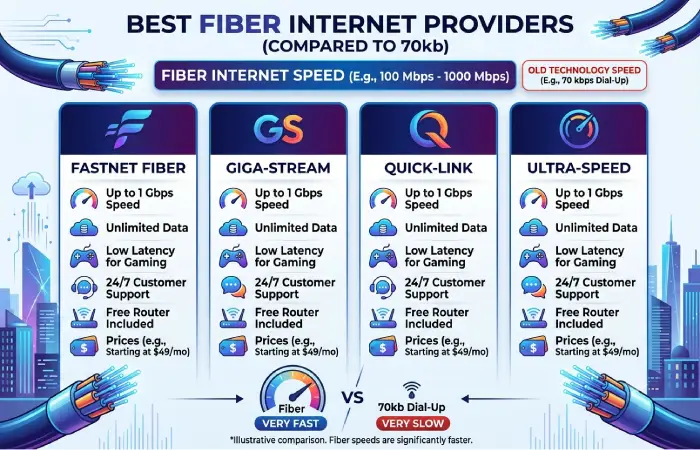
No one provider is universally best for all homes due to differences in availability, pricing, speeds, quality of the service, and bundled services.
Fiber Broadband is also available to lakhs of users major ISP‘s include Jio JioFiber, Airtel Airtel Xstream Fiber, ACT Fibernet ACT Fibernet and others regional ISPs.
Jio refers to JioFiber as an FTTH (Fiber to the Home) service with fiber going directly to the home.
Airtel‘s current broadband plans consist of speeds from 40 Mbps to 1 Gbps.
ACT Fibernet. As per the information available on its site, ACT Fibernet offers speed plans up to 1 Gbps in supported cities. It is presently serving in several Indian cities.
When comparing providers, check these factors rather than looking only at advertised download speed:
| Factor | What to Check |
| Availability | Is FTTH actually available at your address? |
| Speed | Download and upload speeds |
| Data policy | Unlimited or monthly data allowance |
| Equipment | Router, ONT, mesh options |
| Installation | Fees, deposit, and installation conditions |
| Support | Customer service and fault resolution |
| Contract | Lock-in period and cancellation terms |
| Bundles | OTT, TV, voice, or cloud services |
Advantages of Fiber Optic Internet
Fiber offers several practical benefits:
High bandwidth: Fiber networks are capable of very high data rates.
Low latency: delays must be low for games, video conferencing and other interactive applications.
Excellent upload speeds: Several fiber offerings provide significantly higher upload speeds than standard broadband.
Reliability: Fiber is less affected by electromagnetic interference compared to a copper-based connection.
Scalability: Fiber cancope with future bandwidth needs due to technological advancements.
These benefits make fiber suitable not just for the present but also for the future with ever more connected homes and workplaces.
Should I get Fiber Internet?
Fiber may be a good option if your household frequently needs to use many devices at once, stream higher definition video, upload large files, play online games, work remotely or is highly dependent on cloud services.
But it is not always worth purchasing the fastest option. A small household with minimal browsing and intermittent streaming will have little real-life advantage to paying for a gigabit connection.
The ideal plan would be to get a plan tailored to your usage, then see which provider is best for you in terms of reliability, support, provision of equipment as well as the overall cost.
FAQs About Fiber Optic Internet
Is fiber faster than cable internet?
Fiber generally has greater speed potential and can provide strong upload performance. Actual performance depends on the specific plans and networks being compared.
Does fiber internet require a modem?
Fiber connections normally require an ONT or ONU to convert the optical signal into a network connection. Some providers combine this equipment with the router.
Is fiber better for gaming?
Fiber can be ideal for online gaming due to its high bandwidth and low latency. Meanwhile, high latency may be set up by game server, routing, Wi-Fi, or other network factors.
Is it possible to use my own router with fiber?
Yes, most of the time but it depends of provider network setup. Verify if provider allows use third-party routers and if ONT supports needed connection mode.
What should be the fiber internet speed for a family?
For many homes 100–500 Mbps may be sufficient for several users. If you have a large family with high data requirements, extreme streaming or gaming needs, uploads and smart devices higher speeds may be more appropriate.
Final Takeaway
Fiber optic internet offers a high-capacity broadband backbone for any home or business. Using light to carry information through optical fiber enables it to offer high speed, low latency, good uploads and reliable service.
Consider everything but the headline speed when selecting a fiber service, availability, upload performance, equipment, support, affordability, data use policies, and how much your home actually uses. An appropriately targeted fiber connection will give you plenty of bandwidth for what you need now and into the future.