
Last Updated: September 28, 2026
A dependable home network isn‘t always easy to get. Walls that are too thick, floors too numerous, being far away from your WiFi router, and having other gadgets that can interfere with your WiFi signal can all lead to sluggish, unreliable WiFi. Powerline adapters are another option for broadening your network by making use of the wiring already set up in your house.
A powerline kit can transmit network data over the electrical wiring between two or more adapters instead of over the air. It can be helpful in situations where WiFi signal coverage may be lacking but a long run of Ethernet cable is not feasible.
How Powerline Networking Works
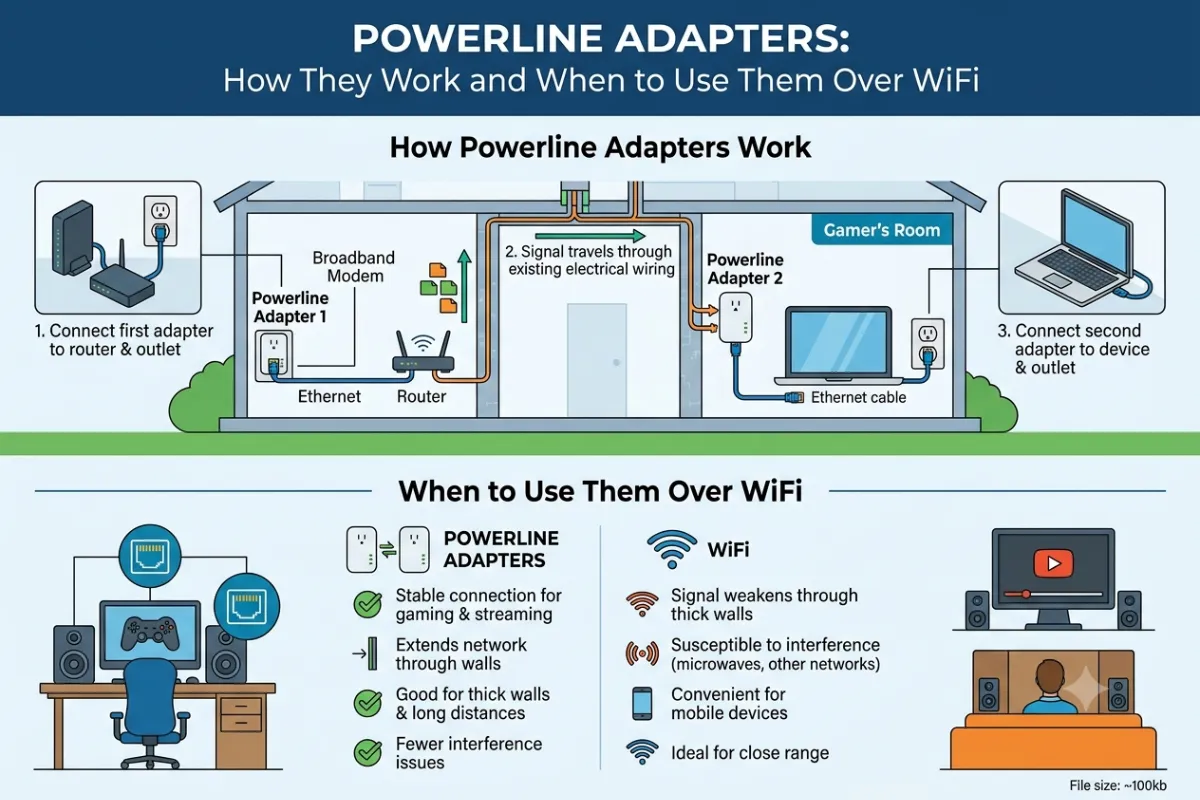
Powerline networking utilizes existing electrical wiring in your home to transmit network data. Usually one kit will feature two or more adapters.
The initial adapter is plugged into your wall socket and your modem by an Ethernet wire. It transmits data through the electrical current of the circuit. It then is received by a second adapter in another room of the building which provides a network connection either through Eternet using a cable or via WiFi.
The basic process looks like this:
Router->Ethernet->Powerline Adapter->House wiring->Powerline Adapter->Device
Most current generation powerline routers advertise support for HomePlug AV2 (the latest G.hn based iteration) or more often than not a more G.hn based standard. Throughput advertised can be in hundreds or thousands of Mbps (or Megabits per second) but use of the system is very dependent upon your home wiring and generally installation environment.
If you are concerned about best performance, plug adapters directly into the wall instead of extension cords or power strips.
Powerline vs Mesh WiFi
The powerline and mesh Wi Fi address the same problem of coverage but work differently.
| Feature | Powerline Adapters | Mesh WiFi |
| Connection method | Electrical wiring | Wireless backhaul or Ethernet |
| Installation | Usually simple | Simple to moderate |
| Best for | Difficult WiFi areas | Whole-home wireless coverage |
| Ethernet connection | Common | Available on many systems |
| Performance | Depends on wiring | Depends on wireless conditions |
| Thick walls | Can work around them | Can reduce signal strength |
| Mobility | Limited to adapter locations | Better for mobile devices |
| Main limitation | Electrical circuit quality | Wireless interference and placement |
Powerline adapters can be useful when WIFI cannot pass through the walls and floors and there is a reliable power connection and good wiring.
Mesh WiFi is significantly better if you are after wireless coverage across a larger house and want smart phones, tablets, laptops, and smart-home devices to freely roam between access points.
If practical, a wired Ethernet link is still best for intensive applications.
Best Powerline Adapter Kits
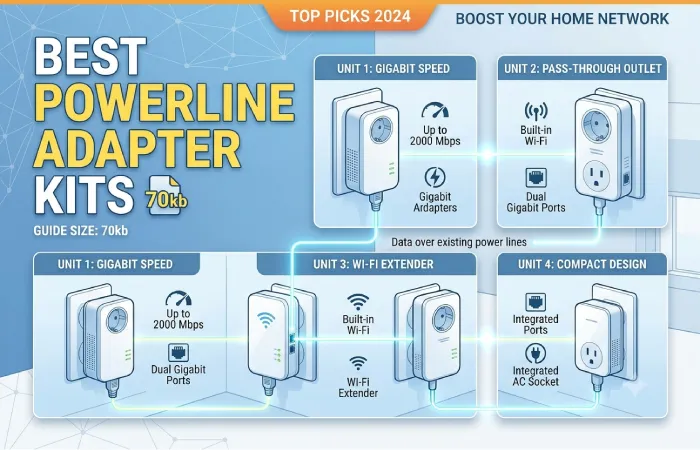
When you are picking a powerline kit don‘t just look at the maximum speed on the box look at the features.
Look for:
- Gigabit Ethernet ports: Diverts some of the traffic that would otherwise have gone over the regular 10/100 MHz ports. Handy for PCs, TVs, games consoles, and anything else with a high bandwidth requirement.
- Pass-through power sockets: these give the provision to extend the plug used to the wall outlet.
- WiFi capability: Some adapters create a wireless access point in the destination room.
- HomePlug AV2 or G.hn support: Indicates the networking technology used by the adapters.
- Encryption: Helps protect communication between adapters.
- Ethernet ports (multiple): Very nice when you need to attach many wired devices.
For a one room connection, a simple two-adapter kit will do the job. For larger homes, we are able to supply kits with support for more compatible adapters as performance may vary from circuit to circuit.
Do not select a kit merely on claims of very high theoretical speed, as bandwidth and throughput tend to be noticeably lower in practice.
Setting Up Powerline Adapters
Powerline adapters are not particularly difficult to install.
- Connect the first adapter
Fully powered Adapter. Connect one of the adapter‘s plug into any wall socket near your router. Connect the run down an Eternet cable from the Adapter to your router.
- Connect the second adapter
Insert the second adapter into a wall outlet in the room that needs improved network access.
- Pair the adapters
Press the pairing or security button as indicated in the manufacturer‘s manual on the adapters.
- Connect your device
Connect the computer, smart TV, game console or other device in to the Ethernet. If your adapter supports WiFi connect the wireless network according to the manual supplied with the adapter.
- Test the connection
Run a speed test from the destination room and compare the result with a direct connection to your router. This indicates whether the electrical circuit is functioning within specifications.
Enhance the performance! do not plug the adapter into a power strip, an UPS, a surge protector, as it can cause some disturbance to the powerline communication.
Powerline Adapter Limitations
This makes powerline networking all the more convenient, but it is by no means a given that it will be the same in every home.
Electrical wiring matters
The biggest variable is the quality and configuration of your electrical system. Older wiring, different circuits, electrical noise, and certain appliances can reduce performance.
Published speeds are and are theoretical
A 1,200 Mbps advertised powerline adapter may not provide a usable network throughput of 1,200 Mbps. Manufacturers’ figures generally represent theoretical link rates under specific conditions.
Circuit layout can affect performance
Adapters may perform differently depending on which outlets and electrical circuits they use. Two rooms that are physically close can sometimes have a weaker powerline connection than rooms farther apart.
Electrical interference is possible
Some appliances and power equipment can introduce electrical noise. If performance changes when a particular appliance operates, interference may be contributing to the problem.
Not ideal for every high-speed connection
It is worth noting that the powerline network could be the slowing down point if your internet connection speed is very high. Then it is best to establish a standard Ethernet connection which usually works more consistently.
Where Should You Deploy Powerline Networking?
Powerline adapters can make sense when:
- Your router cannot provide reliable WiFi to a particular room.
- Running Ethernet cable is impractical.
- A wired connection is required if you have a TV, PC or gaming console.
- Wide walls/floors reduce the WiFi.
- Your house‘s wiring is solidly wired as a powerline.
These may be inferior when your wiring isn‘t suitable for powerline networking, maximum gigabit speed is necessary or you want easy wireless coverage of a large house.
Powerlines or WiFi: Which One Is Better?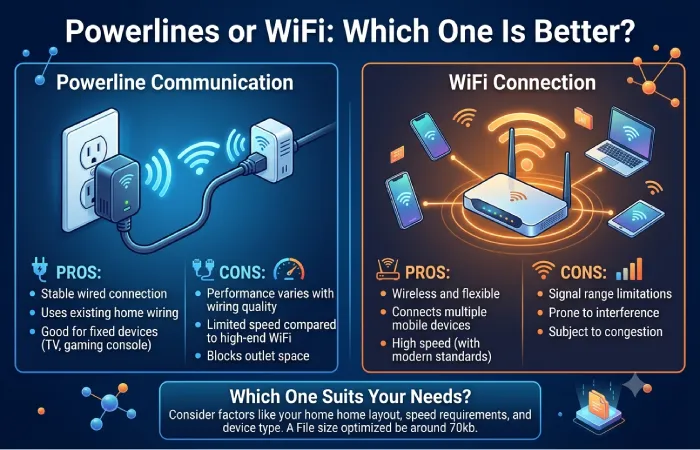
Only the right option will work for the problem you are solving.
Pick a powerline adapter if you are only concerned with having network access in one area and WiFi doesn‘t reach well enough. Pick mesh WiFi if you‘re looking for good coverage on the wireless network and in much in terms of mobility. Pick Ethernet if it‘s all about stability, responsiveness and consistent performance.
Before purchasing a powerline kit, determine whether the manufacturer is compatible with your power installation and, where possible, opt for one with GBE and pass-through power.
Frequently Asked Questions
Yet, how do powerline adapters impact the internet?
Actual throughput will vary based on electrical wiring, interference, distance, the technology used for the adaptors and the network conditions
Can powerline adaptors provide the same connections on different floors?
Yes they can operate between floors if the electrical circuitry allows for a good connection. The performance may vary according to the electrical circuitry in the home.
What is the difference between powerline adapters and Wifi?
Neither is always superior. Powerline is a good option where WiFi has trouble penetrating walls, while WiFi is easier to use with portable equipment and for generating a whole-house WiFi environment.
Is it possible to utilize more than 2 powerline adapters?
Most powerline systems will support several compatible adapters. Verify the specifications of the manufacturer for maximum amount and what compatibility requirements.
Are powerline adapters required to be on the same circuit?
They generally require the signal to travel over a common home electrical system path. The layout of the circuit can greatly influence the quality, so practical testing is usually the most useful method of evaluation.
Are power line adapters suitable for playing online games?
The powerline connection is fairly stable with acceptable latency, so they have occasionally been good for gaming. When a direct cable connection is feasible though, Ethernet is usually the best choice.
Bottom line
The bottom line is that the process must be known, understood, practiced and implemented to get the desired result. Powerline adapters can be a good option to cover areas where WiFi wouldn‘t reach but no setting up of ethernet cables is feasible. It‘s important to bear in mind, though, that these highly depend on your wiring and don‘t take advertised speed as being the actual bandwidth.